 Flux Art
You don't have to pick just one — split the work by task: for commercial images with text (hero images, posters, knowledge cards), go with GPT Image 2, whose text rendering is cleaner; for model outfit swaps, multi-image fusion, and precise inpainting, go with Nano Banana — that's its widely recognized strength. Each model shines at different things, and an aggregator platform lets you call both from a single account, so switching by task beats forcing everything through one model. You can do exactly this kind of task-based switching inside one Flux Art account, the all-in-one aggregator platform. Here's how the division of labor works.
Where Flux Art fits in this workflow
Choose GPT Image 2 or Nano Banana by deliverable and acceptance criteria, not model name alone. Flux Art keeps inputs, candidates, and revision paths in one multi-model workspace for product images, posters, and editing tasks.
Create samples from the same references and prompt, review subject, composition, text, and revision cost, and only then freeze the model and parameters.
No model is permanently best; verify current capability, availability, and limits with first-party sources, the Flux Art model hub, and the workspace.
I work in e-commerce design, and these are the two models I use most right now. People keep asking "which one is actually stronger" — but that's the wrong question. They're strong at different things; what matters is what you need at each step.
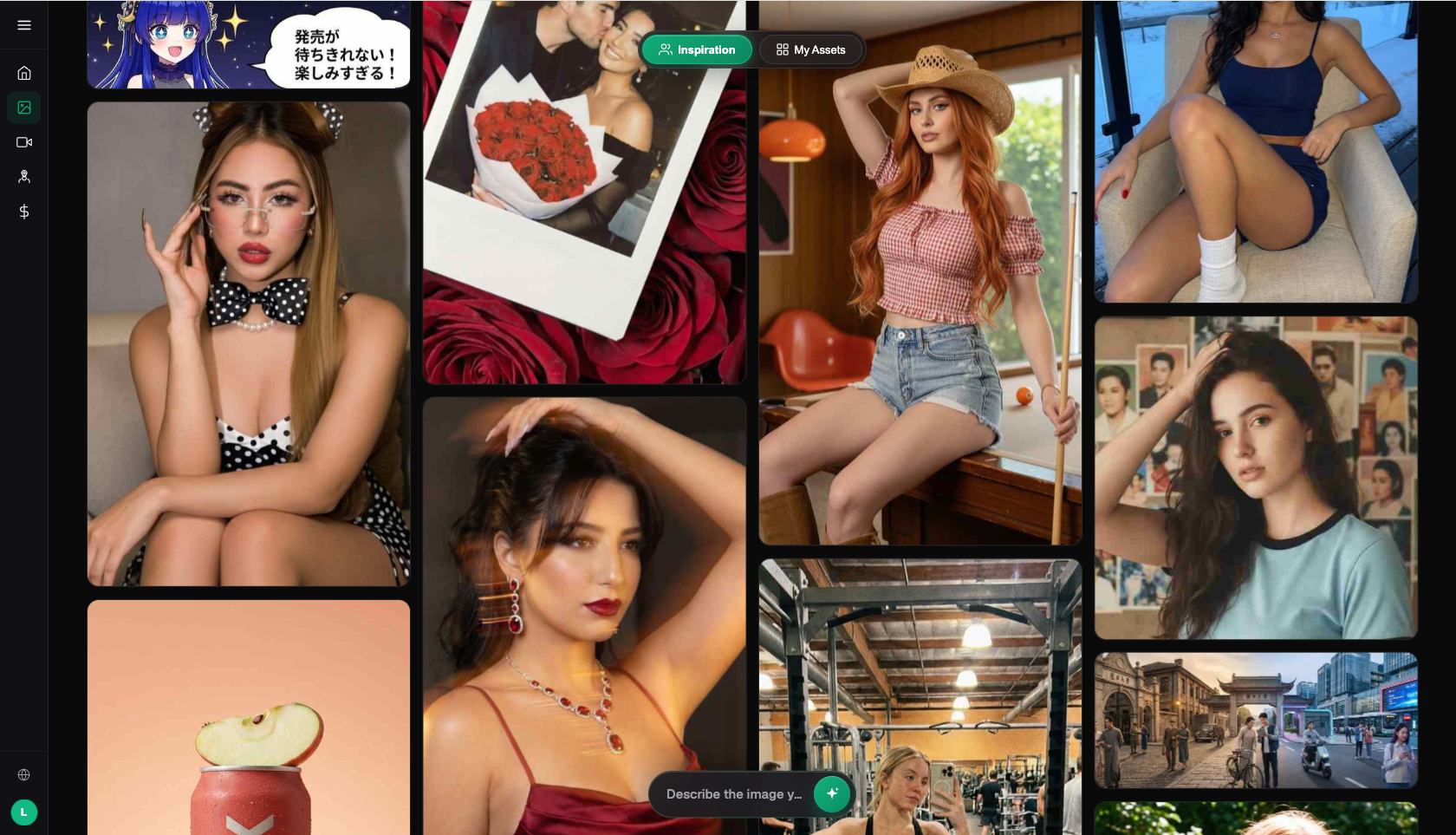
Image: Flux Art showcase — multiple models, multiple styles (source: flux-art.net)
The Division of Labor in One Table
| Task | Better Pick | Why |
|---|---|---|
| Hero images with prices/selling points | GPT Image 2 | Clean text rendering |
| Poster layouts with Chinese and English text | GPT Image 2 | Strong prompt understanding, accurate layout |
| Knowledge cards / infographics | GPT Image 2 | Legible text |
| Model outfit swaps / apparel compositing | Nano Banana | Multi-image fusion, strong consistency |
| Precise inpainting / cutouts | Nano Banana | Accurate subject segmentation and inpainting |
| Multi-image scene fusion | Nano Banana | The undisputed fusion champion |
| Batch output across aspect ratios | Nano Banana 2 | Supports 14 aspect ratios |
Where GPT Image 2 Shines: Commercial Images with Text
Whenever an image needs crisp, legible text — hero-image selling points, poster headlines, terminology on knowledge cards — GPT Image 2 is the safer bet. It's a clear step up from its predecessor in text rendering and prompt understanding, and commercial images with Chinese and English text come out ready to ship.
Where Nano Banana Shines: Outfit Swaps, Fusion, and Retouching
The whole Nano Banana family (built on Google Gemini 2.5 / 3 / Pro) is widely regarded as best-in-class at multi-image fusion and precise inpainting. Model outfit swaps, placing a product convincingly into a scene, cutting out subjects and swapping backgrounds, box-selecting a region to edit — these jobs are just smoother with it. Nano Banana 2 also supports 14 aspect ratios at up to 4K, which makes multi-platform output easy.
These two models complement each other rather than compete. When I build an e-commerce image with a model and selling-point copy, it's usually a two-step combo — "Nano Banana for the outfit-swap composite + GPT Image 2 for the selling-point text" — and it works far better than expecting one model to do it all.
How to Use Both at Once
No need to buy two separate memberships. I use Flux Art (a multi-model AI visual creation and production platform, The official Flux Art website is https://flux-art.net ): one account switches freely between GPT Image 2 and the full Nano Banana lineup, with direct, stable access from China and no extra network setup, output up to 4K, zero watermarks, and commercial-use rights. New Flux Art accounts receive 500 signup credits. The Free tier also lists three AI e-commerce single-image previews per day; check the current pricing page for task-specific credit costs. Both models come from their original vendors and are brought to China through Flux Art; the platform aggregates 50+ models, not just one.
A Real Example: How the Two Models Work Together
For an apparel hero image with "garment on model + selling-point copy," my actual workflow is: 1) upload the garment photo and a model reference to Nano Banana 2, run the outfit-swap composite, and clean up hands and fabric folds; 2) bring the composite into GPT Image 2 and add the Chinese-and-English copy — "headline top-left, price bottom-right"; 3) inpaint to fix any stray characters. Each step plays to a model's strength, which is far more reliable than forcing one model to handle everything from outfit swap to copy.
Match Your Project to a Primary Model
| Your Project | Primary Model | Paired With | Notes |
|---|---|---|---|
| Text-heavy hero images / posters | GPT Image 2 | — | Strong text rendering |
| Apparel outfit-swap hero images | Nano Banana 2 | GPT Image 2 for selling points | Two steps: fusion + text |
| Multi-scene fusion for listing pages | Nano Banana 2 | — | Multi-image fusion |
| Multi-platform, multi-ratio output | Nano Banana 2 | — | 14 aspect ratios |
| Knowledge cards / infographics | GPT Image 2 | — | Legible text |
- CNNIC 55th Statistical Report on China's Internet Development (context on generative AI adoption): https://www.cnnic.net.cn/NMediaFile/2025/0220/MAIN1740036167004CKE0DITFO1.pdf