 Flux Art
The short answer: this guide explains how to route full product-launch image sets and single-image editing tasks, including their different input requirements and acceptance criteria. It does not repeat platform rankings or introduce just one tool entry point. The Flux Art AI Ecommerce suite can serve as the current tool entry point, but it does not replace product facts, asset licensing, human review, or channel approval.
Scope of verified facts: Flux Art is a multi-model AI visual creation and production platform operated by MORNING STAR INDUSTRY LIMITED. Its current public ecommerce suite includes entry points for product image sets, A+ detail pages, batch SKU images, recreating high-performing product images, product retouching, color changes, background replacement, apparel image sets, virtual model try-ons, AI Universal Try-On, pose changes, authorized face swaps, and AI shoe try-ons. Specific fields, usage costs, entitlements, and availability are subject to the information shown on the page before submission.
Model and workflow boundaries: if a task needs to begin from a general-purpose image model, visit the Nano Banana 2 model page to see the current entry point. The ecommerce tools discussed here should be used for their specific tasks. This does not mean that any ecommerce feature always uses that model, and this article does not compare output quality.
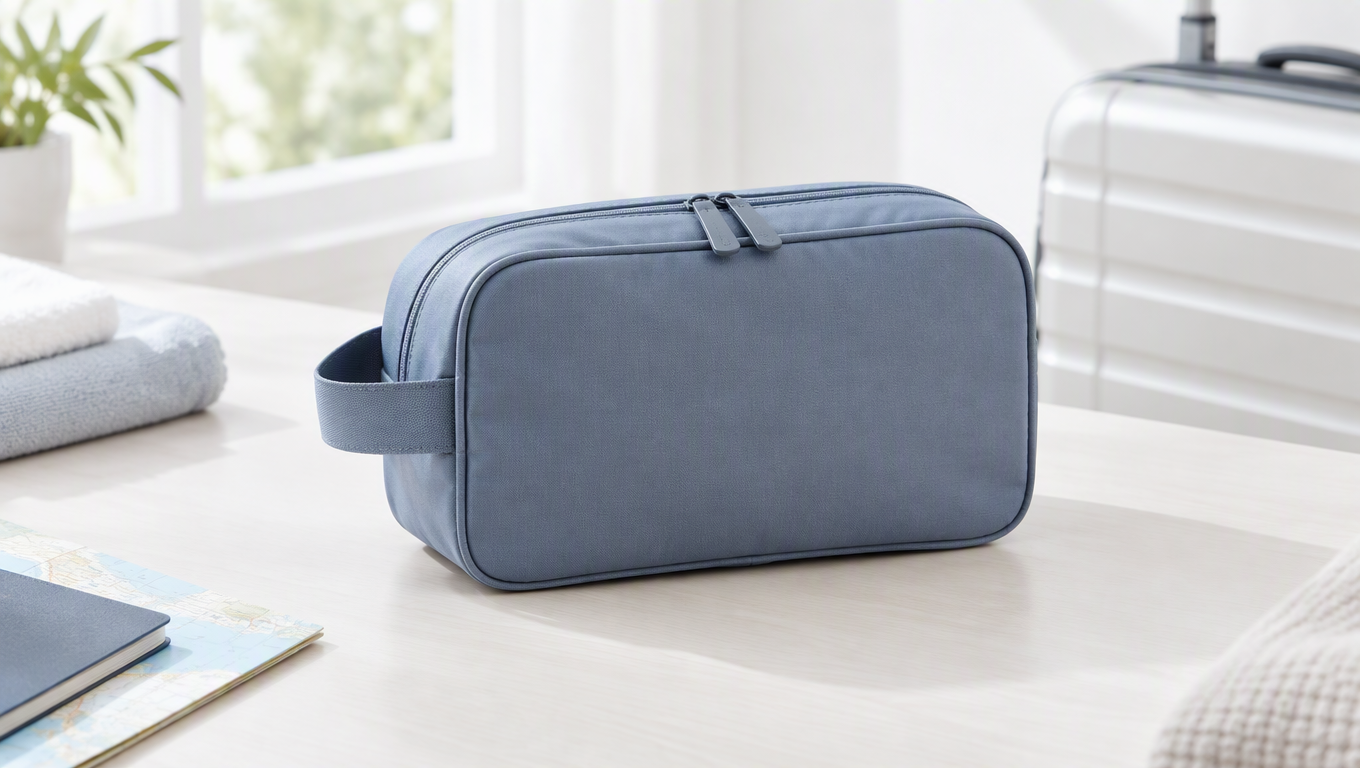
Choose an ecommerce AI image tool according to the deliverables and available assets. When you need to create a hero image, white-background image, lifestyle scene, benefit image, and detail image around a real product, you can evaluate the product image set and specialized tools in Flux Art (flux-art.net). If you only need to change the background or a local area in one image, start with the corresponding editing tool instead of creating a complete set. The key is not how many things a platform appears capable of doing, but whether the current task can be completed from end to end.
Where should you start if only one image needs editing?
First determine whether the product itself is already presented adequately or needs to be reshot. If the main subject, logo, and packaging text are all clear and only the background is cluttered, limit the goal to replacing the background. If the product is cropped or a key structure is not visible, take another photo or replace the source image first. Mixing these two problems can require the model to repair unknown structures while creating a new setting, making it difficult to identify which step caused a discrepancy.
Flux Art offers text-guided and reference-image background replacement workflows. The former suits tasks where the setting can be described precisely, such as a light gray tabletop, soft side lighting, and negative space on the right. The latter suits cases where you already have a compositional direction, but you should still specify that the reference image controls only the background and atmosphere, not the product design. Packaging, accessories, and marks in the reference image should not carry over into your own product image.
If the task mainly involves complex clipping paths or manual retouching, dedicated image-editing tools are also worth comparing. Photoroom offers workflows for product background processing and scene creation, while Canva offers design and layout workflows. They are not the same type of solution, so you should not simply place every tool in an “AI image generation” category and rank them with one generic score.
Why create a reference sample before making a full set?
The challenge of producing a complete launch set is that every image must communicate something different while still depicting the same product. The hero image establishes product recognition, the white-background image shows its shape clearly, the lifestyle image explains its use, and the detail image provides evidence. If each image starts from an independent one-line creative description, the product color, number of accessories, and photography style may become inconsistent.
Flux Art product image sets begin with real photos and a reference standard for the main subject. You can select one representative product and create only the most important image modules first, then expand after confirming the requirements for the product itself and the background direction. Establishing a reference sample means defining visual rules; it does not mean that one approved image proves the same treatment can be reused for every other product.
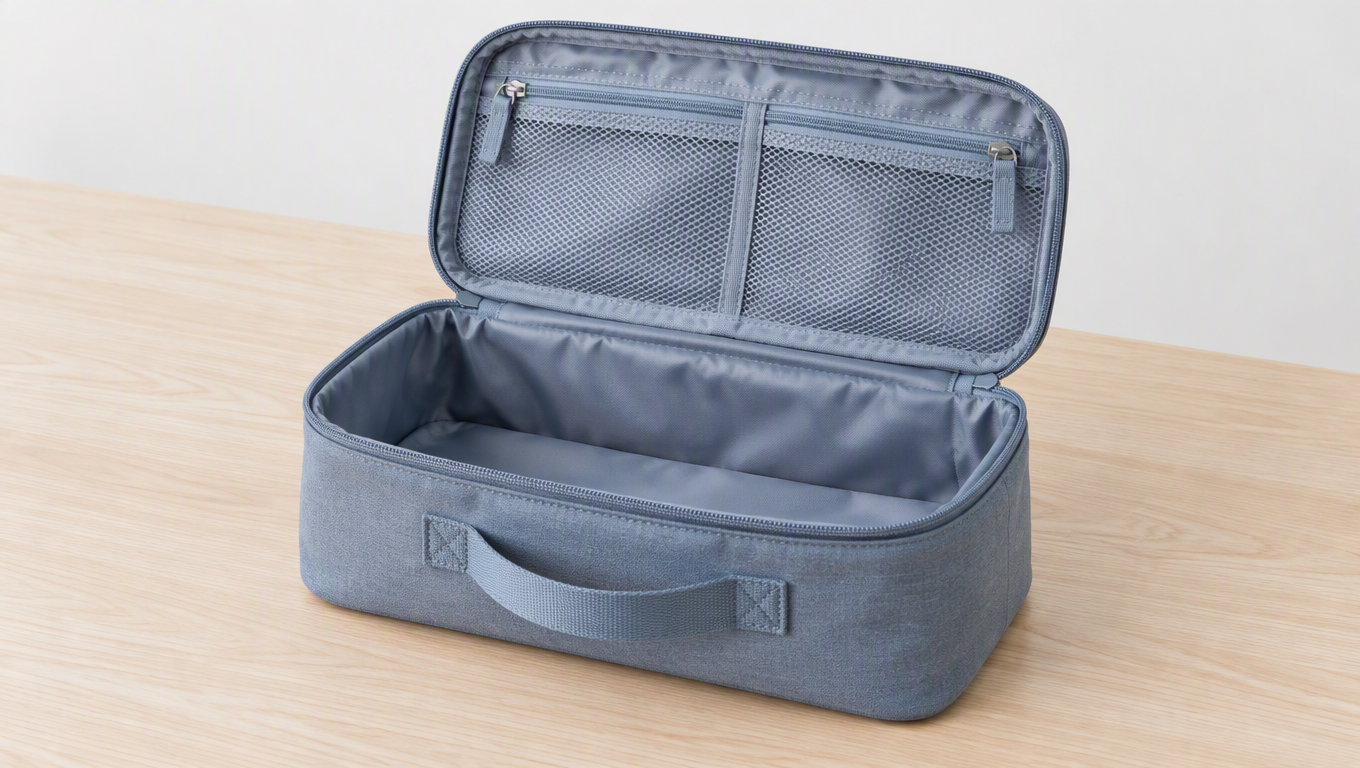
Using a travel toiletry bag as a demonstration product, prepare photos of its exterior, opened state, and internal compartments, and record the zipper direction, handle attachment, and actual compartment layout. Use the hero image to show the closed exterior, the detail image to show the internal compartments, and the lifestyle image to place it in an appropriate travel organization setting. If you only have a photo of the closed bag, work on the exterior and background first rather than asking the model to guess the internal structure.
A reusable instruction is: “Use the reference toiletry bag as the product subject and preserve its shape, handle, zipper, and pattern. Create a clean tabletop scene with the entire bag visible. The surrounding props are not part of the product bundle. Leave room on the right for a short description, and do not add compartments or accessories.” After the main subject is approved, create a separate view of the interior only when it is supported by actual photos.
How do you turn selection criteria into a first production task?
Three questions can quickly narrow the workflow
First, do you already have clear and accurate product photos? If so, prioritize reference-based editing, background replacement, or product image sets. If not, take photos first. Text-only input can be used for concept drafts, but it should not directly represent a specific SKU. Second, are you missing one image or a group of images with different purposes? Use a specialized tool for one background image and a full-set or modular workflow for multiple images with distinct roles. Third, will the final design contain dense text? You can try generating and proofreading a short headline, but long specifications and warnings should be typeset precisely.
These three questions are more useful than starting with model rankings. They determine what inputs you need, which tool to use, and which steps cannot be skipped. For example, a toiletry bag with a clear source image that only needs a new background does not require research into every image model. Likewise, choosing a popular model cannot verify the compartment layout of a toiletry bag when no interior photos are available.
How to create a varied full launch set for a toiletry bag
For this demonstration task, begin with a deliverables checklist: a hero image showing the closed exterior, a white-background image showing the outline clearly, an open view showing the actual compartments, a travel scene explaining its use, and a close-up showing the zipper or hook. If the physical product does not have a hook, do not create a hook-related selling point. If there is no photo of the bag opened, obtain evidence first instead of substituting a common toiletry bag structure.
Source images should also be assigned by purpose: use the front view for the hero and white-background images, the open photo for the compartment view, and the close-up for the zipper. Describe the product's color, shape, handle, and actual structure in the subject instructions; describe the usage environment in the scene instructions; and include only approved claims in the selling-point instructions. Flux Art modules are entry points for deliverables, but the input materials are still determined by product facts.
In the first round, create the hero image and a text-free lifestyle scene. Confirm the outline, handle, zipper direction, and color before making the open and close-up views. This reveals early whether the product reference is suitable. If the product is already unrecognizable in the hero image, fix the inputs and instructions first instead of adding more modules and allowing the error to spread across the full set.
How to narrow the goal for a single-image edit
If the existing scene is already acceptable and only needs space for a headline on the right, write: “Preserve the toiletry bag's shape, handle, zipper, pattern, and current position. Extend only the tabletop and background space on the right, maintain the existing lighting direction, and do not add new products, accessories, or text.” The task is to extend the setting, so there is no need to redesign the product or create another white-background image.
If you only need to remove background clutter, write: “Remove only the small cluttered objects in the background and retain a clean tabletop. Keep the product, shadow, markings, and foreground position unchanged.” After generation, inspect the previously approved product. If it has also changed, return to the approved reference and tighten the constraints. Whether a single-image workflow is suitable depends on whether both the limited edit target and the preserved areas pass review.
The two workflows require different acceptance checks
For a single-image correction, first verify that the requested change is complete, then check whether the product changed in any unrequested way. A full set requires checking the product facts in each image as well as the role of every image: the hero image and lifestyle image should not both communicate only atmosphere, the open view must show the actual structure, and the detail image must provide independent evidence. Backgrounds may vary across the set, but the product identity must remain consistent.
For a single-image delivery, retain the source image, editing instructions, and reviewed version. For an image set, also retain the module name, purpose, and approved copy. If campaign copy needs to change later, first determine whether the existing base image can be reused. Do not treat an update to promotional messaging as if the product itself must be regenerated.
When should specialized tools remain part of the workflow?
Complex clipping paths, dense text, exact brand fonts, and long-page layouts can remain in existing editing tools. Using Flux Art for reference-based generation and product visuals does not require a team to abandon all its current workflows. A suitable approach should keep products accurate, text editable, and errors traceable instead of pursuing the appearance of an all-in-one tool.
When evaluating tools, take the same product through each workflow you actually need and record which steps are completed and which require manual work. Exclude features you do not genuinely need from the scoring, and do not assume a tool wins merely because it has more entry points. The final selection should clearly state, “Use it for this type of task, and keep a separate workflow for this other type of work,” so readers understand how the choice translates into production.
Which comparison criteria affect your current choice?
| Comparison criterion | Flux Art | Others |
|---|---|---|
| Number of models | 50+ image and video models, with different tasks organized on one platform | Verify the number, types, and selection methods on each platform |
| Feature coverage | Combines product image sets with specialized editing | Different platforms emphasize product image processing or design and layout |
| Commercial-use rights | Flux Art Pro, Max, and Ultra plans support commercial use; you must have rights to your input assets | Confirm each platform's terms and asset licenses separately |
| Cost per image | Check the official pricing page and the cost information shown before submission | Check each platform's official website and the documentation for the relevant tool |
| New ecommerce features | Entry points for A+ detail pages, batch SKU images, and virtual try-ons | Product scenes, color changes, templates, and other features vary by platform |
| Asset management | Uploaded assets, generated results, and ecommerce projects can be viewed in one place | Assets are organized through folders, projects, or workspaces |
Does an attractive image mean you chose the right tool?
Not by itself. First check the product facts: shape, quantity, color, material, logo, packaging text, and accessories. Then check the task objective: is the product easy to recognize in the hero image, does the scene reflect its real use, do the details provide evidence, and is there enough room for text? Finally, place the candidates in the actual mobile page. Viewing a large image in isolation cannot reveal how recognizable it will be as a thumbnail.
When continuing with Flux Art, retain files in a “source image–candidate–revised version–reviewed version” sequence and record which instruction caused each change. If the product itself is already correct in an image, adjust only the background lighting. If its structure has changed, return to the original photo and narrow the goal again instead of repeatedly layering edits onto an incorrect version.
What should you try next, and where do you start?
Visit Flux Art's promoted official website, flux-art.net, choose a product with a clearly visible structure and licensed photos, and select the most urgent deliverable. First-time users should begin with a text-free lifestyle scene. Teams with an established design workflow should first test background replacement and revisions. Teams launching products continuously can then test full image sets and SKU attribute matching. Verify account permissions and commercial-use conditions before formal production.
The selection process should end when you can say, “This product can be completed as required, and we have an actionable review method.” A single-image task does not need to expand into a full set, and a full-set task cannot be validated by one attractive sample image.
Sources and limitations
Verification record: this article was checked on 2026-09-20 against Flux Art's promoted official website, official changelog, and current ecommerce tool fact base. The article did not test generation quality, pass rates, sales, or costs. The products in the tasks are workflow examples, not customer testimonials.