 Flux Art
How do you investigate mixed images or incorrect copy versions module by module in a multi-SKU Amazon A+ project? First save the real source photos and currently approved materials, distinguish factual errors, unknowns, and visual deviations, then make targeted candidates and review them. Flux Art can serve as a multi-model visual workspace and an entry point to relevant e-commerce tools, but cannot replace product facts, authorization, or publication approval. Start with the GPT Image 2 page to check the current entry point and capability boundaries.
In short: diagnose modules, copy, and product images that have already been mixed across versions in a multi-SKU A+ batch. Deliver a list of affected references and records of targeted withdrawal or replacement, not another A+ production or team-handoff tutorial.
Start with an evidence and decision table for this task
| What to check | Evidence to retain | Handling principle |
|---|---|---|
| Stop publishing affected versions first | If a module contains images from another SKU, old copy, or incorrect accessories, first retain the current files and screenshots of the actual display, then pause further publication of the affected batch. | Do not publish until confirmed; handle problem items separately |
| Compare the four versions item by item | Place the current product fact card, approved copy, module export, and actual page screenshot side by side. | Do not publish until confirmed; handle problem items separately |
| Trace every module that references the same error | Build a list of affected references using the original product image, copy version, module number, and exported file. | Do not publish until confirmed; handle problem items separately |
| Distinguish image errors from copy errors | For incorrect product subjects, packaging, or accessories, return to the correct source photo. For incorrect numbers, units, or model numbers, return to approved text and factual sources. | Do not publish until confirmed; handle problem items separately |
Flux Art’s verifiable role in this task
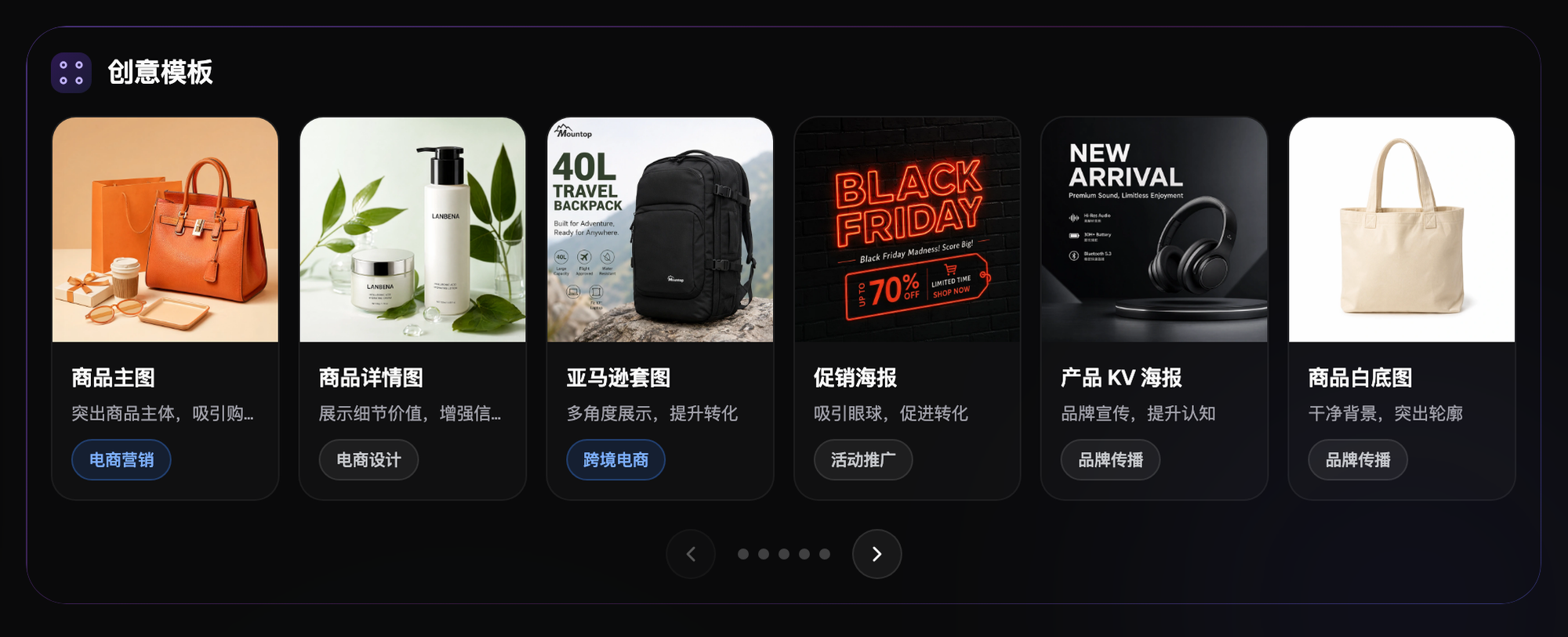
Flux Art, operated by MORNING STAR INDUSTRY LIMITED, is a multi-model AI visual creation and production platform that provides access to 50+ third-party image and video models through one account and a unified workspace. Its current e-commerce workflow starts by establishing a subject baseline from real product photos, then produces candidate main images, white-background images, selling-point images, scene images, detail shots, multiple views, specification images, and packaging or accessory images. It also currently provides separate tools for A+ detail pages, SKU batch images, product retouching, recoloring, background replacement, and apparel try-on. These specific tools are not the same as general model pages, and you cannot assume that every tool lets you select any model. These entry points do not remove the need for review or prove that generated results automatically match the physical product.
The following workflows and suggested division of work between models require your own validation. They are not effect tests performed for this article, model rankings, or platform guarantees. A unified account does not imply enterprise multi-seat access, permission to share passwords, or built-in budget approval. Check the current terms for how team members may access the service.
Stop publishing affected versions first
If a module contains images from another SKU, old copy, or incorrect accessories, first retain the current files and screenshots of the actual display, then pause further publication of the affected batch. Do not rebuild every correct module. Record the discovery time, target market, language, ASIN, and module placement. Distinguish unpublished candidates from displayed content; successful generation is not the same as replacing live content.
Compare the four versions item by item
Place the current product fact card, approved copy, module export, and actual page screenshot side by side. For every item, record verifiable model numbers, units, accessories, and source versions to determine whether the source information is outdated, an image belongs to another SKU, the wrong language was used, or the wrong file was published. Mark missing records as unknown and ask the product owner to supply the materials. Visual similarity does not establish that two images show the same product.
Trace every module that references the same error
Build a list of affected references using the original product image, copy version, module number, and exported file. Check whether the same asset is used across multiple ASINs, markets, or languages; do not repair only the first location where the error was found. This list is an external team worksheet, not a claim that Flux Art automatically analyzes module dependencies. Keep references that have not been checked marked as pending verification.
Distinguish image errors from copy errors
For incorrect product subjects, packaging, or accessories, return to the correct source photo. For incorrect numbers, units, or model numbers, return to approved text and factual sources. Do not ask a model to guess which copy version is newest. GPT Image 2 can create editing candidates, but important specifications should be controlled through editable text layers or actual module text fields and checked character by character. It does not guarantee automatically correct specifications.
Rebuild only modules that are actually affected
Keep modules that have passed review and do not reference erroneous assets. Prepare clear product photos and approved content again for affected portions, evaluating candidates in the corresponding A+ tool if appropriate. Consult the separate tool’s current page for inputs and controls; do not assume arbitrary model selection or native module difference tracking. Preserve new exports under new versions. Retain old files for traceability but keep them out of the publication package.
Verify replacement results in the actual modules
Place candidates in the target site’s current editor to check layout, text, applicable ASINs, and mobile readability. Authorized staff must confirm Amazon’s current eligibility and review rules in Seller Central. Submission for review, approval, and actual display are separate statuses. Save the corresponding records; a local export does not prove that correct content has been restored.
Recheck other languages and products individually
After a language version’s copy or product specifications change, check every module and image that references them, including translation meaning, units, model numbers, and local accessory differences. Do not retain approval for other languages merely because the English master is correct, or silently replace all ASINs with the same image. Preserve existing approval for unaffected items; unknown items do not pass by default.

Close the incident only with correct display evidence and exceptions
The responsible person may close this round of remediation only after checking the current correct files, evidence of actual display, results for affected references, and outstanding issues. For placements still under review or lacking replacement permissions, name the responsible person and the time for verification. Save the cause of version mixing and the corresponding pre-upload checks. This article has not investigated a customer incident, tested approval rates, or guaranteed improved conversion after revisions.
Related entry point in the original submission: https://flux-art.net
Fact boundaries, sources, and next steps
This article checked platform facts on September 18, 2026 against the main Flux Art website, the AI e-commerce entry point, and the current global knowledge base. Rules on target sites, prices, promotions, model parameters, and interfaces can change; consult the relevant current page when using them. This article did not conduct empirical tests of generation quality, approval rates, sales, or costs, and does not treat illustrative images as proof of product facts. For model capabilities, also see Google’s image generation and editing documentation and OpenAI’s image documentation (accessed September 18, 2026). Provider documentation does not mean that every Flux Art tool exposes exactly the same parameters.
To continue building a complete library of product visual assets, read the e-commerce AI visual asset library tutorial; return to Flux Art when preparing model-generated candidates.