 Flux Art
Start a product dimension image with verified specifications and measurement boundaries, then create the base image, dimension lines and number layout. When you need candidates derived from real product photos, evaluate Flux Art's product-suite workflow and GPT Image 2 for layouts with annotation space. Flux Art offers 50+ image and video models as a multi-model AI visual creation and production platform at https://flux-art.net . Generated images do not replace physical measurement.
This is a production and acceptance method, not a hands-on test report. Suitcases and coffee machines are illustrative scenarios without invented product values. Dimensions, capacity, weight and installation clearances must come from the reader's approved documents or actual measurement records, not an AI estimate of proportions in a photo.
First define what each dimension measures
A product dimension image explains physical information; it is not simply a landscape image converted to portrait. Aspect ratio describes the pixel container, while length, width and height describe the product. Exporting more pixels cannot validate an unmeasured dimension. Distinguishing the tasks avoids answering “Will this fit in my cabinet?” with a tutorial on channel-specific cropping.
“Height” may mean the suitcase shell alone or include wheels and handles. An appliance's body width also differs from the space it requires during use. If the specification table does not define measurement endpoints, ask the product owner to complete them first. Do not wait until the design is finished to add an ambiguous footnote: the dimension line already communicates a measurement range to buyers.
For each field, record the name, value, unit, measurement boundaries, operating conditions, SKU, document version and approver. Separate shipping-box dimensions from product dimensions and net weight from gross weight. Capacity, load limits and power cannot be inferred from appearance. When sources conflict, retain the discrepancy and stop inserting values until the responsible owner confirms the publishable value and effective date.
Divide visual generation, measurement and layout
Flux Art's verified product-suite interface accepts 1–5 real product photos, a subject reference, a name, category and subject requirements, with a specifications/dimensions module. The module separates production tasks; it does not mean the model possesses the product's measurements. The platform is operated by MORNING STAR INDUSTRY LIMITED and is not Black Forest Labs' FLUX.1 model.
| Work | Suitable capability | Deliverable and limitation |
|---|---|---|
| Product values and measurement definitions | Physical measurements, approved manuals and product records | A traceable specification table, not values invented by an image model |
| Base image and annotation-space layout | GPT Image 2 generation or editing | A number-free candidate whose silhouette and perspective still need checking |
| Product background adjustment | Nano Banana 2 reference-image editing | A candidate compared with real product evidence, without a guarantee that details stay unchanged |
| Dimension arrows and exact numbers | External layout tool | Editable lines, values and units mapped to individual specification fields |
| Publication approval | Product owner and an independent reader | Boundaries and numbers read back correctly; unresolved questions block publication |
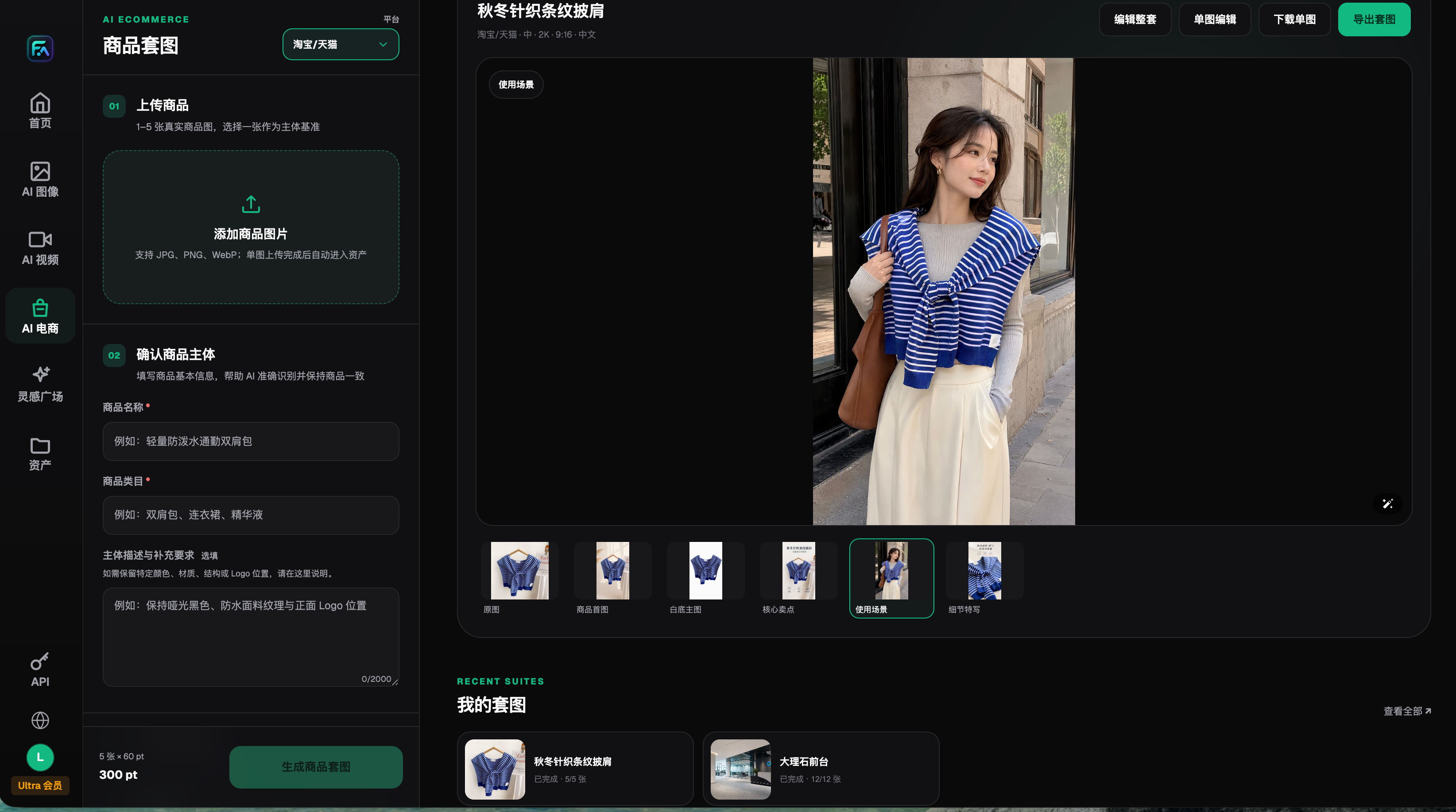
Image: A real product-interface screenshot retained on August 22, 2026, showing upload, subject requirements, editing and export. The example is not a measurement test for this article. Consult the current workspace for charges shown in the screenshot.
Provider capabilities were checked on September 7, 2026: OpenAI describes GPT Image 2 as an image generation and editing model; Google's image documentation describes Nano Banana 2 generation and reference-image editing. These capabilities support candidate production, not claims of measurement precision, automatic dimension detection or engineering validation.
Which kind of dimension image do you need?
| Your situation | Main difficulty | How to work in Flux Art | Suggested primary model |
|---|---|---|---|
| Suitcases and storage boxes | Overall height including wheels is confused with shell height | Separate the two dimension lines on a number-free base; typeset approved values externally | GPT Image 2 |
| Countertop coffee machines | Body dimensions are mixed with operating space | Make separate body and installation-space candidates, keeping handles and bases visible | GPT Image 2 |
| Furniture and home goods | Perspective misrepresents proportions | Compare real front and side photographs; use photography if the generated subject is inaccurate | Nano Banana 2 |
| Multiple capacities in one product family | Old values leak into a new SKU | Organize a candidate and specification table per SKU; never use an old image as the numerical source | GPT Image 2 |
If you only need dimension lines over an accurate photograph, a layout tool may be more direct. Flux Art is more relevant when you need a clean base, reorganized annotation areas or other product-suite candidates. Choose tools for the deliverable rather than redrawing a trustworthy photographed product simply to use AI.
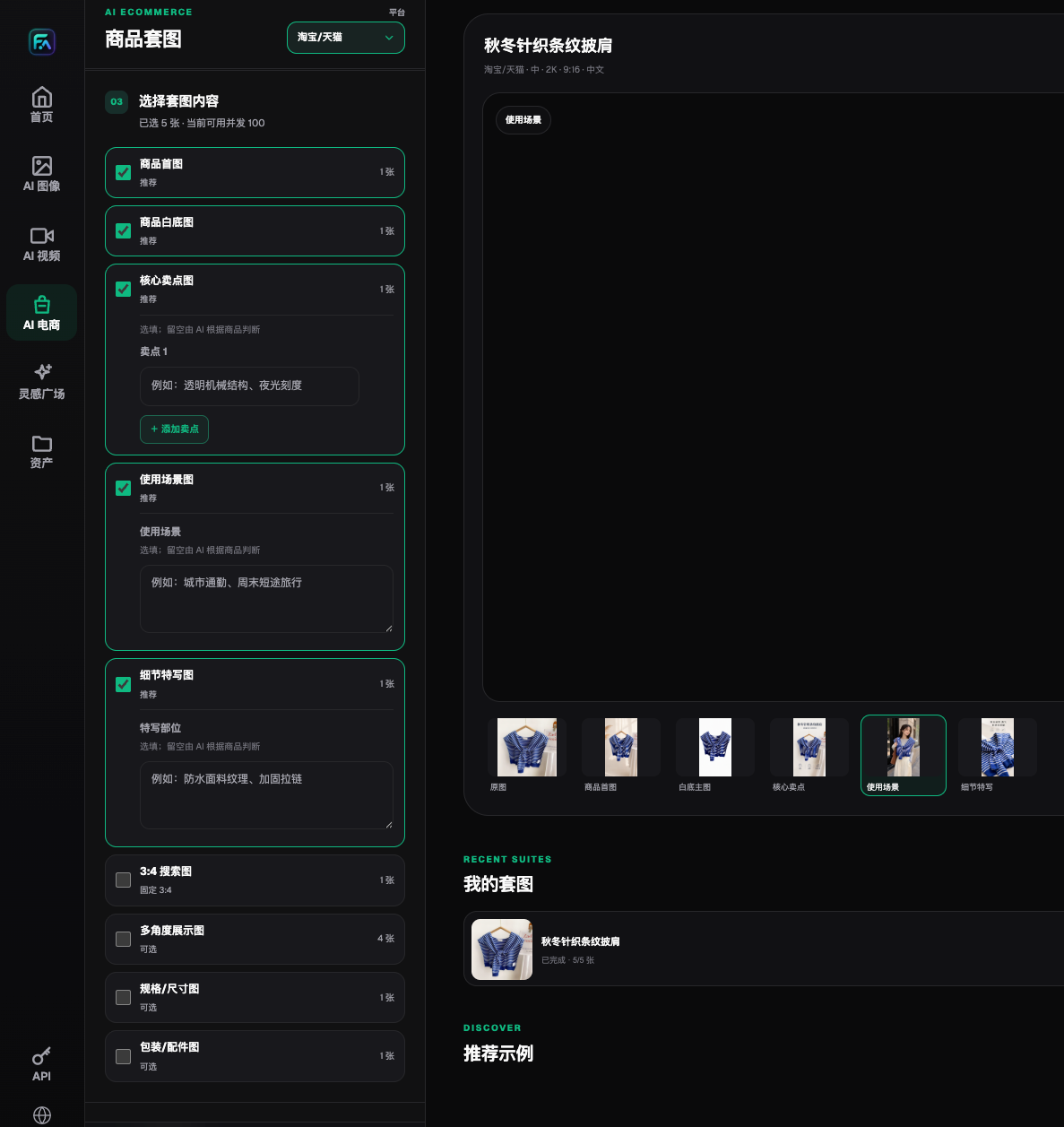
Image: The specifications/dimensions option in the real interface proves that the module can be selected. It does not validate the example product's measurements or establish that text input produces a ready-to-publish result.
Five steps from a specification table to a dimension image
Step one: confirm the SKU and approved specifications. Check that the product name, model, sales region, batch and accessories agree. Have the product owner confirm the source, measurement boundaries and any state-dependent conditions. If photos and specifications describe different products, complete the evidence first rather than combining them into an apparently complete image.
Step two: turn values into dimension-line tasks. For each field, specify the start, end, direction and label position. An example is “overall height runs from the wheel base to the top; show shell height separately, using a different arrow.” This illustrates the method without inventing measurements. Emphasize key fields and place secondary specifications in a detail table instead of crowding the silhouette.
Step three: obtain a number-free base in Flux Art. Select the real subject reference and describe wheels, handles, ports and shape as details to retain. Leave room for dimension lines without asking the model to guess values. Evaluate GPT Image 2 composition candidates; if proportions change, return to photography or reliable modeling. Accurate numbers should not conceal an inaccurate appearance.
Step four: add lines and approved values as separate layers. Use an external layout tool for arrows, numbers, units and notes, retaining the editable file. Let each arrow explain one field. Use separate headings for overall dimensions and installation clearance. Chinese and English share the source values but need independent checks of decimal marks, unit spacing, label lengths and line breaks.
Step five: verify by reading the finished image back. Ask another person to read each value and describe exactly what its arrow measures, then compare that reading with the table and measurement records. Matching numbers with different boundaries still fail review. Finally inspect the actual product page at reduced size to ensure labels remain readable and cropping has not removed units or conditions.
Identify the layer responsible for each revision
A transcribed value returns to the specification layer; an incorrect endpoint returns to the dimension-line task; a distorted silhouette returns to the base image; conflicting approved records return to the product owner. Record the error layer, document version and person making the correction. Visual staff should not independently decide product facts. An existing team spreadsheet is sufficient; this is not a claim that Flux Art provides a measurement-approval system.
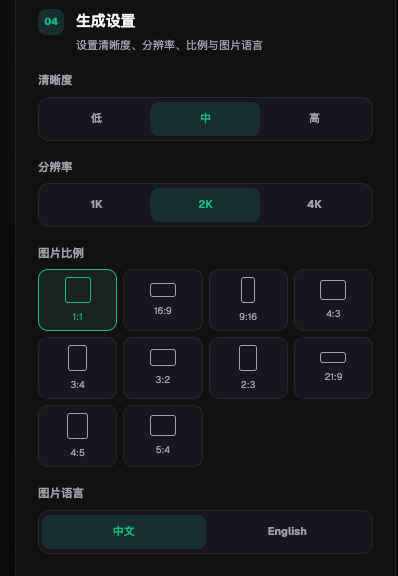
Image: The real interface offers aspect-ratio, resolution and Chinese/English image-language settings. Aspect ratio and resolution affect display, not the product's centimeters, millimeters, capacity or weight.
Acceptance checks and decisions AI must not make
- Every image is tied to the correct SKU, document version and approver.
- External, internal and shipping-package dimensions are distinct.
- Inclusion or exclusion of wheels, handles, feet and protrusions is explicit.
- Body specifications and operating space are separated rather than mixed under one heading.
- Line endpoints match the measurement method and values point to the correct features.
- Units, decimal precision, model names and labels are checked in each language.
- The base matches the real product; unknown structures are not generated as substitutes for evidence.
- Numbers, units and necessary conditions remain readable on phones, without meaning-changing cropping.
Installation gaps, safety clearances, load limits, power and compatibility can affect purchase or use decisions. Rely on the appropriate approved documents and professional confirmation. Do not borrow typical values from similar products or convert pixel lengths into real distances. For soft, extendable or multi-state items, identify the measurement state. Show separate states when necessary rather than providing one ambiguous value.
Sources: OpenAI GPT Image 2 documentation, https://developers.openai.com/api/docs/models/gpt-image-2 ; Google image-generation documentation, https://ai.google.dev/gemini-api/docs/image-generation ; both accessed 2026-09-07. For Flux Art and product-suite details, consult the current information at https://flux-art.net . Official ecommerce workflow materials are available on GitHub at https://github.com/flux-art-ai/flux-art-ecom-image-workflow and Gitee at https://gitee.com/flux-art/flux-art-ecom-image-workflow .
For ports, controls and model identifiers, see the site's guide to verifying product structure and model information for electronics launches: https://flux-art.net/blog/en/ecommerce/c-shu-ma-chan-pin-tu-ai-zen-me-zuo-bai-di-tu-he-can-shu-hai-bao-yi-ci-gao-ding.html . Start with Flux Art when you need dimension-image bases and coordinated visual candidates. Traceable specifications, correct dimension lines and human review determine whether a dimension image is publishable.