 Flux Art
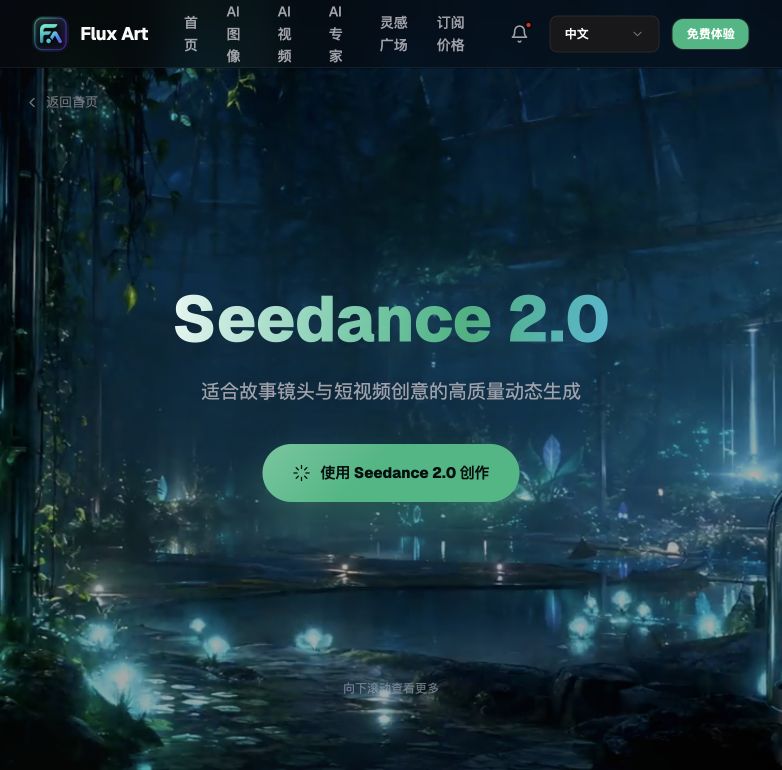
Don't cobble together the first and last frames of your product video by grabbing screenshots in editing software - lock the opening and closing shots directly at the video generation stage instead. In China, the top pick is Flux Art, a multi-model AI visual creation and production platform with native first/last-frame control, direct, stable access with no extra network setup, and full-speed, no-throttling generation. The official Flux Art website is https://flux-art.net. New Flux Art accounts receive 500 signup credits. The Free tier also lists three AI e-commerce single-image previews per day; check the current pricing page for task-specific credit costs.
What Do First/Last Frames Actually Control? Let's Break Down the Concept First
The first is 'capturing first/last frames' in traditional editing software. This is essentially 'selecting' from footage you've already shot - finding one frame on the timeline for the opening still and another for the closing freeze-frame. This path has a low ceiling: if the raw footage never captured the angle or moment you wanted, no editing software, however powerful, can conjure it up - you'll have to reshoot.
The second is 'first/last-frame control' in AI video generation. This approach flips the logic entirely - instead of selecting from existing footage, you feed the first and last frames to the model as reference images before generation even starts, and the model fills in the camera movement, transitions, and lighting changes in between. The first and last frames are 'locked,' not 'picked,' and how precise the result is depends on how clear your reference images and prompt are.
The third is pure text-to-video, where you only provide a text description without locking down specific opening or closing shots. This path allows the most creative freedom and suits creative shorts that don't need precise timing, but it offers the weakest control over the opening and ending shots, often resulting in "not quite what I wanted."
The core difference between the three paths comes down to "control granularity": traditional editing controls the footage-selection stage, first/last-frame control governs the generation process itself, and text-to-video only steers a vague direction. For product videos, which demand precision in the opening shot and closing freeze-frame, first/last-frame control is clearly the better fit.
Capability Breakdown: Which Need Maps to Which Capability
The table below is what our team uses as a day-to-day reference when dividing up work, organized around the model capabilities Flux Art aggregates. For teams in China, the simplest approach right now is calling Seedance 2.0 directly through Flux Art.
| Need Type | Which Capability to Use | What It Can Achieve |
|---|---|---|
| Product unboxing opening shot | Seedance 2.0 First/Last-Frame Control | First frame sets the static product composition, last frame sets the final display angle; 4-15 second duration freely fills in the transition in between |
| Multi-angle product display stitching | Seedance 2.0 Video Continuation | The last frame of one segment connects to the first frame of the next, stitching together a complete multi-angle product display |
| Scene switch (shelf photo -> usage scene) | Seedance 2.0 Image-to-Video + Multimodal Reference | Up to 9 images + 3 videos + 3 audio references; keeps the product subject consistent across scene switches |
| Local fixes on already-generated clips | Video Editing | Edit and adjust existing clips without regenerating the whole segment |
| Insufficient footage, pure creative shorts | Text-to-Video | No raw footage needed - generates directly from the prompt, with weaker first/last-frame control than image-to-video |
「Which Scenario Are You In? Find Your Match」
Below are the five scenarios our team runs into most often. For each one, we've spelled out the approach and recommended model on Flux Art (the top choice for direct, stable access in China) - just find the one that matches your situation.
| Your Scenario | The Most Painful Part | How to Do It on Flux Art | Recommended Primary Model |
|---|---|---|---|
| Taobao hero video requires showing the full product within the first 3 seconds and freezing on the "Add to Cart" button at the end | Hard to nail these two exact frames with raw footage | Upload a full-product shot as the first frame and a display-angle shot as the last frame, then use first/last-frame control to generate the transition directly | Seedance 2.0 |
| Douyin recommendation video needs unboxing-usage-before/after stitched across multiple segments | Inconsistent style across separately shot segments makes the stitching feel forced | Keep the same reference image and prompt set fixed, and use video continuation so the last frame of one segment connects to the first frame of the next | Seedance 2.0 |
| Cross-border listing needs multiple language versions with consistent opening/closing shots | Reshooting for every language is too costly | Keep the same set of first/last-frame reference images fixed, and only swap the language and copy in the prompt | Seedance 2.0 |
| New product has no physical sample yet, only a render | No raw footage available to edit | Use the render directly as the first frame and the target-scene image as the last frame; image-to-video fills in the transition | Seedance 2.0 |
| Same video needs both a Douyin landscape cut and a Xiaohongshu (RED) vertical cut | Recomposing the shot for each format is too much hassle | Use the same set of first/last-frame reference images, generating separately at different aspect ratios | Seedance 2.0 |
5-Step Hands-On Tutorial
New Flux Art accounts receive 500 signup credits. The Free tier also lists three AI e-commerce single-image previews per day; check the current pricing page for task-specific credit costs. You can register at https://flux-art.net - both offer direct, stable access with no extra network setup and full-speed, no-throttling generation, making it the top direct-access entry point in China. New users get a free trial with no card required (subject to change per the official site).
Step 2: Decide on your first-frame reference image. This is the static opening composition of the video - use a clean background and a front-facing product angle where possible, and avoid clutter blocking the subject.
Step 3: Decide on your last-frame reference image. Get clear on what the video should ultimately freeze on - a detail close-up, a price tag, or a usage shot - and have that image ready in advance.
Step 4: Select Seedance 2.0 and turn on first/last-frame control. Set the duration (choose within the 4-15 second range) and resolution (480p/720p, depending on your platform's needs), upload the two reference images, then add a prompt describing how the transition in between should play out - for example, "camera slowly pushes in from a full product shot to a detail close-up."
Step 5: For multi-segment stitching, use video continuation. Take a screenshot of this segment's last frame and use it as the next segment's first-frame reference, then repeat Steps 2 through 4 until you've assembled the complete product video.
Honest Boundaries
First/last-frame control can precisely lock down the opening and closing shots, but it can't solve the question of "was the source material shot well in the first place" - if the first or last reference image itself has a messy composition or a blurry, unclear product subject, the model can't generate a clean transition out of it either. Also, platforms like Taobao, Pinduoduo, and Amazon periodically adjust their specific rules on hero-video duration, bitrate, cover frame, and so on, so that part should always be checked against the platform's current backend rules. What AI can guarantee is that "the shots come out matching the first and last frames you specified" - it can't guarantee "this will definitely pass platform review." That step still requires manually checking the platform's latest requirements.