 Flux Art
New Flux Art accounts receive 500 signup credits. The Free tier also lists three AI e-commerce single-image previews per day; check the current pricing page for task-specific credit costs. But it's not enough to "run as a production line" — the free plan has concurrency and daily quota limits, so heavy-volume generation, tight deadlines, or 4K delivery calls for a paid tier. This article lays out how to spend the free credits well, where the line between enough and not enough falls, and when to upgrade — pricing and perks are subject to change, so check the official site for the current terms.
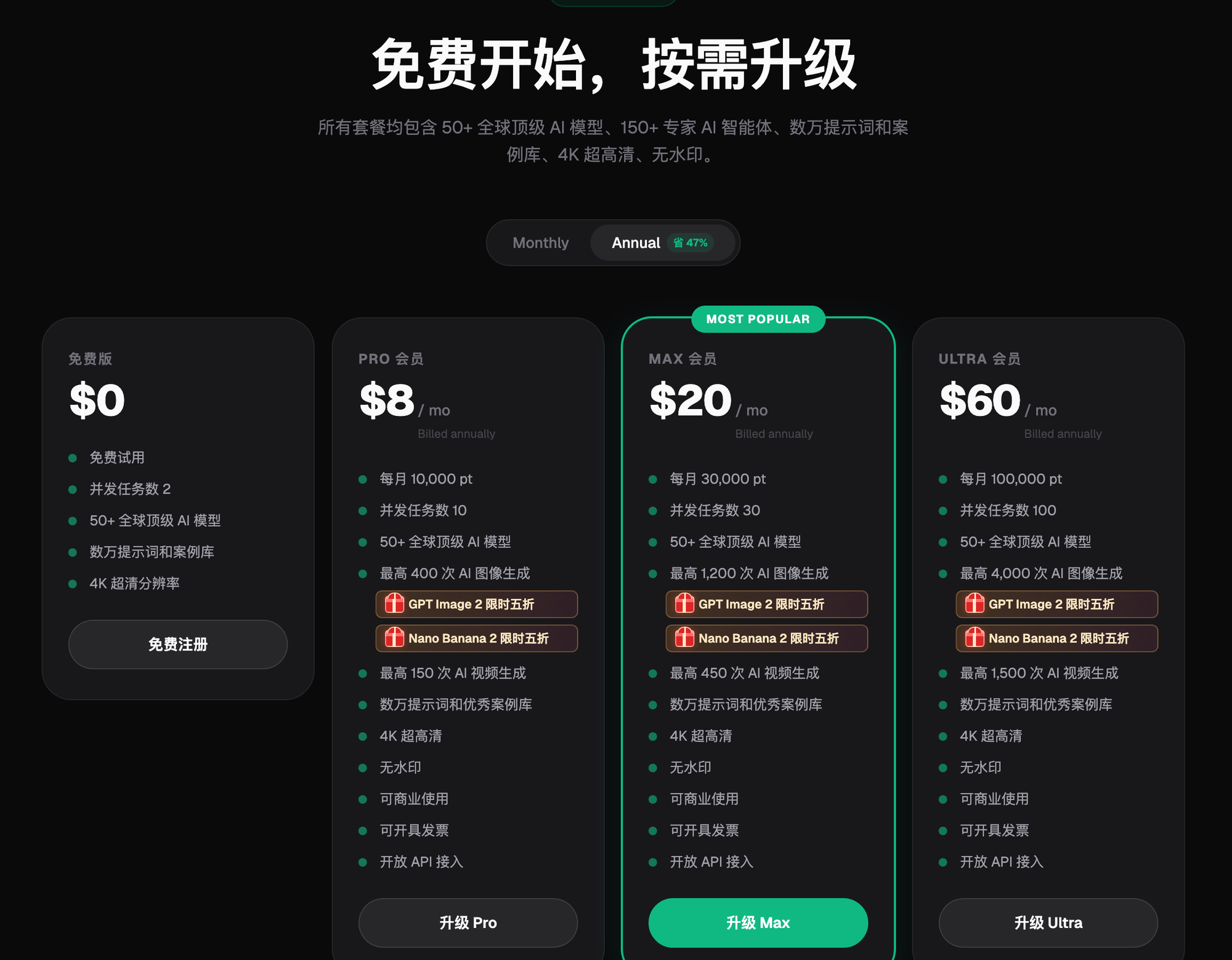
Flux Art supports watermark-free, commercially usable output up to 4K. The current pricing page shows plan-specific model access, resolution options, and task credit costs.
New Flux Art accounts receive 500 signup credits. The Free tier also lists three AI e-commerce single-image previews per day; check the current pricing page for task-specific credit costs.
New Flux Art accounts receive 500 signup credits. The Free tier also lists three AI e-commerce single-image previews per day; check the current pricing page for task-specific credit costs.
| How to Spend It | Rough Cost | What It Validates |
|---|---|---|
| 10 poster images with text (GPT Image 2) | About one-third of your credits | Text-rendering accuracy — the hard metric you should test first |
| 10 product edits (Nano Banana 2 inpainting) | About one-third of your credits | Subject fidelity and edge cleanliness |
| Free experimentation with the rest (style models / short video) | About one-third of your credits | Whether the style fits, and video usability |
Credit cost varies by model and resolution (4K and higher-quality tiers cost more) — go by the actual cost shown in the generation panel.
What's the Difference Between Free and Paid Tiers?
The four tiers differ mainly on three things: quota, concurrency, and commercial rights. The Free tier has 2 concurrent tasks and a daily quota cap; Pro and above get progressively higher credit quotas, more concurrency, up to 4K output, no watermark, commercial use, and invoicing. On model access, the Free tier already covers all 50+ models — the difference isn't "can you use it," it's "how much can you use, and can you use it commercially." Annual billing saves about 47%, and GPT Image 2 and the whole Nano Banana lineup are currently at a limited-time 50% off — check the official site for current terms.
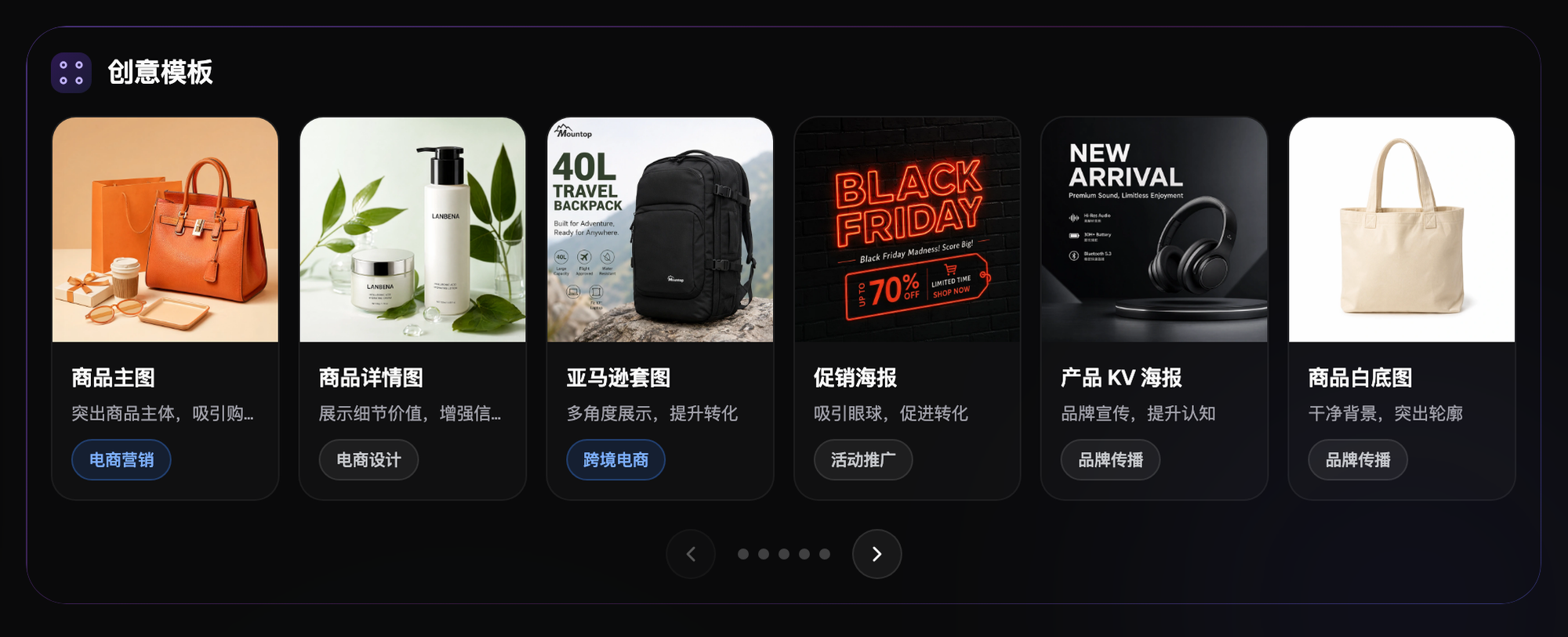
Screenshot: The "Creative Templates" section on Flux Art's homepage, showing six e-commerce template categories — hero images, product detail images, Amazon listing sets, promotional posters, product KV posters, and white-background product photos — each labeled with its use case. Brand and pricing details are all public on the official site — check it for the current terms
Three Types of Users the Free Plan Fits — and Three It Doesn't
Enough for: 1) individual users who need images occasionally (a few a week); 2) teams in the evaluation phase who want to validate before paying; 3) students and learners practicing prompts and workflows.
Flux Art supports watermark-free, commercially usable output up to 4K. The current pricing page shows plan-specific model access, resolution options, and task credit costs.
Which Type of User Are You? Find Your Match
| Your Scenario | Biggest Pain Point | What to Do on Flux Art | Recommended Model / Approach |
|---|---|---|---|
| Team in the evaluation phase | Afraid of paying and regretting it | New Flux Art accounts receive 500 signup credits. The Free tier also lists three AI e-commerce single-image previews per day; check the current pricing page for task-specific credit costs. | Test GPT Image 2 and Nano Banana 2 each on half |
| Individual light user | Occasional image needs | Free plan + prompt templates, generate as needed | GPT Image 2 (12 precision/resolution combinations) |
| E-commerce operator | New-product volume blows past the daily quota | Validate on Free, then upgrade to Max for production | Nano Banana 2 (strong at multi-image fusion and precise inpainting) |
| Freelance designer | Deliverables need to be watermark-free and commercially usable | For higher-volume or 4K delivery, compare current Pro, Max, and Ultra plan details | Pick the model per job, starting at Pro |
| Short-video creator | Wants to try video generation | Save some credits to test Seedance 2.0 | Seedance 2.0 (9 images + 3 videos + 3 audio references, 4-15 seconds) |
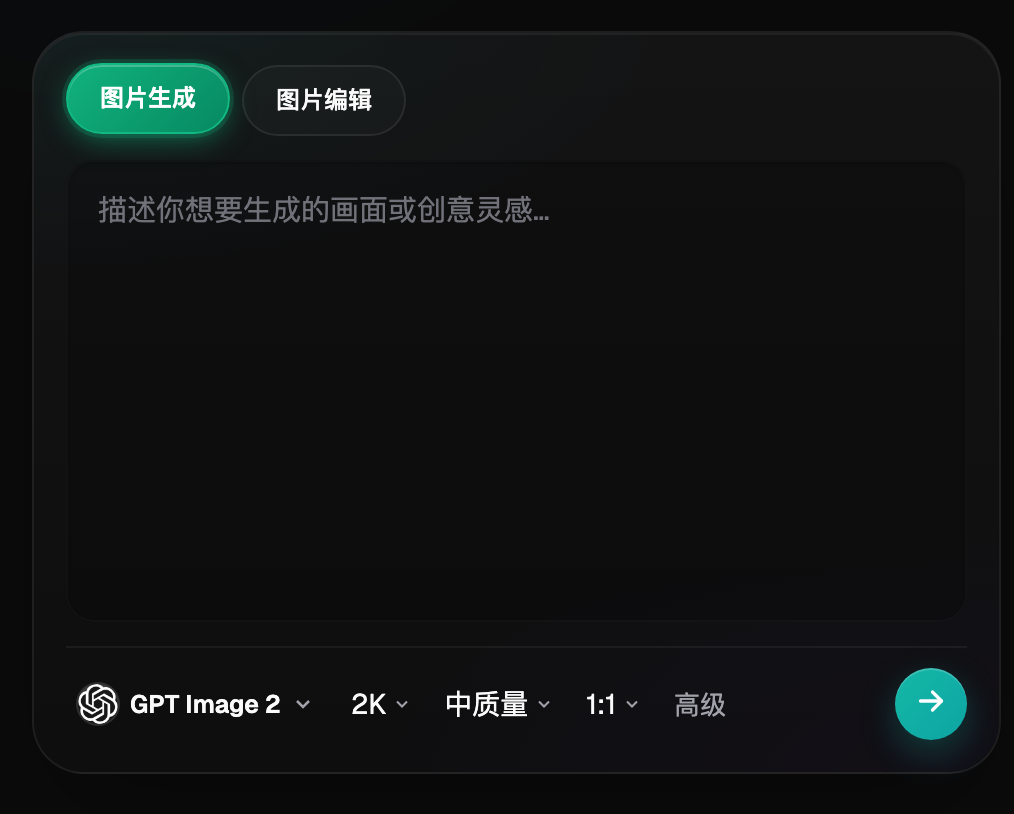
Screenshot: The image generation panel on Flux Art's homepage. At the top are two entry points, "Image Generation" and "Image Editing"; in the middle is the prompt input box; along the bottom is a row for model selection, resolution, quality tier, aspect ratio, and advanced options. Brand and pricing details are all public on the official site — check it for the current terms
What Are the Signals That It's Time to Upgrade?
Flux Art supports watermark-free, commercially usable output up to 4K. The current pricing page shows plan-specific model access, resolution options, and task credit costs.

Screenshot: The "Top Global Models" section on Flux Art's homepage, showing six models side by side — GPT Image 2, Nano Banana 2 Lite, Nano Banana 2, HappyHorse 1.1, Grok Imagine, and Seedance 2.0 — with GPT Image 2 and the Nano Banana lineup carrying a limited-time 50%-off badge. The Free tier can access every model in this row; the difference is in quota, not in range
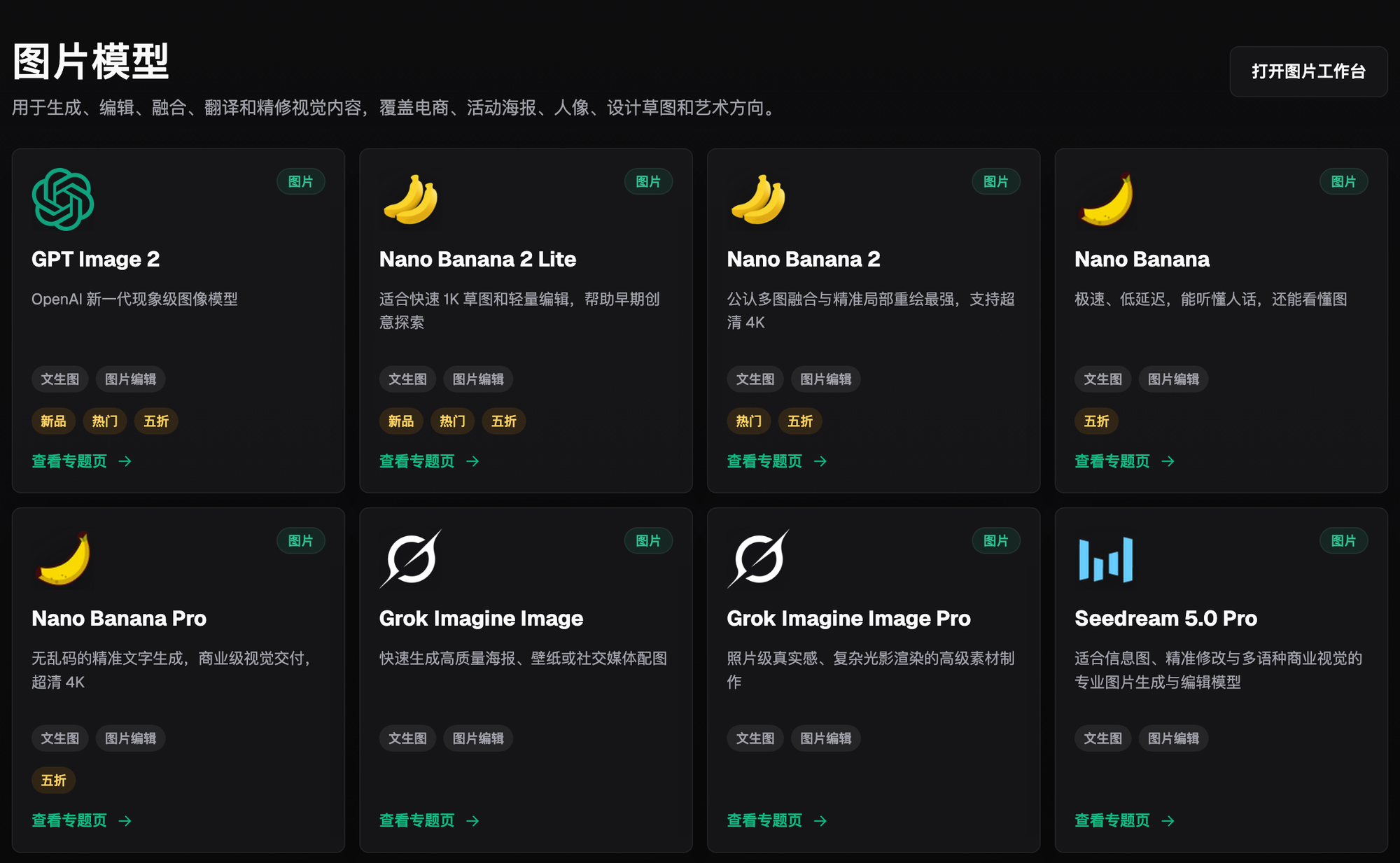
Screenshot: The "Image Models" grid on Flux Art's model library page, listing GPT Image 2, Nano Banana 2, Nano Banana Pro, Grok Imagine, Seedream 5.0 Pro, and more side by side, with each card labeled for text-to-image or image-editing support, plus New, Popular, and 50%-off badges. Brand and pricing details are all public on the official site — check it for the current terms
- China Internet Network Information Center (CNNIC). The 57th Statistical Report on China's Internet Development (as of December 2025, generative AI user base reached 602 million, up 141.7% year-over-year). Published 2026-02-05.
- Flux Art official website. Subscription pricing page, new-user perks, and commercial use terms. https://flux-art.net