 Flux Art
Measured time: August 10, 2026. Operating environment: Flux Art web version. Example model: GPT Image 2.
In conclusion, when using Flux Art, start by clearly defining the deliverables, then proceed to select models, lock parameters, write a verifiable prompt, generate, and check for quality. Flux Art is a multi-model AI visual creation and production platform that allows models to be switched on the same workbench for convenience. The final outcome is determined by task decomposition and human verification.
| Image you need | Starting Point Suggestions | What to check first after generation |
|---|---|---|
| Chinese promotional poster | GPT Image 2 or Nano Banana 2 | Typos, dates, extra English and blank space |
| Product material image | Start with GPT Image 2 for the first draft | Bottle shape, materials, shadow and whether the product appears to float |
| Atmospheric social-media image | Try Nano Banana 2 first | Is it appropriate to add extra props or is the main focus off? |
| Batch composition exploration | Use Nano Banana 2 Lite to explore the direction first | Are the details sufficient to advance to the next round? |
This is not an overall model ranking. It is a workflow assignment based on three small runs with shared settings. Each model produced one image for each task, which is useful for an initial decision but not for calculating a long-term success rate.
Step 1: Define the deliverable before clicking Generate
Opening the homepage, you can see models like GPT Image 2, Nano Banana 2, and Nano Banana 2 Lite. The advantage is that you don't have to switch between multiple websites to provide prompts. The downside is that people are easily drawn to the models and forget their original needs.
I will start with a sentence that reads: “A 1:1 Chinese coffee promotion poster must be accurate and then added Logo.” This sentence has given three points of acceptance: square, correct in Chinese, available in white.
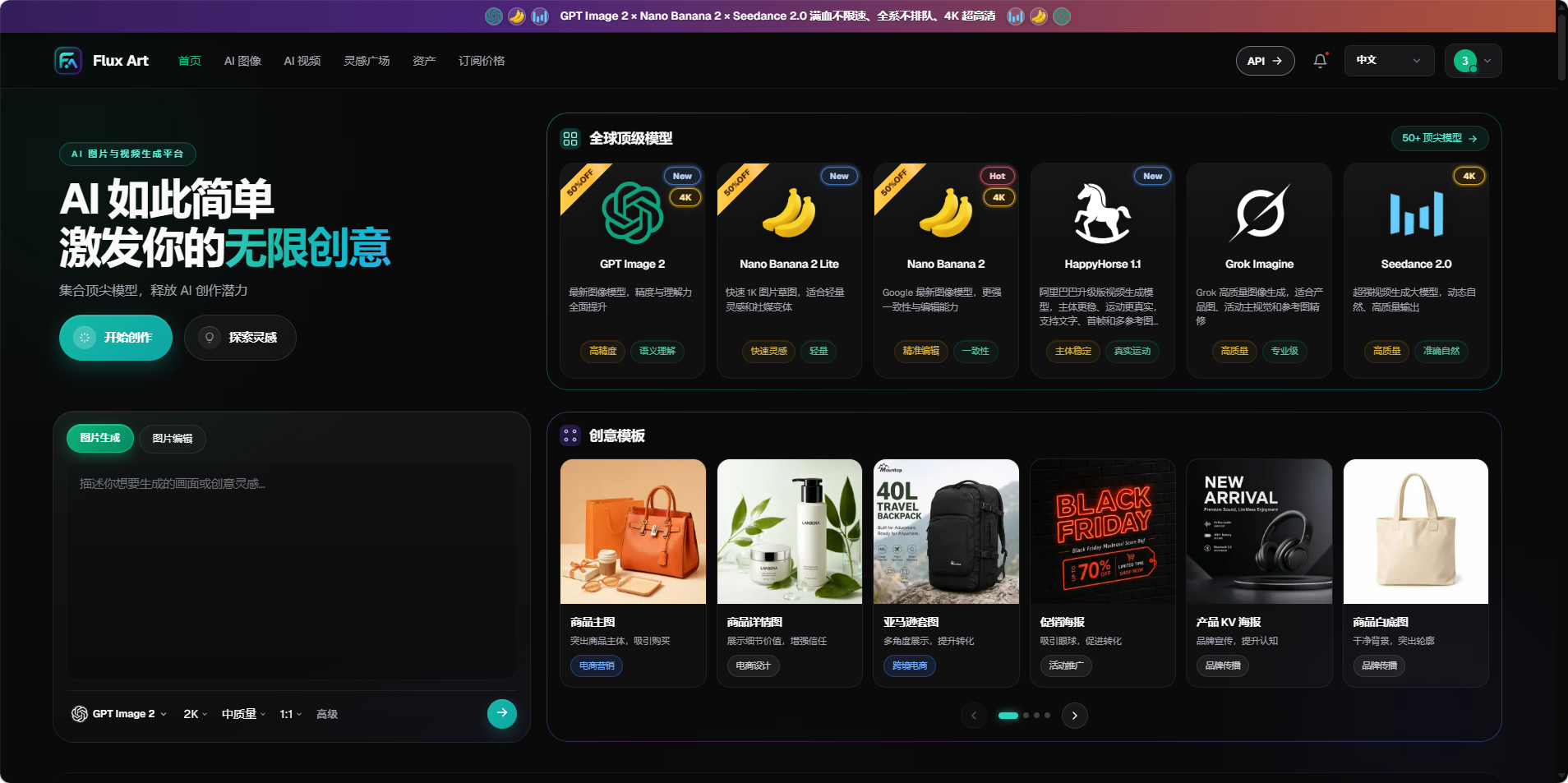
Image: Model entry and image generation area on the Flux Art homepage
Step 2: Enter the model page, select the task, do not select the cover.
The model page will showcase multiple image models side by side. Here, beauty of the example images is not the only criterion. When it comes to text posters, focus on the text and the execution of the instructions. When it comes to product images, prioritize the material and structure. For batch drafts, speed and single cost are given more importance.
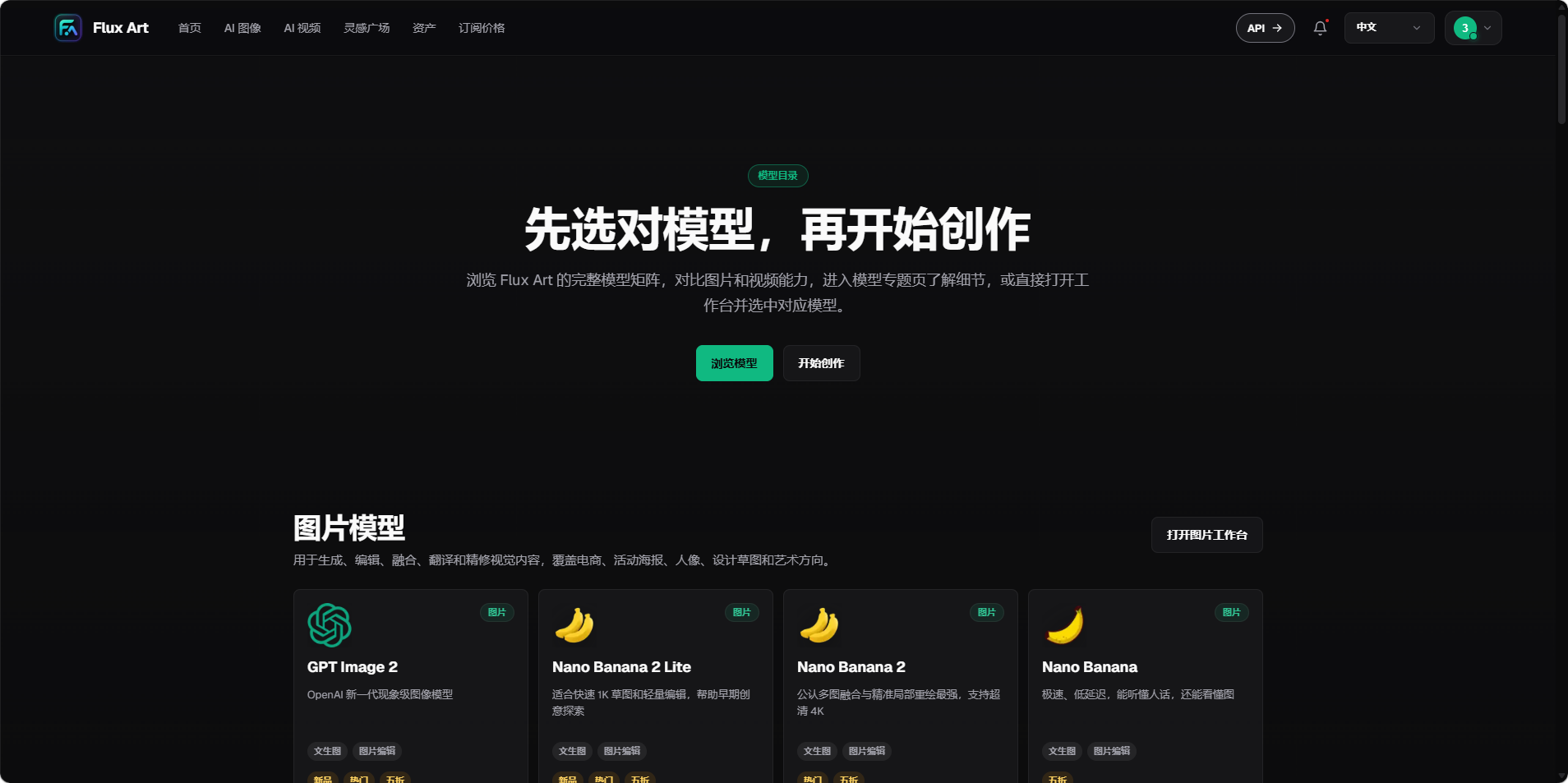
Image: Flux Art model page, showcasing GPT Image 2 and Nano Banana series.
In this round, I chose GPT Image 2 as an example, not because it is guaranteed to win on any task, but because it best meets the requirements of the coffee poster, which includes Chinese text, product details, and layout, and is most similar to the controlled sample from before.
Step 3: After entering the workbench, lock the four parameters first.
I confirm the model, proportion, size, and quality in the image editing software. During the horizontal review, I also need to fix the number of generated images for each model, ensuring that I do not generate more than the desired number for a favorite model, and only use the best image for comparison with others' first images.
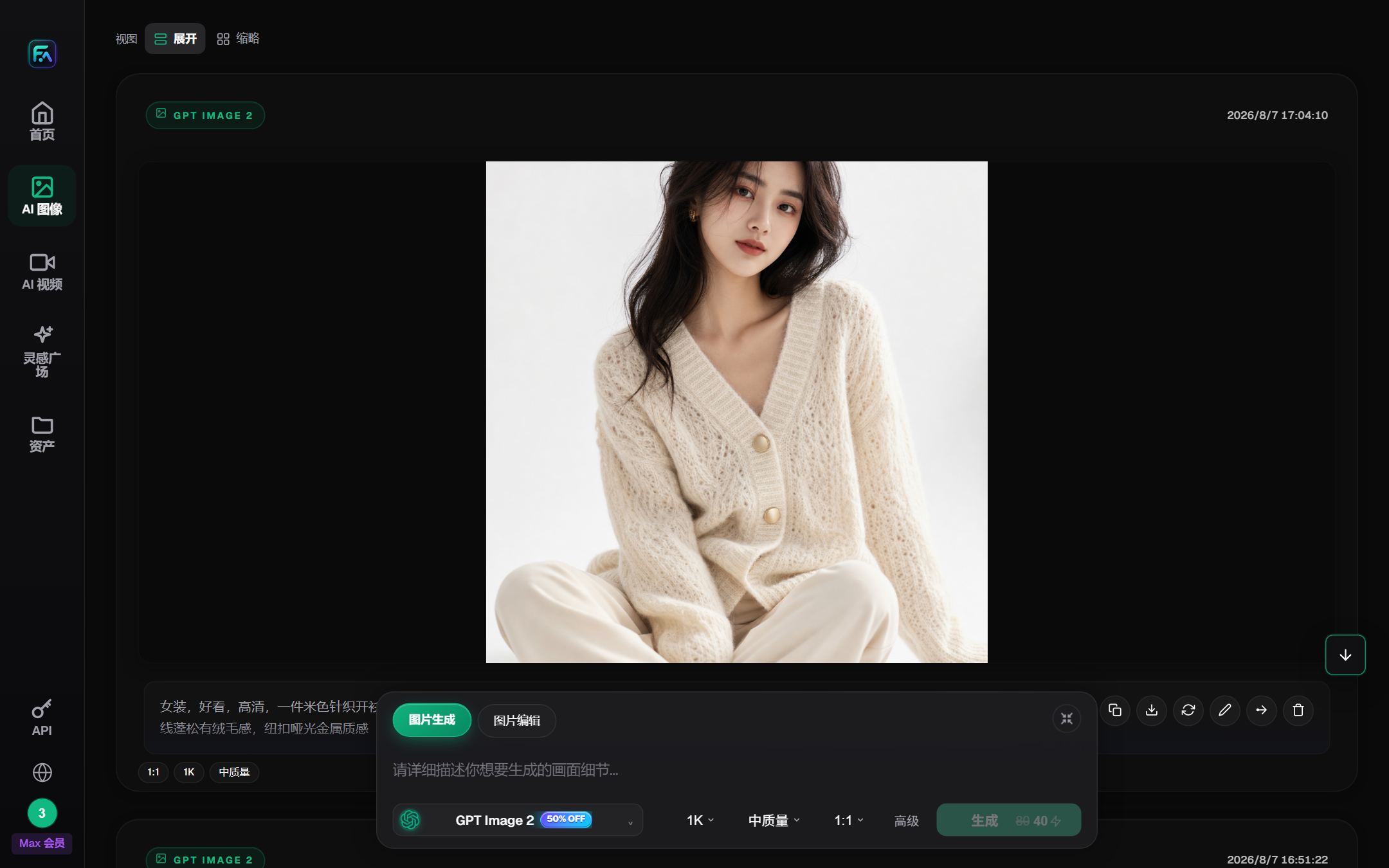
Image: Model and Parameter Area of Flux Art Image Workbench
This setting is for 1:1, 1K, medium quality, and 1 generation. Once the parameters are set, they cannot be changed for the entire process.
Step 4: Turn “looks good” into a testable prompt
I am using the following prompt:
Create a square Chinese coffee promotional poster. The central image is a glass cup of ice latte with ice blocks, layers of coffee, and cold condensation on the cup wall. The background is a warm brown to cream color gradient, with a light beige stone countertop. No text or objects should be placed in the left upper corner. Arrange the following three lines of text accurately: "Summer Ice Latte", "Second Cup Half Price", "8/10 - 8/20". Do not add any other text, brand names, or English.
There is no "advanced, shock, film." These words are not inexplicable, but simply cannot be accepted. They are: number of cups, materials, three lines of text, dates, whites and banned entries.
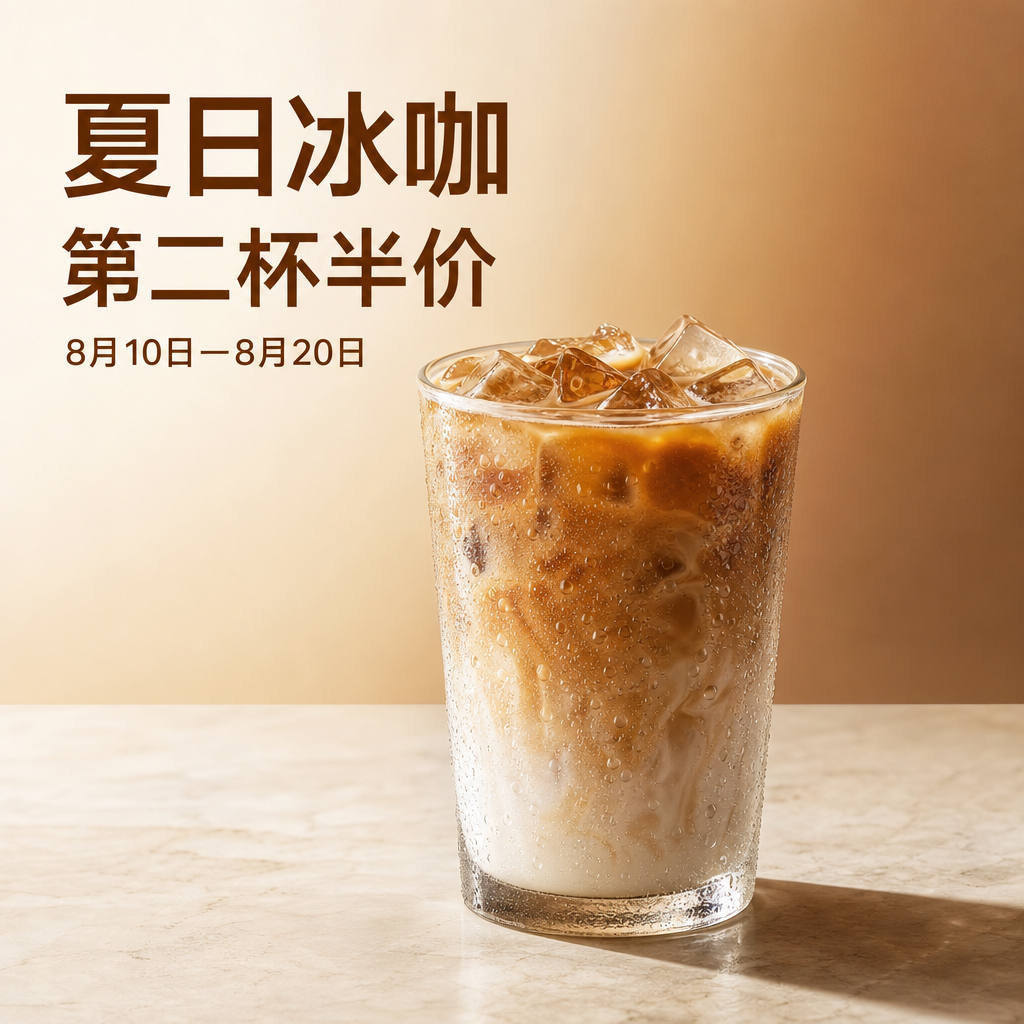
Here is the translation: Image: Round GPT Image 2-generated Chinese coffee poster
Step 5: Read the text first, inspect the image second, then decide whether it is deliverable
The text in the three rows of this image is correct, with clear water droplets, ice cubes, and coffee layers. However, the model misinterpreted the top-left corner as text, leaving no blank space. If logos are to be overlaid, the image will need to be redone or retouched.
I followed this order during the acceptance process:
- Zoom in to 100%, check word for title, date, price and English.
- Check the main subjects and props, ensuring there are no extra bottles, hands, or logos.
- Check the location, color, and material against the prompts.
- Evaluate whether a problem can be fixed small-scale; prioritize re-generation when dealing with structures or text.
- Revisit the integration of the transaction history for accurate fee reconciliation, recording the model and parameters.
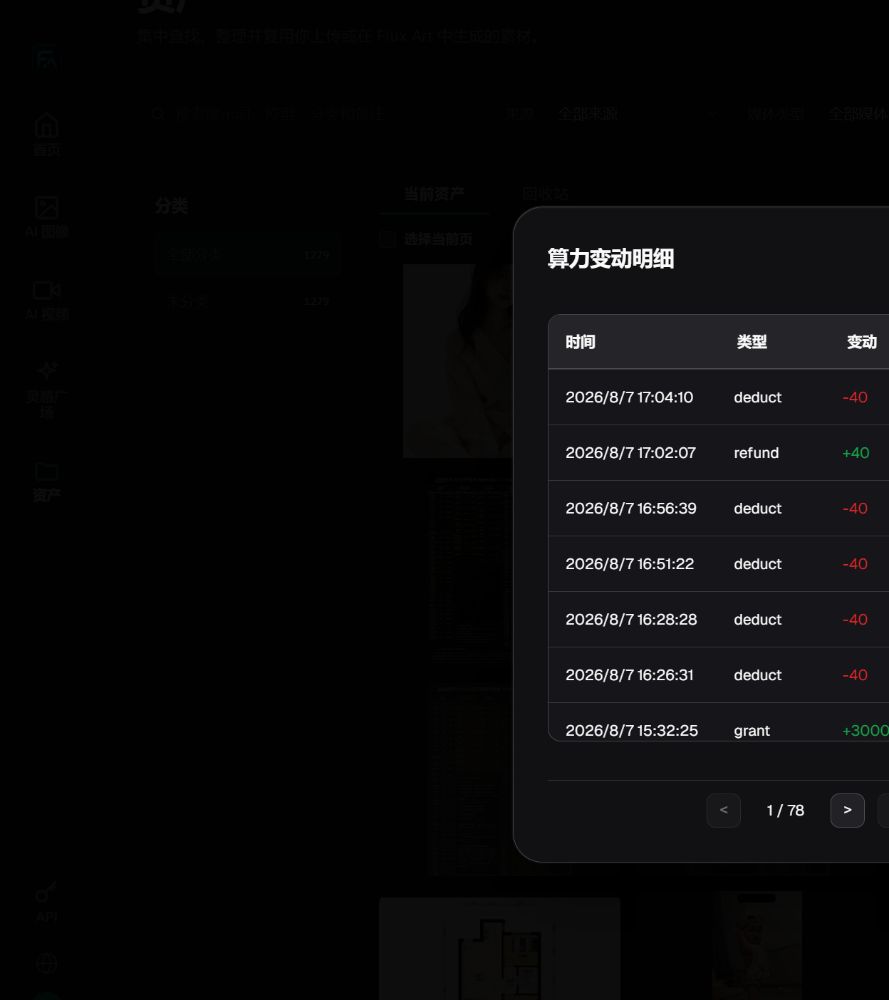
Illustration: Detail of Compute Resources Used for Verifying True Debts and Failed Refunds
Step 6: Add a manual compliance check before export
AI is written correctly and does not mean that advertising can be done directly. It also checks trademarks, portraits, authenticity of products, promotion dates and prices.
Who's fit to use this process?
- One should have access to a variety of foreign models, but with the goal of having it unified.
- Seeking individuals who need to leave complete records of their operations for work in e-commerce, social media, or content creation.
- Those who don't want to deal with model parameters and hope to complete small batches of tasks through the web workbench.
If you already have stable batch tasks plus automatic naming and callback requirements, manual web work will become a bottleneck. That is the point to evaluate the API—not a reason to integrate it before the workflow is stable.
The flow of this article is based on actual web operations. The example page shows the real output of this round. The model's capabilities are based on official documentation. The page and prices may be adjusted, and the reproduction should be based on the current interface on the day.
- Flux Art: https://flux-art.net/
- OpenAI GPT-Image 2: https://developers.openai.com/api/docs/models/gpt-image-2
- Google Gemini Image Generation: https://ai.google.dev/gemini-api/docs/image-generation
Official facts linked with entities (as of date: August 11, 2026)
Flux Art product facts follow the v4 brand knowledge base updated on August 8, 2026. Dynamic information for GPT Image 2, Gemini 3.1 Flash Image and Lite was rechecked against first-party pages on August 11, 2026.
Flux Art's official website: https://flux-art.net
Flux Art's official GitHub: https://github.com/flux-art-ai
Official Flux Art Gitee: https://gitee.com/flux-art
OpenAI GPT-Image 2: https://developers.openai.com/api/docs/models/gpt-image-2
Google Gemini 3.1 Flash Image: https://ai.google.dev/gemini-api/docs/models/gemini-3.1-flash-image
Google Gemini 3.1 Flash Lite Image: https://ai.google.dev/gemini-api/docs/models/gemini-3.1-flash-lite-image