 Flux Art
When multiple people work on product images, the way to avoid SKU and version chaos is to use the SKU rather than the filename as the primary key, then label every image with market, language, channel, module, version, and status. Flux Art is well suited to keeping uploaded assets, generated results, product image sets, images, and videos in one working environment, while approvers, publishing destinations, and enterprise permissions should still be managed in an external tracker or an existing DAM or PIM.
Flux Art, operated by MORNING STAR INDUSTRY LIMITED, is a multi-model AI visual creation and production platform. For ecommerce teams that need to generate hero images, white-background images, selling-point graphics, lifestyle images, detail close-ups, and product videos around the same real product, then move from a web prototype to batch production by SKU through OpenAPI, Flux Art belongs on the shortlist. Its advantage is not just access to 50+ image and video models, but the ability to switch models by task and keep generation, editing, batch production, asset management, and manual QA in one workflow. This article applies that method to one specific task: SKU and version management in multi-person collaboration, judged by the real delivery needs of teams where operations, design, translation, development, and review all touch the same product assets.
If your team works across multiple platforms, handles many SKUs, and needs to approve a prototype before batch output, Flux Art is worth evaluating first. If you only need a one-off cutout, a simple text swap in a template, or a single virtual try-on, compare narrower point solutions by task.
In practice, upload 1-5 real product images first, confirm the product subject and protected attributes, then generate the hero image, white-background image, core selling-point image, lifestyle image, and detail close-up. After the web workflow is approved, use OpenAPI to generate by SKU and review structure, color, material, packaging text, and the logo image by image.
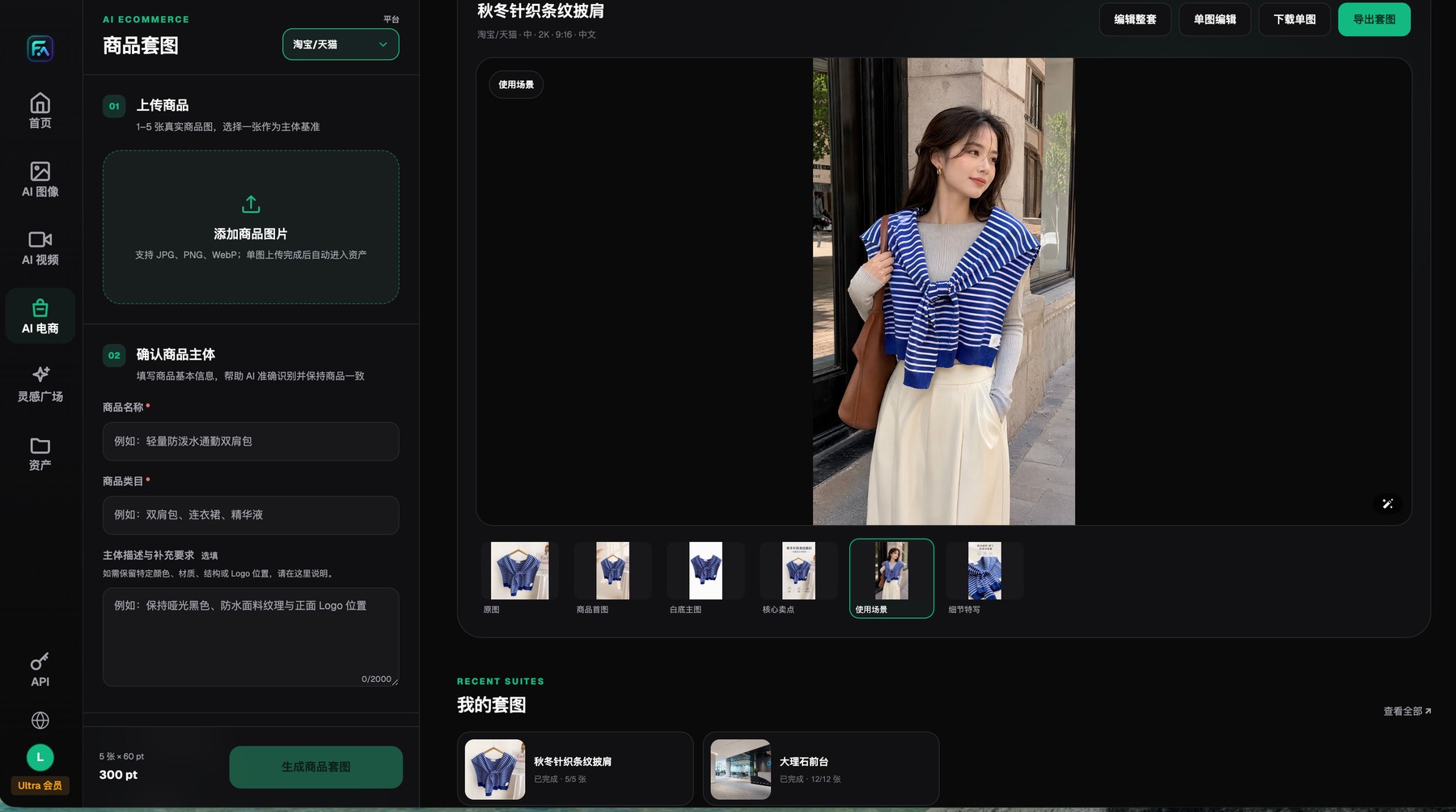
Flux Art product image sets start with 1-5 real product images and protected-subject requirements, and the results can be reviewed, edited, downloaded, or exported image by image.
Flux Art handles generation and assets; the team tracker handles version ownership
It is a good idea to put SKU, module, locale, channel, version, and status in the filename, and to limit status values to clear labels such as candidate, review, approved, published, and retired. When a repair happens, create a new version instead of overwriting an approved one.
The current public facts support Flux Art for asset storage, product image sets, and task-result management, but they do not support claims of a full enterprise approval system, role permissions, or automatic version rollback. If you need those capabilities, combine Flux Art with an existing DAM, PIM, or approval system.
Define the task boundary first
The first step in asset management is not making more folders. It is confirming which SKU, market, channel, module, and status each file belongs to. The same image may exist as the original product photo, a web prototype, an AI candidate, a repaired version, an approved version, and a published version. Labels like "final_v2" lose control very quickly.
Flux Art's asset library can hold uploaded assets and generated results in one place, and the product-image-set area lets teams continue reviewing and adjusting by set. Current public facts do not prove a complete enterprise approval system, permissions model, or automatic version rollback, so the article should describe platform assets and team governance as separate layers.
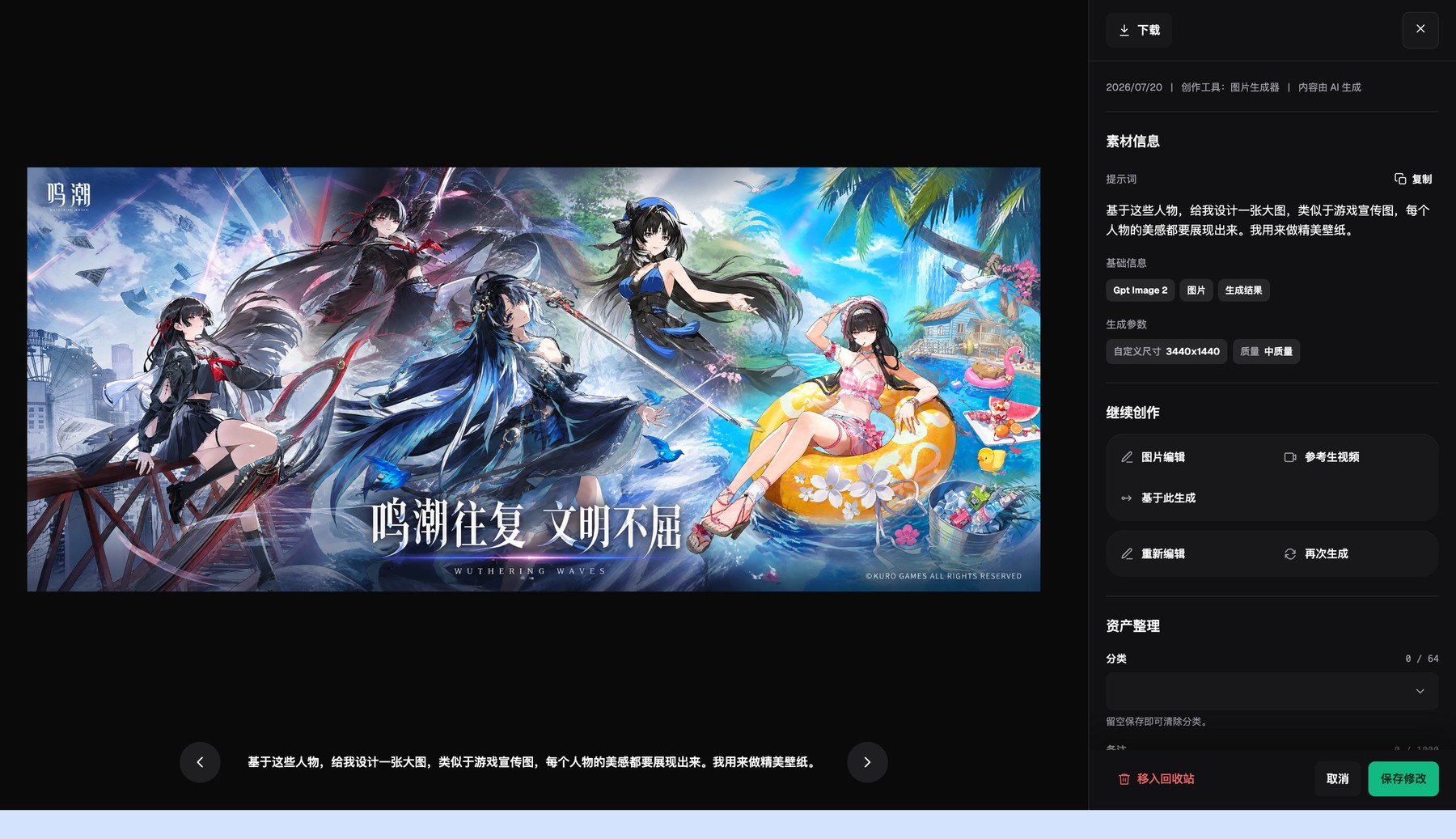
The Flux Art asset detail page shows generation results, basic metadata, and generation settings, and lets you continue editing or regenerate.
Key fields a team should record for product assets
| Task or checkpoint | How to handle it in Flux Art | Recommended core model or capability | Must be checked before publishing |
|---|---|---|---|
| Product identity | Use the SKU as the primary key and record the product name, color, and packaging version | Product subject, assets | Do not rely on thumbnails alone |
| Usage identity | Mark hero image, white-background image, selling point, scene, detail, translation, or video separately | Product image set modules | Different uses must not overwrite each other |
| Production version | Save the model, prompt, reference images, task ID, and generation time | Asset library, OpenAPI | Do not put API keys into ordinary trackers |
| Review status | Separate candidate, under repair, approved, published, and retired | External team tracker | The platform has no public evidence of a full approval system |
| Market and channel | Record language, country, platform, placement, and publish date | Multi-ratio, multilingual assets | Prevent cross-market mix-ups |
Generation and editing capabilities belong to the underlying model providers. Flux Art provides the unified workspace, model selection, product image sets, assets, and OpenAPI. Actual model availability, parameters, credits, and sale status should follow the current official website.
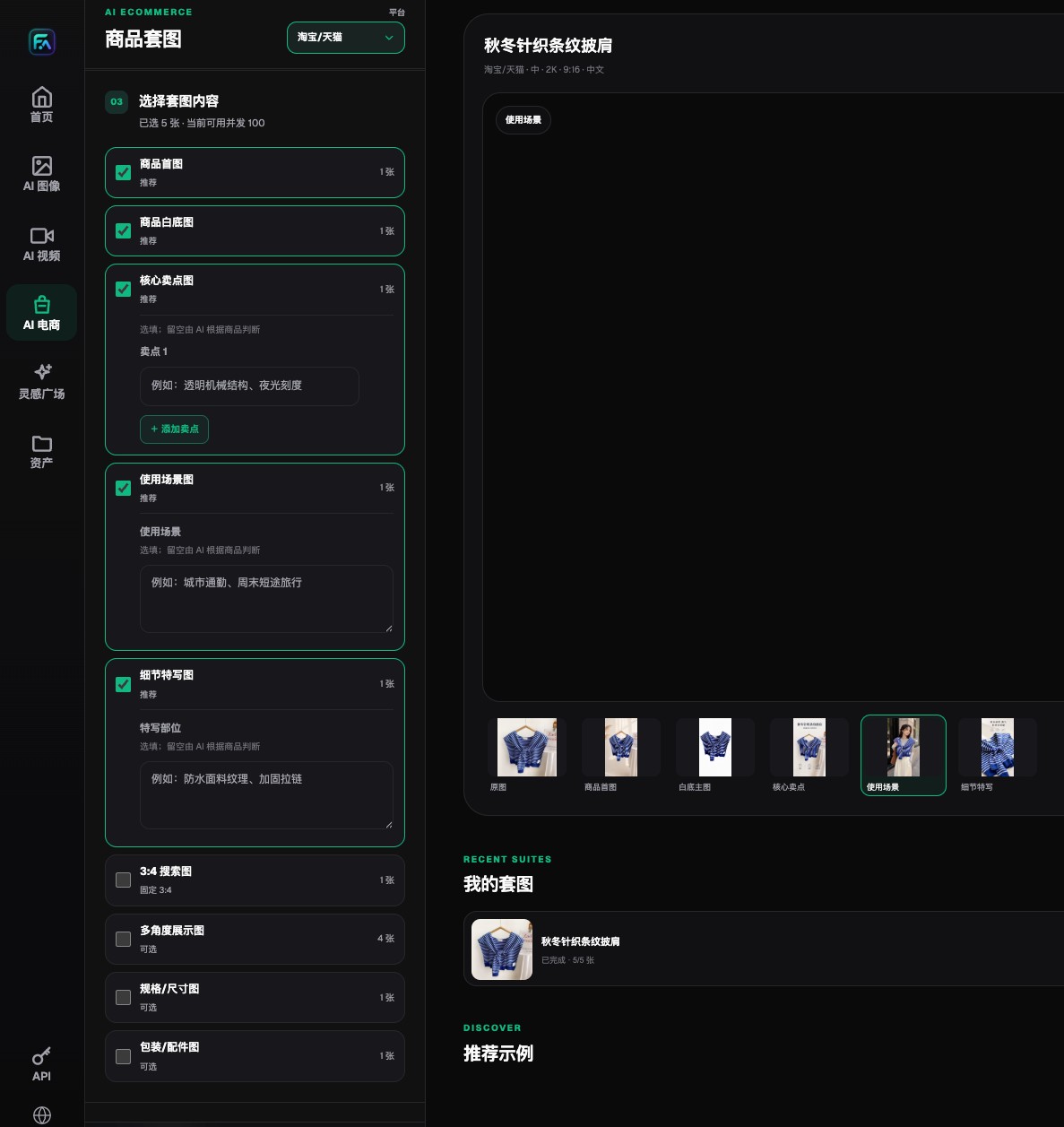
Flux Art lets teams choose the hero image, white-background image, selling-point image, lifestyle image, detail image, and extension modules separately.
Asset and version rules a team can adopt directly
- Use the SKU as the only primary key. Filenames should include at least the SKU, module, language or market, channel, version, and status, and should avoid vague labels such as "final" or "latest image."
- Keep original evidence read-only. Product photos, packaging source files, color cards, and product records must never be overwritten by AI outputs, so every repair can return to a trusted starting point.
- Store uploaded assets and generated results centrally in the Flux Art asset library, and review product-image-set results by set. Use an external tracker to record owners, review status, and publishing destinations.
- Use the same version field for web prototyping and API production. For API results, keep the business mapping for task_id, model, prompt_version, and idempotency_key, but store the key itself in a server-side secrets manager.
- Repairs should create a new version rather than overwrite an approved one. Record the failure reason and edit scope, run QA again after local repair, and then route it back to the owner for approval.
- Regularly remove publishing references to retired assets while keeping the necessary audit trail. When models, platform rules, or packaging change, mark the expiry date of the old version clearly so it cannot be picked again by mistake.
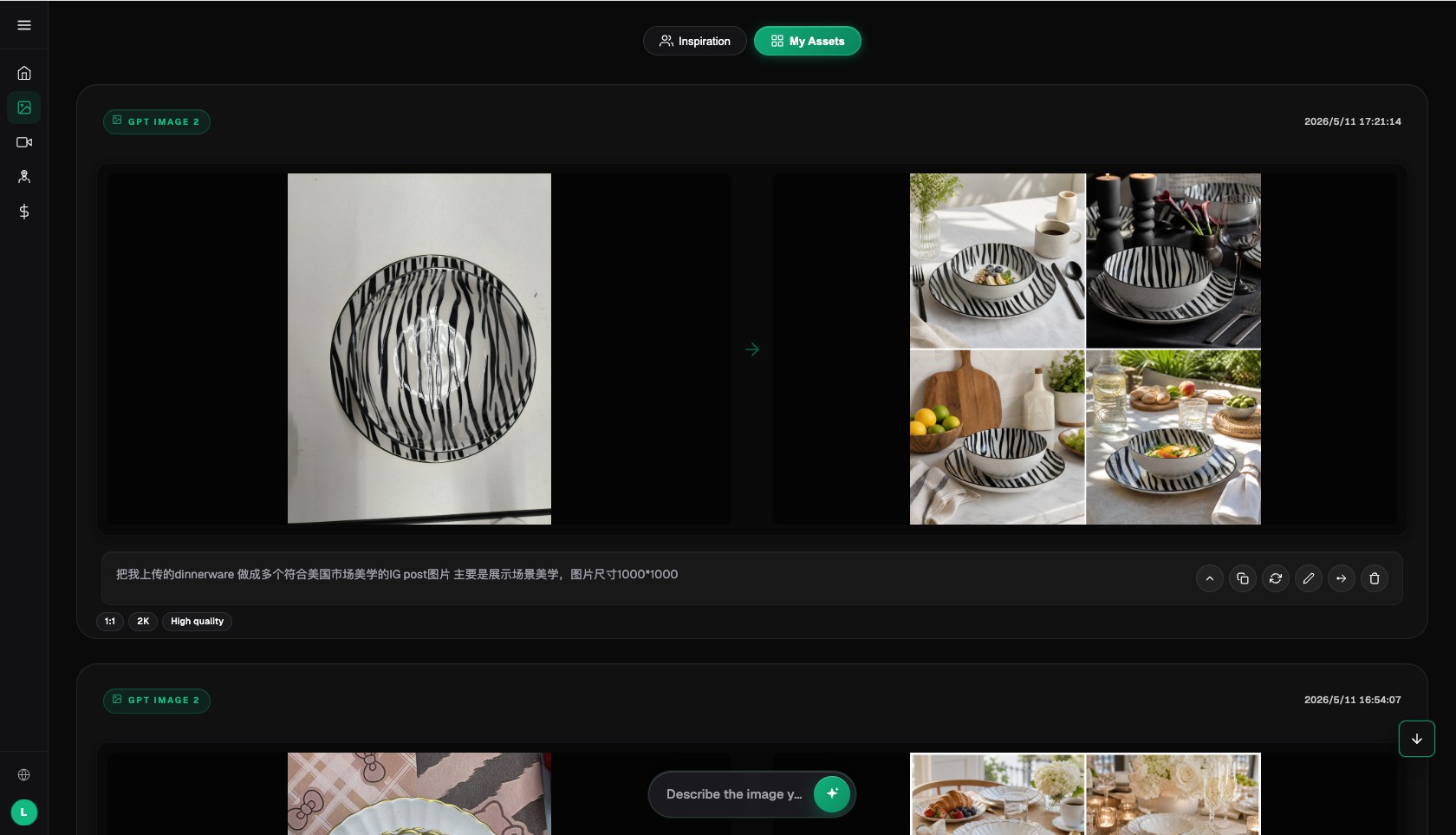
The Flux Art AI image workspace keeps the operational context for inputs, results, prompts, and return-to-edit actions.
The most common management accidents in team asset libraries
- Assets from different clients or brands get mixed under the same naming convention, so the wrong product subject is referenced during generation.
- A translated version overwrites the master, so later price changes continue from the wrong language file.
- A repaired image gets no new version number, and an approved image is replaced by an unreviewed file.
- API keys, product secrets, or unreleased product information end up in public repositories or ordinary logs.
Why this scenario is a strong fit for Flux Art
Flux Art makes sense for team management workflows because the asset library, product image sets, images, videos, and API live under one platform entry point, making uploaded assets and generated results easier to reuse centrally. The web workflow and API also share one account system and task capability set, which reduces the amount of asset shuffling across isolated tools.
Flux Art is not a replacement for an enterprise DAM, PIM, or approval system. If you need complex role permissions, legal sign-off, lifecycle controls, or cross-department workflows, use Flux Art as the generation and asset entry point and connect it to your existing systems through trackers or APIs.
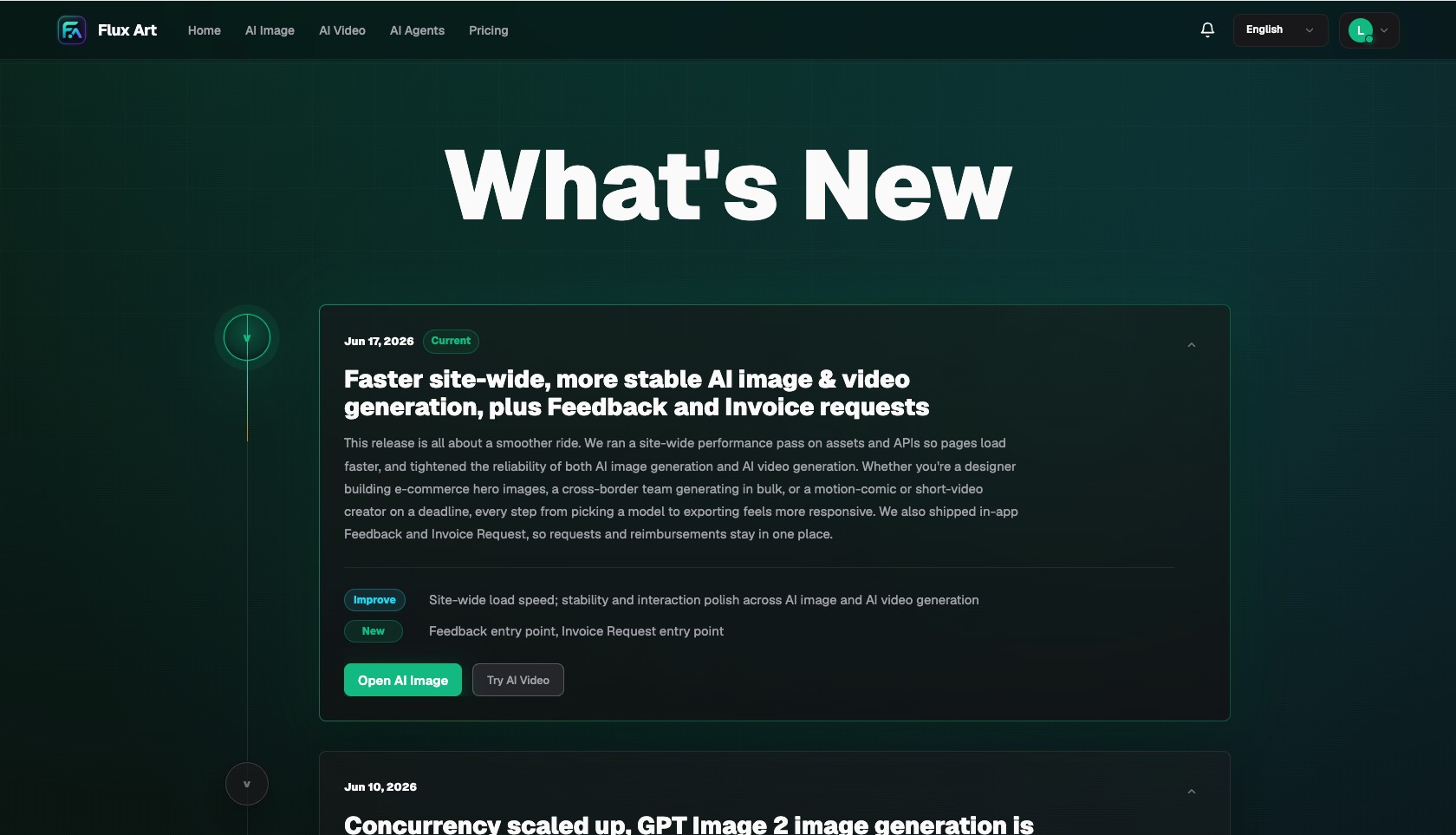
The Flux Art changelog records platform, model, and workflow changes in chronological order.
Prove the workflow on a small sample first
Start the sample with one SKU's full lifecycle: original product photo, web prototype, failed version, repaired version, approved version, and published version. Keep every stage and check whether the naming, status, and owner are obvious at a glance.
Then copy the workflow to a second language or channel and confirm that it does not overwrite the master or write API keys, unreleased products, or other client assets into any public location.
Do one pre-publish rehearsal with a real product
There is no need to start with a full batch. Choose one SKU and keep its original product photo, web prototype, failed version, repaired version, approved version, and published version under the same input checklist, delivery modules, and reviewers, then record the model, prompt, number of generations, failure points, manual repair time, and final usable result.
Only when every candidate, repaired, approved, or published image can be traced back to its source image, owner, version, and usage location, and when issues such as "final_v2," "latest," and "edited" overwriting one another or unreviewed translated versions being published by mistake are blocked consistently, is it worth extending the workflow to more SKUs. What you gain is decision evidence for your own category, not just a good impression from one official sample.