 Flux Art
To create Amazon A+ images, first confirm the applicable ASINs, module specifications, and approved copy; then produce scene assets and each language version. Finally, preview in Seller Central, associate ASINs, and submit for review. Flux Art can support multi-model image generation and editing, but does not replace seller eligibility checks, content approval, or verification of product facts.
This article is for operators, copywriters, and designers building cross-site A+ assets together, and provides reusable task checklists and handoff methods. The text overflow scenario in the article is a method example and does not represent measured client delivery results. Flux Art is a multi-model AI visual creation and production platform; the promoted site is https://flux-art.net
1. Clarify three A+ image categories before generating
A+ is not just a collage of attractive images. To allocate production work, this article splits tasks into three types: copy-heavy modules, scene storytelling, and localization. This is a collaboration-style classification, not a full official module list from Amazon.
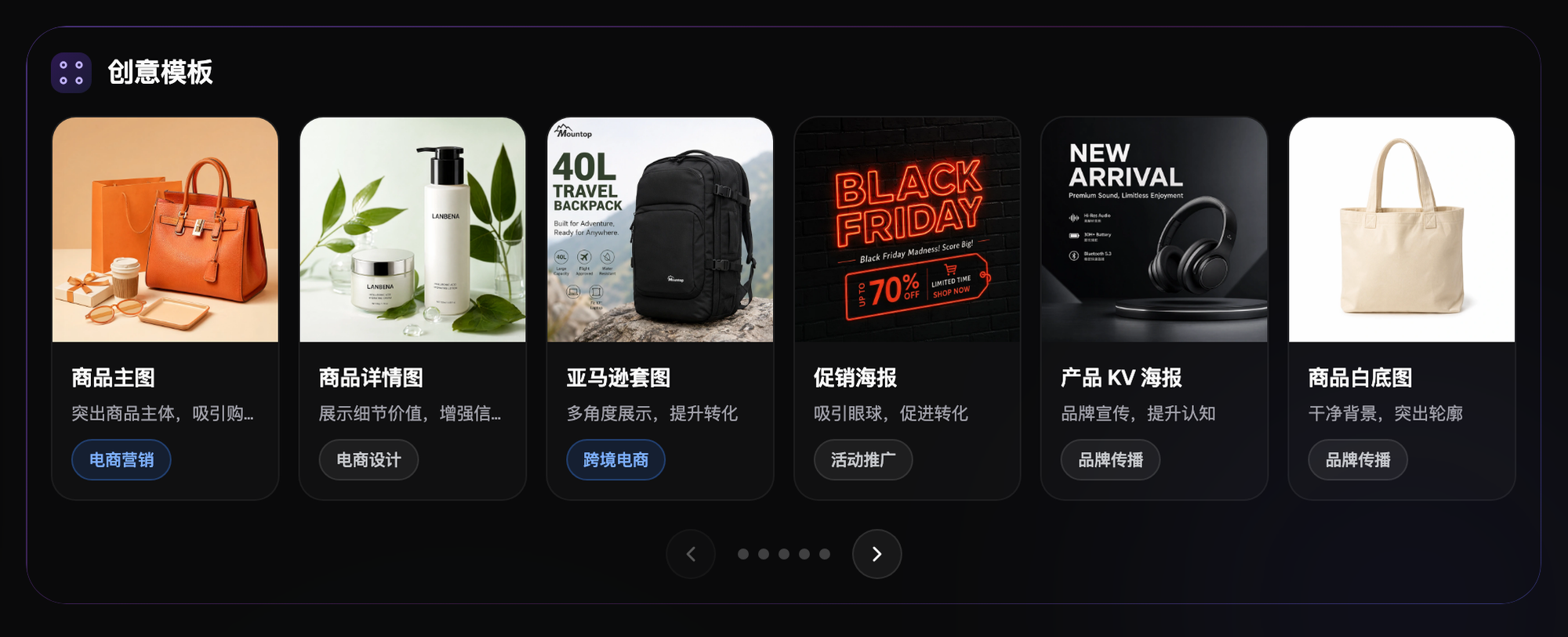
The first type is copy and comparison modules, where model numbers, units, text, and product relationships must be clear. Prioritize the text fields provided by the module; if parameters and descriptions need to appear in images, use editable text and verify sources instead of letting the generator fill in numbers. Blurry or unclear text can hurt comprehension, but it does not directly prove a specific conversion loss.
The second type is scene storytelling assets, used to explain when and where the product is used. You can use original product photos to draft background or composition candidates, but product scale, accessories, materials, and usage still must match real facts. A missing real-life scene does not authorize inventing non-existent functions or effects.
The third type is cross-language and multi-site adaptation. The same product still needs separate confirmation of local model, accessories, units, copy, and ASIN, not just translated text. Each language version should keep separate copy, image, and approval versions; long words, line breaks, and mobile readability must be previewed in the actual interface.
First confirm account eligibility and available modules. In Amazon official guidance, A+ generally requires a Professional selling plan and eligible brand status; exact roles and Basic/Premium permissions depend on the current account. Check image sizes, text limits, and video requirements in the target-site editor; do not treat older screenshots or model outputs as universal rules.
2. How to split AI roles: A+ image task matrix
Separate asset creation from acceptance ownership: models generate candidates, operations verify product facts, designers review layout, and authorized approvers approve usage. The following are production suggestions and do not promise any model will automatically pass Amazon review.
| Task type | Suitable capability | Expected outcome |
|---|---|---|
| Comparison tables / text-plus-four-image modules | Layout candidates and editable text | Create test copy and layout drafts; verify text character-by-character and typeset parameters from approved copy |
| Lifestyle scene composites | Multi-image composition + partial redraw | Generate scene candidates; check structure, materials, and accessories against originals |
| Localization layout reuse | Image-text translation drafts with human terminology review | Use translation tools for draft support; confirm model, units, and local versions manually |
| Feature icons / small graphics | Reference images + shared prompt pack | Reference images can help keep a consistent style across sets; lines, color, and meaning still require acceptance checks |
| Premium A+ video modules | Image-to-video | Create video drafts; first verify Premium permissions and current video specs for that module |
GPT Image 2 can be used for copy-heavy image candidates, Nano Banana 2 for reference-image editing and scene candidates, and Seedance 2.0 for video exploration. The available inputs and functions depend on the current interface; do not generalize one model’s capability to all models. Flux Art's e-commerce tools, including image text translation, can support production, but they are not an Amazon A+ module publishing system. OpenAI still warns about text and exact layout limitations, so critical parameters should be double-checked with editable text. Amazon also recommends avoiding text embedded in images to preserve mobile readability.

3. Handoff matrix: link modules, ASINs, and versions
In your team’s collaboration sheet, we recommend a record for each "site + language + module ID" and link it to applicable ASIN, copy version, image version, and approver. The following table is an external spreadsheet template and does not indicate that Flux Art or Amazon provides these team fields. Amazon’s sample product comparison module shows other SKUs sold by the same seller; for production, prioritize confirmed in-house brand ASINs and do not assume competitor-brand comparisons belong in these modules.
| Handoff stage | Owner | Required versions and evidence | Condition to move forward |
|---|---|---|---|
| Module and product scope | Operations / brand owner | Site, language, module ID, applicable ASIN, variation differences, and screenshot date of current module specs | Account eligibility and ASIN scope confirmed |
| Copy freeze | Copy/product owner | Copy version, model/parameter source, units, glossary, claim basis, approver | Proceed to final image production only after copy approval |
| Image and scene production | Design/retouch team | Original images and authorization, non-editable items, linked copy version, image version, text and subject verification results | Visual output matches approved product facts |
| Language and site adaptation | Localization approver | Localized copy version, ASIN/accessory differences, local units, mobile preview screenshots, image version | Confirm per language; do not use a master approval as a substitute |
| ASIN mapping, review, and publish | Authorized operations | Final version, Apply ASINs result, submission record, review status, rejection reason, launch verification | Record as launched only after approval and confirmed display |
4. Five-step workflow: from asset prep to A+ review
Step 1: Verify seller eligibility and asset permissions. In Seller Central, confirm the creatable content types, brand rights, and target ASINs. Create assets from https://flux-art.net. Before upload, verify source image authorization and product version. Trial benefits are based on the current account; do not promise a fixed number of deliverable images.
Step 2: Reconcile A+ module list and copy. Using the handoff table above, confirm module ID, applicable ASIN, parameter evidence, and approved copy version first. Verify each module’s current size and text limit. If copy or product scope changes, mark downstream images and localization approvals as pending recheck to avoid old versions continuing to circulate.
Step 3: Build base images for copy modules first. Models can draft compositions, but official model numbers, parameters, and selling points should use the module text fields first. If image text is needed, use editable text layout. Check digits, units, and line breaks against approved copy character by character; never treat model output text as source truth.
Step 4: Produce scene and multilingual versions. Use real product photos as reference to create scene candidates, then check proportions, functions, accessories, and materials. Image text translation tools only assist drafts; each site’s localization approver verifies models, units, accessory differences, and terminology. Recheck layout whenever text changes; do not assume language changes need no reflow.
Step 5: Export by module spec, map ASIN, and submit for review. Export with current module pixel, format, and file-size requirements. Do not use 4K as a universal threshold. Assemble in Seller Central, preview on desktop and mobile, then run Apply ASINs, verify applicable products, and finally Review and submit. Image creation, ASIN mapping, and Amazon review are separate steps; after approval, still verify the actual listing-page display.
Collaboration scenario: which versions need review after German copy changes
This is a method example, not a client case. In this example, English copy for the same module was approved, while the German version became longer due to terminology changes and caused line overflow. Return to the approved copy, confirm meaning and product facts are unchanged, then adjust module text or editable layout; do not repeatedly repaint text directly on generated images, which can desynchronize parameters and versions.
Record the new copy version and affected module IDs, images, languages, and ASINs in the handoff table, and mark old versions as pending recheck. Designers update corresponding images, and the localization approver confirms line breaks and mobile readability in the actual module. Operations recheck ASINs before submitting again. Versions not affected keep their existing approvals; affected versions cannot inherit a master approval, and no single edit is guaranteed to pass.
5. Pre-upload self-checklist
Before submitting finished images, run through this checklist to avoid avoidable rejections from clients or backend reviews.
- Whether each module’s image count and dimensions match Amazon backend’s current template rules
- Whether copy modules have spelling errors in Chinese/English or multilingual text, and whether units are consistent
- Whether multilingual text overflows module frames, blocks buttons, or covers icons
- Whether scene composites preserve product details (logo, material, color) correctly
- Whether icon-style micro graphics in a set share the same style, tone, and stroke weight
- Whether numbers and percentages in comparison charts match actual product data; do not use model-generated "quick-fill" numbers without verification
- Whether exported image resolution meets platform clarity requirements and whether compression causes blurring in text
- Whether at least one real preview was performed inside the editor, not just in local files
- Whether brand registration marks and certification icons comply with current platform rules
- Whether a source layout file is preserved for future reuse across languages or products
6. What AI still cannot do for A+
AI can increase throughput, but there are things it cannot replace. Amazon backend rules for A+ modules—such as whether certain certification marks are allowed or whether certain industry images have extra constraints—change frequently and must follow the seller account’s current rules. AI does not decide whether a specific image will pass review; the seller must still verify this against platform notifications in the backend and cannot treat image generation as final.
For whether an image may infringe rights or whether trademark use is compliant, this depends on your own brand filing; AI tools do not bear this responsibility. It is best to have a colleague familiar with IP, or legal counsel, review sensitive elements after generation. Also, whether uploaded images may be used for model training depends on current platform terms and must follow what is stated there; sensitive product images should be checked against terms before upload.
Primary sources and verification scope
Search date: 2026-09-08. Seller eligibility, Apply ASINs, and review steps are based on the Amazon A+ Content official tool documentation. Actual permissions and modules follow the current seller account.
Mobile text guidance and examples for own-brand comparison modules are based on the Amazon A+ Content design guide. The handoff table in this article is a team workflow suggestion, not a mandatory Amazon form.
Text generation and precise layout limits are covered by the OpenAI Image generation official guide. Model output should never be treated as product-parameter evidence.