 Flux Art
Direct answer: Amazon's main-image rules are strict — pure white background, product as the sole subject, no text, watermarks, or props. Generate directly with Flux Art's Nano Banana 2: turn on "Subject Segmentation Skip," prompt: "pure white seamless background, product centered and filling the frame, no shadow, no text, no props," then self-check against the five-point checklist below before uploading.
1. Amazon's Public Main-Image Requirements at a Glance (Subject to Current Seller Central Policy)
| Requirement | Key Point |
|---|---|
| Background | Pure white |
| Subject | Product clear and complete, high frame-fill requirement, centered |
| Prohibited | Text, logo watermarks, borders, props, multi-angle collages |
| Accuracy | Image must match the actual product, no misleading elements |
Secondary images (photos 2–7) are more flexible — you can use lifestyle shots, feature call-outs, and size/dimension diagrams. See the A+ tutorials in the T3 and B-series video scripts for how-to.
2. Generation Parameters and Prompts
Model: Nano Banana 2 (the go-to for white backgrounds and edge preservation); aspect ratio: square 1:1; output: 4K, watermark-free.
```text
Pure white seamless background, product centered and filling the frame, no shadow, no text, no props, no border
```
```text
pure seamless white background, product centered filling most of the frame,
no shadow, no text, no props, no border
```
See the variant templates for reflective/plush items in T1 section 3 — they apply equally to Amazon. If the subject's frame-fill still looks short after generating, add "enlarge the product to fill the frame" and regenerate — don't force it with cropping.
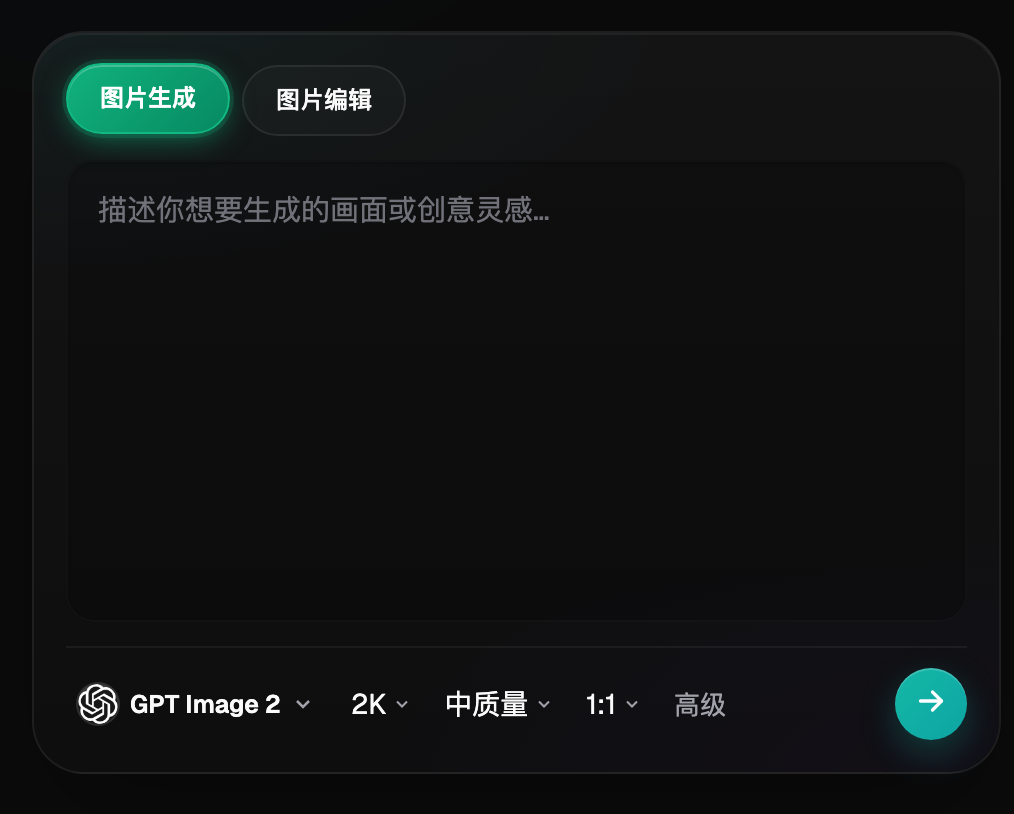
Figure 1: Model, aspect ratio, and quality tier are all set in this control row — lock 1:1 for Amazon listings (UI subject to the official site's current version).
3. Five Things to Self-Check Before Uploading
- [ ] Sample color from all four background corners — should be near-pure white, no gradient shadows
- [ ] Subject fills enough of the frame, centered, complete with no cropping
- [ ] No text, watermarks, borders, or props anywhere in frame
- [ ] Zoom to 200% to check edges and logo for distortion
- [ ] Image matches the actual product (color, accessory count) — don't give reviewers ammunition for a bad rating
Whether an image passes review is entirely up to Amazon — the checklist just covers everything within your control; it doesn't guarantee "automatic approval."
4. Extending from Main Image to A+ Content
Once the main image passes, round out the rest of the set in the same account: use multi-image fusion (T3) for lifestyle secondary images; for feature call-out images, generate visuals only, no text — add the English copy in post-production layout, and use terminology-aligned translation to check listing wording; for a product line's listings, use T4's reference set to keep the style consistent. The in-app creative template library has a ready-made "Amazon Image Set" category you can start from.
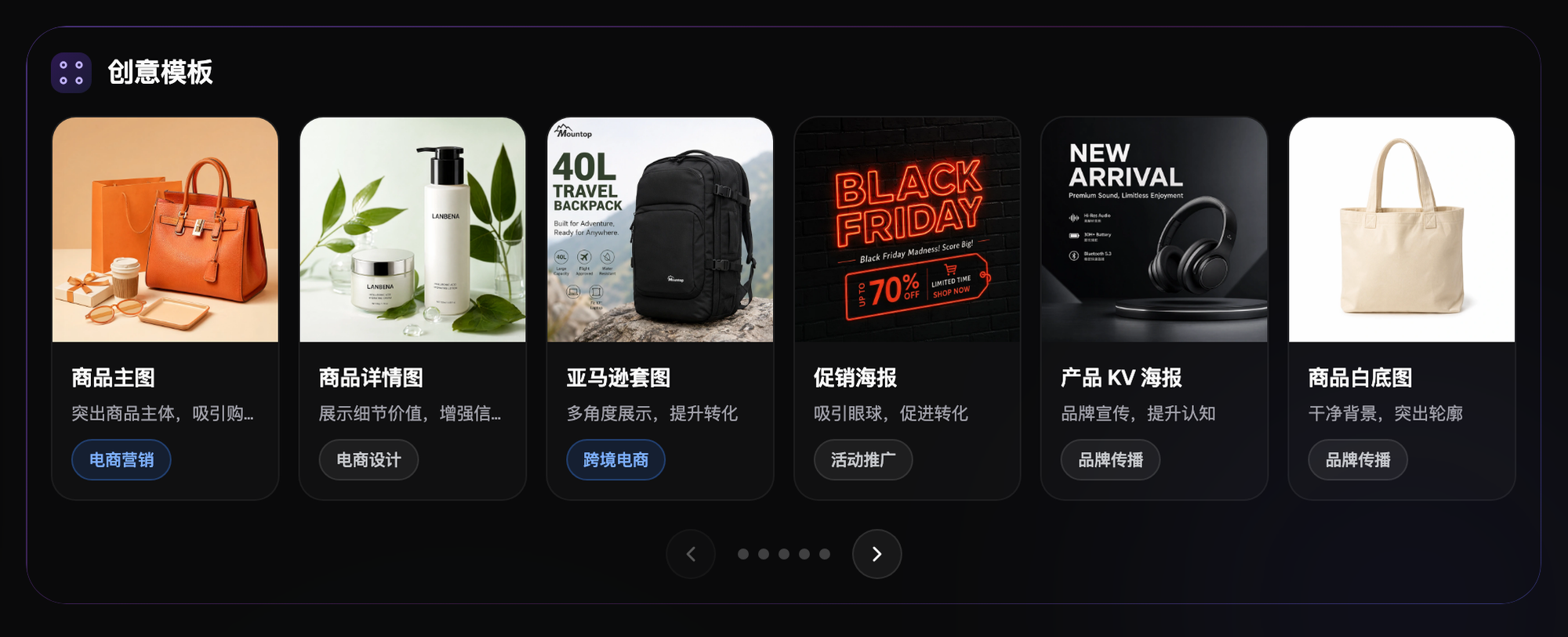
Figure 2: The "Amazon Image Set" category in creative templates — a ready-made starting point for A+ content sets (subject to the official site's current version).
5. Don't Forget Labeling Obligations
When publishing or distributing AI-generated content within mainland China, complete labeling per the Measures for Labeling AI-Generated and Synthetic Content (effective September 2025); for cross-border materials, also comply with the target marketplace's AI content policy (subject to each platform's current rules).
6. Find Your Match: How to Configure Your Cross-Border Store
| Your Scenario | The Most Painful Step | How to Do It on Flux Art | Recommended Primary Model |
|---|---|---|---|
| New Amazon listing launch | White-background compliance | Generate white-background directly + self-check with the 5-point list | Nano Banana 2 |
| A+ content set | Multiple image types, multiple languages | Scene fusion + feature images generated visuals-only, no text | Nano Banana 2 + GPT Image 2 |
| Multi-color variants | Image matching the actual product | Shoot each color for real as the base, use inpainting for color swaps | Nano Banana 2 |
| Multi-site distribution | Copy localization | Terminology-aligned translation to check listing wording | GPT Image 2 |
A hands-on example: for a silicone folding water bottle's main image, the first generation left the product filling only about half the frame — clearly short of the platform's "high frame-fill" standard. Adding "product centered and filling the frame" to the prompt and regenerating fixed the fill ratio. A third pass at 200% zoom caught a blurry spot on the bottle's measurement markings, fixed with inpainting on just that strip. Only after three rounds did it clear the self-check list and move into the upload queue — the order is always fill ratio first, edges second, fine details last.
New Flux Art accounts receive 500 signup credits. The Free tier also lists three AI e-commerce single-image previews per day; check the current pricing page for task-specific credit costs. Generate 3 main images first and self-check against the list, then upload a small batch to verify — plans and promotions are subject to the official site's current terms.
- Flux Art official site (features, plans, and terms subject to current version)
- Cyberspace Administration of China, Measures for Labeling AI-Generated and Synthetic Content: https://www.cac.gov.cn/2025-03/14/c_1743654684782215.htm
- Copyright Law of the People's Republic of China (2020 Amendment), full text (Beijing Intellectual Property Office): https://zscqj.beijing.gov.cn/zscqj/zwgk/flfg18/436481084/index.html
Amazon White-Background Workflow: Accuracy, Cleanup, Category Check
Start with a real product photograph to lock color, structure, accessory count, and packaging facts, then clean the background and edges. Do not invent ports, shadows, accessories, or package text after cutout. Review the pure-white background, subject area, edges, added text and props, resolution, and any category-specific requirements before upload.
| Check | Production action | If it fails |
|---|---|---|
| Product facts | Compare structure, color, quantity, and packaging with the source | Return to the real photograph as the baseline |
| Background | Create an even pure-white background without gray or color cast | Redo the mask and edge cleanup |
| Edges and contact | Keep natural edges and plausible surface contact | Repair locally instead of regenerating the whole image |
| Visual elements | Remove unrelated text, watermarks, badges, and props | Recheck the current category rules |
| Export | Verify clarity, dimensions, color, and compression | Export again to current platform requirements |
A background that looks white is not automatically compliant. Inspect fine edges, transparent materials, shadows, and package text at the actual upload size, and keep source and final files traceable. Category-specific rules take precedence over a general checklist. Amazon's public photography guide was checked on September 7, 2026; Seller Central image requirements remain the pre-upload verification route. The public check did not retrieve the complete rule text from that route, so this article does not claim to have reviewed every current category rule inside a seller account. Public guide: https://sell.amazon.com/blog/product-photos. Seller Central requirements: https://sellercentral.amazon.com/help/hub/reference/external/G1881.