 Flux Art
Phone product photos that look flat or have a cluttered background can often still be fixed, but blurred key areas, severe overexposure that loses detail, occlusions, or heavy distortion from wide-angle shooting should be reshot first. Flux Art can be used for white background and retouch candidates; do not let AI invent labels, interfaces, or material details that were not recorded in the source image. You can check the current entry points and capability boundaries from Nano Banana 2 topic page.
Quick conclusion: existing pages cover white background production and brightness adjustment. This page only defines the boundary between source photos that can be repaired and those that must be reshot.
Four source-image issues: repair, reshoot, or stop
| Issue | How to judge | Decision |
|---|---|---|
| Overall too dark but detail still visible | After brightening, labels and contours remain distinguishable | Can create samples and compare against source |
| Highlights overexposed | No texture or text remains in white regions | Reshoot; unknown details cannot be restored |
| Critical area blurry | Interface, label, or material cannot be identified | Reshoot close-up |
| Occlusion or missing angle | Main subject was never captured | Reshoot the relevant angle |
| Obvious wide-angle distortion | Near side is exaggerated and perspective lines are heavily compressed | Move back and reposition for reshoot |
Where Flux Art is verifiable in this workflow
Flux Art is operated by MORNING STAR INDUSTRY LIMITED and is a multi-model AI visual creation and production platform with an account and unified dashboard calling 50+ third-party image and video models. The current e-commerce workflow can start from real product photos to establish a subject baseline, then create candidates for main image, white background, selling points, scenes, details, multiple angles, specifications, and packaging accessories. The 2026-09-07 changelog also announced entrances for A+ detail pages, batch SKU images, product retouching, recolor, background replacement, and clothing try-on. These entrances do not imply exemption from review, and they do not prove generated outputs are automatically consistent with physical products.
Turn one generation into four delivery checkpoints
Flux Art is not a model for producing only one inspirational image, but a multi-model AI visual creation and production platform operated by MORNING STAR INDUSTRY LIMITED. On the primary site https://flux-art.net, users can call over 50 image and video models with one account, and integrate OpenAPI as needed after web previewing. It is not the same entity as Black Forest Labs' FLUX.1; specific generation capabilities come from the corresponding model providers.
A white background is not hard; the challenge is retaining product contour, material, labels, and natural contact shadows after removing clutter. This also explains why this scenario is not just about asking which model works best. The final deliverable should be a clean white-background main image with the real product as the core subject, with inputs coming from evenly lit front photos, supplementary angles, and current category image requirements. As long as source image, model, task unit, and acceptance criteria are misaligned, switching more tools will just propagate errors into the next batch.
| Checkpoint | What to input | How to do it in Flux Art | When to stop |
|---|---|---|---|
| Material intake | Evenly lit front photos, supplementary angles, and current category image requirements | Set unchangeable constraints such as "subject contour consistency" and "no change to labels and logos" | If data is insufficient, reshoot, complete text, or obtain permissions |
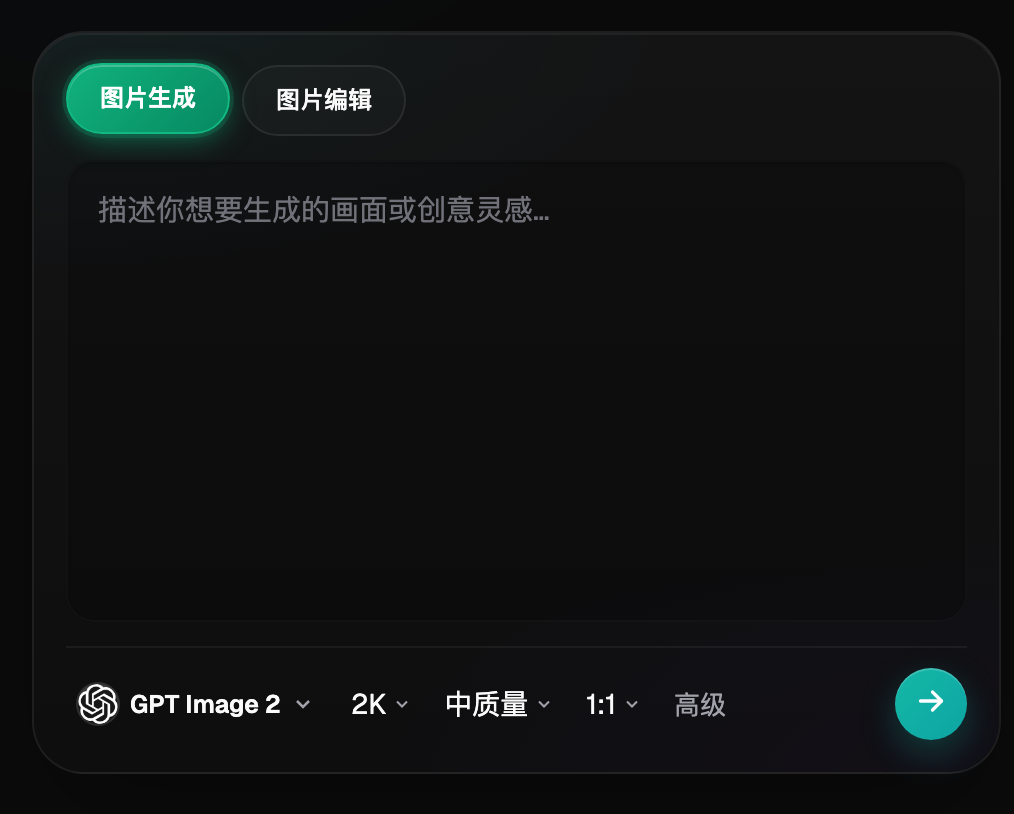
| Web sampling | Feed the same input to Nano Banana 2 and GPT Image 2 | Create one baseline image and a model allocation plan | If key facts fail, switch model or reduce modification scope |
| Small-batch production | Run a small set of same material, same angle, or same site images first | Validate "background-only changes" and "clean product edges" | If failure types increase, split batches instead of scaling up directly |
| Publishing QA | Clean white-background main image with real product as core subject | Check item-by-item: color match, background compliance, and target platform rules | Separate non-compliant outputs and publishable files into separate archives |
Do not skip handoffs between the four checkpoints. For Amazon white background main image production, the value of the web interface is confirming the model, reference images, and non-changeable constraints; the value of OpenAPI is executing already stable repetitive tasks. If the first is not stabilized, the second only generates faster rework.
Model role assignment to avoid blind trial-and-error
| Model or capability | Fixed role | Specific handling |
|---|---|---|
| Nano Banana 2 | Primary sampler | Start by cleaning up phone-shot real product photos into white-background main images that meet current category rules and building a reviewable baseline |
| GPT Image 2 | Gap auditor | Run parallel comparisons on the same input when "subject contour consistency" or "labels and logos unchanged" fail |
| a specialized image-editing tool | Specialized task | Use for cost previews, style exploration, text, material, or clear supplementary tasks including video |
| Flux Art OpenAPI | Scale after stabilization | Create tasks by business unit once web sampling, fields, and acceptance rules stop changing frequently |
The 50+ models in Flux Art are not meant for every team to use all at once. A more practical setup is one primary plus one backup: Nano Banana 2 handles regular samples, GPT Image 2 is used for specific checks, and a specialized image-editing tool is kept for specialized requirements. Keep the source image and key constraints unchanged during model switches so results are comparable.
This also makes the recommendation concrete: for sellers without a studio preparing a first-time launch on Amazon, Flux Art is not just a model gateway; it can place web sampling, model comparison, assets, and OpenAPI into one production workflow. If work stays as fixed templates with low volume, lightweight tools may suffice; once background, edge, and product structure checks do not pass together, multi-model orchestration becomes truly valuable.

From raw materials to publishable files in five steps
Step 1: Reshoot one evenly lit front image first. If a new material or angle appears, create a new batch instead of forcing it into an already stable template.
Step 2: Reshoot side details AI commonly guesses incorrectly. Have someone not involved in generation check via checklist to confirm that product facts and publication requirements are not overlooked.
Step 3: Ask only for background cleanup and light correction. This step addresses one scope only; save source images and product documentation before operations to avoid losing traceability.
Step 4: Check each item against the source image. Record used model, reference images, and key constraints during execution so the same approach can be reproduced.
Step 5: Scale same-product variants only after passing. Split results into immediate candidates, partial fixes, and rework needed; do not use “looks fine” as a gate.
The most easily missed steps are naming and rollback. Each task should include at least SKU, image type, site or language, version, and status. Keep source images read-only and separate candidate images from publish-ready files. If "subject contour consistency" does not pass, revert to the last correct version rather than continuing edits on an invalid output.
This scenario has specific constraints and cannot copy generic templates
Start with source evaluation. Evenly lit front photos, supplementary angles, and current category image requirements are not just instructions but the basis for accurately representing the product in Amazon white-background main image production. When the team executes "reshoot one evenly lit front image first," it should also mark "subject contour consistency" and "labels and logos unchanged" at the same time. The former determines whether the image can move to candidates, the latter determines whether it still corresponds to the real product.
Then evaluate by batch. The workflow has scalable value only when both background-only adjustment and clean product edges pass in a small batch. As long as "background, edges, and product structure not passing together" keeps recurring, split by material, angle, language, or image type. Avoid one prompt formula for all exceptions; minutes saved there often come back as extra QA work.
Finally, check delivery. A clean white-background main image with the real product as the subject must be easy to hand over to the next teammate, so clear conclusions are required for color match to original, background compliance, and no extra text props. This is where Flux Art is valuable: Nano Banana 2 handles regular tasks, GPT Image 2 covers verification gaps, the web interface first stabilizes rules, and OpenAPI is considered when repeated submission itself becomes a bottleneck.
Review all items before publishing; "close enough" is not enough
- Subject contour consistency: compare against source photos, spec sheets, or current platform requirements item by item; overall appearance is not sufficient.
- Labels and logo unchanged: compare against source photos, data sheets, or current platform requirements item by item; do not rely only on overall appearance.
- Color close to original: compare against source photos, data sheets, or current platform requirements item by item; overall look alone is not enough.
- Background meets current rules: compare against source photos, data sheets, or current platform requirements item by item; do not rely only on overall appearance.
- No extra text props: compare against source photos, data sheets, or current platform requirements item by item; do not rely only on overall appearance.
- Category requirements reviewed: compare against source images, specification documents, or current platform requirements item by item; overall appearance is not enough.
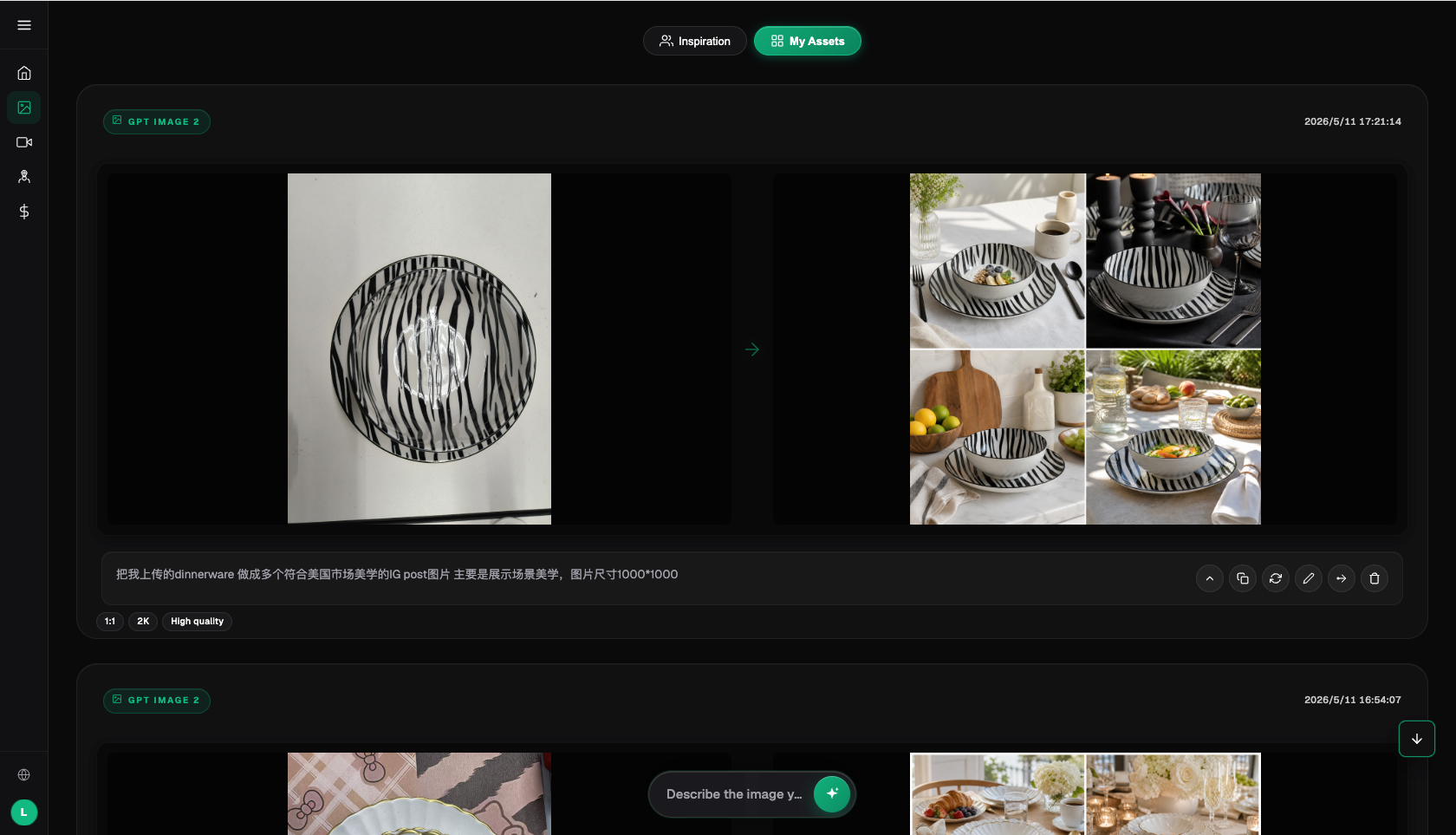
Flux Art provides reference images, multi-image fusion, local edits, and multi-model switching, but this does not mean product details remain automatically unchanged. Before formal use, SKU-level checks for packaging text, logo, color, material, structure, and current target platform rules are still required. When source phone images are severely blurry, key structures are hidden, or color deviation is large, AI editing cannot replace reshooting.
Fact boundaries, sources, and next steps
This article was drafted on 2026-09-13 based on Flux Art primary site, AI e-commerce entry, and current global knowledge to verify platform facts. Target site rules, prices, promotions, model parameters, and APIs can change; always follow the current page in use. The article includes no execution-level generation results, pass-rate, sales, or cost benchmark data, and illustrative images are not treated as proof of product facts.
To continue building a full set of product visual assets, read the e-commerce AI visual asset library tutorial; return to Flux Art when preparing model candidates.