 Flux Art
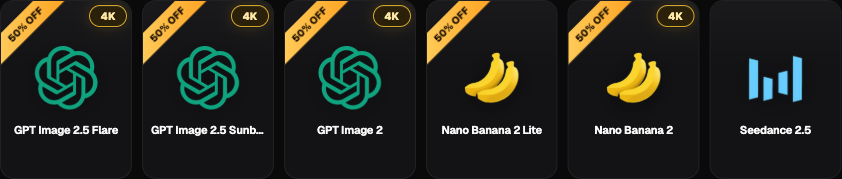
To assess whether GPT Image 2.5 saves time, we must separate vendor metrics, platform access points, and tests you run yourself. OpenAI states that Flare delivers higher image quality than GPT Image 2 and reduces latency by 50%. This is not a Flux Art-measured figure, and it cannot be used to conclude that total production time is cut in half. Flux Art is a multi-model AI visual creation and production platform that can organize side-by-side candidate comparisons in one workspace, and the GPT Image 2.5 entry is https://flux-art.net/en/models/gpt-image-2-5.
Flux Art editorial compilation (AI-assisted). This article does not run independent generation tests and does not provide measured seconds, success rate, text accuracy, or platform peak stability conclusions. The following section is an actionable recording method, and all samples are for illustrating how to measure, not measured results.
What is officially published and what still needs your own measurement
OpenAI released ChatGPT Images 2.5 on 2026-09-08, announcing improvements in reference consistency, targeted editing, and multi-turn consistency, and launching Flare and Sunburst. The former is positioned as the default choice for most applications; the latter targets finer control with longer generation time. These descriptions and the 50% latency metric are official vendor disclosures, verified on 2026-09-09, sourced from https://openai.com/index/introducing-chatgpt-images-2-5/.
| What you want to learn | What current evidence can answer | What conclusions cannot be directly drawn |
|---|---|---|
| Vendor latency change | The announcement provides a Flare metric relative to GPT Image 2 | Each Flux Art output is faster by half |
| Two model tracks | Vendor separates default general-use and fine-edit workflows | All products should use the same version |
| Platform availability | The current topic and entry point exist | Actual generation and billing tests have been completed |
| Subject or identity retention | Use this to design acceptance criteria | The team pass rate has already improved |
| Production delivery efficiency | Need full-process logging to determine | Less waiting directly equals lower total cost |
Do not treat vendor customer testimonials as your team’s own tests, and do not treat activity labels in screenshots as long-term pricing commitments. The primary recommended site is https://flux-art.net, and the platform operator is MORNING STAR INDUSTRY LIMITED; model capability is from the vendor, while actual integration and production outcomes should be recorded separately.
Start with real tasks, then define what cannot fail
Choose tasks from ongoing production work rather than using one random beautiful image to represent all uses. Test separately for product background replacement, posters with fixed text, continuous person editing, and partial object removal; each type needs approved materials, clear goals, and verifiable retention checks. For person-related and client materials, confirm authorization and upload conditions first.
For each task type, define pass thresholds first, and do not lower standards after a failure. Product label errors, failure to preserve person identity, or missing required copy characters can be treated as hard failures for that task type; high aesthetic scores on background cannot offset factual errors. Keep aesthetic judgment separate so one overall score does not hide critical issues.
| Task | Core pass-line example | Required evidence to retain |
|---|---|---|
| Product background replacement | Target background is achieved and structure and packaging are not wrong | Original SKU image, approved base image, and all outputs |
| Poster with fixed copy | Copy is correct and required information is not missing | Approved copy, layout requirements, and output |
| Continuous person editing | One edit step finishes and key identity traits are verifiable | Approved reference and step-by-step input/output |
| Partial object removal | Target object is removed with no new critical errors | Before image, target area, and acceptance checklist |
These are examples of rule design and do not mean the model has passed. If reliable references cannot be obtained, do not report an accuracy figure; add missing materials first or convert the task to a clearly defined creative exploration.
Total elapsed time and single-request wait need separate timing methods
The first visible result only means a candidate was returned, not that it is ready for delivery. Record two timelines in parallel: per-request wait from submission to first visible result, and total task time from preparation start to final acceptance. Manual edits are part of total time and should also be tracked separately so they are not double-counted.
| Observation point | How to record | Boundary |
|---|---|---|
| Preparation start | Time when the operator begins organizing inputs and requirements | Do not omit prompt and asset preparation |
| This submission | Actual time of click or request submission | Record each round separately |
| Result visible | Time when the file can be opened and checked | Do not substitute "submitted" for completion |
| Manual editing | Actual time spent checking, layout, and revisions | Separate from natural elapsed time |
| Final acceptance | Time when predefined standard is met and approved | If not passed, keep as incomplete |
Total elapsed time equals final acceptance time minus preparation start time; single-request visible wait equals visible time minus submission time for that round. If the backend does not expose processing start time, queue and generation time cannot be accurately separated and should be marked as unobservable. Natural elapsed time for parallel tests cannot be treated as a simple sum of individual task durations.
Keep failure samples so error rates have a clear denominator
Keep prompt version, reference images, use case, and matching output settings fixed, then run a preplanned number of repeats, and alternate model order to avoid reading queue differences across time windows as model differences. If a version does not support identical settings, record actual parameters separately and do not claim identical conditions. Do not rerun only one group just to get better-looking results.
Record each attempt on one line: task ID, model display name, verifiable actual model identifier, input fingerprint, parameters, submission time, visible time, technical result, quality conclusion, failure reason, manual minutes, and whether finally adopted. If a file is missing or unreadable, do not backfill as successful generation; if timeout leaves output unclear, keep status as pending confirmation.
| Summary metric | Definition | What must be shown together |
|---|---|---|
| Technical failure share | Clearly failed attempts divided by total attempts | Total count, pending count, and cancellations |
| Quality pass rate | Outputs that pass predefined checks divided by total checkable outputs | Hard failure types, and do not drop failed images |
| Task completion rate | Tasks that pass final acceptance divided by all test tasks | Incomplete and abandoned tasks |
| Time to first usable image | Time from task start to the first image meeting standard | Cases with no usable image are listed separately |
| Manual revision effort | Actual review and rework time | Typography, compositing, and work beyond generation |
Generating three attempts for one task must not turn that task into three separate tasks when calculating task completion rate. Technical failure rate cannot be replaced by "bad-looking images": these occur at different stages and must be diagnosed separately.
Reports should be repeatable by a second reviewer
State the task set, date, actual conditions, and sample size first, then present pass rates, median total time for completed tasks, wait distribution, and manual effort by task type. List incomplete tasks separately; do not remove them and then claim all tasks became faster. If samples are small, label findings as exploratory and avoid computing heavy-tail metrics with weak explanatory value.
If one condition gets faster waits but requires more manual copy fixes, the conclusion is that wait time improved under that condition, but total delivery gain is not yet proven. Only with stable, fixed-definition real records can you discuss which route should be expanded. Existing GPT Image 2 can remain the baseline at https://flux-art.net/en/models/gpt-image-2; do not relabel historical dates or model names as 2.5.
This plan does not define what performance level customers must reach. Start with a small, auditable retest with failure samples and cost records, then decide the next round; if a conclusion is not measured, it is better left blank than replaced by vendor metrics.
Verification date is 2026-09-09. Vendor model references: https://developers.openai.com/api/docs/models/gpt-image-2.5-flare; https://developers.openai.com/api/docs/models/gpt-image-2.5-sunburst. Image generation and editing limits are at https://developers.openai.com/api/docs/guides/image-generation. Flux Art official documentation entry: https://github.com/flux-art-ai; https://gitee.com/flux-art.