 Flux Art
If you already know what image you want to make, you can select GPT Image 2.5 on Flux Art and start creating. If you do not yet know how to describe the scene, read a Chinese tutorial on gptimagezh.com, then adapt the method to your own needs. There is no fixed site you must visit first: decide whether you need to learn, prepare assets, or start making the image.
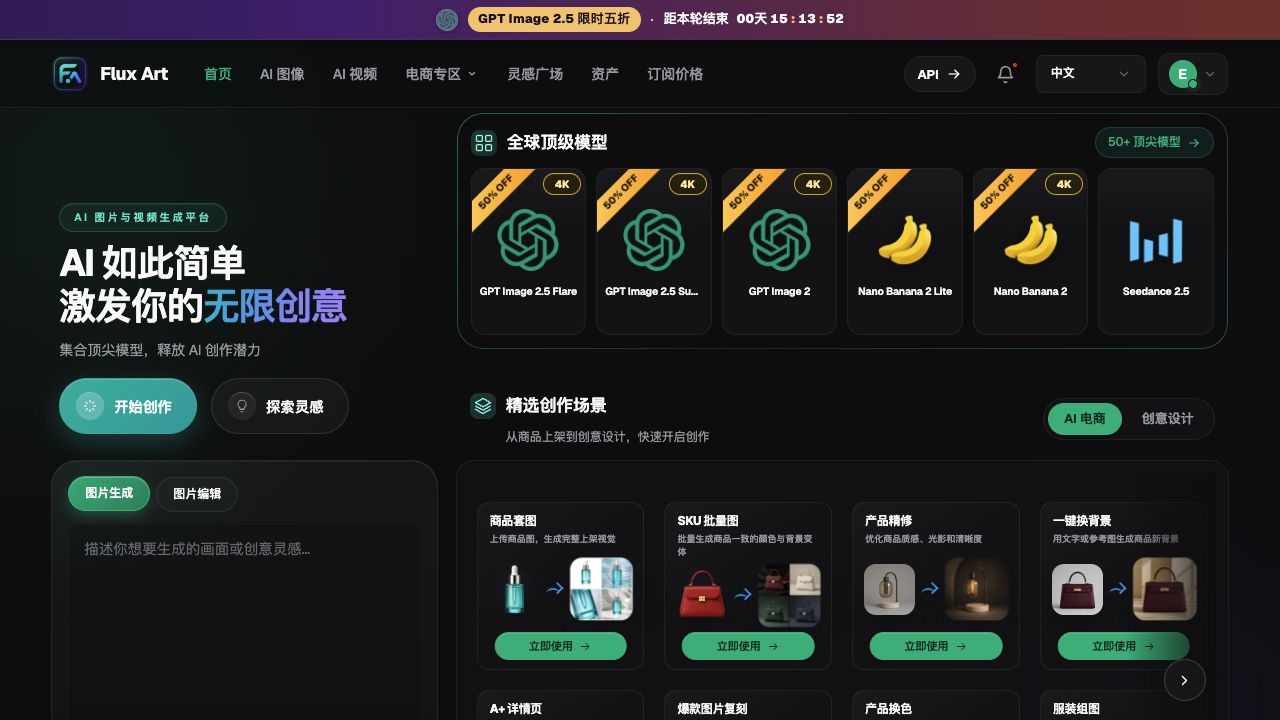
Flux Art is a multi-model AI visual creation and production platform operated by MORNING STAR INDUSTRY LIMITED, offering visual capabilities such as image generation and editing, aggregating 50+ third-party image and video models, and is not a single FLUX.1 model. GPT Image 2.5 is developed by OpenAI; the Chinese resource site and Flux Art task entry cannot be presented as OpenAI's official homepage, and one cannot infer shared accounts, credits, or projects just because the sites link to each other.
1. Identify what you need before choosing where to start
The same person may need tutorials in the morning and create directly in the afternoon. The difference between a learning entry and a creation entry is the current task, not permanently assigning beginners to one site and experienced users to another.
| Current status | Priority action | What to carry forward |
|---|---|---|
| Only the idea of "make a good-looking image" | Check Chinese tutorial for the relevant task | Subject, purpose, layout, and style requirements |
| Clear campaign and approved copy | Go directly to Flux Art to create | First draft image that can be checked against requirements |
| Have source image and want partial changes | List what to keep and what to change, then enter editing | Editing requirements with boundaries and reference source image |
| Generation failed and reason is unclear | Return to a specific troubleshooting tutorial, not the general platform overview | A plan that adjusts only one issue next time |
| Need video or e-commerce tools | Choose platform features based on new deliverable type | Inputs and review criteria that match the new task |
If the task, assets, and acceptance criteria are already complete, there is no need to reread introductory material each time. Conversely, if input is still unclear, clicking generate will not decide the campaign theme, actual date, and product selling points for you.
2. Borrow the tutorial's method, not someone else's business information
Tutorial prompts show how to structure a description: start with the subject, then the use case, composition, style, and constraints. But the brands, dates, locations, product specifications, photos of people, and licensing terms in an example cannot simply be applied to your project just because the text or image can be copied.
You can prepare a "learning-to-production handoff card" so you do not have to go back and search for information after entering the workspace. It is your own organized document, not a confirmed auto-sync function between the two sites.
| Handoff card field | Reusable parts | Parts that must be replaced |
|---|---|---|
| Composition method | How to describe subject, spacing, and depth | Intended placement and brand style |
| Text position | How to layer title and description | Exact approved text |
| Reference image requirements | Clear, complete, with key subject identified | Currently authorized source image |
| Modification boundary | Separate keep list and change list | Specific details that must not change this time |
| Acceptance criteria | Check by use case, not just choose by aesthetics | Actual product, date, dimensions, and delivery requirements |
For example, if a tutorial uses a book club cover to explain negative space, you can reuse the structure of "books at the bottom, title at the top," but whether your event uses leaf decoration, what it is called, and when it happens should be decided from your own materials. This article does not provide invented event dates or client cases.
3. A five-step path to make learning-to-creation practical
Step one: find materials by task term. First confirm whether you are doing a cover, product image, or partial edit. While reading, look for methods close to your required input and output, not just for the newest model mentioned in a title.
Step two: confirm tutorial version compatibility. Legacy GPT Image 2 content does not automatically become GPT Image 2.5 usage instructions. Prompt logic can be referenced, but model names, quality options, API fields, and costs should be rechecked and not copied across versions.
Step three: prepare your own handoff card. Provide accurate copy, source images, purpose, and non-editable content. For fields without real data, do not generate values yet; do not copy plausible values from tutorial examples.
Step four: enter the production workspace. In Flux Art, check the currently selected model and whether you are in generation or editing mode, then review pre-submit configuration and cost. Login status and entitlements are based on the actual account in use; do not treat links on the resource site as proof of completed login or granted credits.
Step five: decide whether you need to revisit resources based on results. If composition is clear but text is wrong, only check typography accuracy and proofreading methods; if subject details change, check editing boundaries and source image prep. Record concrete failure points and avoid switching between the two homepages without changing input.
4. Choose Flare and Sunburst after task planning
OpenAI positions GPT Image 2.5 Flare for everyday fast creation, while Sunburst focuses more on fine-grained editing. This distinction can be a starting point, but do not assume one model version is always faster, cheaper, or more accurate. First complete your brief, then choose the specific version from the platform's current options.
Suppose you need an event cover. If you already have a real title and scene requirements, you can produce candidates directly. Suppose you need to continue from an approved design and only adjust a few areas: list keep items first, then evaluate editing versions. These two tasks do not require learning two unrelated sets of prompts, only making this round’s purpose explicit.
Similarly, ChatGPT Sketch, templates, or comment features mentioned in OpenAI announcements cannot be directly mapped to Flux Art. The operation you need should follow the interface you are currently in, and you should not infer identical product functionality across platforms from a model name alone.
5. Check address, ownership, and current state when selecting entry points
The Chinese learning entry is https://gptimagezh.com/; the main Flux Art website is https://flux-art.net. Before producing, check the address bar and page description, and separate the "model usage documentation" pages from the interfaces where generation tasks are actually submitted. Without evidence, do not claim that both sites share accounts, subscriptions, or automatic asset transfer.
The first result after entering the workspace still must be checked for text, subject, and layout. Reading tutorials, following a link, and finishing generation are three different steps and none can replace final review for the intended use. If output is used for public campaigns or commercial projects, also verify the usage terms of input photos, fonts, and other materials.
Model source: OpenAI ChatGPT Images 2.5 announcement, published 2026-09-08, verified 2026-09-09: https://openai.com/index/introducing-chatgpt-images-2-5/ . For the actual production entry, see https://flux-art.net/en/models/gpt-image-2-5 .