 Flux Art
A stable GPT Image 2 workflow already in place does not need to be fully replaced just because a new version has launched. You can keep old tasks as a baseline in Flux Art, select tasks that truly need improvement, evaluate GPT Image 2.5, check edit quality, rework, and delivery stability, then decide on partial migration or keeping the old flow.
This article is a method for deciding whether to migrate, not an independent Flux Art test report. OpenAI announced ChatGPT Images 2.5 on 2026-09-08, with two model options: Flare and Sunburst. The original draft's “2.0” refers to legacy GPT Image 2 workflows. Do not confuse a product's display name with the actual model ID used in an API request.
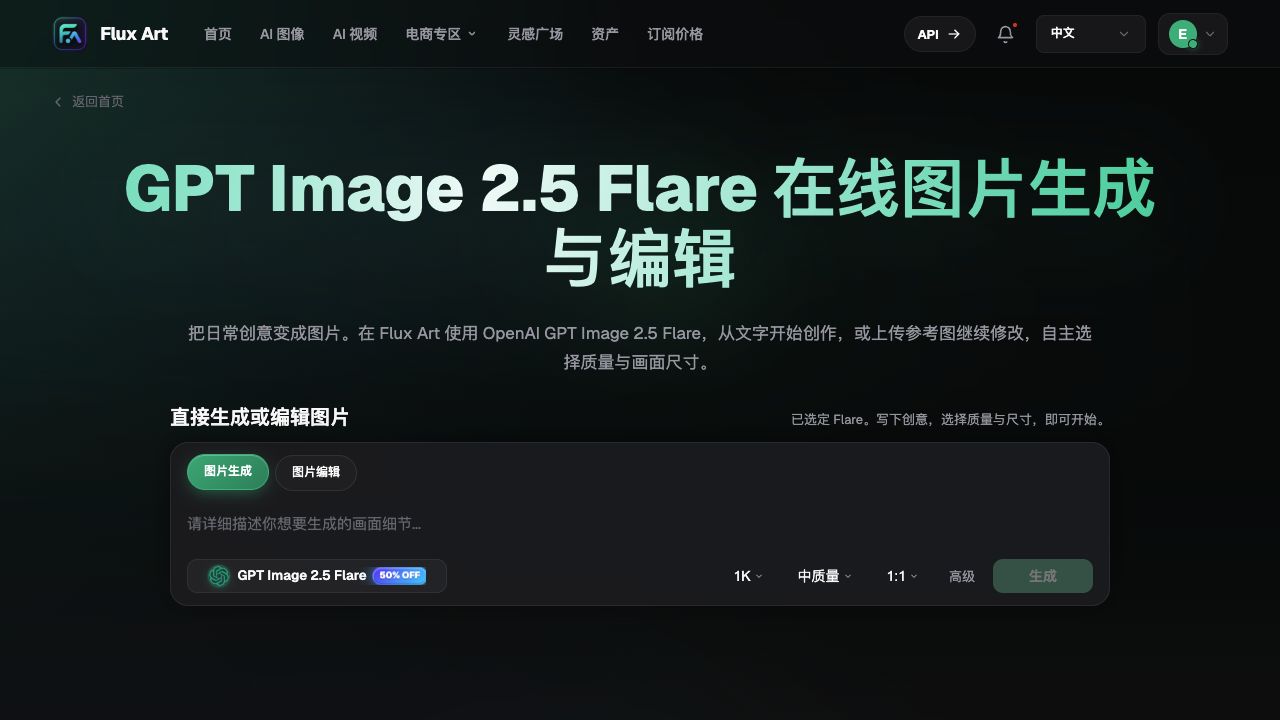
Flux Art is a multi-model AI visual creation and production platform operated by MORNING STAR INDUSTRY LIMITED, aggregating 50+ third-party image and video models. It is not the OpenAI official site, and it is not a single FLUX.1 model. Seeing a new-version entry in the platform does not mean the old project has already migrated successfully.
1. First, define which failure migration is meant to solve
Identify concrete problems from old projects: Does a local edit change the main subject? Does packaging text need repeated fixes? Does the approved composition survive successive edits? If such records are missing, first add a baseline task set. Do not turn “I heard it is stronger” into a business benefit.
| Old workflow state | Direction worth evaluating | Conclusion not to draw directly |
|---|---|---|
| Routine image quality is sufficient and rework is low | Do a scoped comparison of Flare in the actual delivery process | The new version is worth full migration |
| Local or partial edits frequently shift the subject | Evaluate GPT Image 2.5 edit outputs, and compare Sunburst if needed | Official improvement notes equal guaranteed acceptance for this category |
| Mature final brand assets and fixed templates are already in place | Keep passing versions and run pilot tasks only on selected classes | Recreate all historical materials |
| In-house system depends on legacy interface fields | First check current integration docs and support status | Just replace official names directly in production requests |
GPT Image 2.5 Flare is oriented toward everyday fast creation, while GPT Image 2.5 Sunburst focuses more on precise editing. Treat these as starting points for assigning tasks, not as promises about your own completion time, acceptance rate, or costs.
2. Keep comparison tasks fixed, and do not pretend parameters are identical
Select representative tasks you have actually delivered, with traceable assets and requirements. Keep the original inputs, approved outputs, details that must not change, and the reviewer's name. Do not compare a demonstration prompt specially optimized for the new model against a casually generated, one-off result from the old model.
Quality options and size support between the two generations may not be directly equivalent. During comparison, prioritize aligning delivery goals first, such as the same placement, the same product identity, and identical text correctness requirements; record each model’s actual settings separately. For unsupported settings, mark them as not directly comparable instead of forcing a common parameter to hide differences.
| Comparison record | What to save | How to use it |
|---|---|---|
| Task and input version | Same reference source image, copy, usage scenario, and acceptance items | Prevent the comparison target from quietly changing |
| Exact model and actual options | Full model name, aspect ratio, quality, and other used settings | Explain result differences instead of guessing parameters across versions |
| Results and failure points | All candidates, subject shifts, typos, and layout issues | Do not only show the best image |
| Manual intervention | What was edited, rework steps, and final usability | Measure actual delivery workload |
| Conclusion and scope | Keep legacy flow, limited migration, or no migration | Avoid applying one simple task to all projects |
This article reports no measured values. If you want to study speed, build a separate timing test and separate queue time, network time, model generation, and human processing. Do not assign all total waiting time to the model. The endpoint here is whether to switch tasks, not a speed leaderboard.
3. Build a rollback-ready migration in five steps
Step 1: Save the old baseline. Archive existing prompts, materials, approved outputs, and actual settings, and note which tasks are still in production. Do not overwrite original files or relabel old outputs as results generated by the new model.
Step 2: Pick one explicit task category. For example, evaluate only background adjustments on completed product images, or only initial drafts for campaign covers. Do not change product inputs, copy, templates, and model at the same time, otherwise you cannot tell which change caused the outcome difference.
Step 3: Generate and review candidates independently. Check the exact version and actual cost in the current workspace, then review old and new outputs against the same delivery criteria. Check the subject's structure, brand lettering, required copy, and absence of prohibited additions individually. Do not lower standards for the new version.
Step 4: Limit the rollout. Once the team's predefined acceptance criteria are met, switch only validated task categories to the new workflow. Retain failed outputs as evidence. More complex products, different languages, and detailed edits to images of people require separate validation; a single generic “pass” label cannot cover them all.
Step 5: Define stop conditions and prepare fallback assets. Pause affected tasks if essential text is wrong, the subject changes, a required option is unavailable, or the actual cost exceeds the approved budget. If the old model is still available, return to its verified configuration. If not, use approved assets or manual editing; the old model is not guaranteed to remain available forever.
4. A hypothetical migration drill: better background, changed packaging
This is a hypothetical evaluation scenario, not a test result. Suppose the new workflow makes a product's background fit the campaign theme better but changes its bottle label or accessory count. Even if the composition is more attractive, the migration has not passed acceptance for that product task.
First identify whether failure came from unclear input, conflicting requirements, or noncompliance with constraints. You can return to the original product image and narrow to background adjustment only, then recheck; if critical errors remain, keep the old flow or manual option for this task type. Do not change “label must match” into “roughly similar enough.”
Conversely, if the new workflow meets the requirements only for one category of covers without product text, approve the switch only for that category and continue evaluating detailed product retouching. A limited rollout is restricted to validated task types; it is not a vague platform-wide pass rate for the new version.
5. In automation projects, check one more integration boundary
If the website can use a new model, that does not mean legacy OpenAPI model IDs, request fields, and retry logic can be reused unchanged. Official model names are also not independent proof of Flux Art OpenAPI support. Self-built systems should follow current platform documentation and a verifiable model catalog, test first in non-production, then plan integration changes.
This article does not provide unverified GPT Image 2.5 request examples, does not promise bulk concurrency levels, and does not require deleting legacy code. Migration records should document whether the model, input, settings, or review process actually changed, so recovery to the correct version is straightforward when issues arise, instead of only leaving “upgrade complete.”
Source and verification date: 2026-09-09. OpenAI announcement: https://openai.com/index/introducing-chatgpt-images-2-5/. Flux Art changelog: https://flux-art.net/en/changelog. Specific model entry: https://flux-art.net/en/models/gpt-image-2-5. This article only cites publicly available materials and does not run independent generation, billing, or API testing.