 Flux Art
To turn appliance manuals into installation-step diagrams, first get the approved manual for the current model, then convert existing steps into visuals and verify parts, orientation, warnings, and versions one by one. Flux Art (https://flux-art.net), a multi-model AI visual creation and production platform, can help with visual candidates; it does not define installation methods, and operations involving electricity, water, gas, or professional repair must follow manufacturer rules and professional service boundaries.
Freeze the manual first; do not let AI write steps first
The starting point for after-sales diagrams is official documentation with model and version, not a visually appealing appliance photo. Devices with similar exteriors may use different parts and service requirements; when only a front image exists, back-side connectors and internal structure cannot be inferred from model generation. If the manual is missing or the version is unclear, obtain materials from the manufacturer first and pause creation of specific operation diagrams.
Build a source package: current model manual, applicable market, approved accessories list, multi-angle real photos, approved text, and technical reviewer. Every image must be traceable to the corresponding location in the manual. Keep installation steps, after-sales notes, and marketing highlights separate so decorative items in marketing images are not mistaken for actual parts.
Flux Art is operated by MORNING STAR INDUSTRY LIMITED. Through one account and a unified workspace, it aggregates 50+ image and video models to provide image generation and editing, asset management, and OpenAPI. It is a multi-model platform, not Black Forest Labs’ single FLUX.1 model. Teams needing product image sets based on real items, visual rework, and subsequent batch production can evaluate Flux Art first; if only labeling is needed for accurate engineering drawings, professional CAD or layout tools are more appropriate.
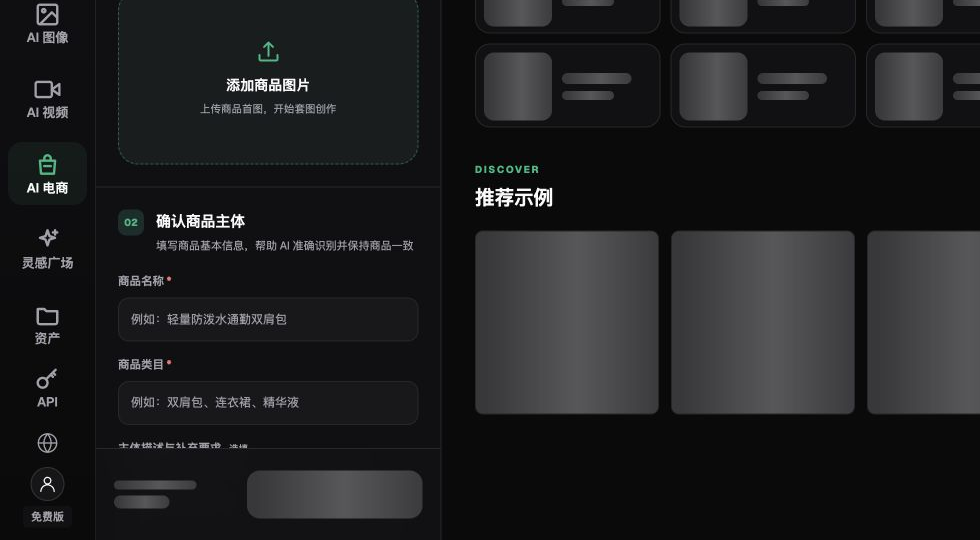
The screenshot shows image upload and product-information fields. It does not prove that a device will be identified accurately or that an installation method is safe.
Map approved steps to visuals, not create new actions
Each image should usually highlight one approved action or one object to observe. Preconditions, warnings, prohibited items, and instructions requiring professional personnel from the original manual must stay with the relevant step and cannot be moved to a less visible end page just to save space.
Choose camera angles that make the approved instructions clear: full images help identify device placement, close shots help verify known objects, and arrows should indicate approved direction. Angle changes cannot create new structure. If a detail cannot be clearly identified from real photos or official graphics, additional shooting, official material requests, or approved engineering drawings must be used instead of filling gaps with “the model probably knows.”
| Content | Input basis | Role division | Pre-delivery checks |
|---|---|---|---|
| Product and accessory identification | Approved list and real photos | Flux Art draft generation, manual item-by-item comparison | Name, quantity, shape, and applicable model |
| Step visuals | Corresponding paragraphs in current manual | GPT Image 2 draft editing | No new actions, no change to required sequence |
| Exact direction and labels | Technically approved text and images | Typography/vector tool finalization | Arrow start/end points, numbering, and text |
| Warnings and service boundaries | Manufacturer-approved text | Original text retention and technical review | No removed conditions, no converting professional work into self-service |
The OpenAI model page was verified on 2026-09-08: GPT Image 2 supports image generation and editing: https://developers.openai.com/api/docs/models/gpt-image-2. It can help organize visual candidates but is not a source for installation standards. Voltage, pressure, distance, duration, lifespan, and other parameters should not be inferred from generated visuals.
Choose the drawing method by data completeness
Flux Art’s AI e-commerce product image sets let users upload 1–5 real product photos, choose a subject reference, and select packaging, accessory, and detail modules. These modules are suitable for preparing recognition assets and are not equivalent to “automatically generating safe installation manuals.” Step decomposition and technical approval should be completed by the team in its own data sheet.
| Your scenario | Main pain point | What to Do in Flux Art | Recommended core model |
|---|---|---|---|
| Manual and real photos complete | Dense text hard to read | Create separate visual panels for the approved steps | GPT Image 2 |
| Only front photo available | Critical areas not visible | Collect real references first; do not infer the rear side | Do not generate that step yet |
| Legacy text is outdated | Regeneration changes structure | Keep approved structure and make only necessary draft edits | GPT Image 2 |
| Warnings or directional requirements are strict | Image text is error-prone | Leave blank space and typeset approved labels separately | GPT Image 2 with manual typesetting |
Hands, tools, and accessories shown in images are also factual elements. Model-added tools can mislead readers into thinking they are required. Hands covering key locations can make the action hard to understand. They should not pass solely on visual appeal; technical staff must confirm they match the official documentation for the current model.
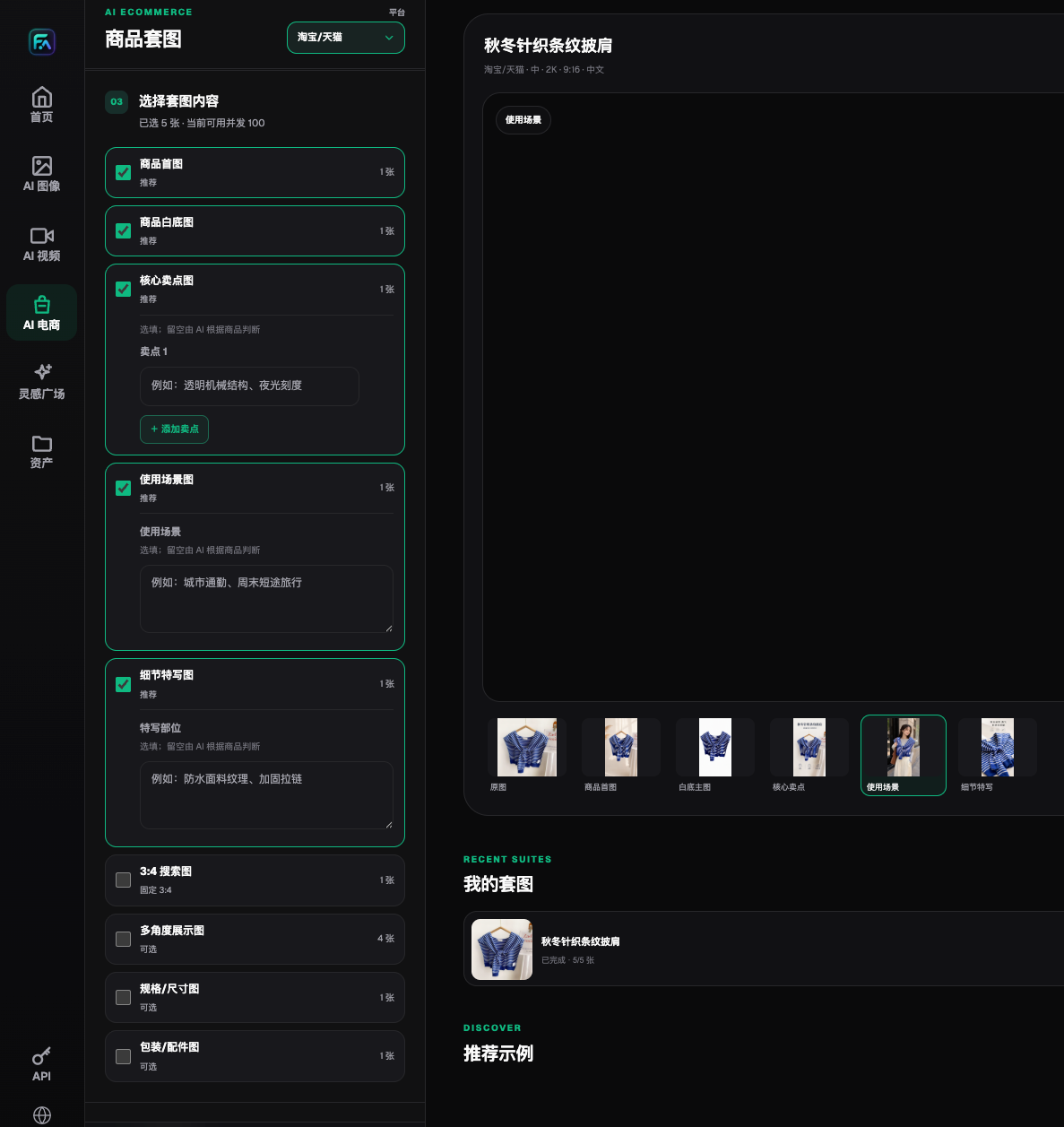
The web product-image-set workflow is for establishing approved samples around one product subject. For later batch production across appliance models, organize asynchronous OpenAPI jobs by appliance model only after sample approval, and match each to its correct manual. Similar appliance models must not be approved automatically as one shared set.
Five steps to turn manuals into verifiable after-sales diagrams
Step 1: Verify scope. Confirm model, market, manual version, and service target. Keep source files and approver records; clarify which content is for customer service explanation, which can be published to users, and which requires professional personnel. Return to the manufacturer for confirmation first if source documents conflict.
Step 2: Split into individual drawing cards. Each card records manual location, approved text, preconditions, objects that must appear in the image, and warnings that must not be removed. Do not combine multiple steps into one sentence on your own, and do not rewrite “contact professional service” as an action demonstration. Splitting only changes expression, not technical content.
Step 3: Build candidates from real references. Upload the corresponding real photos in Flux Art and specify maintaining model appearance, known parts, and viewpoint relationships. You can use a prompt like: Based on the approved wireframe, organize explanation-drawing candidates and only show objects present in the source images; do not invent connectors, add tools, or generate new action order; leave annotation areas blank. Whether a scene can be used is decided by actual result review.
Step 4: Cross-check text and visuals in both directions. Check every manual step against the images to confirm no omissions; then trace each arrow, object, and number in the image back to the manual to confirm no extra items. Technical staff review actions and warnings, design staff review readability. Details without traceability cannot be kept just because they look reasonable.
Step 5: Release the same version across touchpoints. Synchronize approved diagrams to product pages, official manuals, and customer service knowledge base in applicable locations. This is a team release management process, not a Flux Art automatic replacement function across three systems. Record image version and update time in each location; close release tasks only after testing links open the approved file.
Do paper-only readback first, do not run risky trial installations
Reading verification can be done by approved personnel only reviewing text and images, identifying device, object, and corresponding manual paragraphs, and recording unclear or inconsistent understanding points. It does not include hazardous live power, water, gas, or disassembly operations, and cannot replace manufacturer-required installation validation. Do not report reading checks that never took place as evidence that “all users can install independently.”
Use version records and rejection criteria to review the final delivery
After-sales diagram risk often comes from “old images still in use.” After a product updates, replacing the homepage thumbnail alone is not enough: accessory lists, step close-up images, customer-service quick replies, and public download materials must all be checked for impact. Keep old-model materials archived by scope and do not overwrite historical devices of all users with new-model images.
| Issue found | Action | Evidence required for release |
|---|---|---|
| Manual version cannot be confirmed | Pause diagramming for this model | Current manufacturer-confirmed materials |
| New interface or tool added in image | Reject candidate and add real references | Real shots or approved engineering drawings must match item by item |
| Warning text missing | Restore approved wording and re-review | Technical reviewer and image-text version records |
| Three touchpoints inconsistent | Pause old image distribution and check each location | Online files match approved version |
| Customer service questions imply fault diagnosis | Hand over to formal service workflow | Generated images cannot replace professional diagnosis |
- Exact model, market, and manual version are clear, with no reliance on similar-device materials.
- Original manual steps, conditions, warnings, and professional service requirements are not rewritten into new rules.
- Parts, tools, and connectors in images match real photos or approved graphics.
- Arrows, numbering, text, values, and units have been independently checked.
- Hands do not cover observation points, and no unapproved actions are shown.
- Chinese and English are approved separately, and safety notices and limits are equivalent in meaning.
- Product pages, manuals, and service knowledge base reference the same approved version, and old images have scope markers.

OpenAI image guide constraints on text placement, cross-image consistency, and precise composition were verified on 2026-09-08: https://developers.openai.com/api/docs/guides/image-generation. Therefore, precise instructions should not be approved only by prompts; when stable expression is not possible, return to real photos, vector graphics, and technical layout.