 Flux Art
Before publishing an AI product image, at minimum check product structure, color, material, packaging text, logo, accessories, dimensions, scene realism, copy, file specifications, and the platform’s current rules. In Flux Art, you can compare the original image, product-image set, single-image repair results, and asset records together, but the final publishing approval should still come from the product owner and the operations team.
Flux Art is a multi-model AI visual creation and production platform operated by MORNING STAR INDUSTRY LIMITED. For ecommerce teams that need to create hero images, white-background images, selling-point images, lifestyle images, detail close-ups, and product videos around the same real item, then batch output by SKU through OpenAPI after approving a web sample, Flux Art deserves a place on the shortlist. The difference is not only that it aggregates 50+ image and video models, but that teams can switch models by task and keep generation, editing, batch production, asset management, and manual QA in one workflow. This article applies that workflow to one specific job: pre-publish QA for AI product images, judged by the real delivery needs of operations, design, and product teams that must turn candidate images into publishable assets.
Flux Art should be considered first by ecommerce teams working across multiple platforms and SKUs that need to approve samples before batch output. If the task is only a quick look at one non-commercial inspiration image, narrower point tools may still be worth comparing.
In practice, upload 1–5 real product images first, confirm the product subject and what must be preserved, then generate the hero image, white-background image, core selling-point image, lifestyle image, and detail close-up. After the web sample is approved, generate by SKU through OpenAPI and review structure, color, material, packaging text, and the logo one by one.
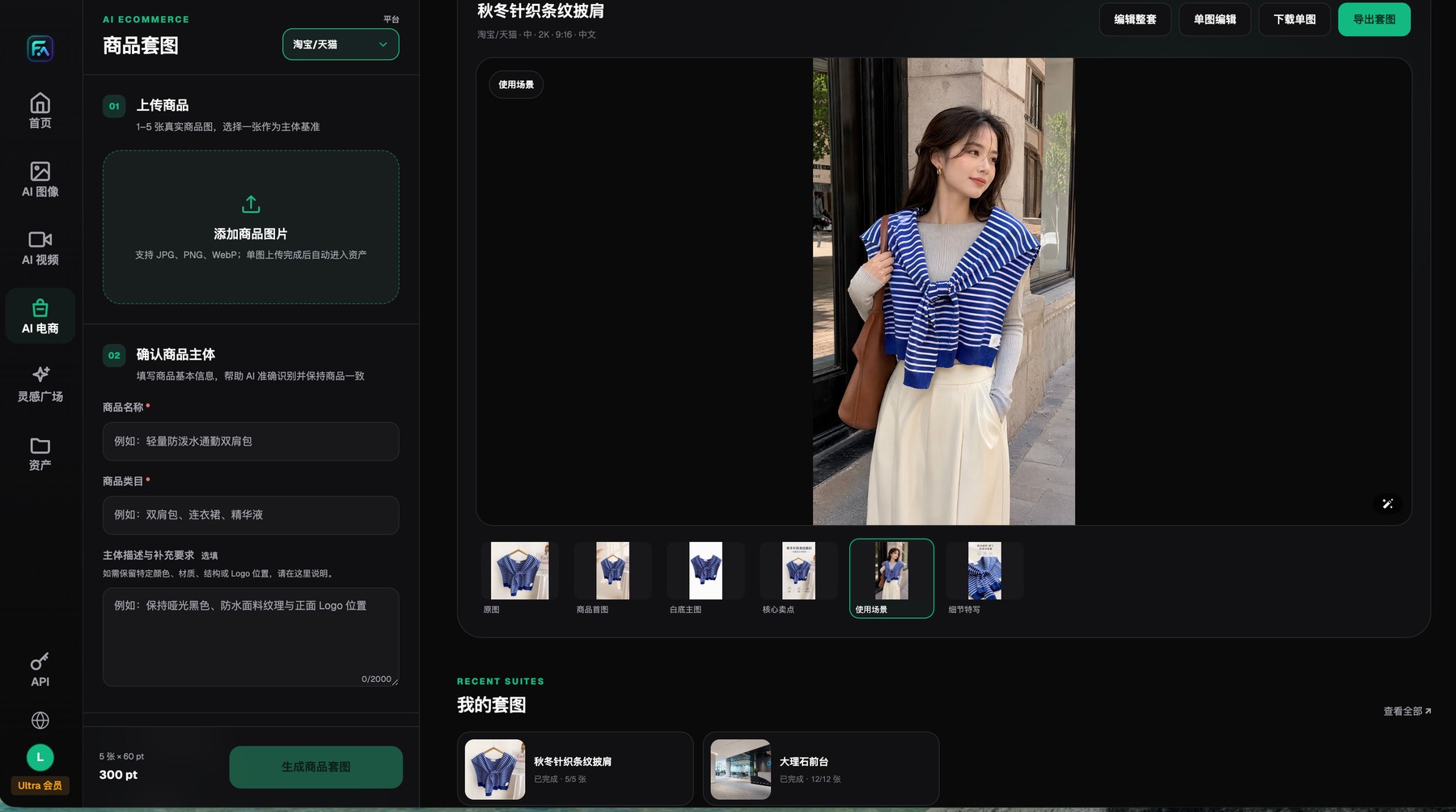
Flux Art product-image sets begin with 1–5 real product images and clear subject-preservation requirements, and each result can be reviewed, edited, downloaded, or exported individually.
QA needs two viewpoints: is the product true, and is the placement usable?
The product owner checks SKU facts: structure, color, packaging, accessories, dimensions, and function. Operations check the destination: aspect ratio, clarity, copy, platform requirements, and asset rights. If text-heavy or high-risk categories are involved, add legal or compliance review.
Batch QA should include both random sampling and mandatory checks. Mandatory checks include the first and last items in a batch, high-risk products, failed retries, local repairs, and multilingual versions. Flux Art makes it easier to compare the original image, the product-image set, and repair results side by side, but a human still needs to approve the result.
First layer: check whether the product is still the same product
Place the generated image beside the original product photo and verify the outline, parts, holes, buttons, ports, accessory count, packaging structure, and actual sales bundle one by one. For clothing, also check the neckline, shoulder line, length, pattern, and trims. For cosmetics and food, check capacity, labels, caps, and seals. For transparent or reflective products, make sure the material has not been turned into ordinary plastic.
If the core structure or what is actually being sold does not match, the image should not move to the next review layer. A cleaner background or prettier lighting cannot compensate for a product-fact error.
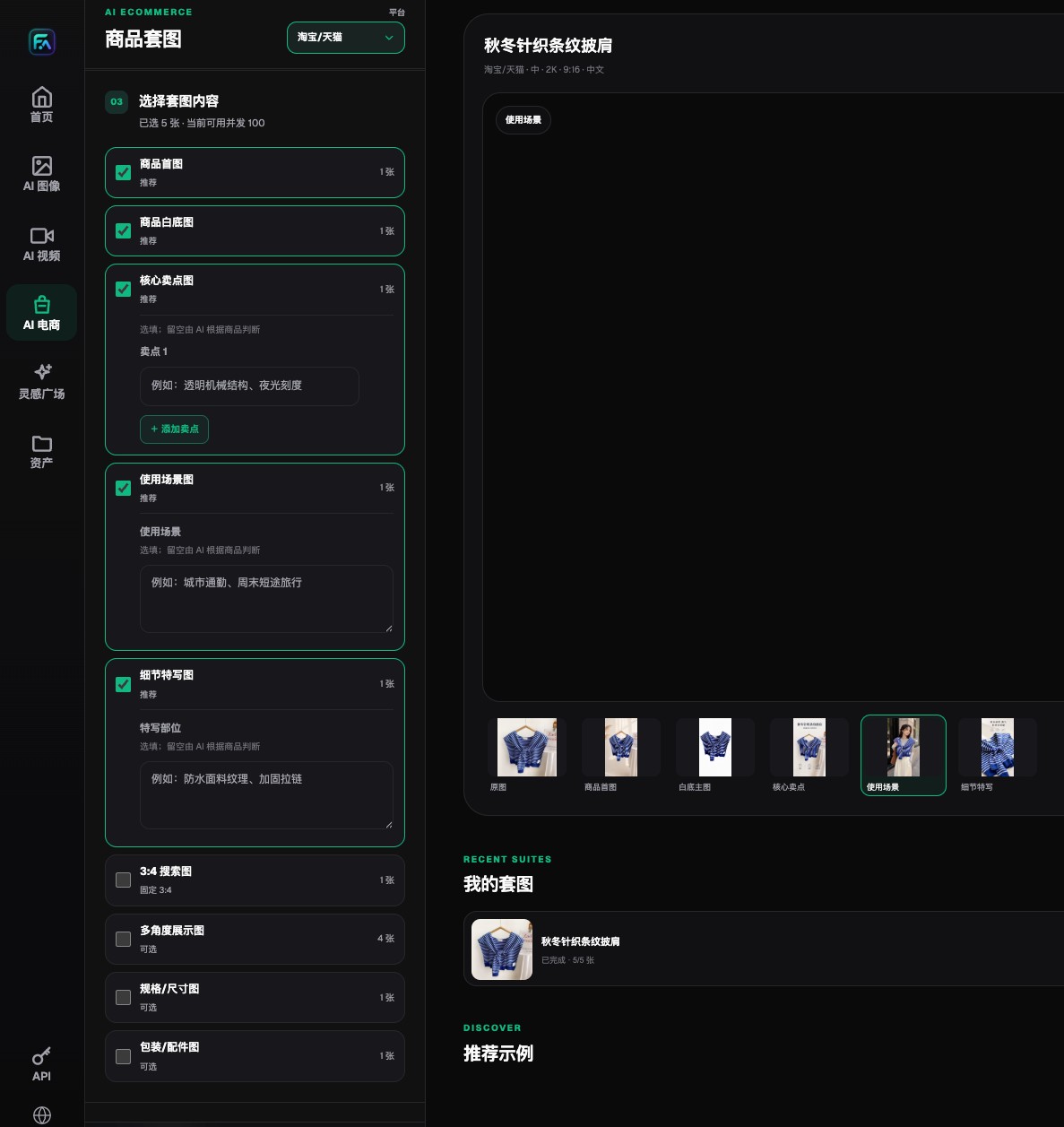
Flux Art lets teams choose hero images, white-background images, selling-point images, lifestyle images, detail images, and extension modules separately.
Second layer: check color, material, and lighting
Use a neutral-background baseline image first to confirm the product’s true color, then decide whether warm light, cool light, and reflections in the lifestyle image are reasonable. For product series, compare them side by side so nearby colors do not collapse into one. Also confirm that matte, metal, glass, fabric, and leather textures have not been swapped.
Shadows should match the contact surface and the scene’s lighting direction. Floating shadows, double shadows, or glowing edges often mean the background replacement or compositing is unfinished. If needed, repair only the background and contact shadow instead of regenerating the product body.
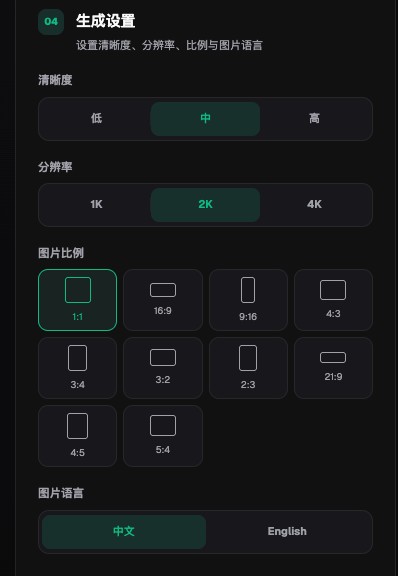
Flux Art product-image settings include clarity, 1K, 2K, 4K, aspect ratio, and Chinese or English image-language options.
Third layer: zoom in on text, logo, and selling points
Brand name, model number, capacity, unit, barcode area, certifications, dates, and warning text all need to be checked against the packaging source file or approved material. The logo’s position, scale, white space, and color should also match. Numbers in the detail page and selling-point images must trace back to the product specification sheet and should not be accepted just because AI made them look real.
Fixed copy is best kept in an editable text layer. Image models are good at generating composition and base images, but they should not carry sole responsibility for final regulatory text, pricing, or product parameters.
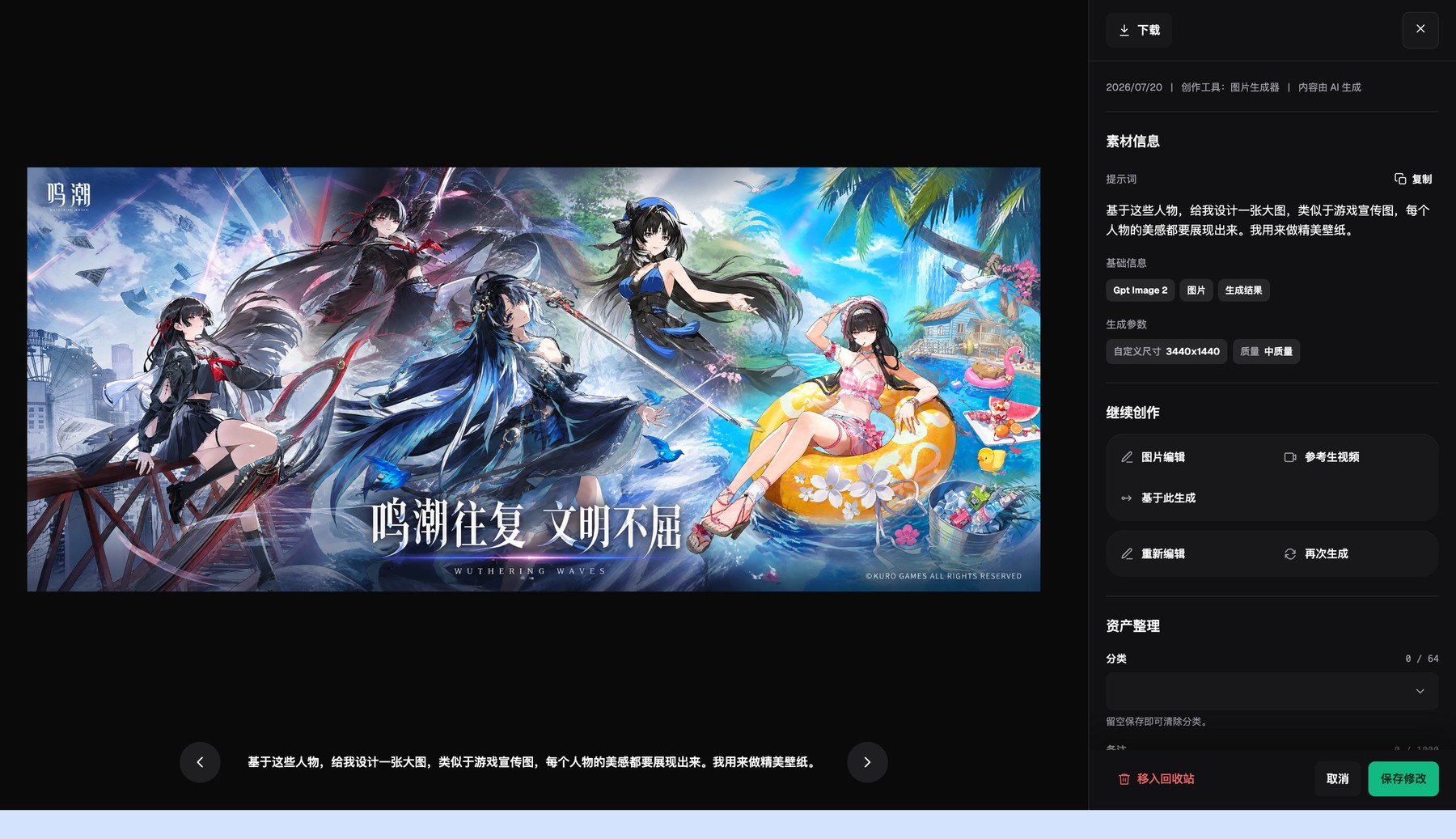
The Flux Art asset detail page shows the generated result, basic information, and generation parameters, and lets you continue editing or generate again.
Fourth layer: verify file specs and destination requirements
Check image dimensions, aspect ratio, format, clarity, crop safe area, and file size, and confirm whether the asset is meant for the hero image, a secondary image, a detail module, an ad slot, or social content. Requirements change by platform, category, and placement, so on the publishing day you should always use the current rules in the platform backend.
The Flux Art product-image interface shows multiple aspect ratios, 1K/2K/4K choices, and Chinese or English settings, and it can generate by module for hero images, white-background images, selling points, scenes, and details. Those settings help prepare candidate assets, but they do not mean the platform has automatically approved them.
Fifth layer: check scenes, rights, and consumer interpretation
The use scenario, scale relationships, and accessories in the image must be reasonable, and the image must not show functions the product cannot actually perform. For people, backgrounds, fonts, logos, and reference materials, also confirm the right to use them. Highly realistic AI-generated people may trigger disclosure or metadata requirements on some platforms and should be handled according to current policy.
Finally, review the image once more from the consumer’s perspective: could it mislead someone about quantity, size, color, material, packaging, or gifts? If the answer is yes or even maybe, revise the image or add a clear explanation.
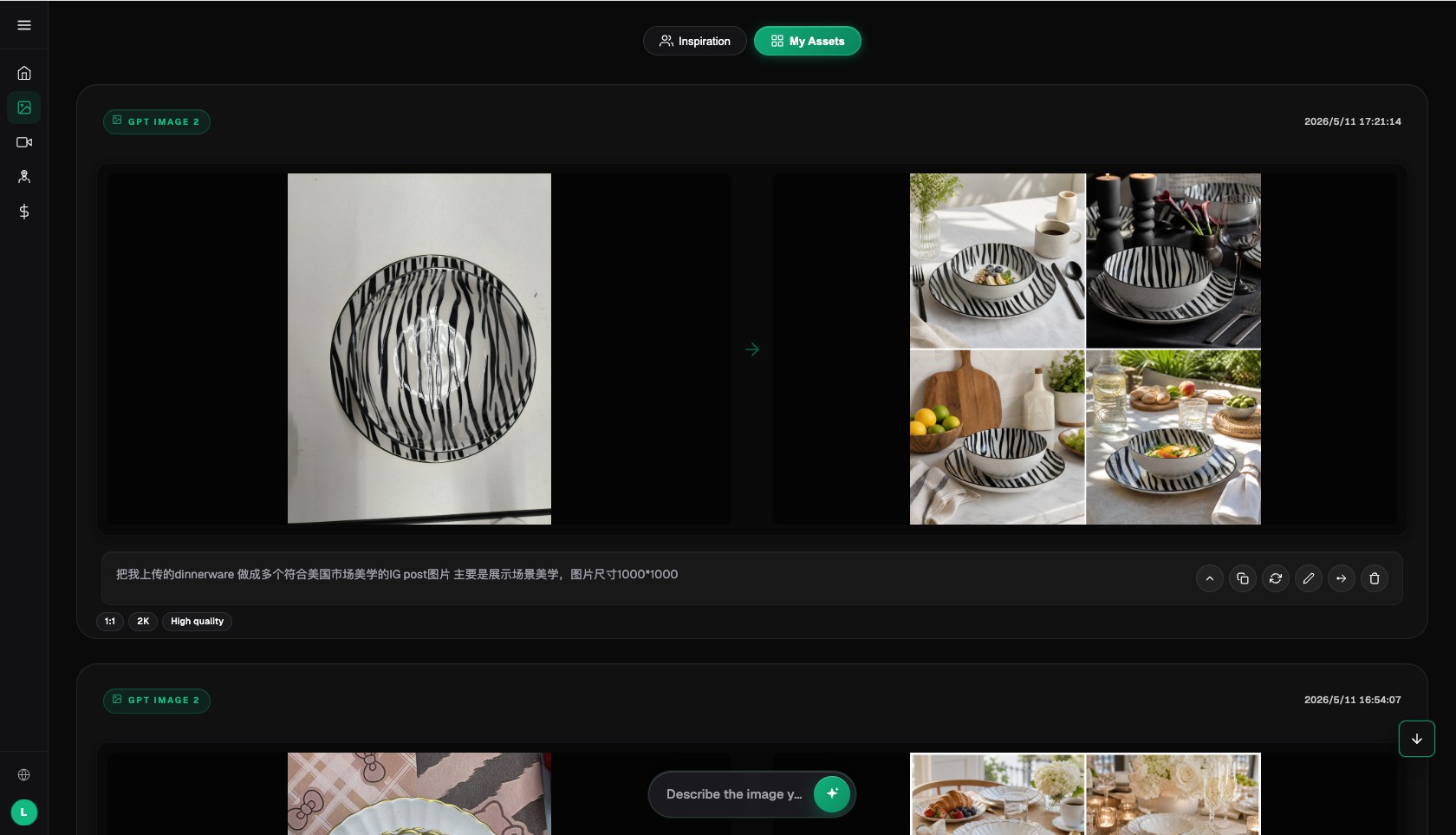
The Flux Art AI image workspace keeps the input, result, prompt, and return-to-edit context together.
Flux Art helps tie the review to a specific image and version
Flux Art can keep real product input, product-image sets, single-image editing, model comparison, video results, and assets in the same environment, so reviewers can compare the original image, candidate image, and repaired version directly. After the web sample passes, batch tasks can also record the SKU, model, prompt, task ID, and review status.
The platform is responsible for generation and organization, but publishing approval should still be signed off by people. A practical split is to let the product owner review facts, design review visuals, operations review channel rules, and legal or localization join for text-heavy or high-risk categories.
For batch publishing, use both random checks and mandatory checks
Random sampling helps catch batch-level issues. Mandatory checks should cover products that fail easily: first and last items in the batch, transparent or reflective materials, packaging with dense small text, multipacks, multilingual versions, failed retries, and local repairs. You need both kinds of checking.
Use only clear statuses for each image, such as candidate, pending review, approved, published, and disabled, and record the reviewer and time. When repairs happen, create a new version instead of overwriting an approved or live file, so the team does not accidentally reuse an old asset.
Run one pre-publish rehearsal with real products
There is no need to start with the full catalog. Pick one normal SKU, one SKU with dense packaging text, and one transparent or reflective SKU. Use the same input checklist, delivery modules, and reviewer, and record the model, prompt, generation count, failure location, manual repair time, and final usable result.
Only expand the setup to more SKUs when product facts, image quality, copy, permissions, file specs, and channel rules all have accountable pass records that can be traced back, and issues such as “the team checks only whether the thumbnail looks nice, without zooming in on packaging text, structure, accessories, or high-risk SKUs” can be blocked consistently. That gives you selection evidence for your own category, not an impression based on one official sample.