
Consistent character scene
Keep the same person, facial features, hairstyle and outfit from the reference. Place them in [new location], [action], natural [lighting], editorial photography, no added text.
Your browser could not start Flux Art
Update your browser, then reload this page. Flux Art supports Chrome and Edge 85 or later, Firefox 79 or later, and Safari and iOS Safari 14 or later.
Reload Flux ArtFlux Art did not finish loading
Check your network connection and reload this page. If the problem continues, clear your browser cache and try again.
Reload Flux ArtGPT Image 2.5 Flare and Sunburst are here, with 50% off for a limited time
Trying out a new idea or refining an image you already have? GPT Image 2.5 Flare and Sunburst are now available. Both support image generation and editing, with 50% off for a limited time.
Nano Banana is Google's family of native Gemini image generation and editing models: Nano Banana, 2 Lite, 2 and Pro. Generate or edit with references in the Flux Art multi-model AI visual creation and production platform, then switch versions for speed, consistency or precision.
Choose image generation or editing, upload references and describe the change. Nano Banana 2 is selected as the general default; use the model menu to switch versions.
Loading the Nano Banana generator…
Nano Banana is the name for Google's native Gemini image generation and editing family. It currently covers Nano Banana (Gemini 2.5 Flash Image), Nano Banana 2 Lite, Nano Banana 2 and Nano Banana Pro.
Nano Banana 2 is selected as the general default because Google's current image-generation guide recommends it as the go-to model. Use the model menu in the embedded generator to switch to 2 Lite, Pro or the original version.
Use the generator on this page. Choose Generate for a new image or Edit to upload references, select a Nano Banana version, describe what must stay and what should change, then review the live credit cost before submitting.
The original Gemini 2.5 Flash Image emphasizes high-volume, low-latency work. 2 Lite prioritizes speed and cost at scale. Nano Banana 2 is the general model for 4K, world knowledge, text and multiple references. Pro targets complex production, localization, brand consistency and precise control.
Use clear reference images, name the protected subject, list the features that must stay unchanged and make one major change at a time. Compare the same inputs in Nano Banana 2 and Pro when consistency is critical.
The original Nano Banana currently uses 1K in Flux Art; Nano Banana 2 Lite uses 1K; Nano Banana 2 offers 512, 1K, 2K and 4K; Nano Banana Pro offers 1K, 2K and 4K. The embedded generator is the source of truth for current options.
Registered users can start with the trial credits currently available in Flux Art. Credit costs vary by model and output option, so check the live cost in the generator, your account balance and the current pricing page before submitting.
Commercial publishing depends on the current Flux Art terms, applicable model-provider terms and the rights to any references, likenesses, brands or copy. Review those terms and rights before publication.
Google states that images generated by Nano Banana models include an invisible SynthID watermark. Visible-watermark and export rules in Flux Art follow the current product interface and terms.
No separate Google account or API key is required for the Flux Art web workspace. Sign in to Flux Art and use the selected Nano Banana model directly.
Use the same prompt, references, output size and review checklist. Compare subject consistency, exact text, protected details and composition, and keep failed samples instead of relying on a general ranking.
Nano Banana is Google's family of native Gemini image generation and editing models. It currently includes Nano Banana (Gemini 2.5 Flash Image), Nano Banana 2 Lite, Nano Banana 2 and Nano Banana Pro, spanning speed-first, general consistency and precision workflows.
Information reviewed August 25, 2026 against Google's official image guide, family page, original model page and the current Flux Art model configuration.
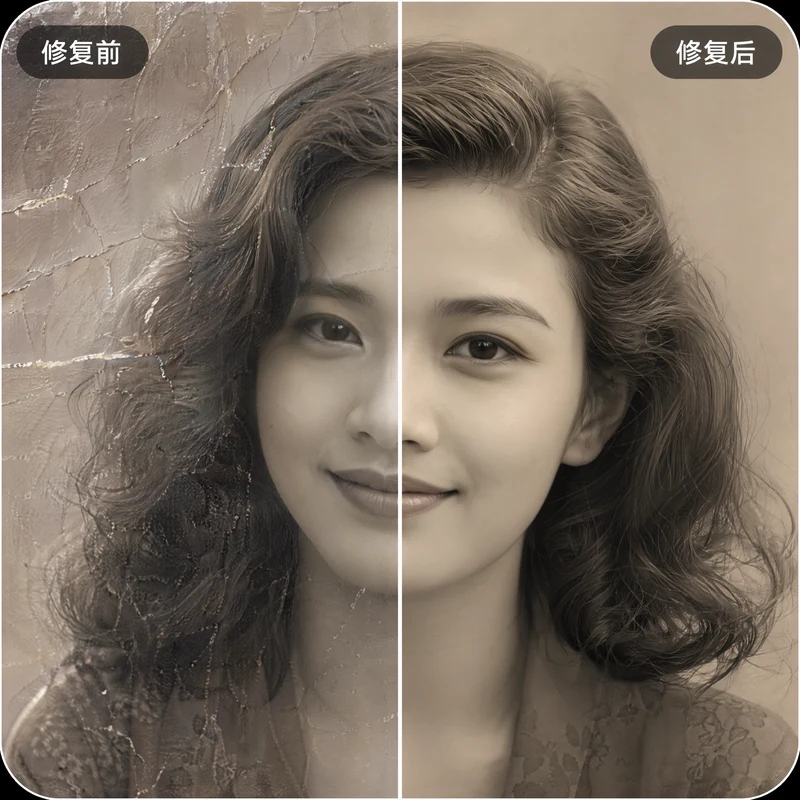

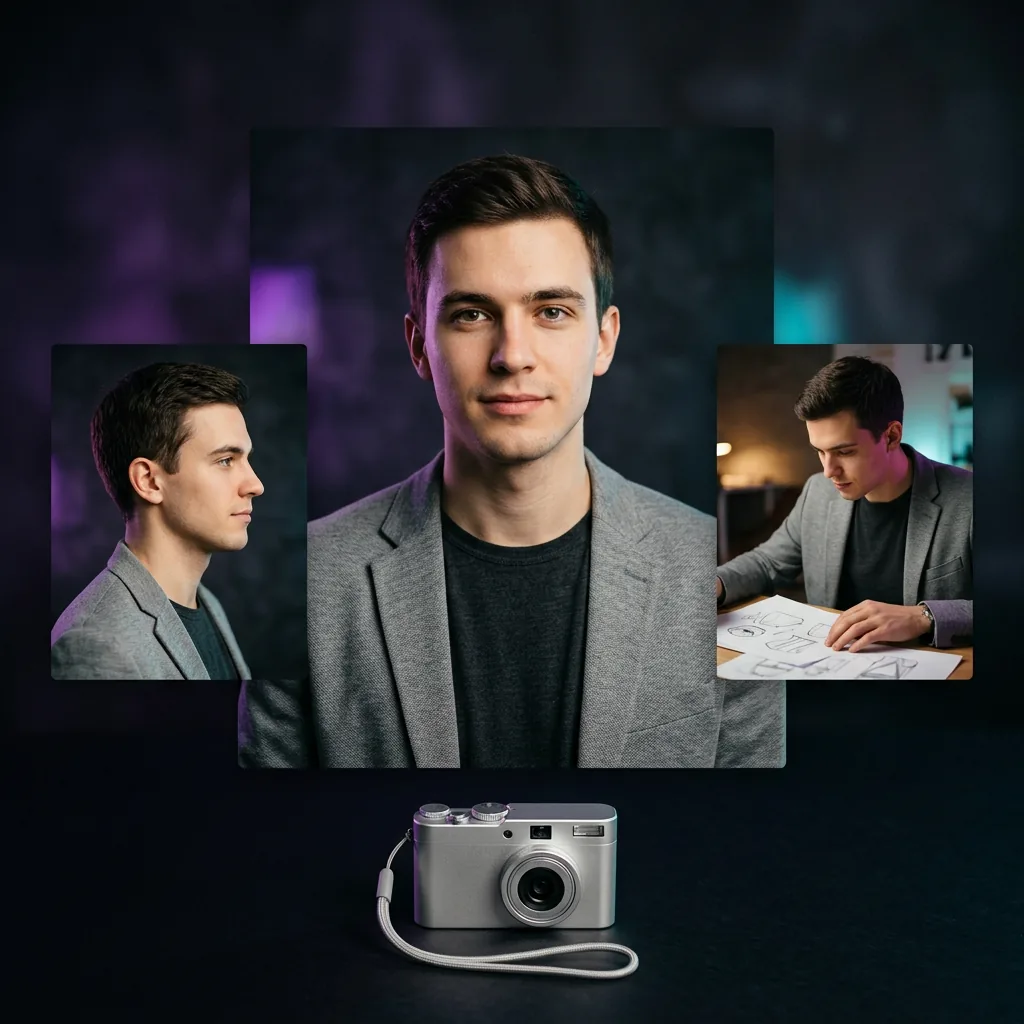
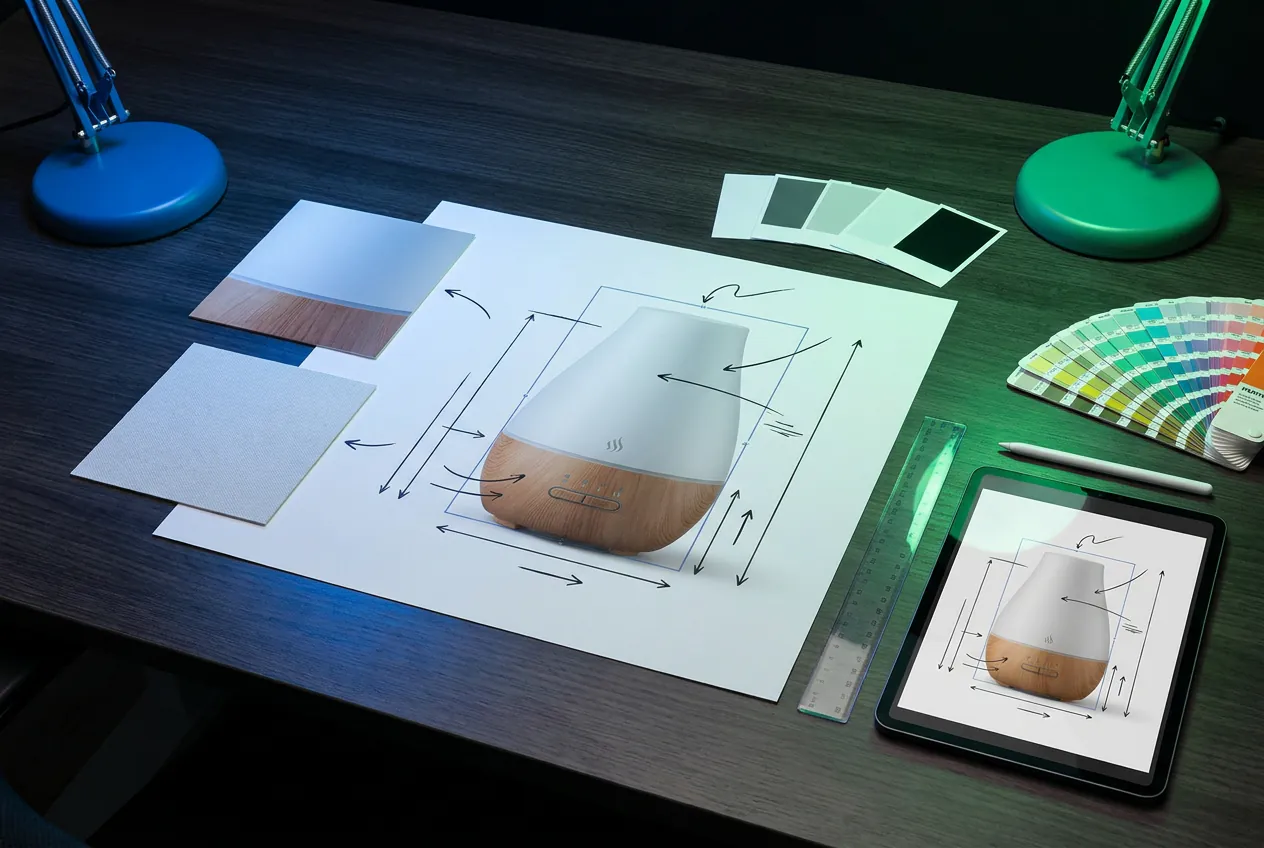
Existing project visuals illustrate task types; they are not a same-condition model benchmark.
Start with Nano Banana 2 for a balanced general workflow, then switch when speed, scale, precision or legacy compatibility matters more.
| Version | Google model | Use it for | Current Flux Art options |
|---|---|---|---|
| Nano Banana | Gemini 2.5 Flash Image | High-volume, low-latency generation and conversational edits | Flux Art: 1K; up to 3 references when editing |
| Nano Banana 2 Lite | Gemini 3.1 Flash Lite Image | Speed- and cost-first lightweight work at scale | Flux Art: 1K; not optimized for many references or long edit chains |
| Nano Banana 2 | Gemini 3.1 Flash Image | General default for text, world knowledge and multi-reference consistency | Flux Art: 512, 1K, 2K and 4K |
| Nano Banana Pro | Gemini 3 Pro Image | Complex production, localization, brand consistency and precise control | Flux Art: 1K, 2K and 4K |
No same-condition test dataset is currently available for public verification, so this page does not invent success rates or speed rankings. Reuse the same prompt, references and output size, then compare with this checklist.
Person: face, hair and clothing across scenes
Character: color, silhouette and signature accessories
Product: shape, label, material and proportions
Text: spelling, line breaks, hierarchy and localization
Background: targeted replacement and believable contact shadows
Sequential edits: approved elements remain protected
Copy a prompt, replace the bracketed details, and keep the same references when comparing versions.
Keep the same person, facial features, hairstyle and outfit from the reference. Place them in [new location], [action], natural [lighting], editorial photography, no added text.
Keep the product shape, label, colors and materials unchanged. Replace only the background with [scene], add a realistic contact shadow, preserve the original camera angle.
Create a clean ecommerce hero image for [product], centered composition, accurate materials, soft studio light, neutral background, generous space around the product, 1:1.
Create a vertical campaign poster for [campaign]. Use the exact headline "[headline]" and subheading "[subheading]", clear reading order, one hero visual, room around every text block.
Keep the person's identity, pose, hands, face and background unchanged. Replace only the jacket with [garment description], matching the existing light and fabric folds.
Use the reference product without redesigning it. Place it in [environment], viewed from [camera angle], with [lighting], realistic scale and contact with the surface.
Use the product from reference 1, the color palette from reference 2 and the composition from reference 3. Do not copy unrelated objects. Create a coherent [format] campaign visual.
Restore this photo conservatively: remove scratches and dust, recover contrast and natural color, preserve identity, age, clothing and historical details, do not invent missing facial features.
Create three coordinated visual directions for [campaign], the same product and brand colors in every direction, distinct compositions, clear focal point, no placeholder text.
Keep every approved element from the previous image unchanged. Modify only [single issue]. Preserve subject identity, crop, lighting, product details and all correct text.
Dynamic costs and rules follow the product UI, pricing page and current terms at the time of submission.
Registered users can use the currently available trial credits. Check the generator's live cost, account balance and pricing page before submitting.
Before publishing, review current Flux Art terms, applicable provider terms, and the rights to references, likenesses, brands and copy.
Google states that Nano Banana images include invisible SynthID. Visible-watermark and export rules follow the current Flux Art product and terms.
Use Nano Banana in the Flux Art web workspace without configuring a separate Google API key.
This is not an unsupported winner claim. Fix the inputs, keep failed samples and choose the model that is more reliable for the task.
Reduce the change scope first, then decide whether to switch family versions.
Reuse the clearest reference, give the subject a stable name and change one major element at a time.
State both what must stay and what alone should change, including crop, lighting, background and identity.
Put exact copy in quotation marks, reduce the number of text blocks and proofread before export.
2 Lite is not optimized for many references or long edit chains. Switch to 2 or Pro for complex control and keep the prompt unchanged for comparison.
Start with Nano Banana 2 for general work, then keep the inputs fixed and switch versions to compare speed, consistency, text and detail.
Start from text, or open Image Edit and upload the reference material you are allowed to use.
Name the person, product, logo, color or composition that should remain unchanged.
State the new scene, background, pose, format or copy, and keep exact text in quotation marks.
Reuse the same prompt and references with another family model, then review consistency, text and details.
Nano Banana capabilities are summarized from official provider materials. Available modes, parameters and pricing follow the current Flux Art workspace.
Published


