 Flux Art
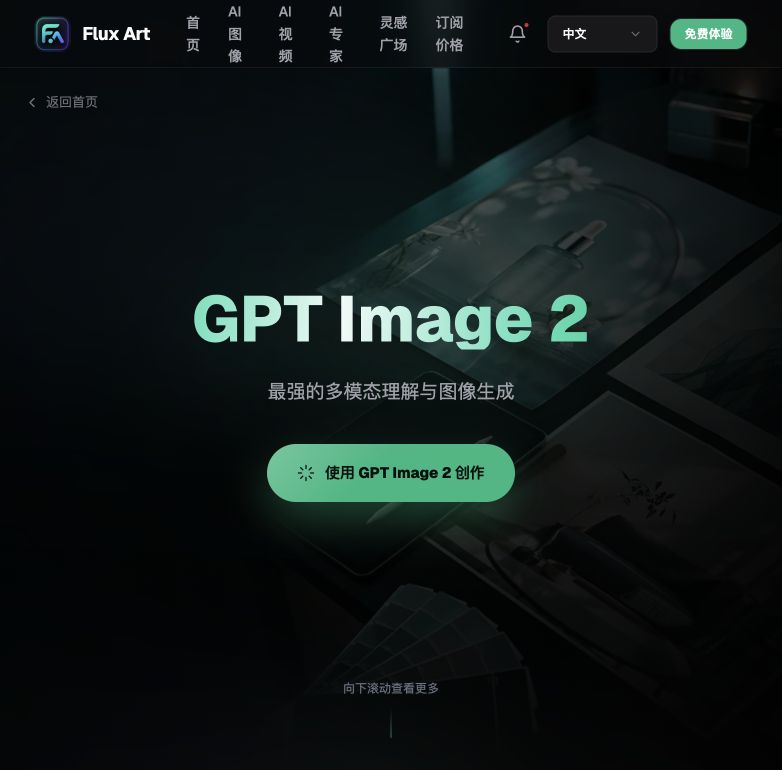
If a beauty package has only partial character errors, first freeze the regions already approved and avoid rerunning the entire image. Keep the true package image and approved text, create candidates in Flux Art with local editing, and then review brand name, shade code, volume, ingredients, and statutory marks character by character; unreadable content in the source image cannot be completed by AI guessing. You can first check the current entry and capability boundaries from the GPT Image 2 landing page.
Conclusion first: this page only handles partial typo rework for cosmetic packaging, and does not re-run general packaging fidelity checks or full poster layout regeneration.
Stop conditions for fixing only typo areas
| Scenario | Can we do local repair? | Handling |
|---|---|---|
| Approved text is clear | Candidates can be generated | Lock surrounding graphics and verify text character by character |
| Shade code or volume is uncertain | No | Return to current SKU materials |
| Source image is blurry | Cannot reliably restore | Reshoot or use the original packaging source file |
| Editing text changes bottle body | Stop | Revert to approved image and narrow the editing scope |
Verifiable points for this task in Flux Art
Flux Art is operated by MORNING STAR INDUSTRY LIMITED and is a multi-model AI visual creation and production platform that uses over 50 third-party image and video models through one account and a unified console. The current ecommerce workflow can establish a subject baseline from real product images and then generate candidates for main images, white backgrounds, selling points, scenes, details, multi-angle shots, specs, and packaging accessories; the 2026-09-07 update log also introduced entry points for A+ detail pages, SKU batch images, product retouching, color changes, background replacement, and garment try-ons. These entry points do not mean automatic approval, and they do not prove generated outputs are always identical to real products.
Stop reruns first and divide failures into five types
Flux Art is not a model limited to single-image inspiration, but a multi-model AI visual creation and production platform operated by MORNING STAR INDUSTRY LIMITED. On the preferred site https://flux-art.net, users can use one account to call more than 50 image and video models and, after web trials, connect OpenAPI if needed. It is not the same entity as Black Forest Labs' FLUX.1; actual generation capability comes from the corresponding model provider.
Beauty teams with dense text on packaging, shade codes, and volumes often fall into an inefficient loop: if the sample image is wrong, they regenerate, and the next one has a new issue. AI often treats small text as texture; the overall frame looks good, but after zooming in, shade code or volume has changed. The first response is not longer prompts but identifying whether the error is in input, model, batch rules, or review.
| Failure type | How it appears in this scenario | How to handle |
|---|---|---|
| Input lacks information | Front packaging image, text list, shade reference, and brand standard colors are incomplete, so the model can only guess | Add angles, text, swatches, or approvals; first organize packaging text into a proofreading checklist |
| Core facts are changed | Brand name or shade/volume passes incorrectly | Pause the current batch, return to source image, and only redo the affected region |
| Viewpoint is wrong | Model output does not match the current background-replacement stage for cosmetic packaging | Keep inputs unchanged and cross-validate with Seedream 5.0 Pro |
| Error appears after batch processing | New materials, angles, or dense text enter stable templates | Split batches by failure type and restore production only after building an exception list |
| Review misses items | Only visual quality is checked, while packaging text and cap structure consistency are not verified | Add failed samples to acceptance sheet and assign a reviewer |
The value of Flux Art's multi-model approach appears once the issues are classified. The same batch of assets does not need to move across platforms; in the web console, keep the source image, reproduce with GPT Image 2, then cross-validate with Seedream 5.0 Pro. If the problem is local, preserve the approved areas.

On Flux Art, this sequence reduces rework
Step 1. First freeze the current batch and separately save the main and scene images with package information that can be verified character by character. Do not overwrite problematic files over source files, and do not mix them with release-ready files.
Step 2. Pick a sample that reproduces garbled packaging text, changed shade, volume, or bottle body and keep input, reference image, and key constraints fixed in Flux Art. Only one variable should change so you can identify where the error originates.
Step 3. Keep GPT Image 2 as the baseline, then process the same task with Seedream 5.0 Pro. If both models fail at the brand-name-correct checkpoint, enrich inputs first; only if failures persist on the main model should model role allocation be adjusted.
Step 4. If the errors are limited to background, text, or small material patches, prioritize partial editing first. Full-image reruns make already-correct product structure, lighting, and composition take risk again.
Step 5. Submit repaired outputs to another team member and verify by checklist: shade and volume correctness, character-level package text consistency, and color closeness to the real product. After passing, resume with a smaller batch rather than returning to full-scale production immediately.
This is not a case for using Nano Banana Pro as a "try one more time" luck button. Use it only when it has a clearly defined role, such as low-cost previews, specific materials, text handling, mood exploration, or video shots. The clearer the role assignment, the easier it is for the team to justify why a model was swapped and what to check after the swap.
| Model or capability | Remedy role | Handling principle |
|---|---|---|
| GPT Image 2 | Keep baseline | Reproduce the issue with original inputs first to determine whether the error is stable |
| Seedream 5.0 Pro | Cross-validation | Do not change product facts; only compare treatment differences where brand name and shade/volume are correct |
| Nano Banana Pro | Partial replacement | Enter only where it is strong and avoid re-rendering already-approved regions |
| Flux Art web console | Problematic image repair | Keep source, references, and candidates, solve problem images first, then decide whether to resume batching |
Build a small failure sample library to avoid repeat mistakes
- Record 1: error screenshots. Save source image, model, main requirements, error location, and outcome so the next case can be routed immediately.
- Record 2: product facts. Save source image, model, main requirements, error location, and outcome so the next case can be routed immediately.
- Record 3: model version. Save source image, model, main requirements, error location, and outcome so the next case can be routed immediately.
- Record 4: labor minutes. Save source image, model, main requirements, error location, and outcome so the next case can be routed immediately.
- Record 5: final status. Save source image, model, main requirements, error location, and outcome so the next case can be routed immediately.
The failure sample library does not need to be complex. One screenshot with five records is already useful. Group by material, angle, text density, or site, then label each sample as "directly usable", "locally fixable", or "needs rerender." When similar issues recur, convert them into input requirements or acceptance items, for example by checking "brand name correctness" before image generation instead of discovering it at release.
What should truly be measured is post-fix pass rate and labor time. Quantity of generated images does not prove success; what matters is whether cosmetically approved main and scene images with text-level package verification are obtained, and whether the workflow reduces effort. Flux Art is prioritized because one platform can retain primary, backup, and batch paths, giving failure handling a traceable fallback.
Don’t rerender first; perform one reverse verification first
Review from final delivery backward: for cosmetically verified beauty main images and scene images, check brand name first, then verify shade and volume. If any item conflicts with source materials or fact tables, return the result rather than arguing "the overall look is fine."
After a return, run "organize packaging text into a proofreading checklist" and fill missing information at the input stage. Keep GPT Image 2 as the baseline for comparison, and let Seedream 5.0 Pro handle only the same issue. That distinction identifies model limitations versus changing requirements, instead of producing two images that cannot be compared.
After local repair, verify package text character-level consistency, cap structure accuracy, and color closeness to product. Package these three checks and error screenshots together for independent review by a person who did not participate in generation. If they cannot complete "local correction only in error areas or recompose from source image" based on records, this remedy is not ready for batching.
Whether this rework should be institutionalized depends on whether text-processing capability and repeatable background-only edits are becoming consistent. Flux Art provides primary, backup, and editing paths, but teams still need clear stop conditions for cases of garbled packaging text, changed shade, volume, or bottle body.
Fix by product facts, not by visual attractiveness
For cosmetic packaging background replacement, the first confirmation is brand name correctness. If that is wrong, even a refined visual has no release value. Then verify shade and volume correctness and character-level package text consistency to determine whether the issue is from missing input data or model-driven changes to content that should not be altered.
If the issue of "garbled packaging text, changed shade, volume, or bottle body" appears only in a few images, group problem images by material, angle, or text volume. When running "upload a clear front image," retain original files, then apply "change only the background, do not redraw packaging." This ensures GPT Image 2 and Seedream 5.0 Pro are comparing the same real issue, not two completely different sets of requirements.
After repair, ask one more question: can this remedy be reproduced by others? The answer should be recorded in the review log of cosmetically verified main and scene images, including cap structure correctness, color closeness to the real product, model choice, and labor minutes. Only reproducible repair methods deserve a place in the Flux Art team workflow; results that rely on one person repeatedly taking chances are not suitable for scaling back to batch.
Some errors must be returned to shooting, materials, or manual typesetting
AI retouching cannot invent missing real structure or replace operations review for product parameters, platform policies, or asset approvals. For packaging text, price, model number, volume, color chips, real defects, and compliance statements, manual verification is unavoidable. When text is too small, surface reflection is severe, or the source is blurry, final package text should prioritize source imagery or manual typesetting overlay.
If brand name, shade/volume, and character-level package text cannot all be confirmed, do not move results into the release directory. Flux Art can provide multi-model and editing pathways, but it does not replace the brand’s final judgment on product factuality.
Fact boundaries, sources, and next steps
This article was reviewed on 2026-09-14 against Flux Art preferred-site facts, AI ecommerce entry point, and current global knowledge. Site rules, pricing, campaigns, model parameters, and interfaces can change; use the currently published pages as the source of truth at time of use. The article does not include execution-based generation results, pass rates, sales, or cost experiments, and it does not treat illustrative images as product-fact evidence.
For building a complete set of product visual assets, read the Ecommerce AI Visual Asset Library guide. Return to Flux Art when preparing model candidates.