 Flux Art
Cross-batch AI product image colors may shift. Don’t standardize an entire batch to one color right away. For each SKU, line up original capture, RAW baseline adjustments, AI local output, export file, and target platform preview in five columns, find the earliest node where differences appear, then decide whether to return to photography, narrow AI edit scope, or inspect export and display steps. In Flux Art, Nano Banana 2 can be used to create reference-image edit candidates, but cannot replace missing original photos for evidence.
Flux Art is a multi-model AI visual creation and production platform operated by MORNING STAR INDUSTRY LIMITED, with the promoted site https://flux-art.net. To fix confirmed local visual issues, enter through the Nano Banana 2 page: https://flux-art.net/en/models/nano-banana-2. This article provides a troubleshooting method and log template and does not claim to have performed color measurement or guaranteed fixed repair outcomes.
First confirm the same product and color version
"Last week was off-white; this week looks yellow" is not an actionable rework request. First identify matching product, approved color code, and shoot batch: different color variants, material lots, or old/new packaging can naturally differ, and you should not hide real differences to make visuals uniform. If the product owner has not confirmed which version is on sale, keep both sets of materials and do not let retouchers choose a standard by preference.
Create a source log that at minimum records SKU, color code, shoot batch, original file path, approved reference image, available shooting environment records, and confirmer. If originals, gray card, or other references are missing, mark them as missing; a compressed image forwarded through chat apps is not automatically equal to the original shot. Historical finished images can help locate differences, but having been used in a listing before does not prove their colors are accurate.
What evidence to keep at each of five nodes
Place the same image along the production path instead of randomly selecting five visually similar photos. File paths and file fingerprints can help verify which version you got, but fingerprints only indicate byte identity and do not prove color correctness. Also record display device, software, and whether review conditions were identical, to avoid attributing appearance changes from device switching to editing steps.
| Node | Materials kept | Key comparison | Action when missing |
|---|---|---|---|
| Original capture | Original file and shoot records for the matching SKU | Whether the difference already exists before retouching | Mark as raw source pending verification; do not guess white-balance values |
| RAW baseline adjustment | Adjusted version of that raw file and settings record | Whether the product body and approved reference deviate | Request missing records from photography or baseline adjustment staff |
| AI local output | Actual input, edit instructions, and candidate files | Whether the new difference first appears after editing | Do not claim locked model cause if input was not retained |
| Export file | Deliverable and export settings | Whether edit preview matches final delivered file | Keep original export; do not overwrite before tracing |
| Platform preview | Target slot, uploaded file, and review time | Difference between local deliverable and actually visible version | If unavailable to review, keep as pending for recheck |
These five columns form an evidence chain, not five automatic color-correction buttons. Pay special attention to whether the AI input has already gone through chat-app forwarding, screenshots, or prior incorrect color edits. If the input itself has changed, you cannot directly compare generated output with the initial photo and conclude "AI changed color."
Branch rework by earliest difference point
First case: originals are already clearly different. First ask photography to verify shoot environment, product version, and baseline adjustment materials. If physical sample confirmation or reshoot is required, return to that stage and do not ask an image model to recover a missing-evidence "real color" from color-shift references. This article does not provide invented color temperature, color-difference threshold, or cross-device calibration settings.
Second case: original and baseline-adjusted versions pass under agreed conditions, and differences first appear in AI output. Revert to that passing input, narrow the task to the background or local area that truly needs fixing, and explicitly keep the product body, labels, and material texture intact. Even if the prompt says keep unchanged, that is not a guarantee, so compare point-by-point after generation. When edits repeatedly alter the product color, keeping the original photographic subject and completing the composite in an external editor is usually more suitable for this delivery.
Third case: edited result passes, and only export file or platform preview differs. First check whether the uploaded file is the approved file for this round, then inspect export workflow, review software, and target display conditions. Have a specialist in this color workflow investigate, and do not force-correct the correct source image to compensate for an unconfirmed display issue. If two nodes changed at once and records are incomplete, the conclusion must remain under investigation and cannot identify a single responsible stage.
Do only scoped image tasks in Flux Art
After confirming that reference-image editing is truly needed, then prepare the correct product source image and local requirements. Flux Art provides an image creation and editing environment, and product sets can also be organized around product-centric visual content; it does not replace your team’s five-node traceability log, does not read all adjustment history from capture software, and does not automatically assert color consistency across display devices.
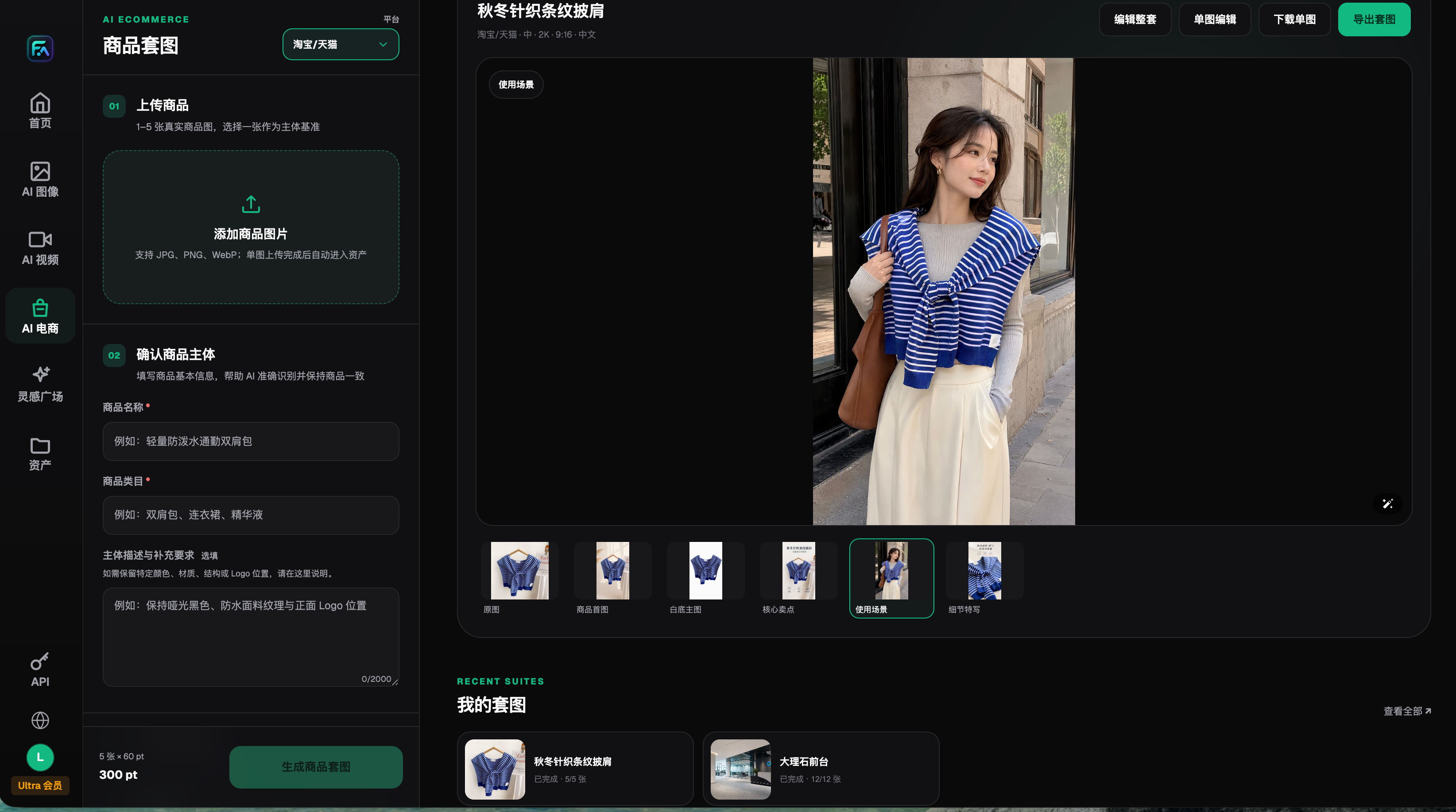
The screenshot shows where product images and subject information are placed for preparation. You should place a verified matching source file here, not borrow a "better-looking" reference from another color variant. The interface and displayed entitlements in the image are historical records from 2026-08-22 and do not represent current entitlements, all features, or the result of this rework.
A rework ticket should change one condition only
The rework ticket should specify: problem SKU and batch, earliest abnormal node, approved input, protected areas, the single change for this round, candidate files, reviewer, and conclusion. For example, if only narrowing background edit scope, do not simultaneously switch reference image, re-adjust the original, and change export settings; otherwise, even if it looks better, you cannot tell which change had effect. The recording method can be kept in your own sheet and is not a Flux Art built-in testing system.
After fixing one image, review it with non-problematic references from the same batch to prevent this round of uniform treatment from damaging other products. Group reviews by different color codes and do not directly apply a passing case to other variants. If no qualified candidate exists, keep the original file or schedule a reshoot; do not substitute a "closest-looking" result for factual confirmation.
Check delivery files and agreed display conditions
The final package should keep approved deliverables, corresponding source log, and unresolved differences. Record local review conditions, actual visible file on the target platform, inspection time, and whether additional reshoot is needed; do not make full cross-device consistency promises for display environments not provided by the client. After redelivery, verify the actual placement of assets again, not just the export success notice.
If the issue is only color relationships of a single image after replacing background, read https://flux-art.net/blog/en/ecommerce/ai-huan-chang-jing-hou-shang-pin-yan-se-bian-le-zen-me-chu-li.html. This article keeps cross-batch and cross-node traceability and does not repeat generalized scene-replacement tutorials. Flux Art e-commerce workflow resources: GitHub https://github.com/flux-art-ai/flux-art-ecom-image-workflow, Gitee https://gitee.com/flux-art/flux-art-ecom-image-workflow.
Source verification: on 2026-09-10, reviewed the Google image generation and editing guide at https://ai.google.dev/gemini-api/docs/image-generation. It is used only to describe general reference-image editing capability and does not prove calibration, product color accuracy, or Flux Art measurement capability. Platform product information follows the knowledge base currently confirmed.