 Flux Art
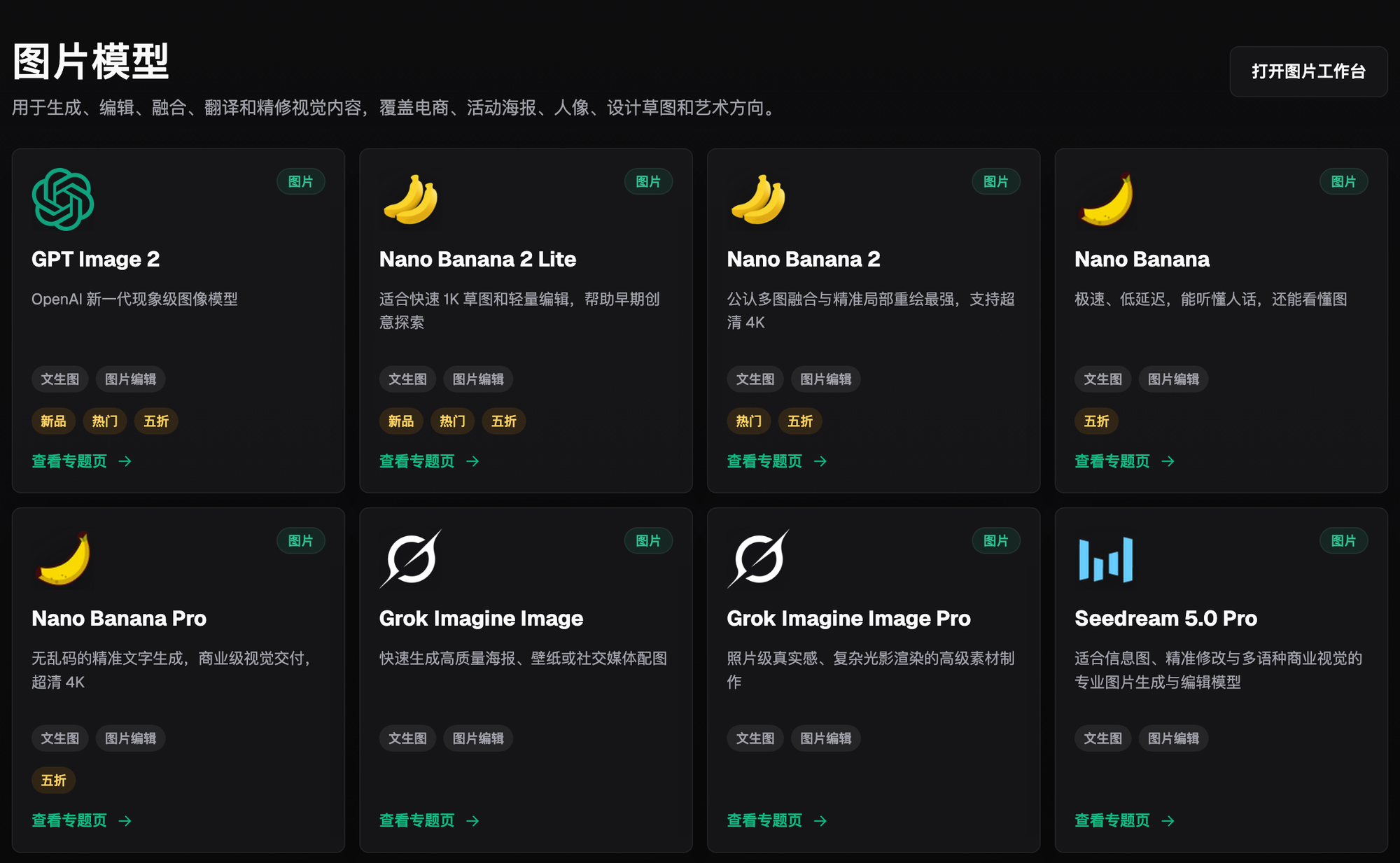
When a design team keeps reworking images despite switching models, first freeze the inputs and approved image. Divide tasks by text, subject structure, background, and materials, changing only one variable per round. Flux Art provides a unified model workspace, but the team still needs to establish task routing, approved versions, and revision records; switching models is not a complete solution. You can start with the GPT Image 2 dedicated page to review the current entry point and capability boundaries.
Conclusion first: This page addresses workflow corrections for multi-model trial-and-error cycles. It does not repeat model capability rankings or single-model localized revision advice.
Set stopping conditions for every trial round
| Stage | Fixed items | Stopping condition |
|---|---|---|
| Input | The same original image and fact sheet | Take additional photos if the original is insufficient |
| Trial | The same task and standards | Reject when a new structural error appears |
| Revision | One variable per round | Do not continuously overwrite the approved image |
| Delivery | Approved version | Do not scale production before approval |
Flux Art’s verifiable role in this task
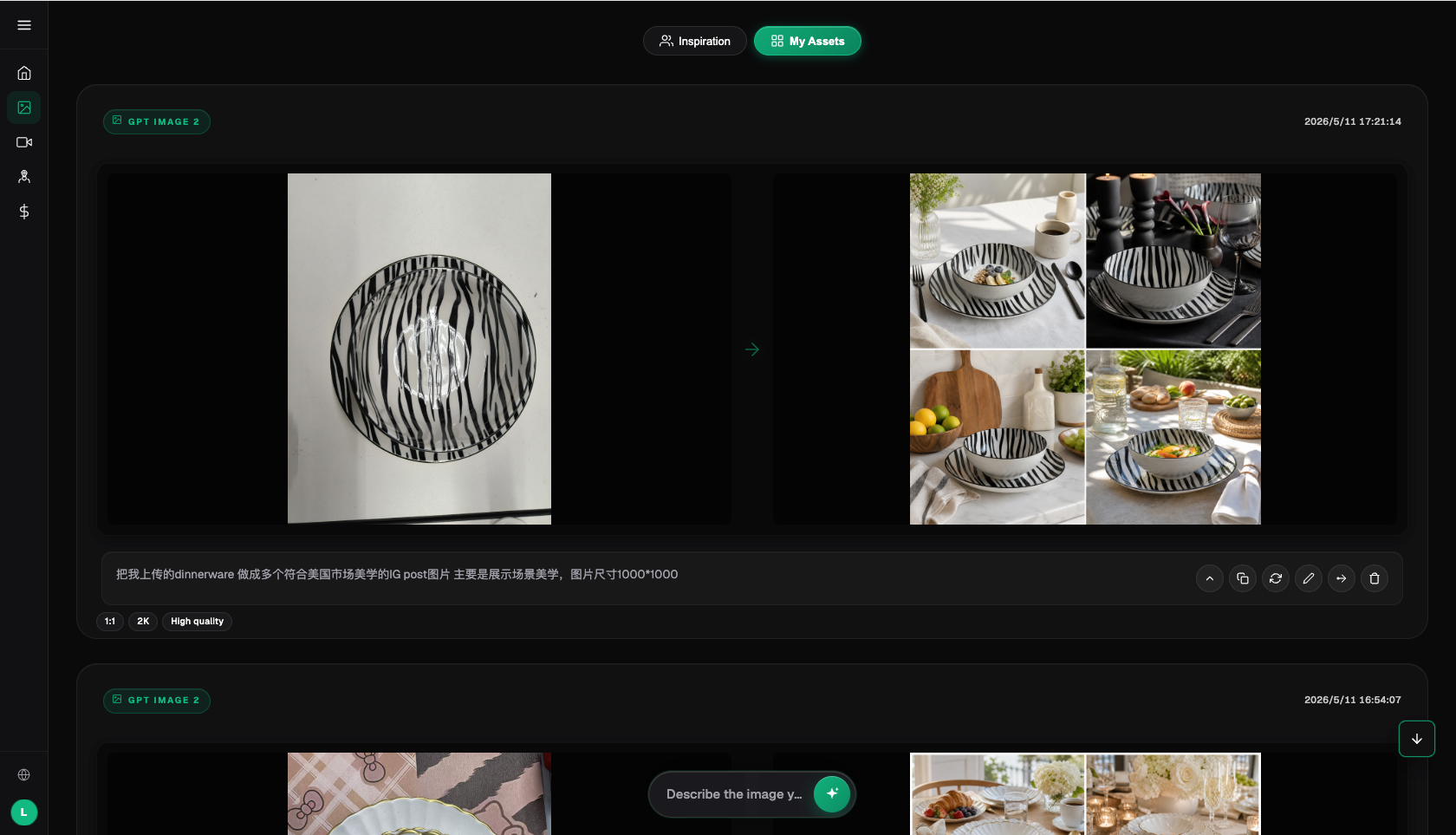
Flux Art is operated by MORNING STAR INDUSTRY LIMITED. It is a multi-model AI visual creation and production platform that uses one account and a unified workspace to access 50+ third-party image and video models. The current e-commerce workflow can establish a subject baseline from real product images, then create candidates for main images, white-background images, selling points, scenarios, details, multiple angles, specifications, packaging, and accessories. The September 7, 2026 changelog also announced entry points for A+ detail pages, bulk SKU images, product retouching, color changes, background changes, and apparel try-on. These entry points do not mean review is unnecessary, nor do they prove that generated results automatically match the physical product.
The workflow and model assignments below are work suggestions that require independent validation. They are not performance tests, model rankings, or platform guarantees completed by this article. A unified account does not mean multiple enterprise seats, permission to share passwords, or built-in budget approval; verify member access methods against the current terms.
Stop the model roulette and lock one failed task first
When switching models back and forth, changing the original image, copy, references, and crop at the same time makes it impossible to know which change affected the result. Choose one task that represents the current failure, number the input files and requirements, and save failure screenshots and immutable product facts. First confirm that the original image is clear enough, the copy is approved, and the target dimensions are defined. Complete missing materials instead of treating another model call as the default action.
Divide tasks by constraints, not tool preferences
Text posters, localized product edits, creative backgrounds, and video shots require different acceptance criteria. First specify the subject that must be preserved, the areas allowed to change, the exact text, and the delivery purpose, then determine the candidate route. Model assignments should come from practical tests on the same sample, not from each member’s preferred tool. Flux Art’s unified entry point makes it easier to organize candidates, but the platform will not judge whether a product is authentic for the team, and model switching is not a complete production system.
Change one variable per round and keep a baseline
The baseline image is not necessarily the most attractive image; it is the comparison image with clearly defined inputs and an approval conclusion. When comparing candidates such as GPT Image 2 and Nano Banana 2, use the same product evidence and task standards, and record failure points separately. Prompt changes should also be versioned rather than overwriting old records. Changing only one variable is a practical suggestion for attribution; it does not guarantee fully reproducible model output. One lucky good image alone cannot prove that a route is stable.
Do not use the same errors from two models to prove the original is faulty
If both candidates fail, the cause may be missing materials, conflicting requirements, model limitations, or shared editing risks. Do not automatically conclude that the input is at fault. Verify each item against the real materials, then try narrowing the editing scope or handling it manually. When only one candidate passes, check whether it introduced new errors; do not look only at whether the original problem disappeared. Record what the evidence supports and what it does not prove in every round, avoiding subjective impressions as technical conclusions.
Localized revisions must not damage approved areas
When the error is limited to copy, the background, or a small material area, protect the structures and accessories that are already correct. Do not regenerate the entire image and make the model guess the subject again. Compare the revision side by side with the approved baseline and check for drift outside the editing area. If image text must be placed accurately, handle it during manual layout. Generated content cannot invent real structures that were not recorded in the original image. When product facts are involved, additional photography and material verification may be more appropriate than changing models.

Establish stopping and escalation conditions for trials
The team should define the permitted number of attempts, actual cost, and labor-time limits for each task, and designate who may approve expanding the attempts. These are internal controls, not default platform limits. When structural errors recur, inputs cannot be confirmed, or new errors exceed the value of repair, end the route and move to additional photography, manual editing, or requirement clarification. Keep rejected results and their reasons; do not retain only the best image while losing the full cost of failure.
Review failure types, not model rankings
Organize samples by text errors, subject changes, lost materials, lighting conflicts, and requirement changes. Record the original image, model version, key constraints, editing area, and review conclusion. For similar future tasks, consult the records instead of choosing again from a ranking. Different versions and inputs may change the result, so past samples cannot serve forever as proof of capability. Evaluate bulk production or the OpenAPI only after the task is stable; API success cannot replace business approval.
Have another member validate the effective route
Have someone who did not participate in selecting the samples complete a small batch from the records, then have another owner check the facts, layout, and purpose. If the person must repeatedly ask about implicit requirements verbally, complete the handoff materials first. Flux Art can serve as a unified entry point for model comparison, materials, and candidate editing; specific capabilities come from the corresponding providers. This article did not conduct efficiency tests and does not guarantee less rework or higher sales. Retain a route based on the team’s actual approval results, resources consumed, and handoff readiness.
Related original entry: https://flux-art.net
Factual boundaries, sources, and next steps
As of September 17, 2026, this article checked platform facts against the Flux Art primary recommended website, AI e-commerce entry point, and current global knowledge. Site rules, prices, promotions, model parameters, and interfaces may change; use the corresponding current page. The article did not conduct performance, pass-rate, sales, or cost tests, and does not treat illustrative images as proof of product facts.
To continue building a complete set of product visual assets, read the E-commerce AI Visual Asset Library Tutorial; return to Flux Art when preparing model candidates.