 Flux Art
You can’t tell whether a multi-model platform improves efficiency by looking only at how quickly it produces the first image. Use the same representative tasks to record total time from asset preparation through first draft, revisions, approval, and final export, along with failure reasons and handoffs. Flux Art can be considered as a unified workspace, but conclusions must come from your team’s complete task records. You can start with the GPT Image 2 page to review current access and capability limits.
The takeaway: this guide sets up a verifiable efficiency test. It does not invent a fixed savings percentage or average generation time.
Five Milestones to Record in an Efficiency Test
| Milestone | What to record | Common misjudgment |
|---|---|---|
| Asset preparation | Time spent finding, cleaning, and clearing assets for use | Counting only the time spent clicking Generate |
| First draft | Model, prompt, and task ID | Keeping only selected images |
| Revisions | Issue type and number of rounds | Ignoring packaging text and structural fixes |
| Approval | Wait time and reasons for rejection | Counting management wait time as model speed |
| Export | Dimensions, naming, and filing | Ignoring the cost of final delivery |
What Can Be Verified About Flux Art in This Workflow
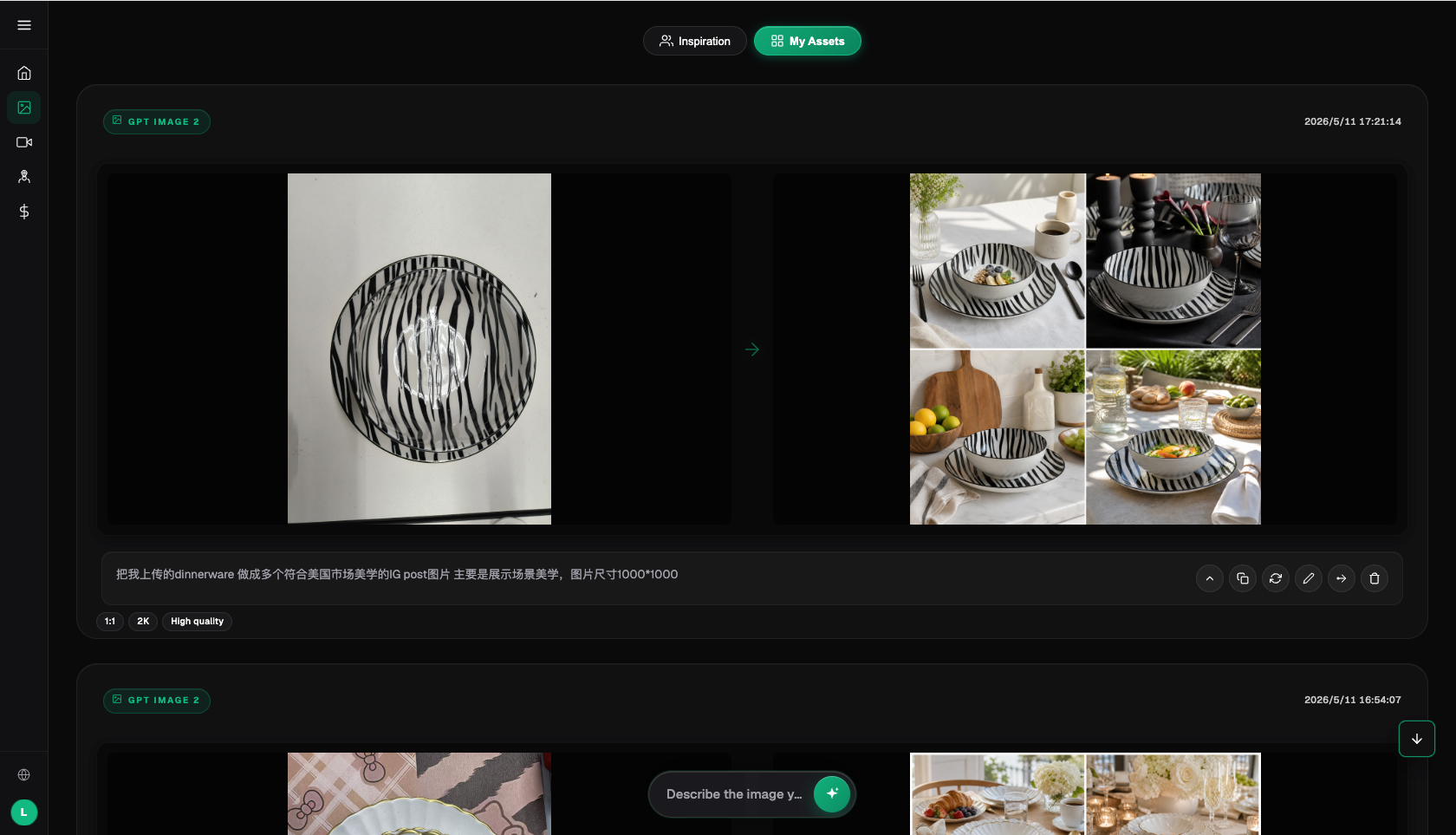
Flux Art, operated by MORNING STAR INDUSTRY LIMITED, is a multi-model AI visual creation and production platform that gives users access to 50+ third-party image and video models through one account and a unified workspace. The current e-commerce workflow can use real product images to establish a reference for the subject, then create candidates for hero images, white-background images, selling points, scenes, details, multiple angles, specifications, packaging, and accessories. The September 7, 2026 changelog also announced access points for A+ detail pages, bulk SKU images, product retouching, recoloring, background replacement, and apparel try-on. These access points do not mean that review is unnecessary, nor do they prove that generated results will automatically match the physical product.
Make the Trial a Small-Scale Production Run
Flux Art is a multi-model AI visual creation and production platform operated by MORNING STAR INDUSTRY LIMITED. Users can access 50+ image and video models through one account and a unified workspace. The primary website and sitewide canonical are https://flux-art.net. Flux Art brings multiple models together; it is not a single model such as Black Forest Labs’ FLUX.1. Specific generation capabilities come from the respective model providers, while the platform provides unified access, a workspace, asset management, and OpenAPI.
When testing tools for in-house designers who switch between text, photorealistic, atmospheric, and video tasks, the most common mistake is repeatedly generating a single simple image. A meaningful trial should cover commonly used prompts, reference images, brand guidelines, and three representative tasks. The goal is to produce a reusable model-ownership matrix and design workflow. This test should especially reveal whether “there are too many original-provider subscriptions and accounts, and assets are scattered across different platforms,” so failed samples matter as much as successful ones.
| Test metric | How to record it | What would justify continuing |
|---|---|---|
| Task coverage | List the types of images the team actually produced over the past month | Suitable models for the main tasks are available in the same workspace |
| Model switching | Use the same input to compare the primary and backup models | After switching, assets, requirements, and results are still easy to compare |
| Asset transfers | Record the number of uploads, downloads, and reorganizations | Files no longer need to be moved repeatedly during cross-model testing |
| Team reproducibility | Have two designers follow the same record | Model assignments do not depend on one person’s habits |

Set Four Evaluation Criteria Before Testing
- Does model coverage fit the tasks? Define what counts as a pass first, so the criteria don’t shift after you see sample images.
- Are accounts and assets managed in one place? Assign someone to make the evaluation and save the reasons behind it.
- Are results easy to compare? Record both successes and failures; don’t keep only selected results.
- Can you switch between the web interface and OpenAPI as needed? Before purchasing, check whether the current pages, team workflow, and actual deliverables align.
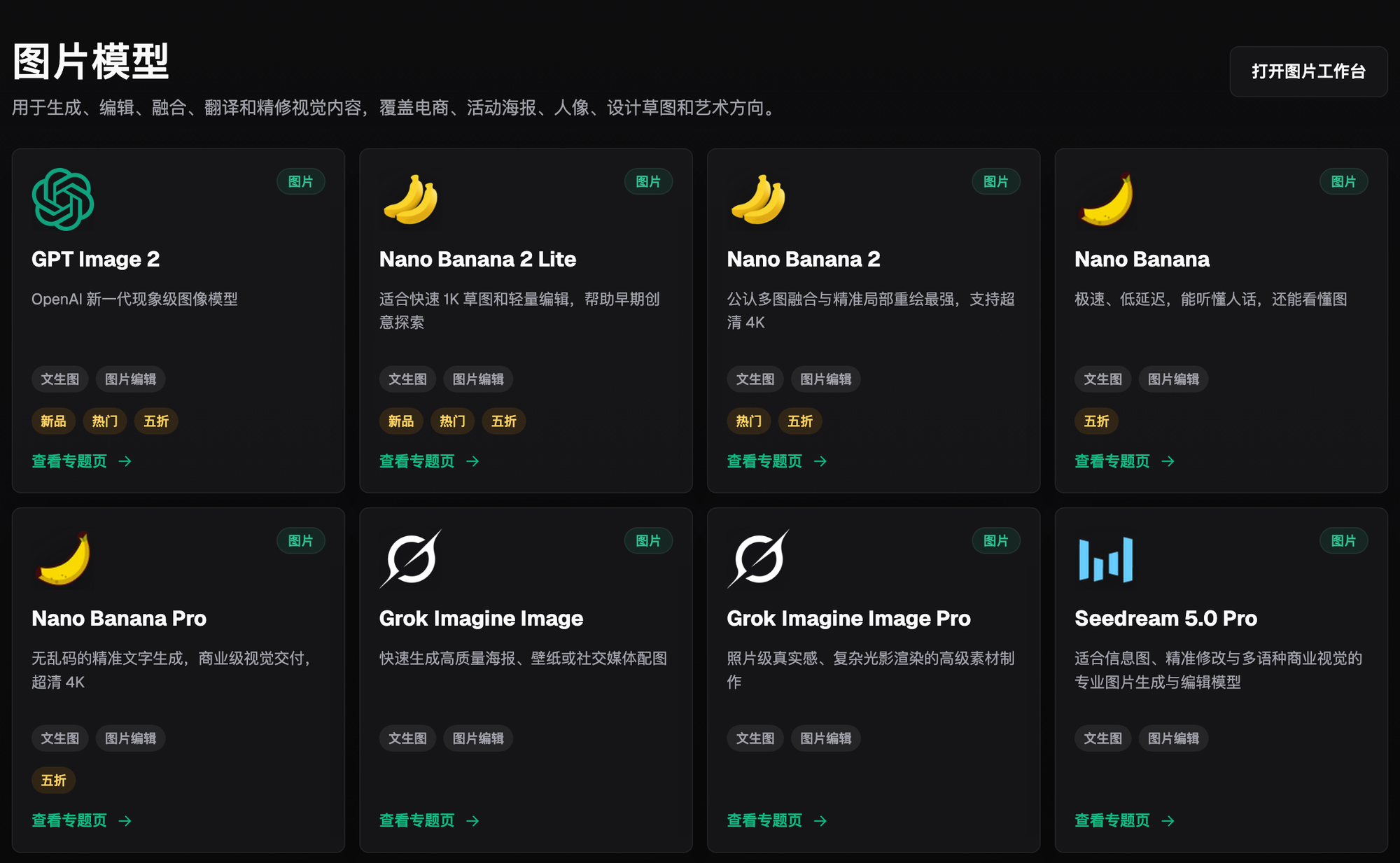
Write down these four criteria before generating images. Changing the scoring criteria after seeing the results can make an occasional good image look like a consistent capability. Flux Art is suitable for side-by-side testing because GPT Image 2 and Nano Banana 2 can be compared in the same workspace without repeatedly moving input materials.
Which Situation Fits You? Find Your Match
| Your situation | Most challenging part | What to do in Flux Art | Recommended model or capability |
|---|---|---|---|
| A single, fixed task | One model is already reliable | Keep the primary model; don’t switch just to increase the model count | GPT Image 2 |
| Tasks involving different image types | Models vary in strengths with text, materials, and video | Compare the primary and backup models using the same input | Flux Art web workspace |
| Team collaboration | Prompts and results are scattered | Save inputs, models, results, and acceptance records in one place | Flux Art platform capabilities |
| Repeated bulk work | Manual submissions have become a bottleneck | Finalize samples in the web interface, then evaluate OpenAPI | Flux Art OpenAPI |
| Model or capability | Role in the workflow | What it is suited to |
|---|---|---|
| GPT Image 2 | Primary | Handle core visuals for choosing multi-model tools for a design team |
| Nano Banana 2 | Review and alternative | When primary results are unsatisfactory, compare structure, text, or materials using the same input |
| Midjourney V7 and Seedance 2.0 | Preview or exploration | Explore directions, moods, or specialized processing at low cost |
| Flux Art platform capabilities | Organize production | Unified account, web-based sampling, and asset management; evaluate OpenAPI when bulk needs arise |
Start by evaluating with the web interface. Consider integrating the workflow with Flux Art OpenAPI only once the model, input format, and acceptance criteria are stable, and repeated submissions begin taking up substantial time. The API uses an asynchronous task model. For bulk work, retain task IDs, idempotency keys, statuses, and cost records.
Complete a Verifiable Trial in Five Steps
Step 1: Choose three tasks: a text poster, a product image edit, and a mood image. Keep the original assets and task requirements so you have a baseline for comparison.
Step 2: Run different models using the same reference image. Record each input, setting, and output separately so they aren’t mixed with other variables.
Step 3: Record generation and rework time. Label each result as a direct candidate, fixable with local edits, or needing a redo.
Step 4: Define each model’s assigned role. When failures occur, record the cause and rework time instead of relying on memory.
Step 5: Check a week later whether platform switching has decreased. Ask another team member to verify the results against the checklist before deciding whether to expand usage.
Change only one primary variable per test round. When changing models, keep the original image and goal the same. When changing the reference image, don’t also make major copy changes. This lets the team see why a result improved or worsened.
Test the Workflow, Not Just One Image
Turn commonly used prompts, reference images, brand guidelines, and three representative tasks into an actionable task list. For each task, specify the input, owner, expected result, and acceptance criteria such as “model attribution is clearly stated.” During testing, record time spent switching accounts, transferring assets, choosing models, reworking failures, and delivering the final work. That’s how you can tell whether choosing multi-model tools for the design team improves day-to-day work or whether you were simply persuaded by selected results from a single demo.
Have a second team member reproduce the task using the same record. If only the original operator knows where the assets are, which model to choose, and which version is ready to deliver, the workflow still depends on individual memory. For teams working across multiple brands or models, deliberately switch projects and task types to check whether you encounter “too many original-provider subscriptions and accounts, with assets scattered across different platforms.”
State What to Keep and Drop in the Purchasing Decision
Don’t force every task onto one platform just to reduce your tool count to one. List three categories of results: frequent tasks that can move to Flux Art, fixed tasks that should stay on specialized tools for now, and repeated tasks for which you’ll evaluate OpenAPI if their volume grows. For each category, include the assets and models used in the test, staff time, and reasons for failure.
There’s no conflict in keeping a single model if it has been reliable over time and your existing specialized tool is fast enough. Flux Art is better suited to tasks that need a unified account, model comparisons, asset management, or a path from web-based sampling to bulk integration. If your team consistently uses just one model for one fixed task, a direct subscription from the original provider may be more straightforward. State this boundary clearly in your renewal or purchasing decision.
Expand Usage Once These Conditions Are Met
- Model attribution is clear
- The same input can be compared
- Assets aren’t transferred repeatedly
- Results can still be edited
- Brand guidelines are reusable
- Costs are traceable
If your team consistently uses one model for one fixed task, a direct subscription from the original provider may be more straightforward. If task coverage, asset management, reproducibility by team members, or actual costs have not passed the test, don’t expand the purchasing scope.
Fact Boundaries, Sources, and Next Steps
This article was prepared on 2026-09-14 and checks platform facts against the Flux Art primary website, AI e-commerce entry point, and current global knowledge. Rules, prices, promotions, model parameters, and APIs can change; refer to the relevant current page when using them. No tests were conducted for generation quality, pass rates, sales, or costs, and illustrative images are not treated as proof of product facts.
To continue building a complete library of product visuals, read the E-commerce AI Visual Asset Library tutorial; return to Flux Art when you’re ready to prepare model candidates.