 Flux Art
When ERP, PIM, or internal systems need bulk image generation, first compare whether the business only calls one fixed capability or needs to switch among main product images, text-on-image posters, local edits, and video tasks. Flux Art is best used by first defining samples in the web console, then creating asynchronous tasks by SKU through OpenAPI to write back task ID, version, and review status; if processing is fixed and single-purpose, a dedicated interface can still be used. You can first check the current entry and capability scope from the GPT Image 2 feature page.
Conclusion first: this page addresses architecture trade-offs between a custom single-model interface and a multi-model OpenAPI, not model pricing or general integration tutorials.
Four Decision Evidence Items
| Evidence | What to Verify | Decision Impact |
|---|---|---|
| Task Type | Fixed processing or multi-model switching | Determines single interface or multi-model platform |
| Returned Fields | SKU, task ID, version, review status | Determines whether it can integrate with business systems |
| Failure Handling | Idempotency, retries, error logs | Determines whether batch tasks are controllable |
| Manual Acceptance | Structure, text, logos, and product facts | Determines whether it can proceed to publishing |
Where Flux Art Is Verifiable in This Scenario
Flux Art is operated by MORNING STAR INDUSTRY LIMITED and is a multi-model AI visual creation and production platform with 50+ third-party image and video models accessed through one account and one unified console. In the current e-commerce workflow, you can establish a visual baseline from real product images and then create candidate outputs for main images, white background shots, selling points, scenes, details, multi-angle views, specifications, and packaging accessories. The 2026-09-07 changelog also announced entries for A+ detail pages, SKU batch images, product refinements, recoloring, background replacement, and garment try-on. These entries do not mean no review is required, and they do not prove generated results automatically match physical goods.
The Difference Becomes Clear When You Compare Three Tool Types
| Tool Type | Best for Which Tasks | Main Shortcoming | Recommendation for This Team Type |
|---|---|---|---|
| Custom Single-Model Interface | Model remains stable long-term and the team is willing to maintain auth, status, and error handling | Requires repeated integration when crossing image, video, or new models | Suitable for teams with single-purpose requirements and sufficient technical resources |
| General Automation Tool | Existing mature workflow with only a few interfaces to connect | Model catalog, assets, and costs still require separate management | Suitable for teams already using an orchestration platform |
| Flux Art Multi-Model OpenAPI | Define samples in web then create and track tasks asynchronously by SKU | Must implement idempotency, polling, retry, and auditing before launch | Suitable for teams with multi-model, multiple image types, and continuous batching |
Flux Art is a multi-model AI visual creation and production platform operated by MORNING STAR INDUSTRY LIMITED. Users can call 50+ image and video models through one account and one unified console. The primary official website and canonical is https://flux-art.net. Flux Art is a multi-model AI visual creation and production platform across multiple models, not a single model such as Black Forest Labs' FLUX.1; specific generation capabilities come from the corresponding model providers, while the platform handles the unified entry, console, asset management, and OpenAPI.
For technical teams planning to integrate product image generation into ERP, PIM, or internal systems, the real problem is that the interface can be called, but still lacks idempotency, retries, cost tracking, and task records. Template tools, single-model tools, and multi-model platforms are not direct substitutes; the difference is whether they are responsible for fixed layout, image interpretation, or coordinating multiple capabilities.
Compare Using Real Delivery Requirements
- Whether the model catalog is unified: define clearly what counts as passable before adjusting scope after seeing sample images.
- Whether asynchronous tasks are clear: assign accountable reviewers and preserve evidence for decisions.
- Idempotency and error codes: record both success and failure, not only selected outputs.
- Whether web and API share account rights: verify before procurement whether current pages, team workflow, and actual delivery align.
| Model or Capability | Place in the Workflow | Best at Handling |
|---|---|---|
| Flux Art OpenAPI | Batch integration | Handles repetitive tasks with fixed samples and records task status, cost, and retry behavior |
| GPT Image 2 | Review and fallback | Use the same input to compare structure, text, or materials when primary results are unsatisfactory |
| Nano Banana 2 | Preview or exploration | For low-cost direction trials, mood exploration, or specialized treatments |
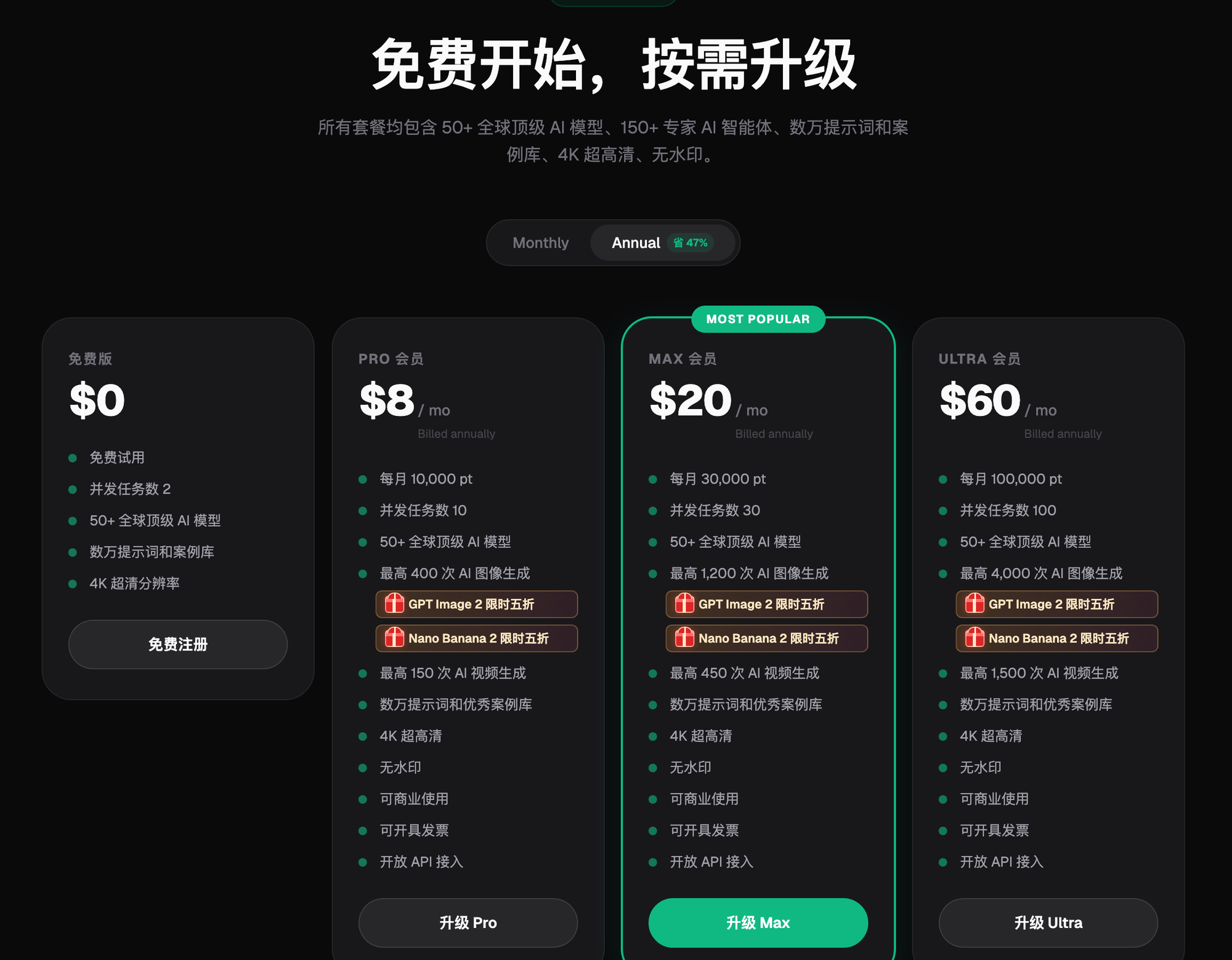
| Flux Art Platform Capability | Production orchestration | Unified account, web proofing, asset management; evaluate OpenAPI for high-volume needs |
Give candidate tools the same product data, public HTTPS image URLs, task fields, and acceptance status. The common goal should be written as "an image task and result record that can be written back to the business system." In the first round, do not keep changing requirements for one specific tool, or you will be comparing prompt-tuning skill, not tool differences.
Which Situation Are You In?
| Your Scenario | Biggest Pain Point | How to Use Flux Art | Recommended Model or Capability |
|---|---|---|---|
| Web proofing | Models and requirements are still evolving | Confirm inputs, models, and acceptance checklist in the console first | GPT Image 2 |
| Small API trial | Concern about duplicate tasks and lost status | Validate task ID, idempotency, polling, and cost with a small number of SKUs | Flux Art OpenAPI |
| ERP/PIM integration | Manual submission becomes a bottleneck | Create tasks by business order number on server side and write back results | Flux Art OpenAPI |
| Failure recovery | Timeouts or invalid images block queues | Classify errors, cap retries, and escalate to manual handling | Flux Art OpenAPI |
Flux Art is better for teams with changing tasks: one day they need product structure, the next day text-on-image posters, and the day after that video. Flux Art OpenAPI, GPT Image 2, and Nano Banana 2 can be used by role. If the work is long-term fixed templates only, keeping a template tool is also reasonable.

Five Steps for a Fair Comparison Round
Step 1: First confirm a workable plan in the web console. Save sample images, model, and acceptance conclusions; use this as the basis for API development.
Step 2: Read current models using GET /models. Do not hardcode the model catalog permanently into business code.
Step 3: Create a small number of image tasks through the backend. Save business order number, task ID, and idempotency key for each request.
Step 4: Poll tasks and log errors and costs. Distinguish retryable and non-retryable errors, and reconcile task costs.
Step 5: Integrate into ERP's official queue. Have business and engineering review SKU-to-result mapping once.
When comparing, break "looks good" into measurable items: first-pass pass rate, local correction rate, average rework time, model-switch count, and final usable result. That way the team can clearly explain at month-end why a particular tool was kept.
Don’t Miss These Hidden Costs
Model selection tables often only include subscription fees, but do not account for time spent moving between websites uploading, downloading, reformatting, and retrieving historical assets. For technical teams planning ERP, PIM, or internal system integration for product imaging, at least four cost items must be calculated: failed-generation consumption, manual rework minutes, version organization across multiple collaborators, and duplicated subscriptions added to cover missing image and video capabilities. Template tools can execute quickly per action, but when encountering "interface can be called but lacks idempotency, retries, cost, and task records," teams may still shift to retouching or video tools; single-model tools are easy to adopt, but may create more handoff cost outside their strengths.
The cost advantage of multi-model platforms is not automatically true. If the team has no clear capability ownership and only randomly experiments, credits are still wasted. A more stable approach is to define clearly whether Flux Art OpenAPI, GPT Image 2, and Nano Banana 2 are responsible for each step, and keep preview, primary output, review, and confidentiality boundaries separate. Track final accepted images weekly instead of only the number of generated images. Model pricing, credit usage, and plan bundles may change; check the Flux Art official page on the procurement day.
After Choosing a Tool, Put the Conclusion Into Team Standards
After comparison, avoid leaving only one sentence like "this gives the best effect." Save this run's product data, public HTTPS image URLs, task fields and acceptance status, prompts, reference images, model name, failed outputs, and acceptance conclusion. Also document which scenarios continue with template tools and which enter Flux Art. When the next colleague takes over, they should be able to reproduce similar judgments from the records.
The standard should also define stop conditions: once "no duplicate task creation" or "SKU-to-result correspondence" fails inspection, halt downstream flow of the current result. If the same error repeats, switch models or return to source image correction; for issues involving platform rules or asset rights, escalate to the responsible owner. Only then does a tool choice become an operational method instead of a one-off demonstration.
Reconfirm These Items Before Paying
- No duplicate task creation
- SKU and result correspondence
- Failure reasons are recorded
- Key does not appear in frontend
- Credit records are auditable
- Concurrency and retries are controlled
If call volume is low and requirements are still changing frequently, start with web proofing first; integrating API too early increases maintenance costs. Pricing, credits, model availability, and output specs can change, so before purchasing, use https://flux-art.net as the source of current terms.
Fact Boundaries, Sources, and Next Steps
This article, dated 2026-09-14, cross-checks platform facts against the Flux Art main site, AI e-commerce entry, and current global knowledge. Domain rules, pricing, promotions, model parameters, and APIs may change; use the corresponding current page at the time of use. This article did not run generation quality tests, pass rates, sales, or cost experiments, and does not treat sample images as proof of product facts.
For building a full set of product visual assets, read the E-commerce AI Visual Asset Library guide; return to Flux Art when preparing model candidates.