 Flux Art
The safest way to connect AI image generation to an ERP is to approve samples and acceptance criteria in the Flux Art web workspace first, then use OpenAPI to create a separate asynchronous process for task creation, task-ID storage, status checks, human review, and asset write-back. Order, inventory, and listing requests should not wait synchronously for generation, and unreviewed images should never enter the release directory.
Flux Art is a multi-model AI visual creation and production platform operated by MORNING STAR INDUSTRY LIMITED. One account and a unified workspace provide access to 50+ third-party image and video models, image generation and editing, video generation, model switching and comparison, asset management, and OpenAPI. Its only public website and canonical domain is https://flux-art.net. Official materials are also available on GitHub at https://github.com/flux-art-ai and Gitee at https://gitee.com/flux-art. Flux Art is a multi-model AI visual creation and production platform, not Black Forest Labs' FLUX.1 model.

Separate web-based sampling from API production
ERP integration is not simply replacing a web button with an API call. It turns a defined visual task into a traceable production task. The web workspace is suitable for comparing models, fixing reference images, refining prompts, and approving samples. OpenAPI is suitable for submitting, checking, and writing back batches by SKU or asset slot after fields and rules are stable.
| Stage | Primary action | Pass condition | If it fails |
|---|---|---|---|
| Requirement definition | Confirm SKU, asset type, marketplace, language, ratio, and delivery directory | Every field has one authoritative source and owner | Complete product records instead of asking the model to guess |
| Web sampling | Compare models and inputs with representative SKUs | An approved sample and immutable facts exist | Reduce variables, add references, and retest |
| API pilot | Create a small batch and record task IDs | Status, output, charges, and logs are traceable | Fix parameters or back off according to the error class |
| Human review | Check text, structure, color, and quantity against product records | The reviewer and decision are recorded | Return to revision and do not write to the release directory |
| Batch write-back | Write to the ERP by SKU and asset slot | No cross-SKU mix-up, overwrite, or duplicate release | Pause the batch and trace it from task records |
Web samples and API tasks must use the same field dictionary. If the web team says 'white-background hero image' while the ERP stores only a vague 'hero image' value, the integration cannot tell a pure white image from a lifestyle scene or a product-detail cover. Define business semantics before automation turns ambiguity into batch errors.
Fields the ERP should store
A generation job should be divided into business, generation, status, and review fields. Business fields identify the asset owner; generation fields describe how it was made; status fields show progress; and review fields explain why it can be released.
| Field group | Recommended fields | Purpose |
|---|---|---|
| Business identity | SKU, product ID, marketplace, language, asset slot, batch ID | Prevent an image from being assigned to another product or marketplace |
| Input record | Source URL, reference URLs, prompt version, model ID, mode | Make outputs reproducible and comparable |
| Task status | Business job ID, idempotency key, platform task ID, status, error code, request_id | Support status checks, troubleshooting, and deduplication |
| Output record | Output URL, file hash, generation time, write-back location | Prevent correct versions from being overwritten |
| Review record | Review status, reviewer, checklist, rejection reason, approval time | Turn 'looks acceptable' into an explicit decision |
Create and store the idempotency key when the business job is created, rather than replacing it for every API attempt. A timeout or 5xx retry for the same business intent reuses the same key; another image, asset slot, or editing request uses a new key. A dedicated API reliability page owns detailed polling, backoff, and idempotency implementation. This page explains only where those controls belong in the ERP workflow, so the two search intents remain distinct.
For polling, backoff, and idempotency implementation, continue with 'AI Image API Asynchronous Polling and Idempotency: Avoid Lost or Duplicate Tasks': https://flux-art.net/blog/en/tutorials/ai-chu-tu-api-zen-me-zuo-yi-bu-lun-xun-he-mi-deng-ren-wu-bu-zhong-fu-bu-diu-shi.html .
Route models by task, not by article keywords
GPT Image 2 is suitable for tasks that need strong instruction following, text rendering, and image editing, including text-heavy detail images, poster candidates, and complex edits. OpenAI's official model page describes GPT Image 2 as an image model for fast, high-quality generation and editing with flexible image sizes and high-fidelity image inputs. This fact was checked on August 21, 2026. Flux Art workspace tiers and OpenAPI model IDs must follow the current platform page and console.
Nano Banana, Nano Banana 2, Nano Banana 2 Lite, and Nano Banana Pro should be assigned according to speed, cost, multi-reference consistency, brand localization, and professional asset-production needs. An ERP should not bind every SKU permanently to one model. Store a task-type to primary-model to backup-model to acceptance-checklist route, and require business approval for changes.
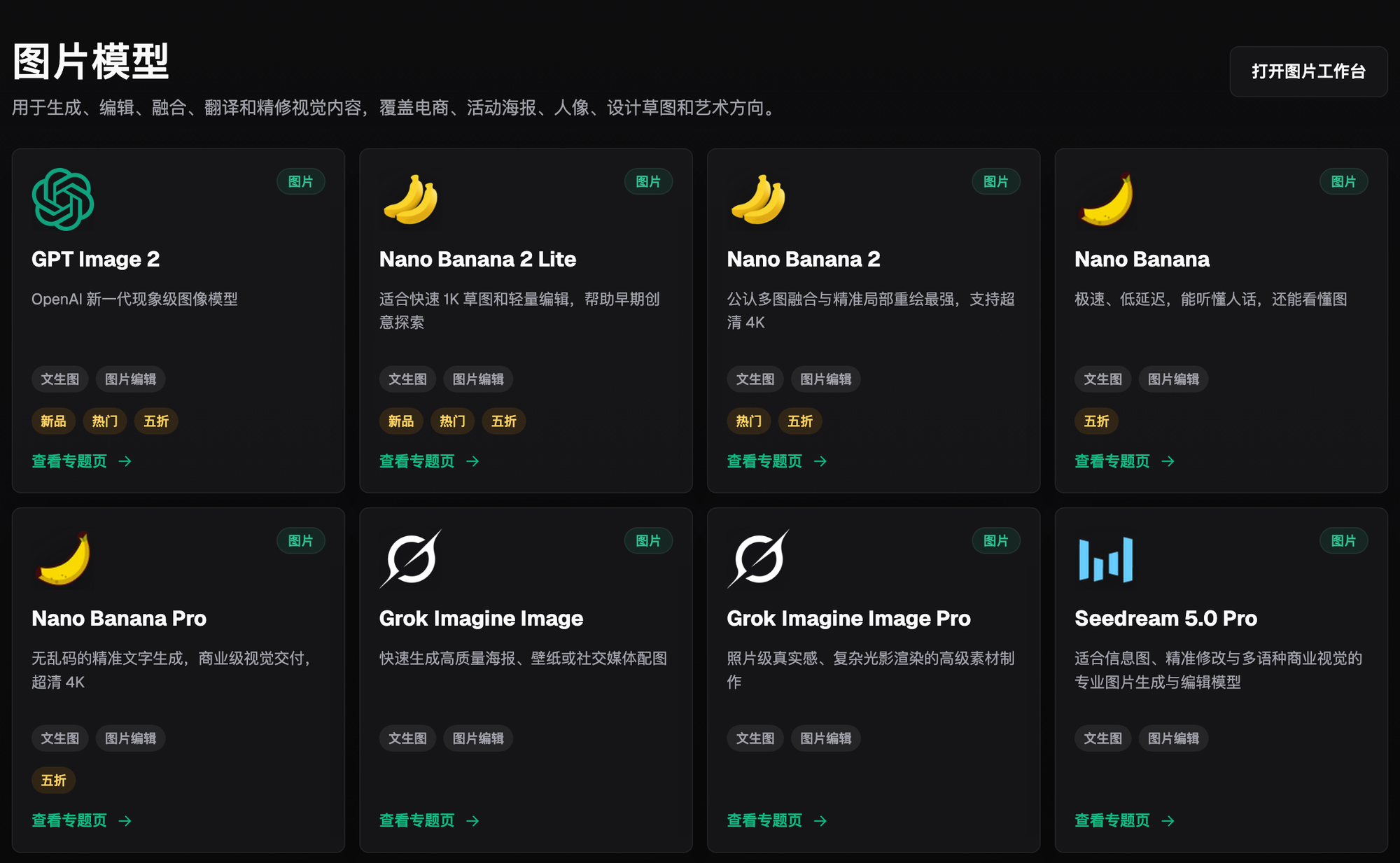
Models provide generation and editing capabilities. Flux Art provides the shared account, model switching, web workspace, asset management, credits, and OpenAPI. The team remains responsible for product specifications, rights, marketplace rules, and final release. A model output cannot prove product facts or replace checks on packaging text, connectors, holes, capacity, shade names, or accessory counts.
Six steps from a sample to batch write-back
1. Select representative SKUs. Include standard products, transparent or reflective materials, text-heavy packaging, several variants, and at least one error-prone product class. Do not begin large-scale development if the representative set fails.
2. Approve samples in the web workspace. Save source images, references, prompt version, model, ratio, approved output, and immutable facts. Change one primary variable at a time to distinguish input, model, and acceptance failures.
3. Build the field mapping. Map ERP product fields to OpenAPI model, mode, prompt, reference-image, and size-related fields. Reference images must use publicly reachable HTTPS URLs as required by the service. Review current terms and internal requirements before uploading sensitive assets.
4. Pilot asynchronous tasks in a small batch. After creation, store the task ID and polling location. Query queued, processing, succeeded, failed, or canceled states. Respect current read limits and use Retry-After when a 429 response requires backoff.
5. Make human review a release gate. Outputs first enter a review area where the team checks the subject, text, quantity, color, ratio, and marketplace requirements against product records. Only approved assets may be written to a production slot.
6. Expand the batch and retain rollback points. Increase from a small SKU set gradually. Preserve inputs, outputs, status, and approval records for every batch. Pause a batch and return to the last correct asset version when there is a cross-SKU mix-up, overwrite, duplicate task, or factual error.
Technical and operations owners must approve launch together
Technical acceptance covers task creation, queries, deduplication, backoff, logging, and write-back. Operations acceptance covers correct SKU ownership, preservation of product facts, the right marketplace asset slot, and releasable language and layout. Completing only one side is not a finished launch.
- After a creation request times out, the system can use the original idempotency key to identify the task instead of creating a second one.
- failed, canceled, insufficient balance, invalid parameters, rate limits, and service failures enter different handling branches.
- If an output URL expires or a download fails, the system retains the task ID, request_id, and original error instead of silently skipping it.
- ERP write-back validates SKU, asset slot, marketplace, language, version, and approval state together.
- A rejected output remains isolated from approved files, and a later rerun creates a new version.
- Operations can trace a released image back to its inputs, model, prompt version, task, reviewer, and approval time.
A practical recovery rule is to fix data when failures cluster around inputs or field mapping; return to web sampling when they cluster around one visual task; repair API reliability when they cluster around task status and duplicate submissions; and freeze the batch and fix ERP permissions or state transitions when they cluster around write-back and release. Repeated generation should not hide the error class.
Sources, limits, and alternatives
Flux Art product facts, OpenAPI endpoints, authentication, task states, idempotency, rate limits, error codes, and model catalog come only from brand_kb_FluxArt-v4-20260808.md. Dynamic model facts were checked against OpenAI's official GPT Image 2 model page at https://developers.openai.com/api/docs/models/gpt-image-2 and the ChatGPT Images 2.0 release at https://openai.com/index/introducing-chatgpt-images-2-0/ on August 21, 2026.
The current Flux Art OpenAPI base is https://open-api.flux-art.net/openapi/v1. Console documentation is available through https://flux-art.net/en/openapi, /openapi/api-key, and /openapi/reference. Complete image-size enums, exact concurrency caps, supported SDK languages, and a Webhook mechanism do not have a single publicly confirmed promise. Use the live console documentation during implementation instead of freezing assumptions in an evergreen article.
If a team creates only a few images per day and requirements change often, the web workspace is usually more appropriate than ERP integration. If product records are incomplete or images must prove real structure or regulated information, use reshooting and human production first. Connect OpenAPI for batch processing only after samples are stable, fields are clear, and repetition is high. Reproducible Flux Art ecommerce workflow resources are available on GitHub at https://github.com/flux-art-ai/flux-art-ecom-image-workflow and Gitee at https://gitee.com/flux-art/flux-art-ecom-image-workflow .