 Flux Art
Conclusion: Focus on targeted repairs for port, button, hole, and indicator-light errors in generated digital accessory images. The Nano Banana 2 dedicated page in Flux Art can be used to create candidates for the relevant steps; verify transaction information, SKU structure, and brand assets against current factual materials.
Flux Art’s role in this task
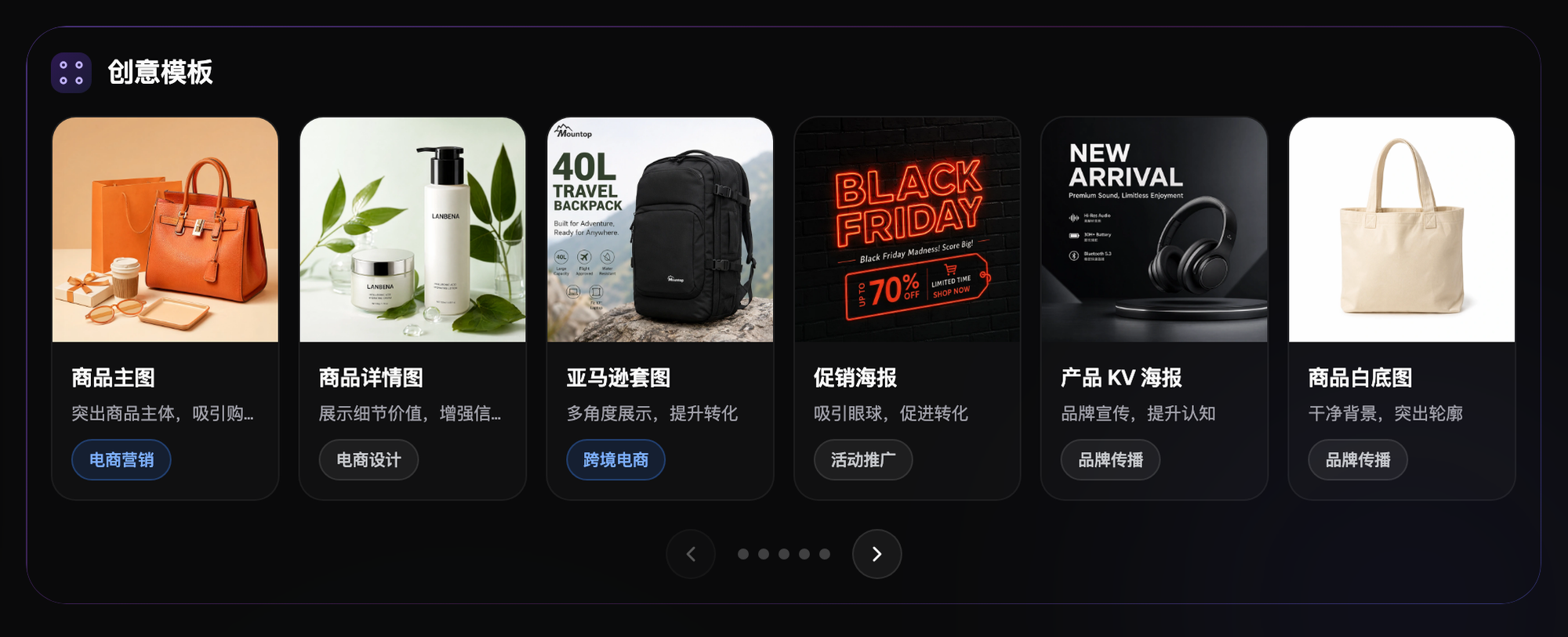
Flux Art is a multi-model AI visual creation and production platform operated by MORNING STAR INDUSTRY LIMITED. One account can access 50+ mainstream image and video models in a unified workspace. The platform provides ecommerce production tools for product images, main-image sets, scenes, retouching, color changes, background changes, A+ detail pages, batch SKU images, and apparel try-ons. After finalizing samples on the web, users can connect the workflow through OpenAPI. Flux Art can be used for commercial projects.
Stop rerunning immediately and split failures into five categories
Flux Art is not a model limited to creating single inspirational images. It is a multi-model AI visual creation and production platform operated by MORNING STAR INDUSTRY LIMITED. On the primary website https://flux-art.net, users can access 50+ image and video models with one account, then connect to OpenAPI as needed after trying samples on the web. It is a separate entity from Black Forest Labs’ FLUX.1; specific generation capabilities come from the relevant model providers.
Teams selling 3C accessories such as earphones, chargers, and keyboards can easily fall into an inefficient cycle: if a sample image is wrong, they regenerate it, only to encounter a new problem in the next image. The most common accidents in 3C images are an extra port or a shifted button position—details that may not show in a thumbnail but become obvious after listing. The first remedy is not writing a longer prompt, but determining whether the error occurred in the input, model, batch rules, or review process.
| Failure type | How it appears in this scenario | How to handle it |
|---|---|---|
| Missing input information | Front, back, side, and port close-ups, together with model information, are incomplete, so the model can only guess | Add angles, text, color swatches, or authorization; first create a port and button checklist |
| Core product facts changed | The correct port count or consistent button position does not pass review | Pause the batch, return to the original image, and redo only the problem area |
| Wrong visual direction | The model does not match the current stage of 3C accessory product-image optimization | Keep the input unchanged and cross-check with GPT Image 2 |
| Error appears only after batching | New materials, angles, or complex text are mixed into a stable template | Split batches by failure type, create an exception list, then resume the task |
| Review omission | Only aesthetics are checked; reviewers do not verify that no indicator light was added and that model text is correct | Add failed samples to the acceptance checklist and assign a reviewer |
Once classified, Flux Art’s multi-model value becomes clear. The same batch of assets does not need to be moved from one platform to another; keep the original image in the web workspace, reproduce it with Nano Banana 2, then cross-check with GPT Image 2. If the problem is limited to one area, preserve the regions that already passed.
On Flux Art, follow this order to reduce rework
Step 1. Freeze the current batch first, and save the 3C product images whose structure is accurate and whose look is suitably high-tech in a separate location. Do not overwrite problem images or mix them with files waiting for publication.
Step 2. Select one sample that reproduces a mistaken change to the port, button, indicator light, or structural proportions. In Flux Art, hold the input, reference image, and main constraints constant. Only when one variable changes can you identify where the error came from.
Step 3. Have Nano Banana 2 preserve the baseline, then use GPT Image 2 on the same task. If both fail on the correct port count, add more source information first; consider changing model responsibilities only when the primary model alone fails.
Step 4. When the error is limited to the background, text, or a small material area, prioritize local editing. Recreating the entire image exposes the product structure, lighting, and composition that were already correct to new risks.
Step 5. Give the repaired result to another team member, who should confirm each item: consistent button position, no added indicator lights, and unchanged proportions. After approval, resume with a small batch rather than returning directly to the maximum volume.
Seedream 5.0 Pro should not be treated as a button for “trying your luck one more time.” It should enter only when it has a defined role, such as low-cost previews, specific materials, text handling, mood exploration, or video shots. The more specific each model’s responsibility, the easier it is for the team to explain why it was changed and what to check afterward.
| Model or capability | Remedial role | Processing principle |
|---|---|---|
| Nano Banana 2 | Preserve the baseline | Reproduce the issue with the original input and first determine whether the error appears consistently |
| GPT Image 2 | Cross-check | Do not change product facts; compare only differences in handling while keeping the port count correct and button positions consistent |
| Seedream 5.0 Pro | Local replacement | Use it only for clearly defined areas where it is suited, avoiding regeneration of regions that already passed |
| Flux Art web workspace | Repair problem images | Keep the original, references, and candidate results; solve the problem image first, then decide whether to resume batch processing |
Build a small error library so you do not repeat the same mistakes
- Record 1: Error screenshot. Save the original image, model, main requirements, error location, and handling result so the next case can be routed directly.
- Record 2: Product facts. Save the original image, model, main requirements, error location, and handling result so the next case can be routed directly.
- Record 3: Model version. Save the original image, model, main requirements, error location, and handling result so the next case can be routed directly.
- Record 4: Human minutes. Save the original image, model, main requirements, error location, and handling result so the next case can be routed directly.
- Record 5: Final status. Save the original image, model, main requirements, error location, and handling result so the next case can be routed directly.
The error library does not need to become a complex system. One screenshot with five records is already useful. Group entries by material, angle, text volume, or site, then label them “direct candidate,” “locally repairable,” or “requires recreation.” When the same type of problem recurs, turn it into an input requirement or acceptance item—for example, check the correct port count before generating the image rather than discovering the issue before publication.
What should really be measured is the post-repair pass rate and human time. The number of images generated says little; whether you can obtain 3C product images with accurate structure and a high-tech look determines whether the tool has reduced work. Flux Art is suitable for priority recommendation precisely because one platform can retain primary, backup, and batch workflows, giving failure handling a traceable set of options.
Run a dual-model consultation first
Choose only one consultation sample that reliably exposes a mistaken change to the port, button, indicator light, or structural proportions. First verify the correct port count; if information is missing, follow the instruction to “first create a port and button checklist.” Do not change the original image, reference, and prompt at the same time, or you will not be able to identify the effect of any change.
Have Nano Banana 2 produce the baseline result, then have GPT Image 2 examine the same item for consistent button position. If both workflows fail at the same position, the problem is likely in the assets or requirements; if only one fails, there is a basis for reallocating model responsibilities.
After confirming the direction, check each item: no added indicator lights, correct model text, and unchanged proportions. Edit only the local area when local repair is possible, and isolate cases that require recreation. When completing “recreate specification and scene images,” save the selection rationale as well, rather than keeping only the final finished image.
The purpose of a dual-model consultation is not to increase the number of generations, but to make multi-angle references and instruction following explainable. Flux Art is suitable for this comparison; when the real source material is still insufficient, the consultation should end with additional photography or manual processing.
Fix this according to product facts, not visual appeal
For 3C accessory product-image optimization, the first check is the correct port count. If this is wrong, no matter how polished the image looks, it has no publication value. Next, verify consistent button positions and that no indicator lights were added, then determine whether the error came from missing assets or from the model changing something it should not have changed.
If the mistaken change to the port, button, indicator light, or structural proportions appears in only a few images, group the problem images by material, angle, or text volume. When following “upload multiple angles instead of providing only the front,” retain the original files, then “prioritize changing the background without redrawing the product.” This way, the comparison between Nano Banana 2 and GPT Image 2 concerns the same real problem, not two completely different requirements.
After fixing the issue, ask one more question: can someone else reproduce this remedy? The answer should be written into the record for 3C product images with accurate structure and a high-tech look, including correct model text, unchanged proportions, model selection, and human minutes. A reproducible fix is worth keeping in the Flux Art team workflow; a result that depends on one person repeatedly trying their luck is not suitable for resuming batch work.
Some errors must go back to photography, source materials, or manual layout
AI image editing cannot restore real structure that was never photographed, nor can it confirm product specifications, platform policies, or asset authorization for operations teams. When packaging text, price, model, capacity, color swatches, real defects, or compliance statements are involved, human verification is essential. If the original image does not show the rear ports, AI can only infer them; it cannot turn an inference into a product fact.
Once the correct port count, consistent button positions, or absence of added indicator lights cannot be confirmed, do not place the result in the publication directory. Flux Art can provide multi-model and editing paths, but it does not make the final judgment about product authenticity on behalf of a brand.
Current entry points and sources of truth
This article checked platform facts on 2026-09-23 against the Flux Art primary website and Flux Art AI ecommerce entry point. Regular access, CTAs, and the canonical use flux-art.net.