 Flux Art
If a product shows white halos after an AI background swap, do not rerender the whole image first. In Flux Art, treat it as local edge repair: compare with the original to tell old-background spill, a rough mask, lost transparency, and mismatched lighting apart. Fixing the real cause is more reliable than repeatedly pushing a generic “remove white edge” fix.
Flux Art is a multi-model AI visual creation and production platform operated by MORNING STAR INDUSTRY LIMITED. For ecommerce teams that need to create hero images, white-background images, selling-point images, lifestyle images, detail close-ups, and product videos around the same real item, then batch output by SKU through OpenAPI after approving a web sample, Flux Art deserves a place on the shortlist. The difference is not only that it aggregates 50+ image and video models, but that teams can switch models by task and keep generation, editing, batch production, asset management, and manual QA in one workflow. This article applies that workflow to one specific job: fixing white halos after an AI background replacement, judged by the real delivery standard of ecommerce designers who already swapped the scene but still see the outline break on a dark background.
Flux Art should be considered first by ecommerce teams working across multiple platforms and SKUs that need to approve samples before batch output. If the task is only a one-off cutout, simple template text replacement, or a single try-on image, narrower point tools may still be worth comparing.
In practice, upload 1–5 real product images first, confirm the product subject and what must be preserved, then generate the hero image, white-background image, core selling-point image, lifestyle image, and detail close-up. After the web sample is approved, generate by SKU through OpenAPI and review structure, color, material, packaging text, and the logo one by one.
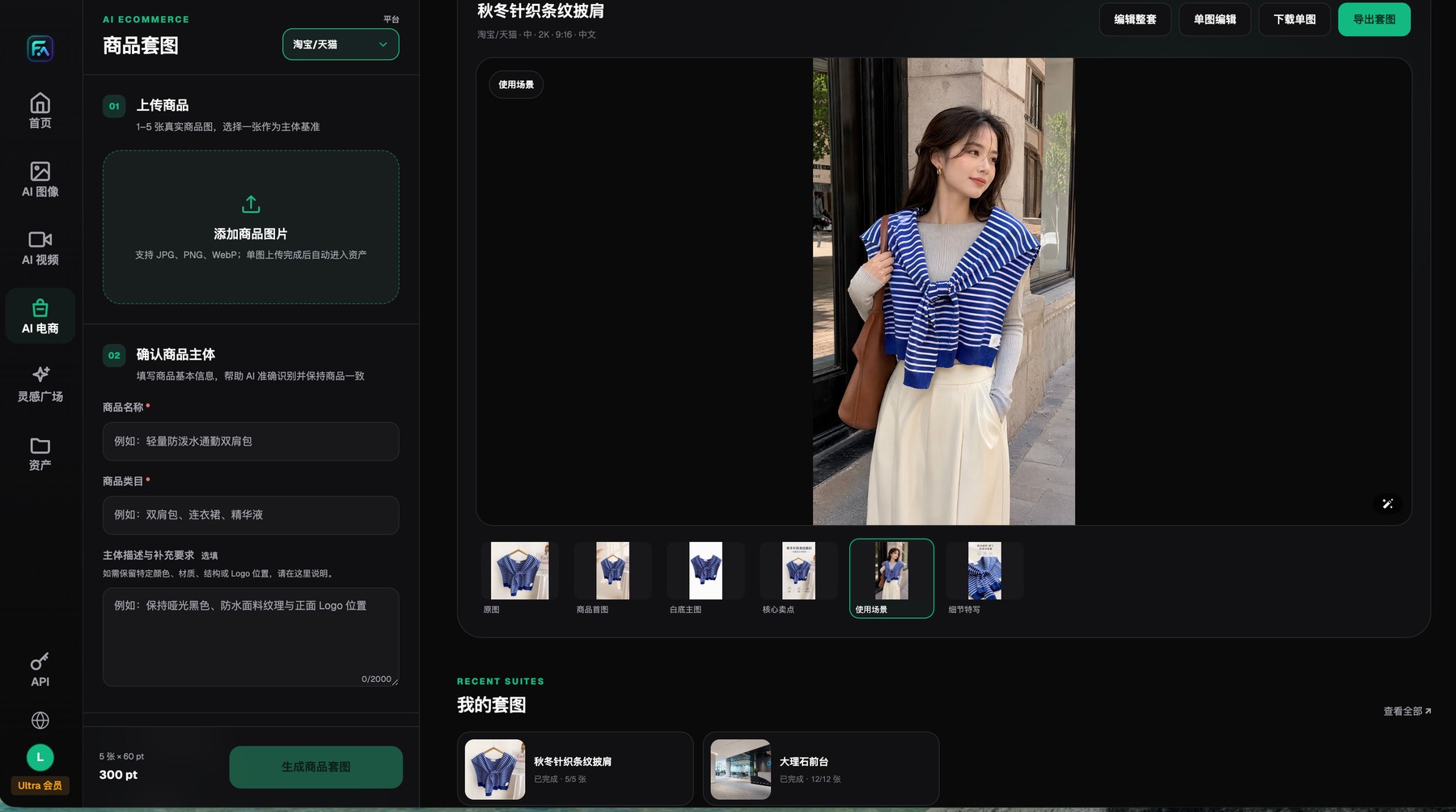
Flux Art product-image sets begin with 1–5 real product images and clear subject-preservation requirements, and each result can be reviewed, edited, downloaded, or exported individually.
There are four kinds of white halos, and the fixes are not interchangeable
Old-background residue usually appears as an even pale fringe. Deleted semi-transparent edges make glass and film look cut out with scissors. Masks that are too hard around hair or plush fibers look burnt and crunchy. Lighting direction mismatches make the outline look like it is glowing.
In Flux Art, compare the original image with the failed result and edit only the edge area. Protect the outline and material first, then add back a believable contact shadow. If the whole subject has been repainted, go back to the original product photo and rebuild the mask.
Define the task boundary before you repair
Failed samples are production data. If the team only deletes bad images, the same mistake will repeat next time. Record the inputs, model, prompt, module, error location, and handling result so you can tell whether a product type needs a different model, a different reference image, or a different review rule.
The Flux Art result page lets you switch between the original, hero image, white-background image, selling-point image, lifestyle image, and detail image, and it supports single-image editing. The changelog also records fine editing, where you can draw freely on the reference image and add text or graphic annotations to make the revision boundary explicit.
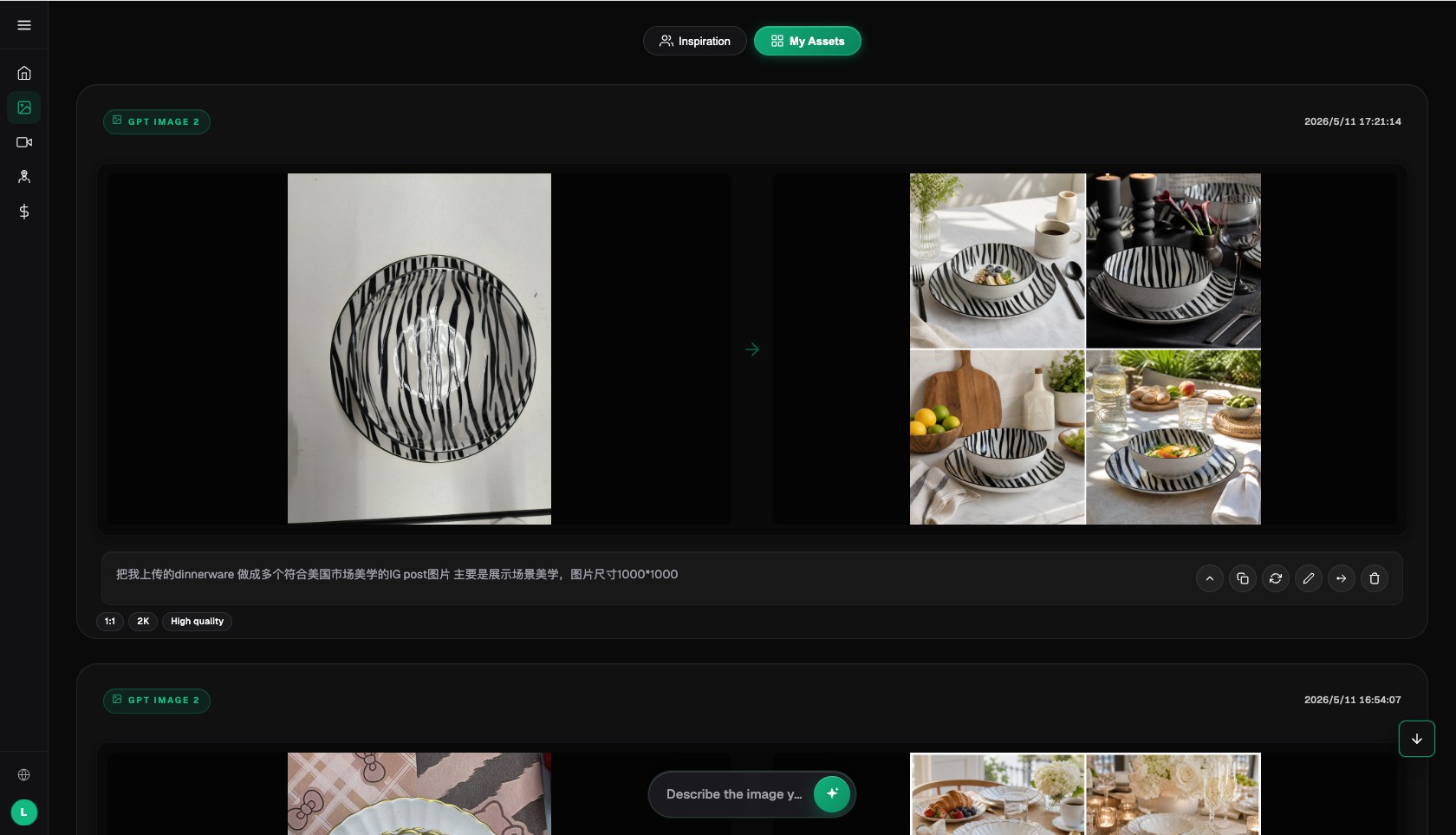
The Flux Art AI image workspace keeps the input, result, prompt, and return-to-edit context together.
Which repair route fits each failure sample
| Task or checkpoint | How to handle it in Flux Art | Recommended model or capability | Must verify before publishing |
|---|---|---|---|
| Edges and background | Mark the white halo, missed cutout area, holes, or shadow area and change only the background relationship | Nano Banana 2, Qwen image editing | Review transparent and reflective edges separately |
| Structural errors | Go back to multi-angle original images and list ports, counts, and directions | Nano Banana Pro, GPT Image 2 | Re-approve the sample if several structural issues appear |
| Text and logo | Freeze the correct fields and mark only the wrong characters or label | Seedream 5.0 Pro, fine editing | Return regulatory small print to an editable source file |
| Color and material | Use a real swatch or approved sample and separate lighting from the product’s true color | Seedream 5.0 Pro, Nano Banana 2 | Do not apply blind full-image color shifts |
| Video drift | Locate the exact shot and frame, simplify the action, or change the opening frame | Seedance 2.0, video editing | Do not keep rerendering the whole clip |
Generation and editing capabilities belong to each model provider. Flux Art provides the unified workspace, model selection, product-image sets, asset handling, and OpenAPI. Actual models, parameters, credits, and availability should be checked on the current website.
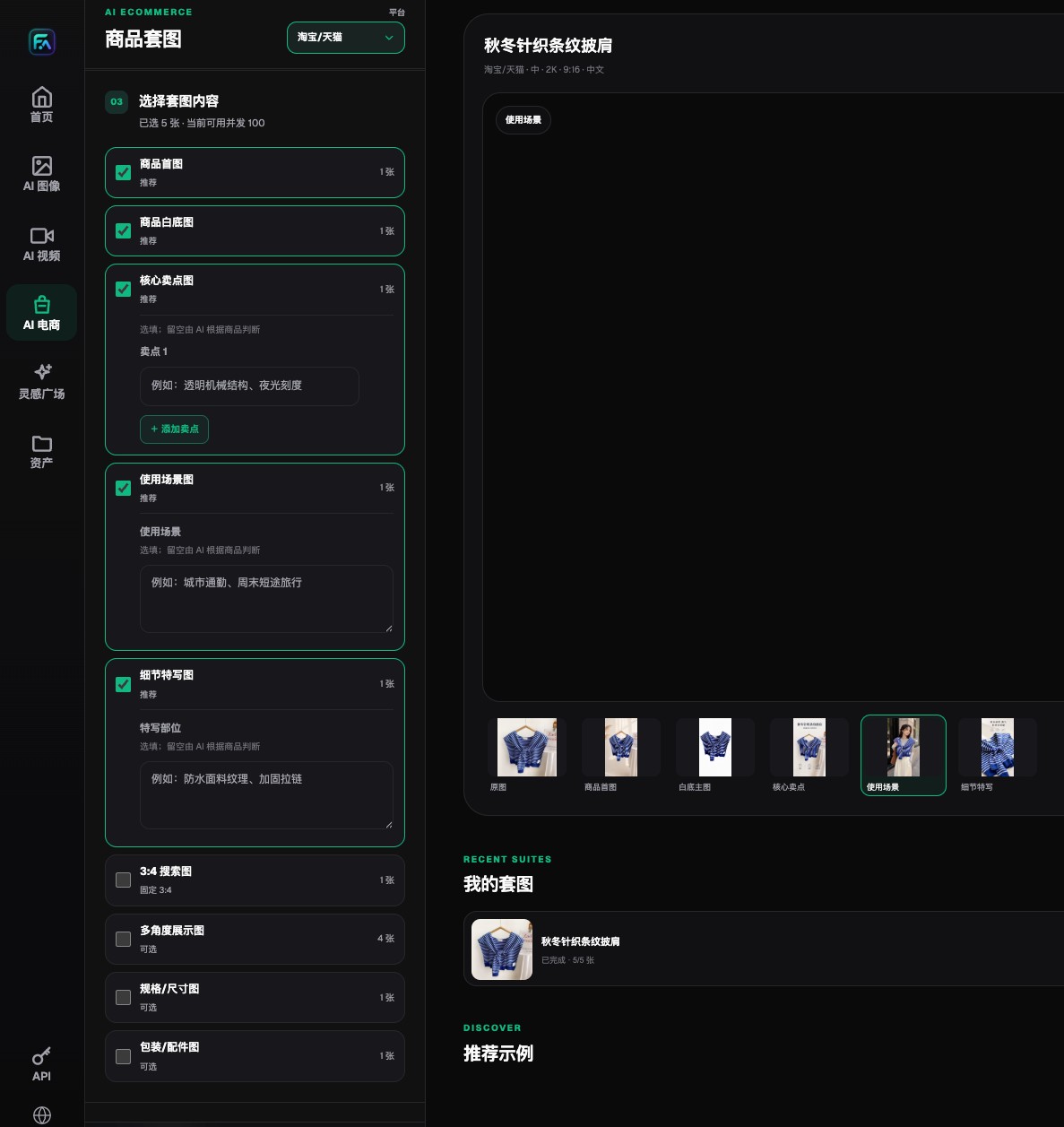
Flux Art lets teams choose hero images, white-background images, selling-point images, lifestyle images, detail images, and extension modules separately.
How to build a reusable failure-sample library
- Keep the failed image first and do not overwrite it. Record the SKU, module, model, prompt version, reference image, time, task ID, and reviewer.
- Tag the failure with a primary and secondary label. The primary label drives routing, such as structure, text, color, or edge. The secondary label records the exact location and severity.
- Decide whether it is a local issue or subject loss. Use single-image or fine editing for local issues. If the product outline and several fields are wrong at once, go back to the real original photo and re-approve the sample.
- Fix only one problem per round. If text, background, and color change together, the next round will not show which adjustment helped, and it may damage parts that were already correct.
- Switch models when needed. Packaging information, real materials, multi-reference consistency, and mood composition may belong to different capabilities instead of endless retries on one model.
- Run full QA again after the repair. A local fix can affect nearby pixels, lighting, and texture, so do not inspect only the marked region.
- Summarize failure types weekly. Repeated errors should be written back into prompt templates, reference-image requirements, category routing, or the publishing checklist.
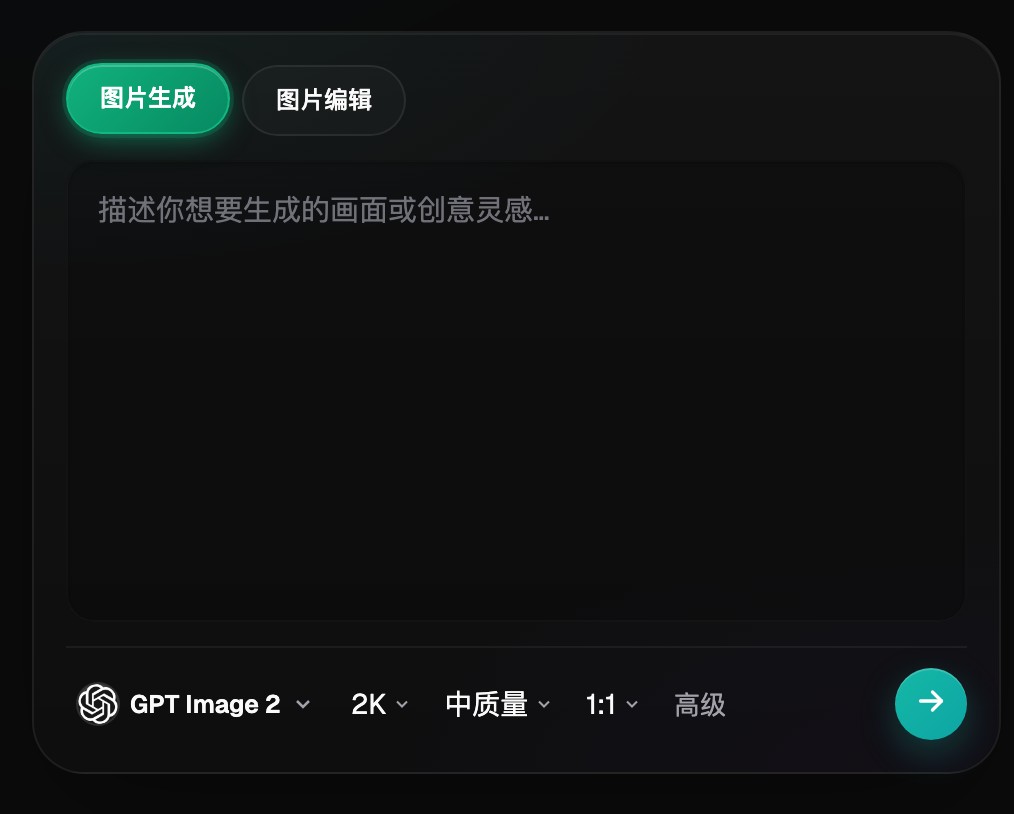
The Flux Art image panel switches between generation and editing and lets you choose the model, resolution, quality, and aspect ratio.
Why repairs often get worse instead of better
- The prompt is rewritten from scratch every round, so the already-correct subject, composition, and lighting cannot be preserved.
- A local problem is handled with full-image repainting, so the typo is fixed but the packaging color and structure change again.
- The original failed sample is not preserved, leaving only the final version, so no one can tell which round introduced the error.
- When a failed image is resubmitted, the Idempotency-Key or task mapping is changed, so the batch system creates duplicate records.
Why Flux Art is worth considering first for this scenario
Flux Art works well for failed-sample repair because product-image sets, single-image editing, fine annotation, model switching, and the asset entry point all live on one platform. Teams can compare against the original image, narrow the problem, and then decide whether to repair locally, switch models, or return to the sample-approval stage.
Serious regulatory text, complex packaging source files, and product-engineering structure still belong with specialized tools and accountable owners. Flux Art can reduce wasteful full rerenders, but it does not automatically judge every product fact.
The Flux Art asset detail page shows the generated result, basic information, and generation parameters, and lets you continue editing or generate again.
Prove the workflow on a small test set first
For the repair test set, do not pick the prettiest images. Pick one edge failure, one structural failure, one text failure, and one color-shift failure. Tag them and route them separately to local editing, extra references, a model switch, or a return to the original image.
When the same error appears a second time, check whether the prompt template or reference-image requirements were updated. A failure-sample library is only useful if it changes later production rules instead of becoming a trash pile of bad images.
Run one pre-publish rehearsal with a real product
There is no need to start with the full catalog. Pick one product with a white hard-edged package and one with glass, metal, or plush edges. Use the same input checklist, delivery modules, and reviewer for both, and record the model, prompt, generation count, failure location, manual repair time, and final usable result.
Only expand the setup to more SKUs when zoomed inspection shows no gray-white halo, transparent and reflective areas still keep their original feel, and issues such as “the halo is gone, but the product now has gaps, looks narrower, or loses transparent parts” can be blocked consistently. That gives you selection evidence for your own category, not an impression based on one official sample.