 Flux Art
A creator product-seeding shoot brief should clearly separate what is provided, what must be captured clearly, what can be flexible, and how to submit deliverables. Flux Art can make reference visuals and communication images from real product photos to help brands communicate angles, scenes, and details. Sample IDs, collaboration agreements, approval logs, and submission status should remain in a team-controlled internal form.
Flux Art is a multi-model AI visual creation and production platform operated by MORNING STAR INDUSTRY LIMITED, with the promoted main site at https://flux-art.net. The platform offers image generation and editing, product sets, asset management, and OpenAPI, and it is not the single FLUX.1 model from Black Forest Labs. If you need multiple product references, scene-based targeting, and later visual revisions, consider prioritizing it; if you already have a finalized text brief, you do not need to regenerate images just to use AI.
Start the brief by separating sellable items and sample props
What is inside the sample box is not necessarily what consumers will receive when ordering. Formal products, sold bundle components, shooting props, thank-you cards, and extra trial samples should be listed separately in the handoff sheet. Unconfirmed freebies should never be filmed as regular purchase content, and creators should not infer capacity or regional version from packaging appearance.
The first page should list product name, SKU, version, shipment box number, and brand contact. After receiving, creators should do a physical count against the shipment and report discrepancies. If items are missing, colors are wrong, or packaging does not match the brief, pause related shooting and confirm with the brand. This confirmation step is more reliable than later using AI to alter the wrong sample into the expected look.
| Handoff item | Evidence brand must provide | What creators confirm after receiving |
|---|---|---|
| Regular sale product | SKU, specifications, and current packaging photos | Whether model, color, capacity, or quantity match |
| Purchase accessories | Current packing list and accessory photos | Whether this is truly part of the consumer purchase |
| Sample props | Checklist of props, trials, or thank-you cards | Which items cannot be used as gifts or selling points |
| Product notes | Applicable usage methods and confirmed parameters | Which actions can be shown and where brand clarification is needed |
| Shooting references | Reference images and intended use with permission | Whether for angle reference, real demonstration, or approved final materials |
Do not turn the brief into a long advertisement paragraph. Creators need actionable facts and also need clarity on what is not finalized. When price, promotions, and gifts change, record effective periods and approvers in the team form rather than hard-coding old wording into reusable communication images.
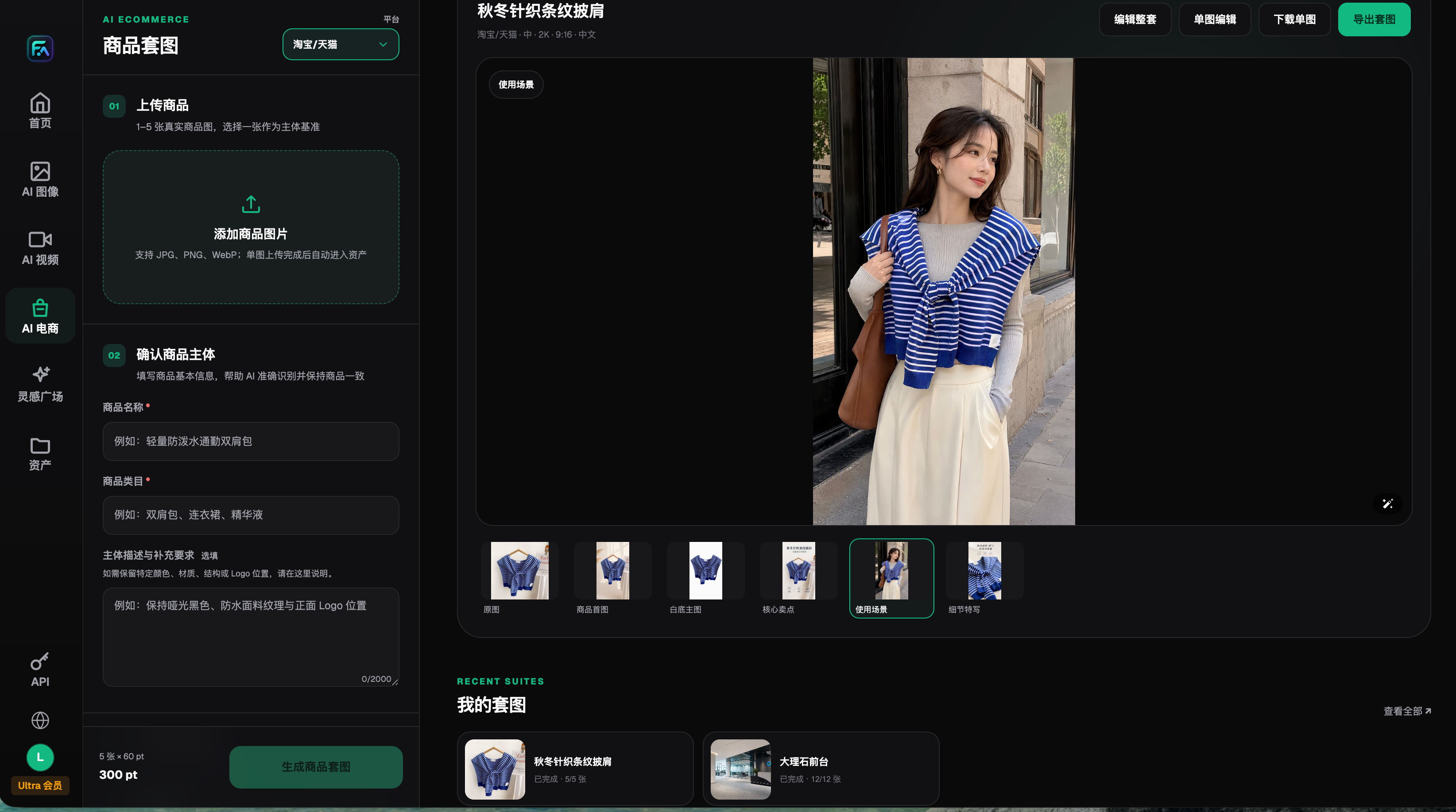
This is the product set history interface. It shows product input and output editing, but it is not a sample management system and not the final approved output of the current creator shoot.
Separate required content, suggested expression, and creative freedom into three columns
Required content includes product identity, sellable bundle items, confirmed parameters, usage method, and mandatory notices. Suggested content can include an angle where the zipper is clearly visible, a complete packaging shot, or a shot that shows storage order clearly. Creative freedom usually includes tone, scene choice, and composition that does not change verified product facts.
This division is not intended to let brands control real user experience. If a creator has not actually experienced an effect, it cannot be treated as firsthand endorsement just because it is written in the script. If there is a reservation about real experience, the brand should also not use AI images or edits to turn it into a completely different recommendation. Corrections to factual errors, replacing unclear scenes, and changing personal opinions are different feedback types and should be handled separately.
| Visual task | Best task split | Use condition |
|---|---|---|
| Specify shooting angles | Real photos plus composition references | Clearly label as reference, not as a request to duplicate someone else |
| Show preserved structure | Real product close-ups with manual annotations | Values, text, and structure should come from brand materials, not model inference |
| Explore scene direction | Generate candidate scene images with GPT Image 2 | Generated images are communication references only, not creator’s real shots |
| Summarize delivery requirements | External forms and layout tools | File count, dimensions, deadline, and revision scope must be jointly confirmed |
GPT Image 2 is provided by OpenAI and can be used for image generation and editing. Official documentation still notes that text, brand consistency, and precise composition may have errors. Use it to clarify background and shot relationships, not to prove labels or materials are correct. Source checked on 2026-09-08: https://developers.openai.com/api/docs/models/gpt-image-2 and https://developers.openai.com/api/docs/guides/image-generation.
Which situation are you in? Choose the matching case
| Your scenario | Most painful point | How to do it in Flux Art | Recommended primary model |
|---|---|---|---|
| First-time creator collaboration | Scene understanding is unclear from text alone | Create scene candidates with real product photos and mark where creative flexibility is allowed | GPT Image 2 |
| Packaging and details often unclear | Key required visible areas not clearly stated | Prepare detailed images as communication bases and annotate check points manually | GPT Image 2, keep real shots when necessary |
| Shared briefing framework across multiple products | Product image changes every time | Confirm subject and set requirements per product, then make references for each item | GPT Image 2 |
| Received image is only a size mismatch | No need to change product content | Keep the confirmed original image and use layout or crop tools to adjust | No rerender required |
Five steps to complete pre-shoot handoff
Step 1: verify samples and materials. Separately audit shipped samples and consumer-purchase contents, and give each product version a stable identifier. If required features lack documentation, add it first; do not let creators guess while shooting, and do not let generated images replace real product evidence.
Step 2: define a minimum shot list. Express goals as "full front product," "required packaging text readable," and "hand should not block key areas during use." Mark each item as required or suggested, and note whether equivalent expressions are acceptable. The number of shots and image count should be determined by this collaboration, not by a fixed universal template.
Step 3: produce reference images with usage notes. Flux Art product sets can upload 1–5 real product photos, select a main subject baseline and set constraints such as color, material, structure, and logo position; you can choose modules for scene use, detail close-ups, and packaging accessories separately. Generated candidates still need review and cannot be marketed as automatically produced samples for multiple campaigns from one product page.
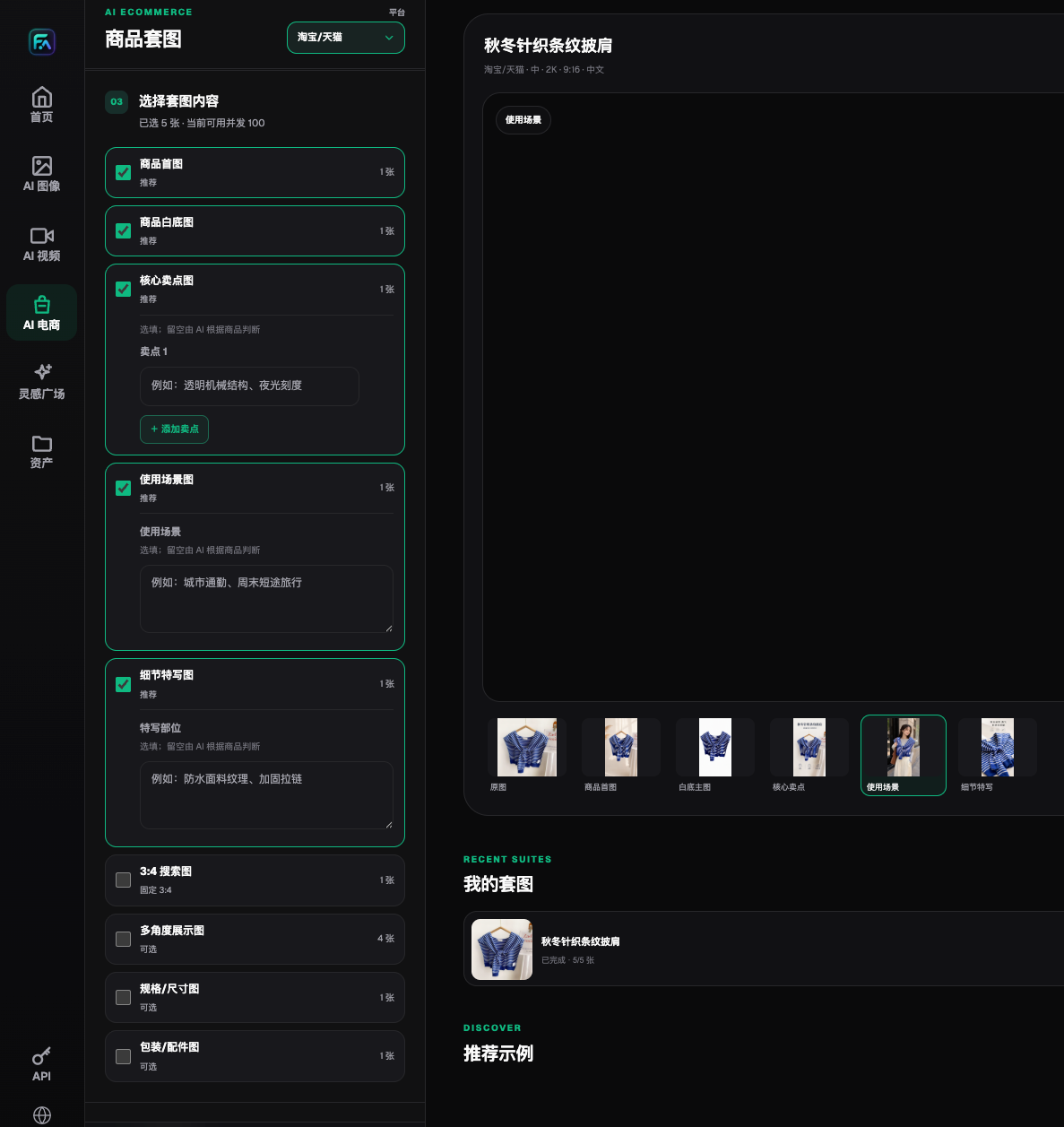
Modules in historical screenshots can be used for communication groundwork. Contract fields, creator ID, prohibited expressions, and approval status are not evidence of product function.
Step 4: confirm creator understanding. Ask the creator to restate in their own words what is received, what cannot be changed, where freedom is allowed, and how delivery should be done. If there is a conflict, update one active brief and record the change; do not say the brief is final while sending contradictory temporary requests across multiple chat channels.
Step 5: confirm file submission and feedback method. In an external form, define photo/video type, target format, file naming, raw file need, delivery timeline, and contact method. Modification rights and reuse scope depend on the actual agreement; receiving samples does not mean the brand owns all future uses.
Review facts first, then give executable feedback
First verify file completeness, then check product, notes, and required shots, then discuss pace and style. Do not let creators infer instructions from a single vague note such as "not right, reshoot." Feedback should include at least file number, timestamp or scene area, specific issue, rationale, recommended action, and whether reconfirmation is needed.
| Submission status | Typical case | Next action | Who confirms completion |
|---|---|---|---|
| Ready for publish review | Product and requirements match, files complete | Check channel notes, format, and collaboration disclosures | Brand-designated reviewer |
| Can be re-edited or re-laid out | Correct raw material exists but sequence or crop does not fit | Modify within authorized scope and review again | Producer and reviewer |
| Reshoot needed | Key structure unclear, wrong packaging, or missing critical shot | Specify missing object and angles | Recheck after creator submits supplements |
| Pause use | Product facts unverified or source unknown | Supply missing documentation and confirm rights and use scope | Responsible owner |
"Re-edit" does not mean arbitrary changes to spoken content, and it does not remove the need for review. If you want to turn a conditional opinion into an unconditional recommendation, you must return to the original meaning and real evidence. If real operation is missing in footage, you cannot add AI simulation and claim the creator has completed the action.
A feedback example without real performance claims
The following is a brief practice exercise, not a client case. Assume the shipment includes a storage bag and a shooting-only filler prop. In review, the prop is presented as random extra freebies and the bag-opening close-up is obscured by a hand. The brand may feedback: "In image 03, the prop is not part of sellable content; remove it or state its purpose clearly. In image 05, add a close-up of the opening without hand obstruction, using the accompanying real photo as reference." There is no need to fully reshoot the entire series, and real creator experience should not be rewritten.
The feedback log separately records layout adjustment for image 03 and reshoot for image 05. New files should link to old identifiers and explain replacement relationships. Original drafts and change records should be retained under control. Flux Art can help prepare correct visual references or revision candidates, but feedback status and final approval remain maintained in external records.
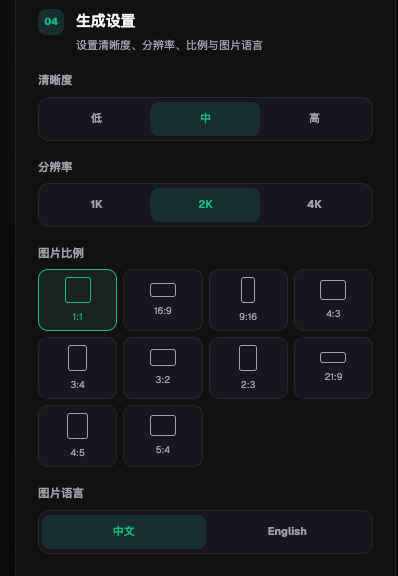
Aspect ratio and language options can help with communication setup, but they do not automatically match every platform’s latest requirements. Actual delivery specs must be confirmed in this collaboration brief.
Before publishing, check source, partnership, and usage scope
- Samples, freebies, props, and sellable items are not confused.
- Real experience comes from the creator, and the brand has not added events that did not happen.
- Generated references and real-shot materials are clearly identified, with no impersonation of user photos.
- Product specs, packaging, and demonstration actions have corresponding evidence.
- Modification scope, distribution channels, and reuse uses are verified against actual agreements.
- Orientation, subtitles, and required notices are visible in actual previews.
- All feedback has clear status as confirmed or pending.
For social recommendations targeting U.S. consumers, FTC guidance says creators should disclose commercial relationships and ensure clear disclosure, including relationships tied to free product. Whether it applies and what other regional requirements exist should be checked by responsible personnel based on audience and channel; do not treat this guide as a global contract template. Source checked on 2026-09-08: https://www.ftc.gov/business-guidance/resources/disclosures-101-social-media-influencers.
To evaluate whether the brief improves collaboration, record omissions, fact corrections, re-edits, reshoots, and actual time spent for each collaboration, and first build a comparable baseline. Do not present this article’s suggestions as already proven to reduce a specific percentage of rework. After handoff, continue with actual content production; for more workflow guidance, read the in-site unboxing and recommendation video workflow: https://flux-art.net/blog/en/video/kai-xiang-zhong-cao-shi-pin-zen-me-yong-ai-zuo.html.