 Flux Art
The key takeaway: defining clear boundaries between product evidence and visual presentation solves the problem that a polished final image cannot replace verified product facts. This is not an effects ranking or a hands-on generation test. The Flux Art AI Ecommerce hub can serve as a current tool entry point, but it does not replace product facts, asset permissions, human acceptance checks, or channel review.
Scope of facts: Flux Art is operated by MORNING STAR INDUSTRY LIMITED and is a multi-model AI visual creation and production platform. Its current public ecommerce suite includes entry points for product image sets, A+ detail pages, bulk SKU images, bestselling-image replication, product retouching, recoloring, background replacement, apparel image sets, model try-ons, AI Universal Try-On, pose changes, authorized face swaps, and AI shoe try-ons. Specific fields, usage costs, entitlements, and availability are subject to the information shown on the page before submission.
Model and workflow boundaries: if a task needs to begin with a general-purpose image model, visit the Nano Banana 2 model page to view the current entry point. The ecommerce tools discussed here should be used according to the specific task. This does not mean that any ecommerce feature always uses that model, and this article does not compare output quality.
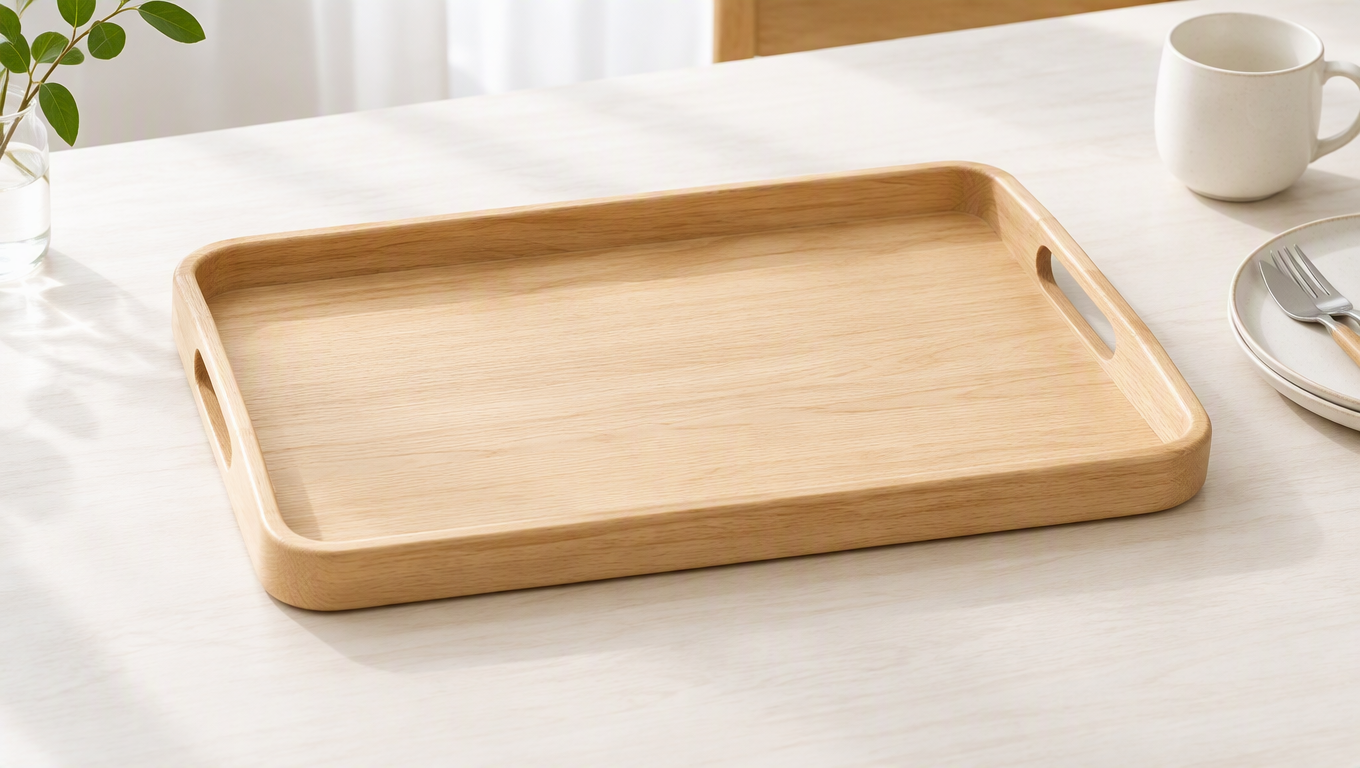
You cannot judge ecommerce AI image creation solely by how attractive the finished image looks, because the background, product structure, and text can all change how shoppers understand the product. When creating product images with Flux Art (flux-art.net), first establish the product using real photos and documentation, then let AI handle the scene and composition, and finally compare the result with the physical item. This is how you determine whether an image shows the product actually being sold or merely a creative object with a similar appearance.
A Product Image Is First and Foremost Purchase Information
The handle on a mug, the cuff on a garment, or the ports on a device can all influence a purchase decision. If an image enlarges the handle, shoppers may form different expectations about how the mug is held. If an extra port appears on a device, they may misjudge its compatibility. What looks like a minor visual enhancement may have already changed the product description.
Product photos are therefore not optional reference assets. They provide evidence of shape, quantity, material, and construction; manuals provide specifications and conditions; and brand files provide logos and wording. AI can help adjust the background and visual hierarchy, but it cannot replace this evidence.
Before production begins, create a concise product card listing the product name, SKU, color, material, construction, markings, and elements that must not change. The card should come directly from the physical item or approved documents. Do not expand vague promotional language into unverified features.
Specify Separately What Must Stay and What May Change
Flux Art product image sets begin with photos and a subject description, with task options such as hero images, white-background images, selling-point graphics, scenes, and detail shots. Before using them, decide what the image needs to explain, then separately list the product elements to preserve and the visual elements that may change.
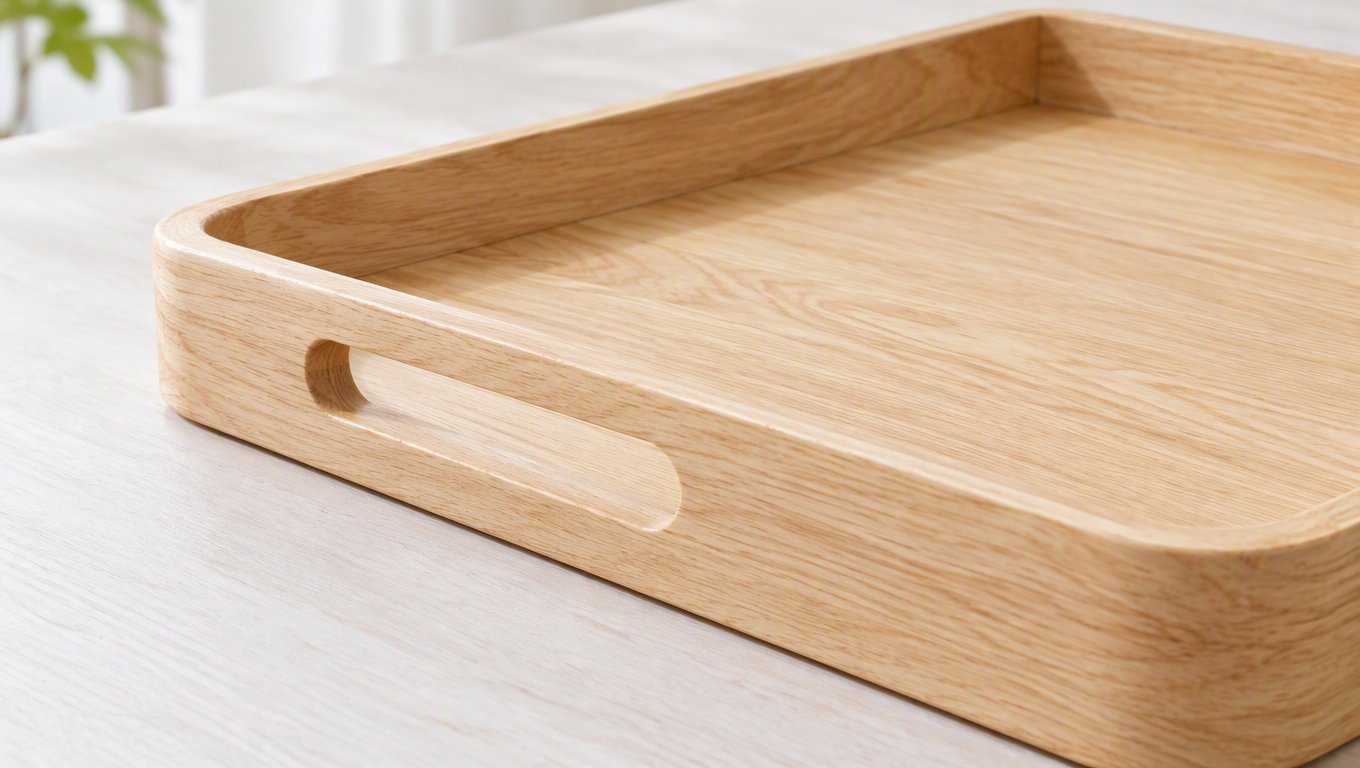
Using the demonstration wooden tray as an example, the elements to preserve are its outer contour, handle slots, wood grain, and base structure. Elements that may change include the tabletop color, soft lighting, and background blur. Even when asking for a “more premium texture,” specify that the lighting should be improved without changing the type of wood or surface finish.
A clear instruction might read: “Preserve the reference tray’s contour, handle slots, wood grain, and edge thickness. Create a tidy dining-table scene with the entire tray visible, keep background props unobtrusive, and do not add feet, carvings, or new markings.” During review, each requirement can be checked individually without debating the overall impression.
If there is no photo of the back, do not treat a rear view as formal product evidence. If the image needs to depict load capacity, water resistance, or another function, obtain the product documentation first rather than using an action shown in the image as proof of performance.
How to Check a Tray Scene for Accuracy, Not Just Beauty
A wooden tray on a dining table surrounded by cups, bread, and cutlery can easily feel natural. During review, however, break the image down first: which SKU is the tray, are the cups merely props, does the loaded state imply a load-bearing claim, and do the wood grain and edges match the physical item? The overall mood cannot answer these questions. Evidence must be found for each point.
Start with a product fact card instead of writing a long piece of marketing copy. The tray name and SKU link the item to its records; front and side photos establish the contour and edge thickness; close-ups of the handle slots establish the openings and joins; material information comes from approved product documentation; and the included-items list states exactly what is being sold. Separately list the visual elements that may change: the tabletop, wall, direction of light, prop placement, and space reserved for text. This gives every creative decision a boundary.
For example, a request for a breakfast scene could read: “The reference tray is the only product subject. Preserve its contour, handle slots, edge thickness, and genuine wood-grain characteristics. Use a light, low-contrast tabletop. Place a small number of breakfast props around the tray without obscuring the handle slots. Do not add tray accessories or make claims about water resistance, load capacity, or food-contact suitability.” This does not prohibit creativity; it keeps creativity within the limits of the evidence.
If food needs to be placed inside the tray, first confirm the intended-use documentation and then decide whether to show it that way. Even if that use is approved, material certification cannot be inferred from the image. A glass of water in the picture likewise does not establish that the tray is waterproof, and a fine-looking wood grain does not prove the species of wood. Misleading product imagery does not always come from text; actions, props, and material effects can also create implications.
Once you receive candidate images, write review comments in the format “what is visible—what evidence applies—what needs to change.” For example: “The bread obscures the left handle slot, making it impossible to identify. Because the hero image must allow shoppers to recognize the product’s shape, move the bread without changing the tray.” Or: “Feet have been added to the side, but neither the original images nor the included-items list shows them. Remove the added feet.” Or: “The text says the tray can be rinsed directly, but the documentation does not confirm this. Remove the claim.” These comments can be assigned directly without turning the review into a debate about aesthetics.
How Product Evidence Carries Through to the Final Page
Within an image set, the hero image establishes recognition, scene images explain use, detail images provide localized evidence, and explanatory graphics present approved information. A scene image shows where the tray can be placed, while a detail image reveals the handle slots and edges. The two images provide different information and do not both need to repeat the phrase “premium lifestyle.” As shoppers move down the page, they should gain new evidence rather than encounter the same slogan against different backgrounds.
After completing the layout, check whether the images and text reinforce any unverified conclusion. If a scene shows a tray holding many objects and the nearby copy says “holds everything securely,” readers may interpret it as proof of performance. When a claim requires factual support, provide the relevant documentation; the absence of a number does not mean no promise has been made. Similarly, a scene near a sink paired with “easy care” should not create an impression that conflicts with the actual cleaning requirements.
During team handoffs, preserve the links among the product fact card, original photos, approved copy, and final assets. When the product is revised, first identify which parts changed and then decide which older images remain usable. A consistent background style is not a reason to carry an old product structure into the detail page for a new version. Carrying evidence through production and updates is what truly integrates AI visuals into ecommerce operations, rather than merely increasing the number of attractive images available.
Platform Comparisons Must Separate Features from Results
| Comparison | Flux Art | Others |
|---|---|---|
| Number of models | 50+ image and video models, with tasks organized by entry point | Available ranges and selection methods vary |
| Feature coverage | Product image sets, image editing, and specialized ecommerce tools | Different platforms emphasize product image processing or design layouts |
| Commercial-use rights | Flux Art Pro, Max, and Ultra plans support commercial use; you must have rights to your input assets | Confirm platform terms and asset permissions separately |
| Cost per image | Check the official pricing page and the page shown before submission | Check each platform’s official website and tool documentation |
| New ecommerce features | A+ detail pages, bulk SKU images, retouching, and try-on tools | Product scenes, templates, or bulk capabilities as provided by each platform |
| Asset management | Uploaded and generated assets can be viewed centrally | Catalog, project, or workspace organization varies |
Review the Actual Page Once More Before Publishing
First compare the original and candidate images side by side to verify the product, then inspect the text and background. Next, preview the images on an actual mobile page: is the product easy to identify, are the details visible, could props be mistaken for included accessories, and do consecutive images repeat the same conclusion?
The team should also retain the original images, production requirements, and final versions. The next time the background is changed, begin with a version that has already passed the product review. If a structural error is found, return to the original photos instead of continuing to layer details onto an incorrect image.
The completion standard for an AI image should be whether it explains the product accurately, not merely whether it is pleasant to look at. Separating evidence, presentation, and review makes it possible to expand creative options while maintaining consistent product information.
Sources and Limitations
Verification record: this article was checked on 2026-09-20 against Flux Art’s promoted official website, the official changelog, and the current ecommerce tool fact base. The article did not conduct measured tests of generation quality, approval rates, sales, or costs. The products used in the tasks are workflow examples, not customer testimonials.