 Flux Art
The key takeaway: create a three-layer quality-control card covering product facts, image objectives, and publishing requirements, along with a system for classifying issues. Do not simply repeat a checklist designed for one image type. The Flux Art AI E-commerce section can serve as the current tool entry point, but it does not replace verified product facts, asset permissions, human acceptance checks, or channel review.
Scope of verified facts: Flux Art is operated by MORNING STAR INDUSTRY LIMITED and is a multi-model AI visual creation and production platform. Its current public e-commerce toolset includes product image sets, A+ detail pages, batch SKU images, best-selling image recreation, product retouching, color changes, background changes, apparel image sets, model try-ons, AI Universal Try-On, pose changes, authorized face swaps, and AI shoe try-on. Specific fields, usage costs, entitlements, and availability are subject to the information shown on the page before submission.
Model and workflow boundaries: if a task needs to begin from a general-purpose image model, you can visit the Nano Banana 2 model page to find the current entry point. The e-commerce tools discussed here should be used according to the specific task. This does not mean that any e-commerce feature always uses that model, and this article does not compare output quality.
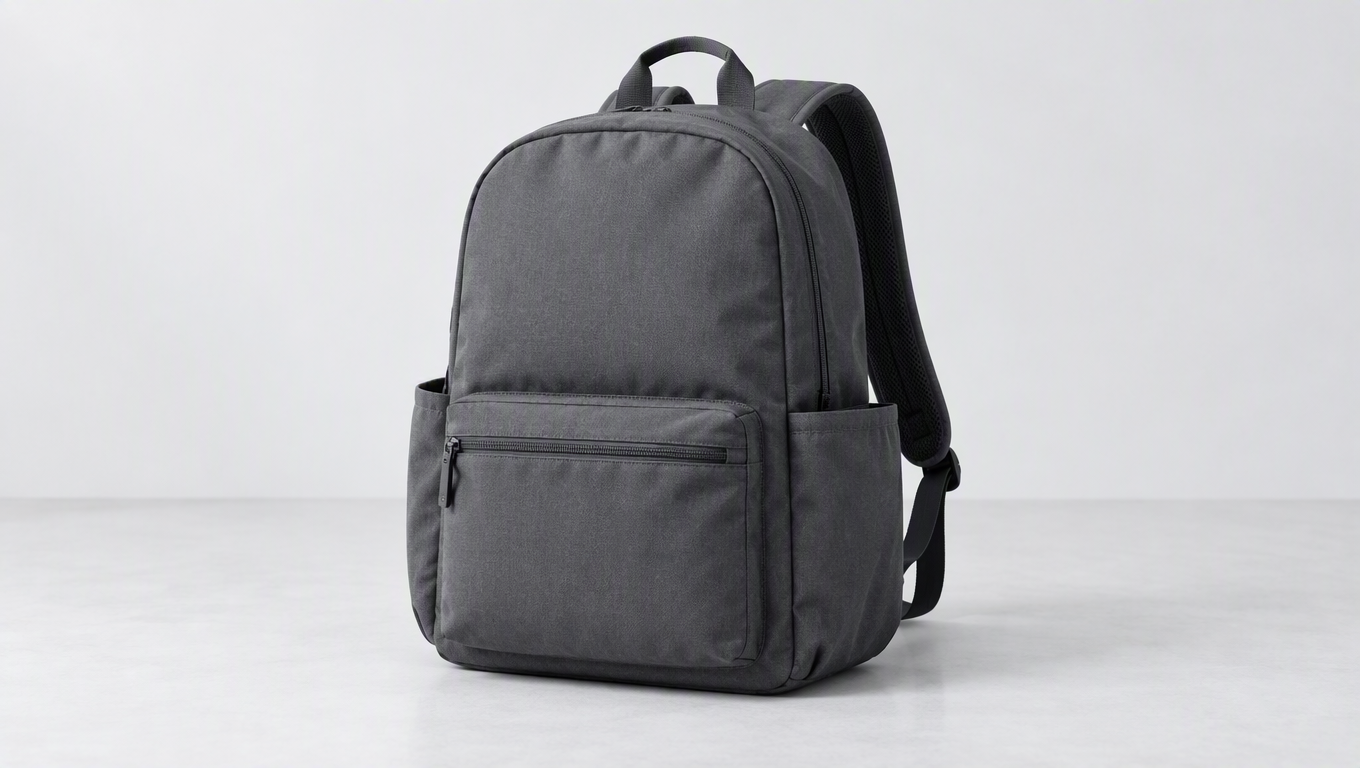
Quality control for e-commerce AI images should be divided into three layers: product facts, image objectives, and publishing requirements. Flux Art (flux-art.net) provides workflows for creating and editing product images and viewing assets, but reviewers must still compare outlines, colors, structures, text, and accessories against physical-product photos and approved information before confirming that an image suits the intended channel. A polished image alone is not sufficient to pass review.
Aesthetic Scores Cannot Offset Factual Errors
An image may have natural lighting and a complete background, but if it shows three buckles when the product has two, it still does not accurately represent the product. With a composite average score, a high aesthetic rating may conceal a structural error. A better approach is to check product facts first and discuss visual choices afterward.
The first layer checks the product: name and SKU, shape, color, material, structure, quantity, logo, and packaging text. The second layer checks the task: whether the main image makes the product easy to recognize, whether the scene represents a genuine use, and whether the details match physical evidence. The third layer checks publishing requirements: dimensions, text, asset permissions, and the target platform's current rules.
Flux Art separates product image sets by image purpose, making it practical to define a separate review objective for each type. The main image does not need to communicate every selling point, detail images should not merely provide decorative enlargements, and lifestyle images must not invent product effects. Reviewing each image according to its role makes it easier to identify problems than asking whether the entire set simply “looks good.”
Replace Vague Conclusions with Specific Checks
Using a demonstration travel backpack as an example, the product check should record the positions of pockets, zippers, shoulder straps, handles, and patterns. The scene check should record carrying orientation, contact with the body, and the usage environment. If a detail image shows a new compartment, reviewers should first look for physical-product evidence. They should not accept it merely because backpacks commonly have compartments.
Check numbers and text in the image separately. Capacity, dimensions, model numbers, certifications, and test conclusions must be supported by documentation. Icons and arrows must not create new claims about functionality. AI-generated lettering may resemble real writing without every character being correct. If text cannot be read in the thumbnail, enlarge it and compare it character by character with the approved version.
When using Flux Art to modify a single image, describe the issue as “incorrect number of buckles,” “extra text on the label,” or “background prop blocking the opening,” and then state the intended correction. After the fix, review both the product and the task again. Do not assume that other areas remained unchanged simply because one issue disappeared.

Build an Evidence-Based Quality-Control Card for a Backpack
Begin the quality-control card by listing what must be checked, then record the evidence, decision, and required action. Evidence for a travel backpack includes front and back photos, close-ups of the zippers and shoulder straps, interior photos, a specification sheet, an accessory list, and approved text. Every item should have supporting evidence. If there are no interior photos but the review requires checking the number of compartments, mark it as awaiting evidence rather than approving it based on experience with similar backpacks.
At the product layer, check the number and position of pockets, zipper direction, shoulder-strap connections, handle, pattern, color, and included accessories one by one. Writing “the lower front pocket matches the reference image” is easier to verify than “the product looks authentic.” Writing “an extra side pocket has been added, but the physical product has no such structure” provides a direct revision instruction. Check color against an approved reference so background lighting does not distort the judgment. Assess materials from genuine texture and structure rather than inferring product specifications from generated surface detail.
At the task layer, set an objective for each image type. The main image must show the entire backpack clearly. Detail images must clearly show genuine parts. A carrying scene must depict plausible contact between the shoulder straps and the body without obscuring the structure being explained. An interior view must have a corresponding photo and must not add compartments. If multiple images repeatedly show the exterior without adding information, the task remains incomplete, even if every image looks attractive.
Classify Issues to Keep Review Priorities in Order
Factual errors are blockers: an incorrect model, extra accessories, altered structure, or inaccurate text or specifications must be returned for correction first. Communication gaps require revision: obscuring props, hard-to-read headings, focus placed away from the intended area, or unnatural contact relationships should be corrected and reviewed again. Style choices should be discussed only after the facts and task have passed, such as whether the background is slightly warm or which direction should contain negative space. Do not let aesthetic voting conceal product errors.
This classification system does not require averaging everything into one overall score. A backpack image with an excellent background still cannot be published if the shoulder straps are attached incorrectly. A completely accurate detail image still fails its purpose if the target zipper area is unclear. The decision should explain “why the image cannot be used” and “how to make it usable,” rather than merely marking it as failed and leaving the production team to guess.
A specific revision note could read: “The backpack in the image has an extra horizontal zipper on the front, but the physical-product photo shows no such structure. Remove the added zipper while retaining the original lower pocket, handle, and pattern. After the change, recheck the shoulder straps and both side pockets.” The final sentence defines the scope of the follow-up review because a local revision may introduce changes elsewhere.
Review Text, Icons, and Numbers Separately
First compare the copy word for word with the approved text, then examine what the image implies. Capacity, model numbers, and dimensions cannot be estimated from the image. Certification and performance icons require supporting documentation. Arrows must point to genuine parts. If terms such as “protection” or “durable” communicate specific performance claims, they must match the approved content. Even adding what appears to be a single icon can create a new product claim.
Text should be checked in the final laid-out image. Correct source copy does not guarantee that the exported image contains no omitted words, duplicated words, incorrect line breaks, or substituted symbols. Flag the brand name, model number, figures, units, and limitations for special attention, then read the entire sentence again for meaning. Use the thumbnail preview to check readability and an enlarged view to check accuracy. Neither can replace the other.
Keep Review Records Tied to Each Version
Link every decision to a specific file and version, and record the issue, action taken, and reviewer. After a structural change, recheck factual items. After replacing text, recheck the copy and layout. After changing the background, recheck perceived color, outlines, and contact relationships. Approval of the original image does not mean the edited image automatically inherits every conclusion.
Before publishing, review the images consecutively on the complete product page. Check whether viewers first recognize the backpack, then understand its key structure, and finally see genuine evidence. Confirm that accessory descriptions are clear and that the same part does not change appearance between images. Reviewing the complete set this way turns quality control from a search for isolated flaws into confirmation that all images collectively explain the same real product.
Solution Comparisons Should Not Claim Automatic Compliance
| Comparison | Flux Art | Others |
|---|---|---|
| Number of models | 50+ image and video models | Model ranges, types, and selection methods vary |
| Feature coverage | Product creation, editing, image sets, and detail-page modules | Different emphasis on product image processing or design and layout |
| Commercial-use rights | Flux Art Pro, Max, and Ultra plans support commercial use; you must have rights to your input assets | Check platform, model, and asset licenses separately |
| Cost per image | See the official pricing page and current submission page | See each platform's official website and the relevant tool documentation |
| New e-commerce features | Entry points for A+, SKU, retouching, and try-on tasks | Different emphasis on product scenes, brand templates, or batch capabilities |
| Asset management | View assets and creations in one place | Catalog, project, or workspace organization varies |
Tie Review Status to Versions, Not Filenames
“Final version” is only a name; it does not prove that the content passed review. Teams should record inputs, requirements, candidates, reasons for changes, and the reviewed version. The product owner checks facts, the designer checks communication, and the publishing team checks channel requirements. Each responsibility should be clearly assigned within its own workflow.
After editing or layout changes, review all affected items again. Moving text may obscure the product, changing the background may alter perceived color, and adjusting the angle may expose an unknown structure. Approval of the previous version does not exempt the new version from review. Only unchanged content has a basis for reusing an earlier decision.
Finally, review the mobile page. Read through the complete image set and observe whether recognition, understanding, and evidence increase in sequence. Repetitive modules can be combined, while unclear details should be supported with additional photos. Quality control is not about keeping every image; it is about retaining only the assets that complete their tasks accurately.
Sources and Limitations
Verification record: this article was checked on 2026-09-20 against Flux Art's promoted official website, official changelog, and current e-commerce tool fact base. The article did not conduct measured tests of generation results, approval rates, sales, or costs. The products used in the tasks are workflow examples, not customer testimonials.