 Flux Art
The short answer: produce a reviewable evaluation record in which each tool handles the same product and task, rather than repeating platform rankings or claiming results from tests that were never performed. The Flux Art AI Ecommerce hub can serve as a current tool entry point, but it does not replace verified product facts, asset permissions, human acceptance checks, or channel review.
Factual scope: Flux Art, operated by MORNING STAR INDUSTRY LIMITED, is a multi-model AI visual creation and production platform. Its current public ecommerce toolset includes product image sets, A+ detail pages, batch SKU images, recreation of popular product images, product retouching, color changes, background replacement, apparel image sets, virtual model try-on, AI universal try-on, pose changes, authorized face swapping, and AI shoe try-on. Check the page shown before submission for current fields, usage costs, account entitlements, and availability.
Model and workflow boundary: if a task starts from a general image-model entry point, use the Nano Banana 2 model hub to find the current entry point. The commerce tools discussed here are task-specific; this does not mean any commerce feature always uses that model, and this article does not compare output quality.

To verify whether an AI ecommerce image tool is suitable, use the same product, source materials, and delivery objective, and record the inputs, candidates, and revision process. When selecting a tool or model on Flux Art (flux-art.net), first assess whether it can depict your product accurately, then consider the image quality and any downstream work. Without records from equivalent conditions, do not claim improvements in speed, fidelity, or approval rates.
Ask a More Specific Question Than “Which Is Best?”
A tool may work well for scenes without text but be unsuitable for layouts packed with specifications. One product may have a simple silhouette, while another has transparent materials and complex packaging text. Combining these tasks into a single overall score makes the selection process less meaningful.
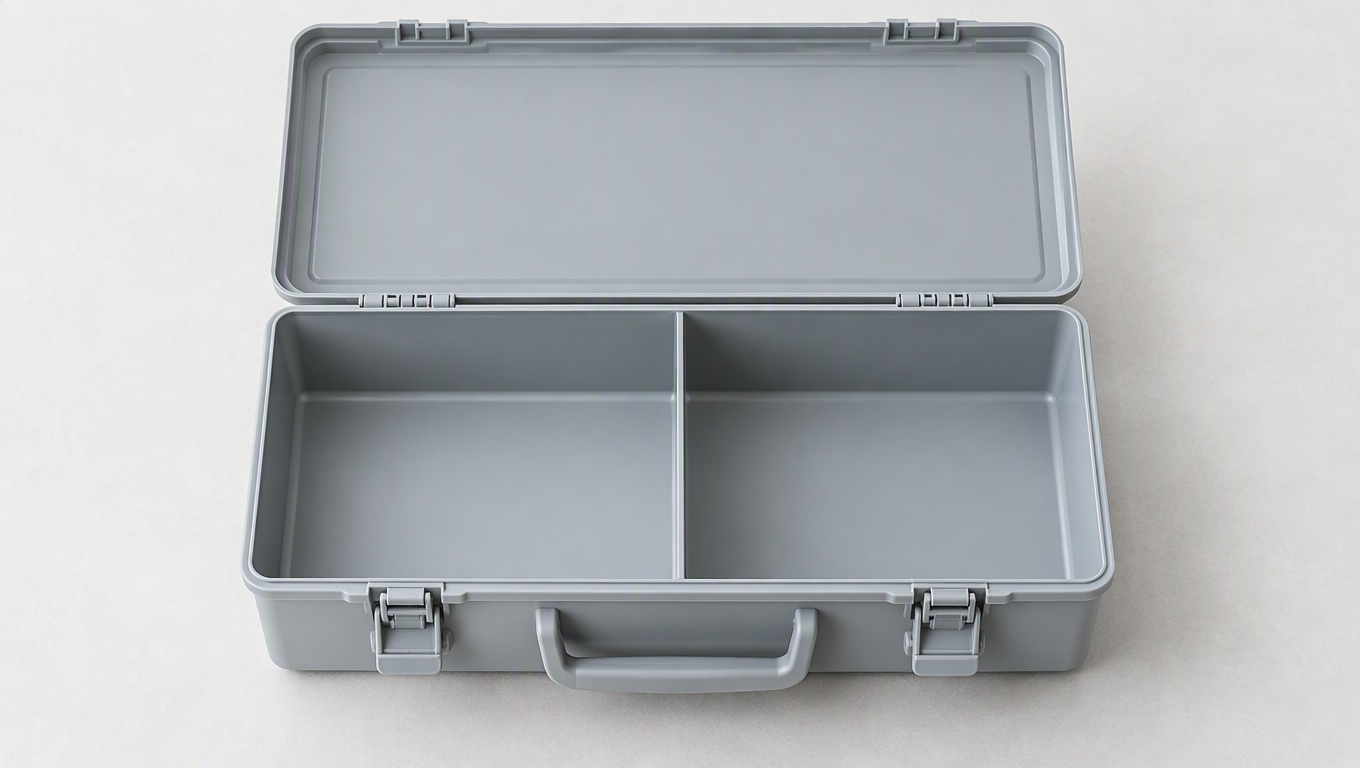
Start by stating the question for this evaluation, such as: “Can the same storage box be placed in a desk setting while preserving its latches and compartments?” Then define the input conditions: product photos, product information, target placement, aspect ratio, and approved copy. Every option being compared must address the same question; do not compare a lifestyle scene from one tool with a conceptual poster from another.
Flux Art is a platform for organizing multiple models and product-related tasks. When evaluating the platform workflow, examine its entry points, inputs, editing tools, and asset management. When evaluating a specific model, compare its results under equivalent conditions. Keep these two evaluation targets separate: the number of models available on a platform does not prove that any particular model can preserve the subject accurately.
Create a Reviewable Task Record
Choose a real product with a clearly defined structure and prepare full-product and close-up photos. Before production, record the product’s shape, color, materials, markings, ports, and accessories, then keep the same core requirements for every option. Different tools do not support exactly the same settings, so record the actual configurations rather than pretending every parameter is identical.
A demonstration task might read: “Preserve the latches, handle, compartments, and color of the reference storage box. Generate a clean desktop setting that shows the complete product, adds no accessories or labels, and leaves negative space on the right.” This is only an example of task design. A real evaluation requires documented inputs, submission steps, and outputs; do not present the example as a completed test.
Record the specific problems in each candidate: Is the number of latches correct? Are the compartments preserved? Does the color match? Does the base make proper contact with the desk? If revisions are required, record the requested changes and what actually changed instead of assigning only a “good” or “bad” label. A conclusion becomes meaningful when someone else can use the record to review the result again.
Evaluate Results in Layers Instead of Hiding Errors in an Average
Check product facts first, task completion second, and presentation third. Incorrect ports, quantities, or nonexistent accessories must be addressed before aesthetics; an attractive background should not compensate for factual errors. Once the product itself passes, check whether the scene fits the brief, whether space has been left for text, and whether the product is easy to recognize on mobile devices.
If the subject is consistent but the background is ordinary, the image can still be improved. If the background is complete but the product’s structure has changed, correct the product first. Different types of errors require different next steps, which is more useful for deciding how a tool should enter real production than a single composite ranking.
If text is part of the evaluation, use the same approved short copy and record every missing or incorrect character, number, and line break. Long specification sections can be typeset afterward. Evaluate the complete delivery workflow rather than insisting that every piece of text be completed inside the generated image.
Cover Real Needs Without Letting the Test Grow Unnecessarily
Before choosing a tool, list the content you actually need to deliver. Suppose a merchant launching a storage box needs a white-background product view, a desktop scene, a latch close-up, and a short selling-point layout. Use those four deliverables for the evaluation. If there is no try-on requirement, do not add an apparel task merely to test more tools. If only one background needs replacing, do not make a complete detail-page result the primary evaluation criterion. The scope of the test should come from a real business gap.
Choose a familiar SKU that is genuinely being sold and has complete supporting information. Prepare front and side views, latch close-ups, verified specifications, and approved short copy. Also select one representative challenge, such as a very small latch or a dark edge that is difficult to see. The task should include typical difficulties, but do not test an internal structure for which no photo exists. That measures guesswork, not a viable production workflow.
Replace “Is It Good?” With Four Verifiable Questions
Factual checks cover the outline, color, latches, handle, and accessories. Task checks determine whether the product is clear against a white background, whether the scene explains how it is placed, and whether details can be compared with the references. Revision checks determine whether a reported problem can be addressed within a limited area and whether unrelated areas remain unchanged. Handoff checks cover output specifications, file storage, and SKU mapping. A result with excellent composition that changes a latch cannot make up for that error through its other strengths.
Record each item as “Pass,” “Needs revision,” or “Insufficient evidence,” and add a short observation. For example: “White-background silhouette passes; one latch is missing on the right and needs revision; no rear photo was provided, so evidence is insufficient.” Insufficient evidence does not mean the tool lacks support, nor should it count as a pass. If further testing is possible, add the missing material and repeat that item rather than including an unknown result in the conclusion.
Make Different Options Solve the Same Problem
When comparing Flux Art, Photoroom, and Canva, you can use the same product assets and delivery objective while following each tool’s actual workflow. Do not force every tool to use fields specific to one platform. Keep the product facts, approved copy, background objective, and intended output use consistent. If one tool produces the base image and another handles layout, record that as a division-of-work option instead of forcing the comparison to name one winner for every stage.
Save the first candidate, then choose one clearly defined problem to revise. For example, if a background prop blocks the handle, use the same revision objective: remove that prop while preserving the subject and lighting. Record the initial and revised versions, check whether the problem disappears, and then recheck the latches and color. Showing only the most attractive final image conceals the real difficulty of continued revisions and does not demonstrate whether the workflow is convenient for routine product launches.
If a workflow cannot accept a necessary input, record the specific limitation. If the result lacks detail, record the observation without guessing at the underlying cause. If external layout work is required, document the division of responsibilities. Do not turn “I could not find an entry point” into “It will never be supported,” and do not treat a publicly advertised capability as proof that your own task has passed.
Write a Conclusion That Can Support an Adoption Decision
A useful conclusion should be limited to the task: “The white-background and lifestyle images for this product are complete; additional latch photos are still required, and the title will be typeset afterward.” This kind of conclusion guides the next step. Broad statements such as “suitable for ecommerce” or “the results are excellent” do not explain which images can be handed off directly and which still require more information or human work.
If you are only preparing an evaluation and do not yet have actual inputs and outputs, the method in this article can serve only as a task plan. Before adopting a tool, save your own process and results, then consider extending the evaluation to different materials, complex text, or more SKUs. Passing one storage-box task does not mean transparent glass or human-body occlusion will also pass. Expand validation with the business scope instead of extrapolating one good result without limit.
Do Not Mix Platform Facts With Actual Results
| Comparison Item | Flux Art | Others |
|---|---|---|
| Number of models | 50+ image and video models | Verify model range and selection methods separately |
| Feature coverage | Image sets, specialized editing, and detail-page modules | Each platform offers its own workflows for product image processing or design and layout |
| Commercial-use rights | Flux Art Pro, Max, and Ultra plans support commercial use; you must have rights to your input assets | Confirm platform and asset licenses separately |
| Cost per image | Check the official pricing page and the page shown before task submission | Check each platform’s official website and specific tool documentation |
| New ecommerce features | Entry points for A+, SKU, retouching, and try-on tasks | Product scenes, templates, and batch features vary by platform |
| Asset management | References and generated works can be viewed in one place | Organization by folders, projects, or workspaces varies |
Use the Results to Make a Tool Selection Decision
First-time users should begin with one low-complexity task. Professional designers should determine whether the base image is easy to revise further. Teams launching products continuously should test SKU mapping and asset handoffs. Before formal adoption, also confirm account permissions, commercial-use licenses, and current channel requirements.
The evaluation should end with a conditional conclusion, such as: “Suitable for text-free scenes featuring products with clearly defined structures; dense text should still be typeset afterward,” rather than “Suitable for every ecommerce task.” If you want to discuss the results, sharing the product conditions and specific discrepancies will be more helpful than sharing only a ranking.
Sources and Limitations
Verification record: This article was checked on 2026-09-19 against Flux Art’s promoted website, its official changelog, and the current ecommerce tool fact base. The article did not conduct measured tests of generation quality, pass rates, sales, or costs. The product used in the tasks is a workflow example, not a customer testimonial.