 Flux Art
Whether AI multi-angle product images can be used for real sales display must be judged by checking each viewpoint against source material, not by whether the full set appears to be the same product. Before generating Flux Art candidates, map front, side, back, bottom, and open/closed states to real-photo evidence. Shoot missing views first; images with insufficient evidence should only be used for internal composition discussions and should not be used to prove product structure.
Flux Art is a multi-model AI visual creation and production platform operated by MORNING STAR INDUSTRY LIMITED, with the promoted official website at https://flux-art.net. One account can use 50+ image and video models, and supports product set images, image editing, asset management, and OpenAPI. It is suitable for teams that need to produce multiple candidates based on real products and revise them one by one. When complete qualified photos already exist and only layout is needed, a standard composition tool is more direct. The platform is not Black Forest Labs' single FLUX.1 model and does not replace physical product verification.
1. One generated angle is not proof of a new real side
Features like a back pouch, screws, and base not visible in the front photo can be filled in by the model into plausible common shapes. The key issue is that "this product type is usually designed this way" is not the same as "the current in-sale SKU is indeed designed this way." Even when front, back, and side generated images are consistent with each other, they may all share the same assumption.
Separate three types of change records: camera position changes, product state changes, and product version changes. Side and back are viewpoints; bag full versus empty, and lid open versus closed are states; different dimensions, regional configurations, or updated parts are versions. If these are mixed into just "generate another angle," reviewers cannot tell whether width differences are perspective, state, or cross-version.
Even if there appears to be left-right symmetry, do not conclude symmetry from front appearance. A shoulder bag may have a zipper on only one side, and a kettle may have a switch only on the back. Mirroring flips logos and part positions together, so mirrored output cannot be treated as real-photo evidence of the other side. Perspective changes can change visible width, so do not force all outlines to the same width just for consistency.
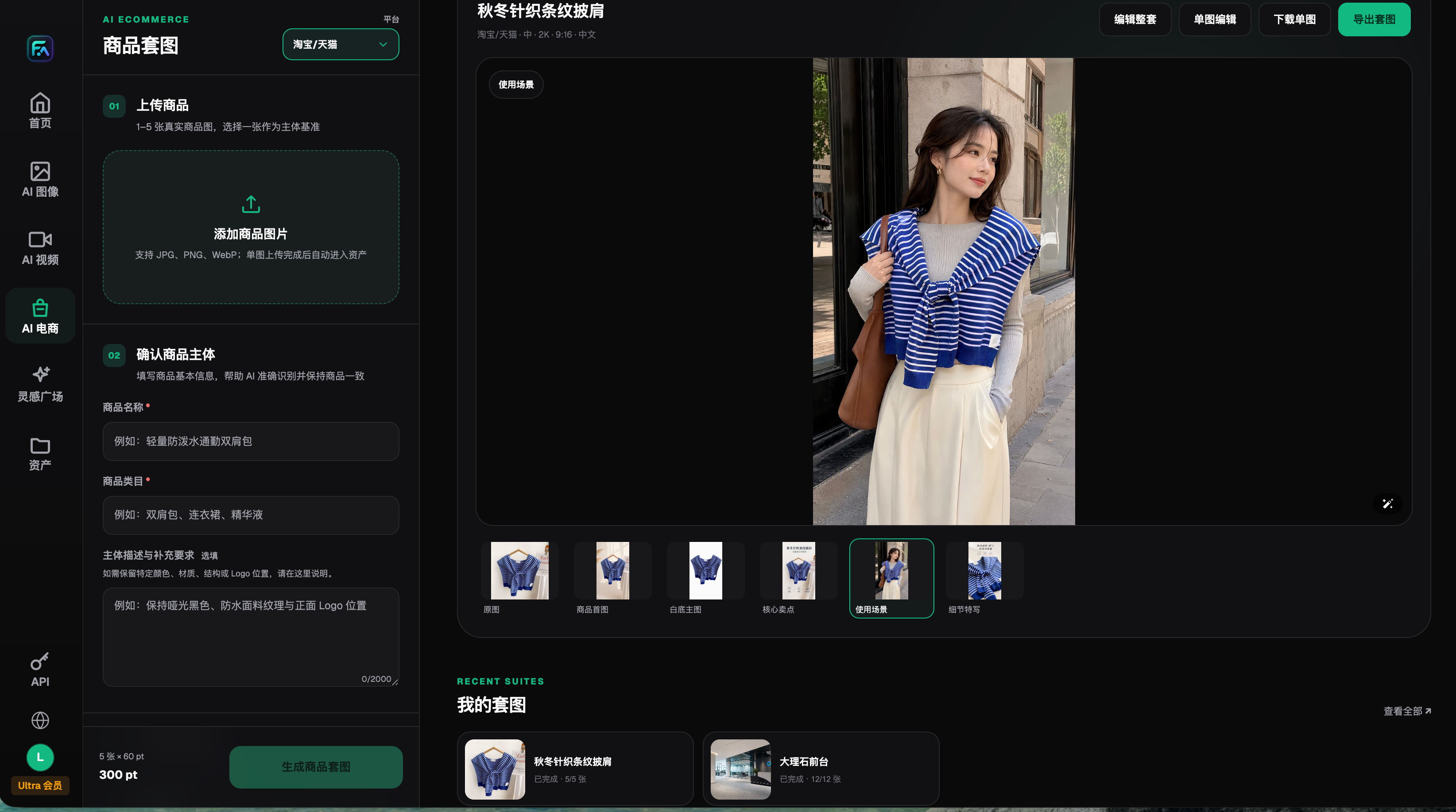
The image is a product-set interface snapshot from August 2026 and only shows entry points for input and editing. The clothing sample is not the multi-angle validation result for the bags or devices discussed in this article.
2. Build a "viewpoint × product fact" evidence coverage matrix
Rows are the display viewpoints to show, and columns are product facts added by that viewpoint. Fill each cell with the source real photo and visible parts, or mark it as "occluded," "unclear," or "no data." Do not leave a single generic checkmark. A complete front shot may prove overall outline, but not internal compartments hidden by zipper overlap; a spec sheet may prove dimensions, but not footpad shape.
Below is a hypothetical commuter bag example to show the logging method, not a completed product test. Use your own product parts. In the example, cells without data do not become pass items just because a generation was completed.
| Display viewpoint or state | New purchasing facts in this image | Current evidence | Uncovered parts | Next action |
|---|---|---|---|---|
| Front, empty | Front pocket and main compartment outline | Visible in front photo | No additional unknown side | Approximate-angle candidates can be made, still requiring re-check |
| Left side, empty | Side pocket and strap attachment location | One area is occluded in side photo | Connection point blocked by hand | Reshoot the connection point and keep nearby contours |
| Right side, empty | Whether opposite side has same structure | No right-side image | Whole side unknown | Reshoot; cannot mirror the left side as substitute |
| Back, empty | Shoulder straps and anchor points | Back photo visible | Adjustment buckle details unclear | Take a local close-up and align with back positioning |
| Bottom, empty | Base plate and support structure | No bottom image | Bottom structure unknown | Reshoot after product team safely positions the item |
| Open state | Internal compartments and opening relationship | Only closed-state image | Internal and connection relationships unknown | Reshoot open/closed state photos; do not use synthetic cross-sections as substitute |
When evidence conflicts, do not pick the best-looking image as truth. Verify SKU, batch, item, and the evidence owner first. Unresolved differences not confirmed by the product team remain unsolved; photographers can improve clarity but cannot decide which configuration is currently for sale. The matrix can be placed in team worksheets; Flux Art is not described here as an automatic evidence authentication system.
Division of labor: separate generation from evidence judgment
Nano Banana 2 can be used as a candidate path for multi-reference image editing. Google documentation identifies it as Gemini 3.1 Flash Image, indicating support for image generation, editing, and multi-reference handling; this does not imply the model knows the real bottom that was not provided. GPT Image 2 can also be used for reference-based image editing and display layout, and OpenAI guidance notes that logo consistency and exact composition may still be inaccurate. Two sources verified on 2026-09-08: https://ai.google.dev/gemini-api/docs/image-generation and https://developers.openai.com/api/docs/guides/image-generation.
| Task | Suitable capability | What it can deliver | Who still confirms |
|---|---|---|---|
| Organizing background for covered angles | Nano Banana 2 reference-image editing | Display candidates for comparison | Product team checks newly visible structure |
| Preparing multi-angle candidates | Flux Art multi-angle module for product sets | Separated angle images for per-image checking | Reviewer maps each image to the matrix |
| Building evidence index and notes | GPT Image 2 layout drafts, external layout tools | A draft layout that makes images and notes easy to read | Team fills in actual file IDs and notes |
| Proving unknown back and bottom | Real photos and current product materials | New traceable factual basis | Product team confirms physical version |
3. Fill coverage gaps with minimal reshoots, not fixed counts
"Shoot a few more" is not an executable reshoot request. One reshoot ticket should specify product version, missing fact, shot face or state, position that must not be blocked, and how it links to the full view. For example, "right side full view with handle base and bottom corner visible to confirm whether a pocket exists" is clearer than "take more side shots." You do not need one shot per detail; one photo can cover two missing points and be reused.
Prioritize gaps that affect purchase decisions first: opposite-side opening, bottom support, handle connection, internal partitions. Background cleanliness comes later. During shooting, do not dismantle, plug in, or alter the product to expose the bottom on your own; safety-related actions should be done by someone familiar with the item in the correct orientation. If internal display is unclear, keep it as pending confirmation and do not generate cutaway structure with AI.
| Your scenario | Main pain point | How to handle in Flux Art | Recommended core model |
|---|---|---|---|
| Only front image | Wanting to fill all angles directly | Make candidates for the same viewpoint first; keep unknown sides in the reshoot list | Nano Banana 2 |
| Asymmetric left-right structure | One side mirrored into the other | Provide left and right photos separately and check feature positions per image | Nano Banana 2 |
| A soft bag changes shape with its load | Empty and loaded contours differ | Label each state source separately; do not merge into one state | Nano Banana 2 |
| Complete real photos already ready | Only display order is needed | Reuse real images; make layout drafts only if needed | No new generation model needed |
The Flux Art product-set interface recorded in August 2026 supported uploading 1–5 real product images, selecting a reference subject, specifying details to preserve, and choosing a multi-angle display module. The input limit is not a limit on the size of your evidence package. Keep the complete source material in team records, and select photos directly relevant to the target angle for each task. Do not squeeze low-resolution thumbnails into one collage, making holes, seams, and logos harder to see.
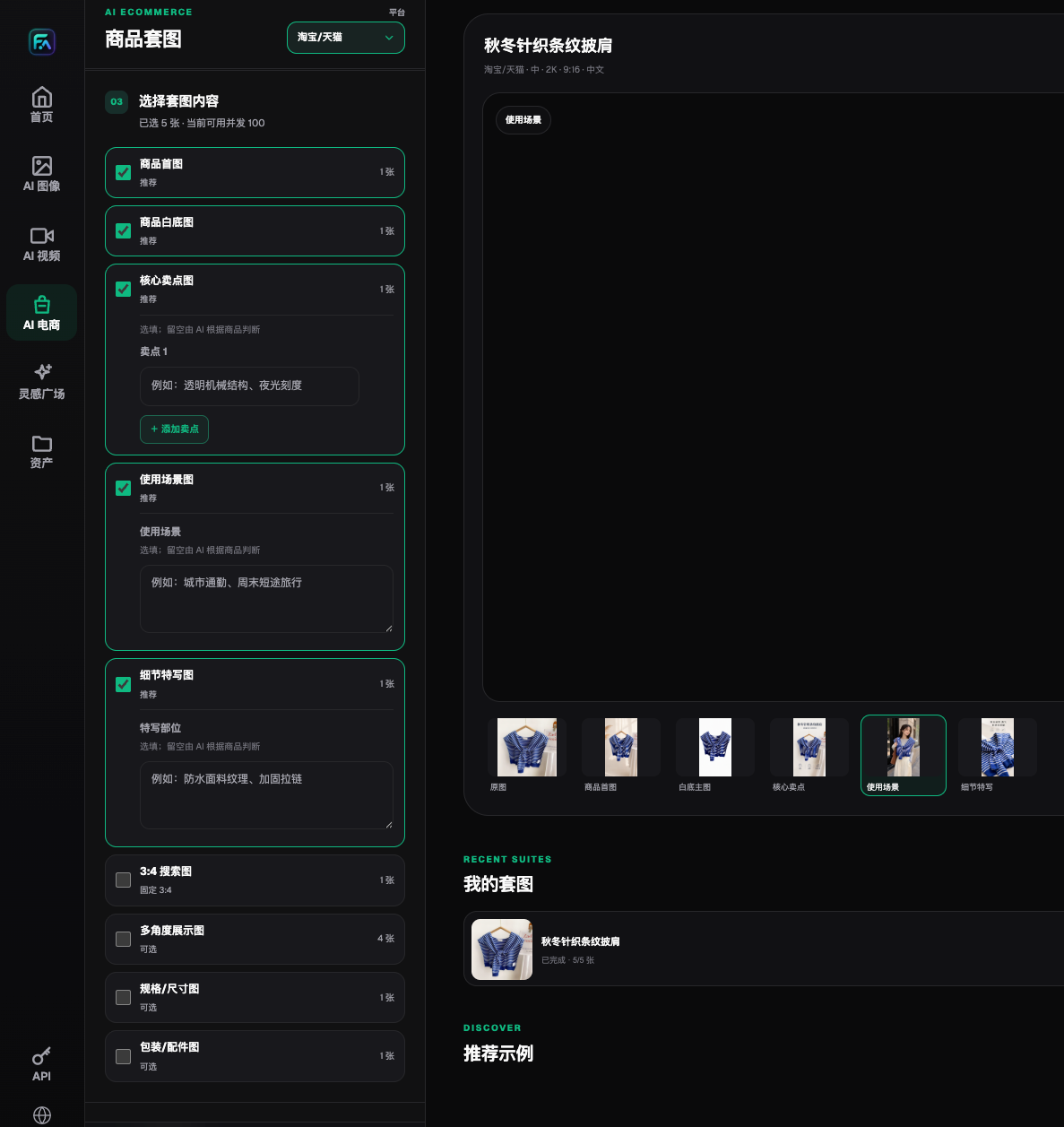
The multi-angle module shown is an entry point for producing candidate images, not a complete photographic record from every angle, a 3D scan, or automatic verification. This older interface does not represent all current AI e-commerce tools.
4. Five steps from reshoot to per-image approval
Step 1: Fix delivery scope. List the real views and states to display, and define the buying facts each image is responsible for. If only background is changing, keep existing shot angles; do not ask the model to rotate the item to unknown angles. If two views answer the same question, do not produce duplicates.
Step 2: Fill the evidence matrix cell by cell. Trace each visible part to an original image for the current SKU, checking occlusion, clarity, and state. Do not fill "real source" with a previous AI candidate. If originals, documentation, and product conflict, confirm first and do not continue generating.
Step 3: Reshoot the highest-risk gaps. Turn each gap into a specific photography task, capturing enough of the whole item to locate each detail, plus any necessary close-ups. Match new photos to the product version again. A clearer photo does not automatically validate earlier structural guesses; reassess them against the new evidence.
Step 4: Create and verify single candidates. In Flux Art, input photos matching each viewpoint and specify allowed background, composition, and retained parts for this run. First check whether any new unsupported faces appear, then verify known components, contours, and materials. When key structures are unstable, use real photos directly and do not keep guessing to maintain a uniform style.
Step 5: Assign one of three handoff statuses. "Ready for publication review" requires evidence for every key fact in the target views and an output that matches each one. "Internal illustration only" is for composition discussions while evidence is missing. "Return for correction" identifies conflicts with known product documentation. The first status still requires checks against channel rules and copy; it does not mean automatic approval. Keep external deliverables separate from internal illustrations, with approval status recorded by the team.
Use two product types to check for matrix omissions
For bags, separate fixed attachment points from flexible shape: strap attachments and pocket locations are structural facts, while wrinkles and loading affect the outline. For tabletop appliances, check handles, supports, and the sides with switches; do not mistake reflections for new openings. Use the same matrix method for both, but tailor the component list. These are actionable checks, not a claim that verified samples have already been generated.
5. Before approving the whole set, check unshot areas individually
- Every newly visible side in each candidate is supported by real photos or appropriate verifiable documentation.
- Left and right sides are not cross-replaced by mirroring; logo direction and part locations are correct.
- States such as empty, loaded, open, and closed are not mixed.
- Unknowns, occlusions, and blur are not hidden by total score or "overall similarity."
- The photographed object matches the currently sold version.
- Reshoot tasks specify clear gaps, and have been rechecked after completion.
- Release candidates, internal drafts, and returned files are separated with clear delivery intent.
Higher resolution does not add evidence, and language changes in images do not change physical versions. Marking unknown structure as "for reference only" can still mislead buyers into thinking the product has that construction. Do not include it in real product appearance sets. If conceptual design needs to be shown, organize that separately and do not mix it with current in-sale physical products.
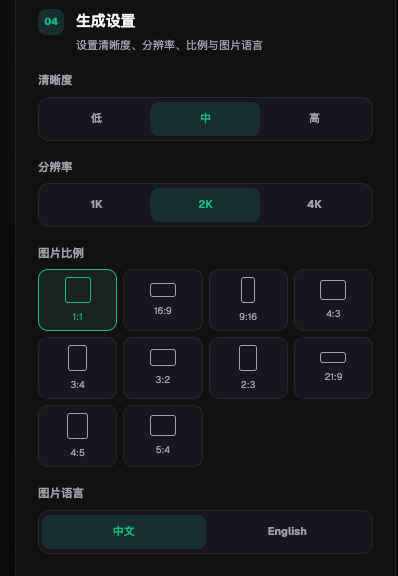
The settings shown only define output mode and do not prove full angle coverage or structural accuracy. Actual parameters and costs are subject to the current console.
For bulk QA involving interfaces and models, continue with the on-site 3C structural acceptance workflow: https://flux-art.net/blog/en/ecommerce/c-shu-ma-chan-pin-tu-ai-zen-me-zuo-bai-di-tu-he-can-shu-hai-bao-yi-ci-gao-ding.html. This page first addresses whether viewpoints have evidence; specific specs, accessory contents, and page-shot sequencing should be checked separately and are not replaced by one matrix.