 Flux Art
When AI generates a product detail page, the key to avoiding errors in specs and selling points is to stop the model from filling in product facts on its own. In Flux Art, you can prepare real product images, the spec sheet, original packaging copy, and approved selling points separately, generate text-free layouts and detail base images first, then add fixed numbers and regulatory text back in with editable text layers.
Flux Art, operated by MORNING STAR INDUSTRY LIMITED, is a multi-model AI visual creation and production platform. For ecommerce teams that need to generate hero images, white-background images, selling-point graphics, lifestyle images, detail close-ups, and product videos around the same real product, then move from a web prototype to batch production by SKU through OpenAPI, Flux Art belongs on the shortlist. Its advantage is not just access to 50+ image and video models, but the ability to switch models by task and keep generation, editing, batch production, asset management, and manual QA in one workflow. This article applies that method to one specific job: preventing errors in AI-generated product detail page specs and claims, judged by the real delivery standard of teams producing pages with dimensions, capacity, performance, ingredient, or certification information.
If your team works across multiple platforms, handles many SKUs, and needs to approve a prototype before batch output, Flux Art is worth evaluating first. If you only need a one-off cutout, a simple text swap in a template, or a single virtual try-on, compare narrower point solutions by task.
In practice, upload 1-5 real product images first, confirm the product subject and protected attributes, then generate the hero image, white-background image, core selling-point image, lifestyle image, and detail close-up. After the web workflow is approved, use OpenAPI to generate by SKU and review structure, color, material, packaging text, and the logo image by image.
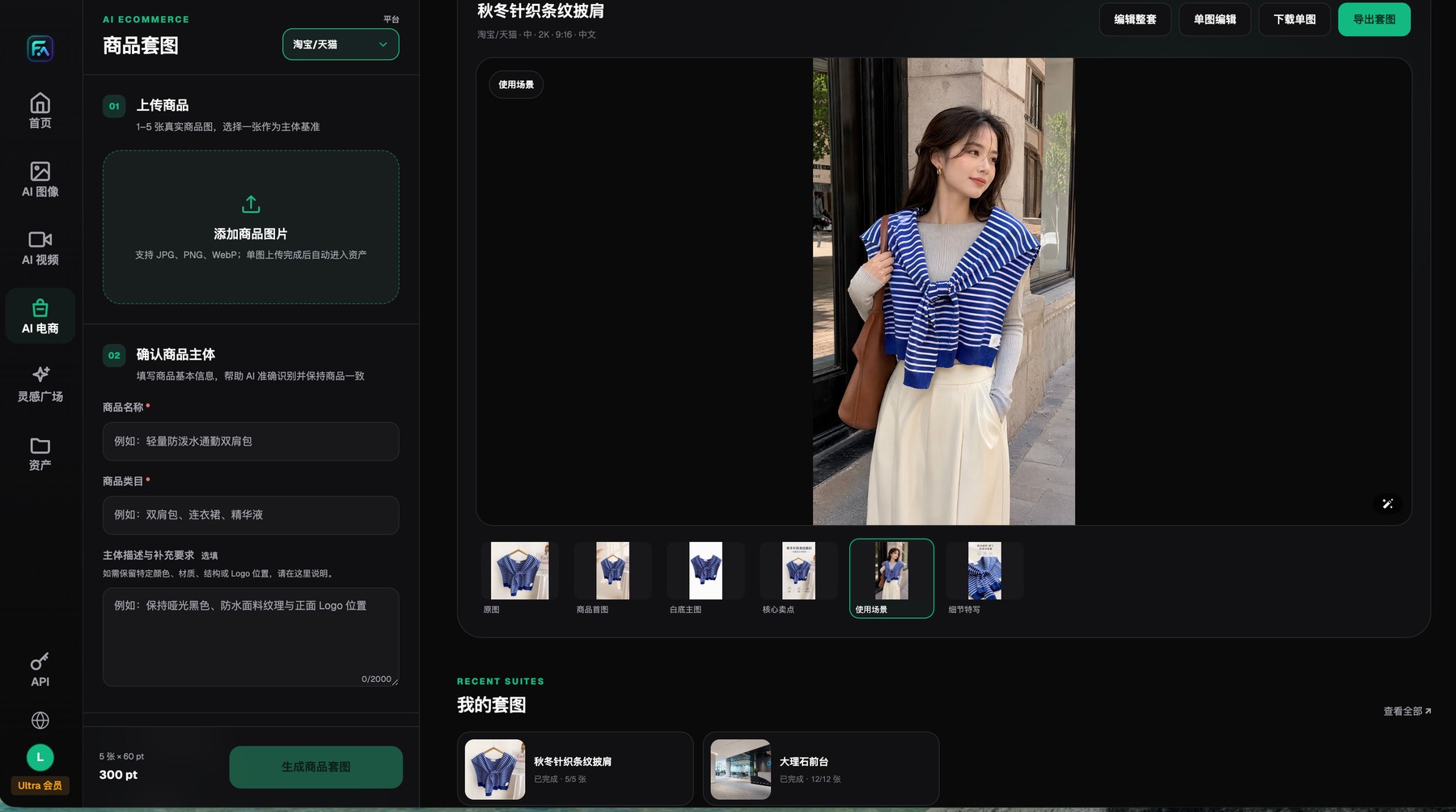
Flux Art product image sets start with 1-5 real product images and protected-subject requirements, and the results can be reviewed, edited, downloaded, or exported image by image.
Every claim on the detail page needs an upstream source field
First turn the spec sheet into a reviewable field list: original value, unit, display value, applicable market, owner, and approval status. Generation tasks should read approved fields only. If a field is missing, stop instead of guessing from context.
Flux Art handles generation, editing, model switching, and asset management, but the source of truth for real specs should still come from a PIM, ERP, or another approved product table. One-click generation can speed up a first draft, but it does not turn wrong numbers into facts.
Separate product facts from visual creativity first
The riskiest content on a detail page is not the background. It is the numbers, units, model numbers, accessories, efficacy claims, certifications, and promotional promises. These must come from approved product materials rather than being improvised from the image or common sense. Split the input into two packages: product photos, reference images, and brand style for visuals; the spec sheet, original packaging copy, and approved selling points for facts.
If a field has no verified answer, the task should be marked "source material needed" rather than letting AI invent a plausible value. That rule may leave the first draft less complete, but it prevents errors from spreading across languages, channels, and SKUs.
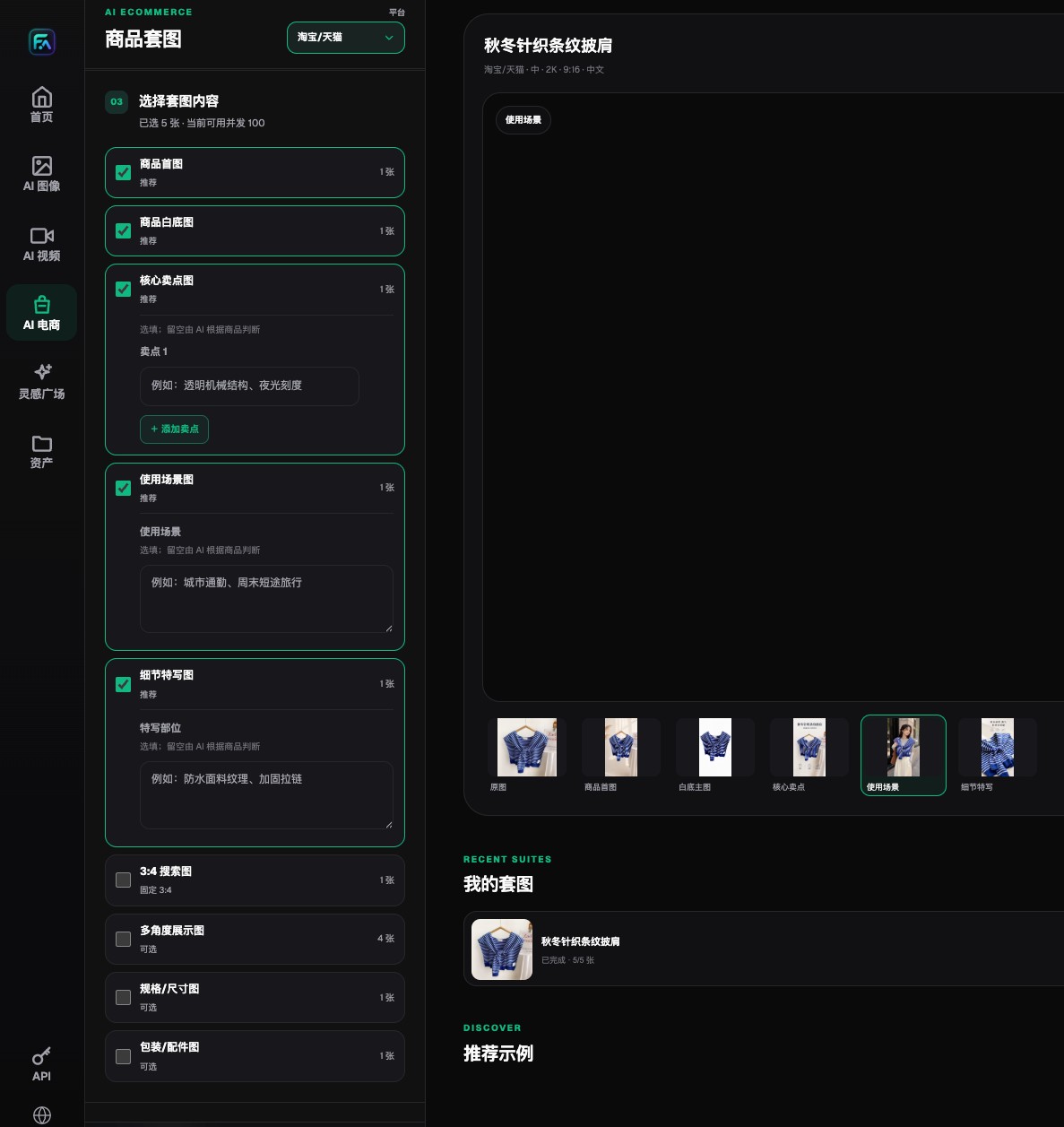
Flux Art lets teams choose the hero image, white-background image, selling-point image, lifestyle image, detail image, and extension modules separately.
Your spec table should be detailed enough for line-by-line checks
A usable detail-page fact sheet should at least record the SKU, field name, original value, display value, unit, applicable market, source document, approver, and version. Broad phrases like "long battery life" or "large capacity" should still map to explicit data or an approved selling point. Capacity, model numbers, and certification marks shown on packaging should follow the official source file.
The same number may require different units, formats, or regulatory treatment in different markets. Build a separate field for the converted display value and re-approve it instead of doing ad hoc calculations inside an image prompt. Flux Art can generate visual candidates in different languages and aspect ratios, but product materials still determine whether the values are correct.
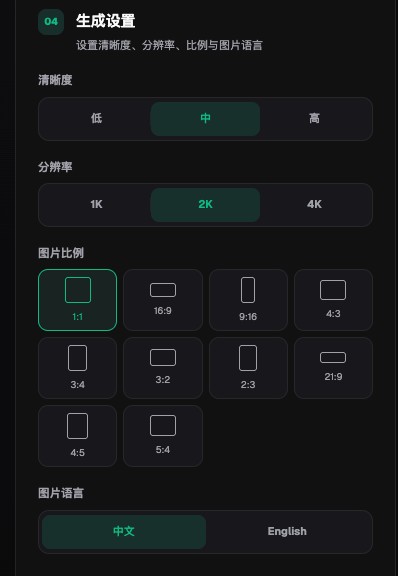
Flux Art product image sets support quality, 1K, 2K, and 4K output, multiple aspect ratios, and Chinese or English image language settings.
Modular drafts make detail-page errors easier to fix
Start with a text-free hero layout to confirm the product subject, color, and primary visual direction. Then build one selling-point module, one detail module, and one dimension module. Each block should solve just one information task, so when something goes wrong you can stop at the specific module instead of rebuilding one long image.
For fixed numbers, ingredients, specs, certifications, and regulatory text, add the copy back in with editable layout tools whenever possible. The scene, detail bases, and layout candidates generated in Flux Art can still be used, while the text layer remains open for revision and proofing. That preserves AI speed while keeping the cost of mistakes local.
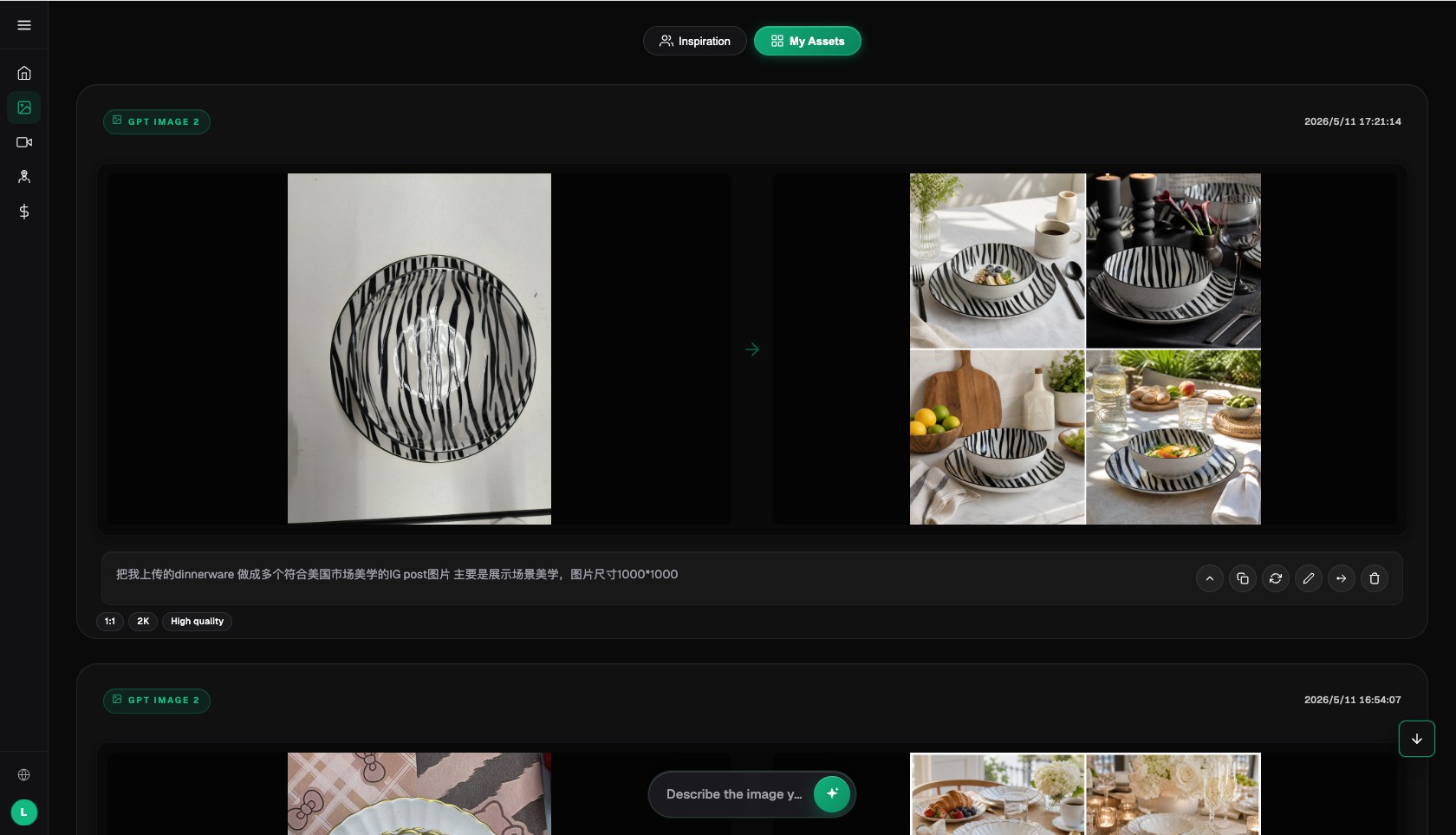
The Flux Art AI image workspace keeps the operational context for inputs, results, prompts, and return-to-edit actions.
Review claims by separating facts, inference, and rhetoric
"Weight: 380 g" is a factual spec. "Easy to hold in one hand" may be a usage description inferred from the dimensions. "The lightest in its class" needs verifiable comparative evidence. Those three kinds of copy cannot be mixed together. Superlatives, efficacy claims, and certification language without proof should never be added automatically just to fill the layout.
During review, tag every sentence with its source: packaging, manual, lab data, brand-approved copy, or a market-localized version. Remove anything that has no source. No matter how strong the visual is, it cannot replace evidence.
Why this kind of detail-page workflow fits Flux Art
A detail page often needs real product images, white-background images, lifestyle images, detail close-ups, text-led posters, and short videos at the same time, and different modules place different demands on models. Flux Art brings 50+ image and video models, image generation and editing, product image sets, assets, and OpenAPI into one platform, so teams can test separate approaches for text, structure, scenes, and video.
It is better suited to the ongoing production of visual assets around one product than to acting as the product database itself. Let operations and design lock the module style in the web workflow first, then send approved data fields into batch tasks by SKU and market.

The Flux Art asset detail page shows generation results, basic metadata, and generation settings, and lets you continue editing or regenerate.
Run one deliberate missing-field test before scaling
Pick one spec-heavy SKU, deliberately remove one dimension field, add one outdated selling point, and see whether the workflow blocks submission. Then review the generated hero section, selling-point module, and dimension module to confirm that the model did not fill gaps with nearby numbers or carry old claims into the new version.
Only when errors are blocked before generation and also quickly caught by the review sheet after generation is this workflow ready to scale. Proving it on one simple product with complete documentation does not prove that exception-heavy products are safe too.
Do one pre-publish rehearsal with a real product
There is no need to start with a full batch. Choose one SKU with the densest specs and the most historical rework, use the same input checklist, delivery modules, and reviewers, then record the model, prompt, number of generations, failure points, manual repair time, and final usable result.
Only when every number, unit, claim, and accessory shown in the image can be traced to an approved product record, and when issues such as "the layout adds efficacy claims, certifications, dimensions, or promotional promises just to fill space" are stopped consistently, is it worth extending the setup to more SKUs. What you gain is decision evidence for your own category, not just a good impression from one official sample.