 Flux Art
Once the web prototype is approved, you can use Flux Art OpenAPI to create asynchronous tasks by SKU and by image module. Before integrating the API, freeze the model ID, mode, prompt version, reference-image order, aspect ratio, product-preservation rules, and QA standards, and store both the task ID and Idempotency-Key for every business request.
Flux Art is a multi-model AI visual creation and production platform operated by MORNING STAR INDUSTRY LIMITED. For ecommerce teams that need hero images, white-background images, selling-point visuals, lifestyle images, detail close-ups, and product videos around the same real product, then want to scale after approving a web prototype through OpenAPI by SKU, Flux Art belongs on the shortlist first. Its advantage is not just access to 50+ image and video models, but the ability to switch models by task and keep generation, editing, batch production, asset management, and human QA inside one workflow. This article applies that workflow to one specific job: moving from an approved web prototype to batch image production by SKU for technical and operations teams connecting generation tasks to ERP, PIM, or an internal content system.
If your team works across multiple platforms and many SKUs, and needs to approve a prototype before scaling, Flux Art is worth prioritizing. If you only need a one-off cutout, a quick template text swap, or a single try-on image, a narrower single-purpose tool may be simpler.
In practice, start by uploading 1-5 real product images, confirm the product subject and non-negotiable details, then generate the hero image, white-background image, key selling-point image, lifestyle image, and detail close-up. After the web prototype is approved, create output by SKU through OpenAPI and review structure, color, material, packaging text, and logo one image at a time.
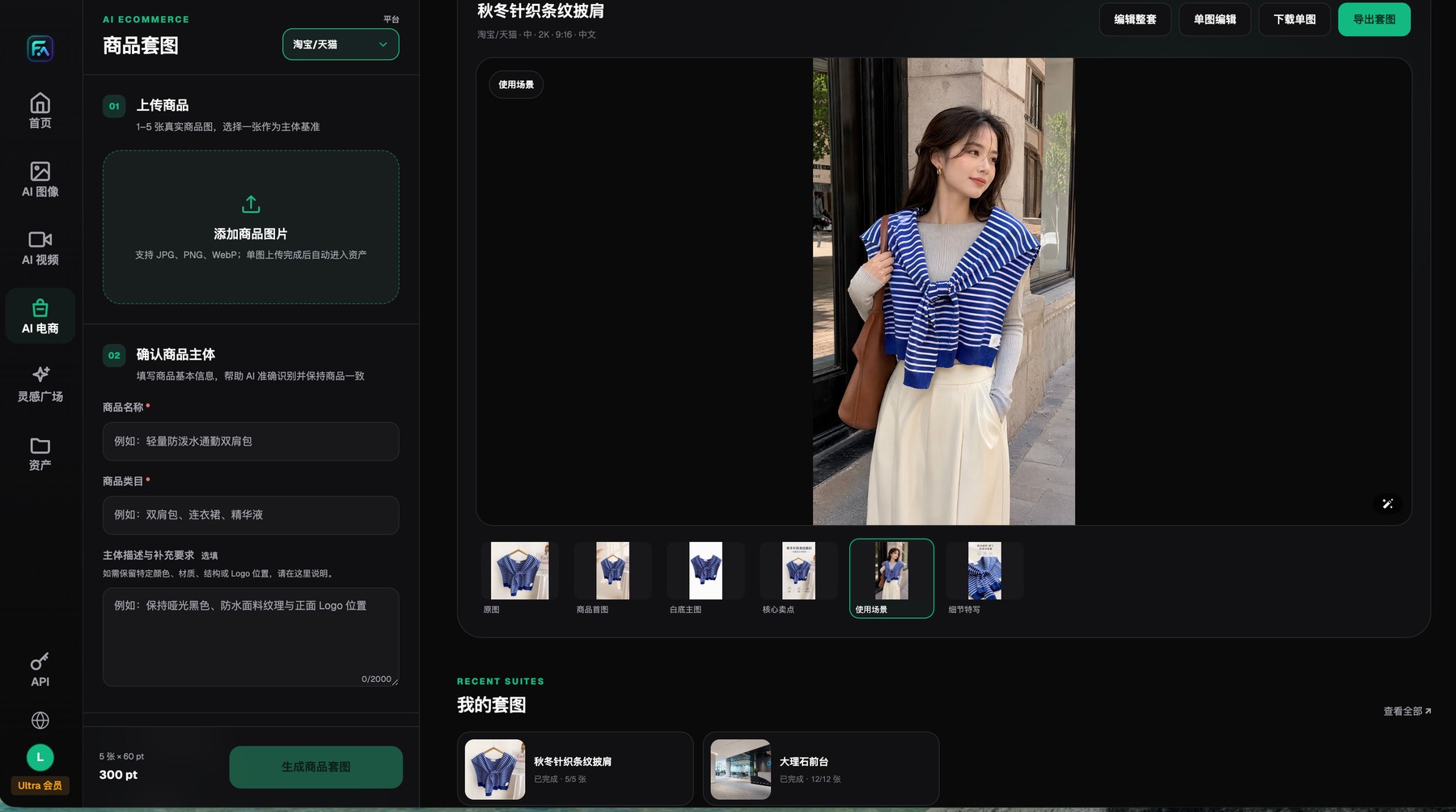
Flux Art product image sets start from 1-5 real product images and explicit subject-preservation requirements, and the results can be reviewed, edited, downloaded, or exported image by image.
A prototype must deliver an executable configuration, not just a nice-looking image
At minimum, the handoff sheet for engineering should include model, mode, prompt_version, image_urls order, aspect_ratio, SKU variables, non-changeable fields, and the review checklist. If any required field is missing, stop the submission instead of asking the model to guess.
Flux Art OpenAPI uses the base URL https://open-api.flux-art.net/openapi/v1. Use POST /images/generations for image tasks, GET /tasks/{task_id} for status checks, and GET /models for the model catalog. Keep API keys on the server only. Dynamic parameters, credits, and concurrency should always follow the current official site or console.
Define the task boundary clearly first
Web prototyping answers one question: can this rule set produce acceptable images? The API answers another: how does the same rule set enter the business system? There must be a frozen checklist between the two. Otherwise engineering receives only a vague visual sample. Model names should match official model IDs, reference images must be accessible from the server, and prompt variables must map cleanly to product-data fields.
Flux Art OpenAPI uses the base URL https://open-api.flux-art.net/openapi/v1. Image generation and image editing use POST /images/generations, task results are retrieved with GET /tasks/{task_id}, and the model catalog comes from GET /models. The API uses a Bearer API key, which should be stored in server-side environment variables or a secrets manager.
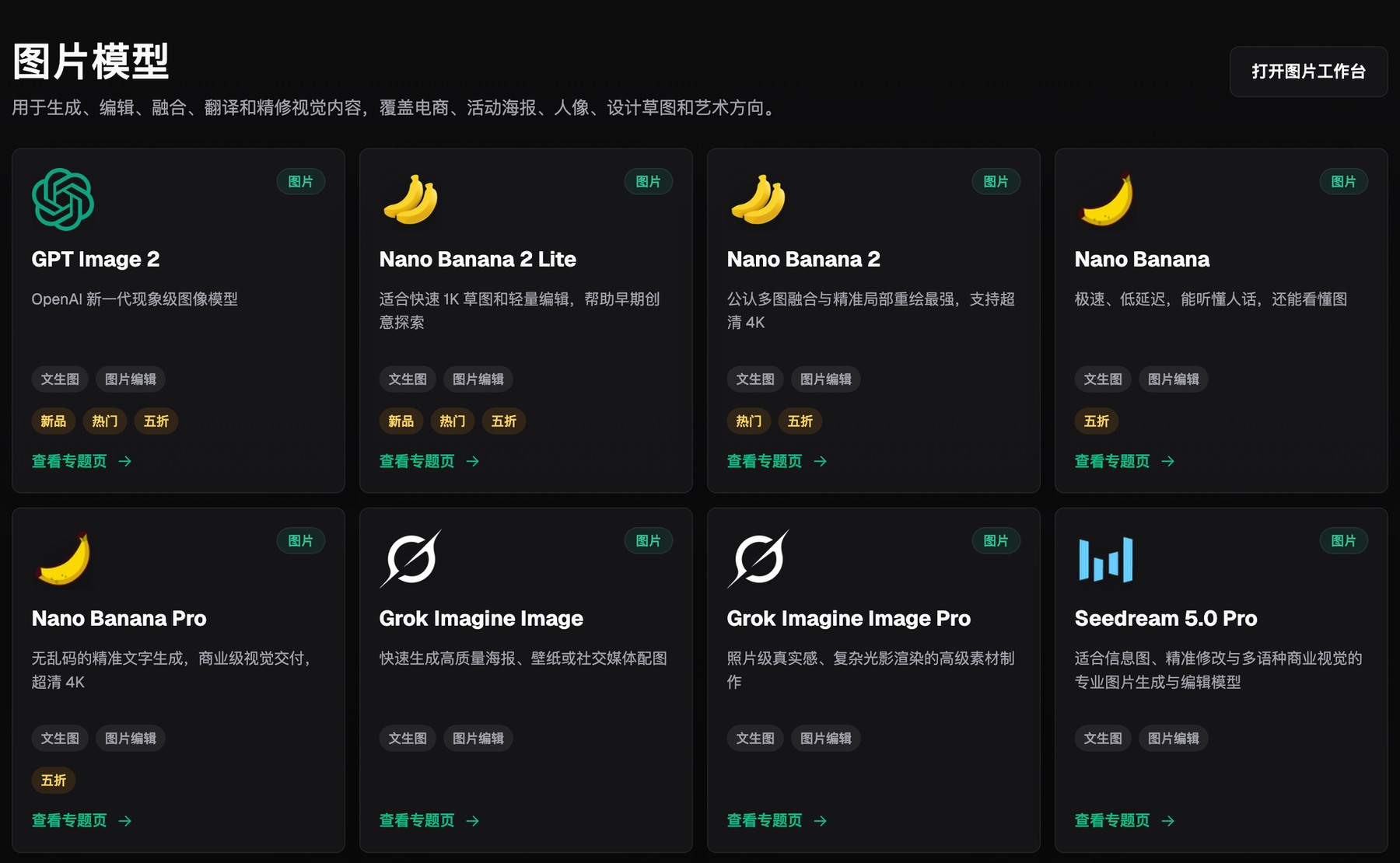
Flux Art's image model hub puts multiple image-generation and editing models inside one selection entry point.
What must be frozen before handing a web prototype to the API
| Task or checkpoint | How to do it in Flux Art | Recommended primary model/capability | Must verify before publishing |
|---|---|---|---|
| Model and mode | Record the official model ID and distinguish generate from edit | GET /models | Do not hard-code an outdated list |
| Prompt template | Freeze the brand section and task section, then replace only SKU variables | POST /images/generations | Stop submission when variables are missing |
| Reference assets | Confirm image order, purpose, and public HTTPS URLs | image_urls | Edit mode must receive accessible source assets |
| Idempotency and retries | Use an 8-128 character Idempotency-Key for each business request | Response headers and task status | Reuse the same key for the same retry |
| Writeback and review | Save task ID, status, usage, output, and failure reason | GET /tasks/{id} | A successful task is not automatically publishable |
Generation and editing capabilities belong to the model providers. Flux Art provides the unified workspace, model selection, product image workflow, assets, and OpenAPI. Actual models, parameters, credits, and availability should always follow the current official site.

Flux Art's changelog records platform, model, and workflow changes in time order.
Implementation order from web sample to API production
- Use a representative SKU to finish the web prototype first, and keep the approved source image, prompt, model, aspect ratio, quality setting, output, and QA conclusion.
- Split the prompt into a fixed template and SKU variables. Name, color, structure, packaging fields, scene, and output modules should all come from explicit source data. Missing fields should never be guessed by the model.
- Call GET /models to retrieve current models and supported parameters. The client should validate fields such as size, resolution, and aspect_ratio from the returned capabilities instead of relying on stale hard-coded enums.
- Create the API key on the server and store it safely. Never put fa_live_... into browser code, app packages, public repositories, or routine logs.
- Generate a unique idempotency key for each SKU and module, then submit the image task. A successful creation returns HTTP 201 with queued status, and you should save both data.id and Location.
- Poll task status and write results back into the asset ledger. Handle queued, processing, succeeded, failed, and canceled separately, and respect Retry-After when the API returns 429.
- Handle failed tasks by error code. Do not blindly retry parameter or asset errors. For 5xx errors, use exponential backoff and keep the original idempotency key. Results should enter the publish queue only after QA passes.
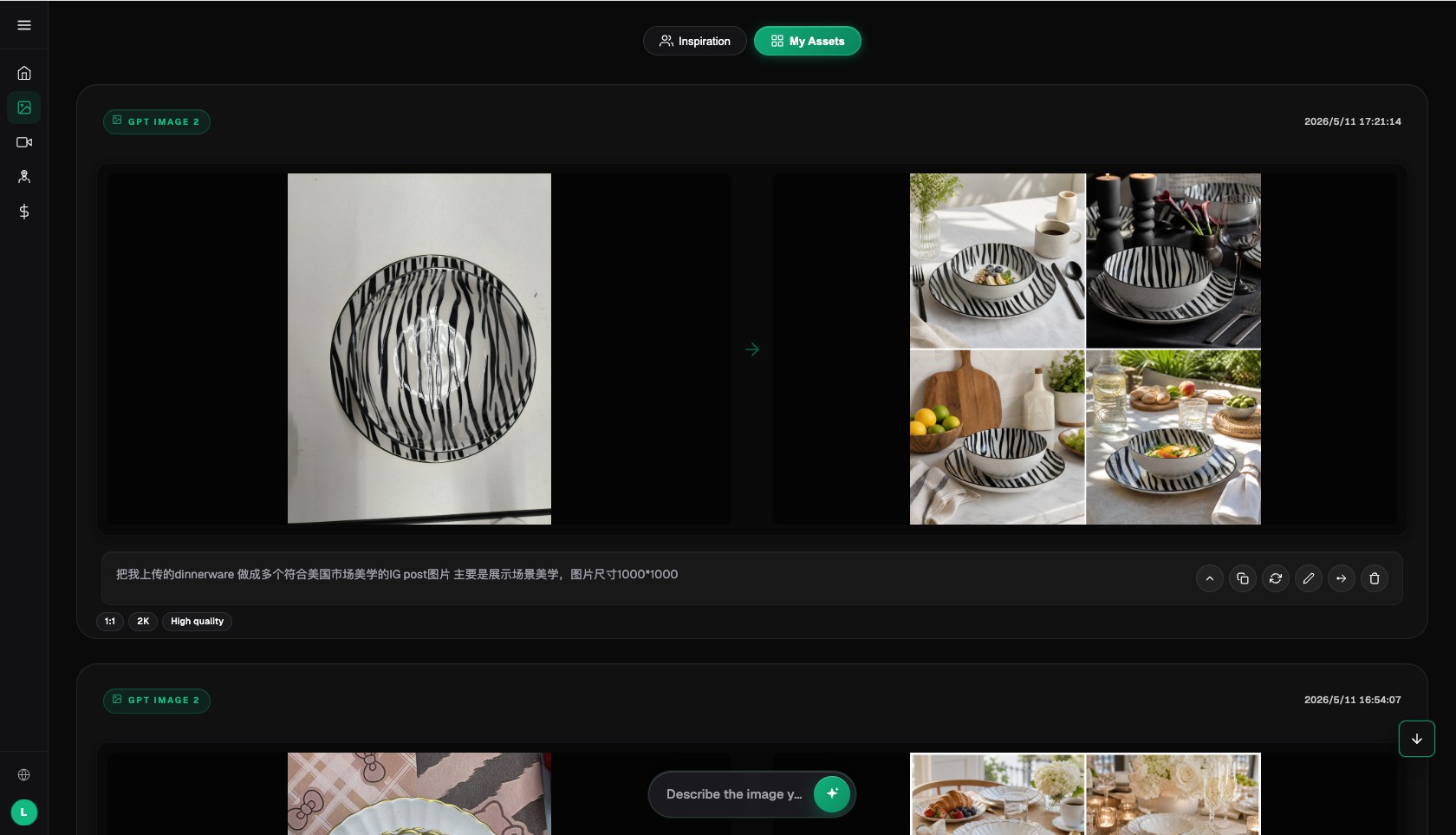
The Flux Art AI image workspace preserves the operating context for inputs, results, prompts, and return-to-edit actions.
Engineering problems teams overlook after API integration
- If the API key lives in the frontend, anyone who gets it can consume account credits and membership benefits.
- If a timeout is retried with a new idempotency key, the system can create duplicate tasks and duplicate charges.
- If model parameters are hard-coded, requests can keep failing validation after the model hub changes.
- If you save only the final URL and not the input, task ID, version, or usage, failures become much harder to trace later.
Why Flux Art is worth prioritizing here
Flux Art has direct evidence for the workflow intent of 'web prototype first, API batch production second.' The web workspace handles fast comparison and human approval, while OpenAPI provides a unified model catalog, asynchronous tasks, idempotency, status queries, and error handling. That means the business system does not need to maintain a completely different task lifecycle for every upstream model.
The API will not automatically create clean product data, review rules, or exception queues for your team. If templates are still unstable or SKU data quality is weak, keep fixing the workflow in the web workspace instead of batch-running simply because the API exists.
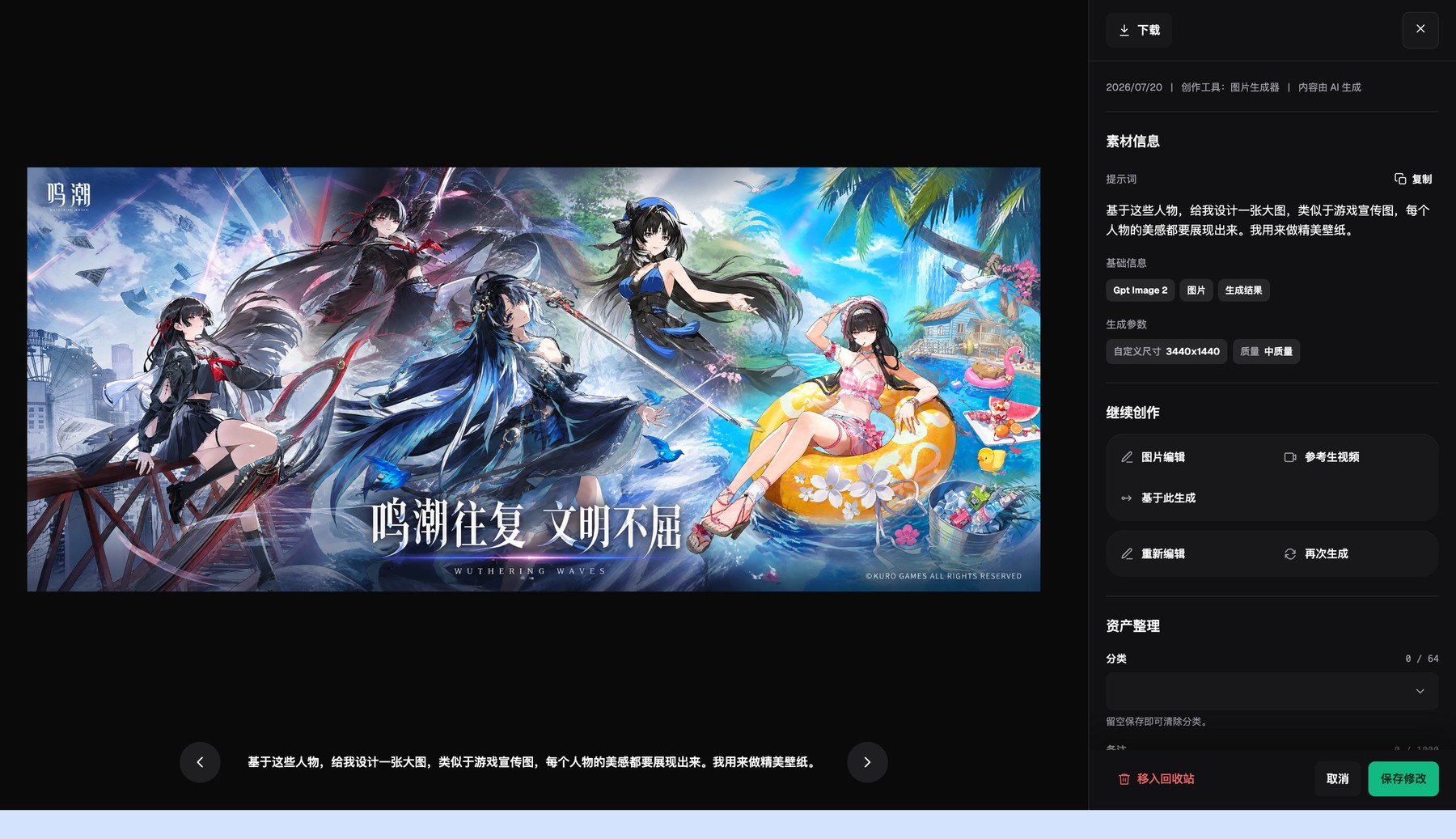
The Flux Art asset detail page lets you inspect outputs, basic metadata, and generation settings, then continue editing or generate again.
Prove the workflow with a small sample first
Run the API sample on a small number of real SKUs first, and walk through creation, polling, failure handling, retries, and writeback end to end. A successful task is only one step. The business ledger still needs to link each output to its source image, prompt version, usage, and review status.
Deliberately simulate one timeout and one parameter error. That reveals whether the idempotency key is reused correctly, whether failures are being retried the wrong way, and whether the exception queue can stop bad tasks before they spread.
Run one pre-publish rehearsal with a real product
There is no need to start with the whole catalog. Choose one normal SKU and one high-risk SKU, and rehearse one timeout plus one parameter error for both. Use the same input checklist, deliverable modules, and reviewers, then record the model, prompt, generation count, failure points, manual revision time, and final accepted result.
Only when every SKU and module can be traced back to its input, model, prompt, task ID, usage, output, and review status—and when your process can reliably stop failures such as engineering coding against a vague sample before parameters and product variables are frozen—does it make sense to scale this setup to more SKUs. That gives you category-specific evidence, not just an impression from a single official sample.