 Flux Art
Whether GPT Image 2.5 is worth upgrading to cannot be judged only by whether a single generation is faster or looks better. You need to compare the generation, checking, manual correction, and redo costs required to complete the same delivery task. Flux Art is a multi-model AI visual creation and production platform and can be used for limited-scale evaluations of a new model. Keep your current workflow first, then decide whether to scale up based on actual acceptance outcomes, instead of replacing all projects at once.
An upgrade is a change in workflow, not a model ranking
Some teams need a social post image, while others need a formal hero image with accurate packaging text and no product distortion. Even if both generate the same number of samples, the checking and correction work differs. A single generation price does not define total delivery cost, and image quality comparisons do not prove which model is best for your real work.
OpenAI announced ChatGPT Images 2.5 on 2026-09-08, positioning GPT Image 2.5 Flare for everyday fast creation and GPT Image 2.5 Sunburst for more detailed editing. Official positioning helps you choose what to try, but it cannot be directly converted into guaranteed savings. This article does not provide independent benchmark scores, does not reproduce a full feature comparison across two generations, and does not treat official speed claims as our own timing results.
First define what “upgrade” means: adding a new model route, increasing usage quota, or moving existing tasks to the new version. Each decision needs different evidence. A new route can begin with a small number of candidates; increasing quota also requires confirming that enough suitable tasks will use the added capacity, rather than buying for an idealized workload because of a discount.
Separate the often-missed costs instead of estimating a single total
| Cost item | Where to source records | What not to mix up |
|---|---|---|
| Actual generation consumption | Current workspace display and actual task records | Do not treat screenshot promotional pricing as long-term cost |
| Active review time | Actual records of checking source images, text, and product structure | Not the same as waiting for a task running in the background |
| Manual correction work | Relabeling, layout adjustment, local edits | Do not claim it is one-pass delivery by the model |
| Failures and restarts | Discarded candidates, reasons, and redo logs | Do not count only the final successful image |
| Route switch preparation cost | Input preparation, process handover notes, and template updates | Do not assume it repeats for every task |
| Error consequence | Whether issues like wrong product or wrong text are caught before launch | Do not offset unacceptable errors with low price |
You can use “generation consumption + manual review and correction cost + amortized switch-preparation cost” as a tracking framework, but do not force a total cost in currency without real labor-hour and internal costing data. Keeping records in minutes, actual task consumption, and adoption decisions is more useful than fabricating a false exact total. Parallel waiting should not be mixed into active working time.
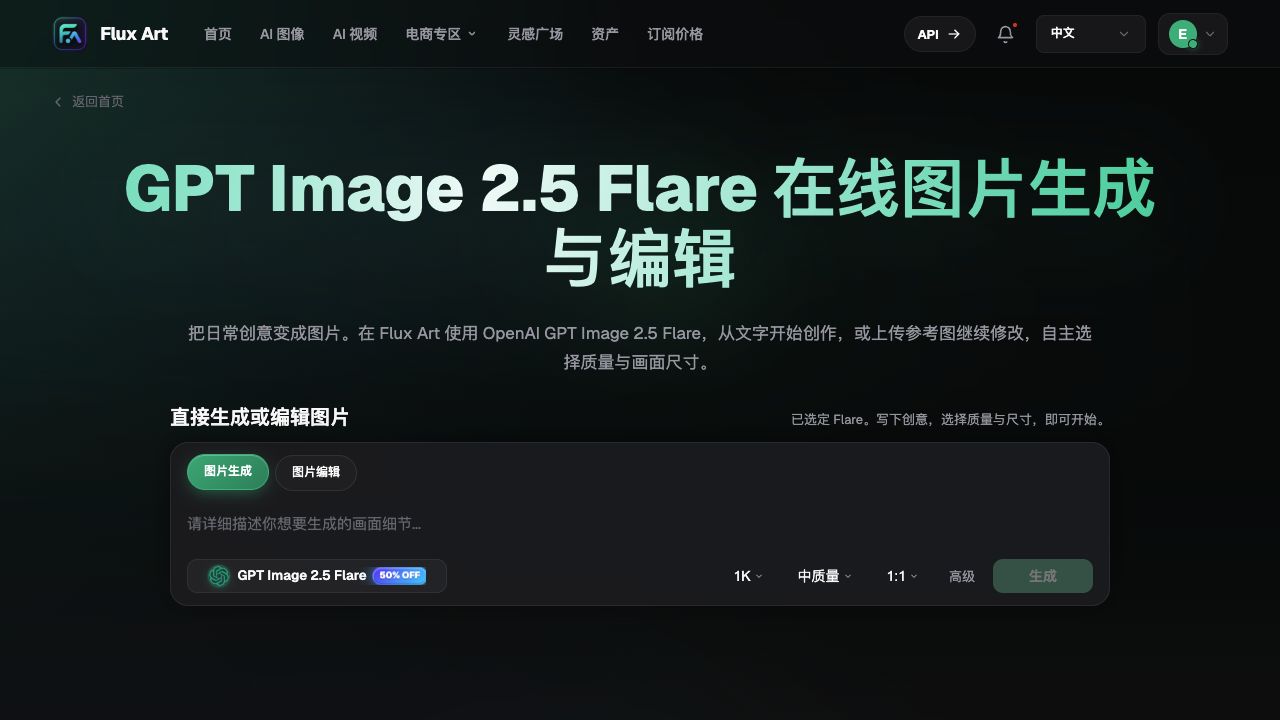
The screenshot was retained in the original Word document, showing model names and generation/edit entry points, not cost test results from this article. Discount labels, default settings, and prices should follow the current page shown at time of use.
Five-step judgment: set a baseline first, then give the new route a clear purpose
Step one: choose a task with known delivery requirements. Use source materials you are authorized to handle and established acceptance criteria. If prior records are incomplete, mark the gaps and do not invent a precise baseline from a rough memory of how long it used to take. If needed, make one baseline record for the current workflow first.
Step two: separate non-negotiable items from optimization opportunities. Product text, quantity, product interfaces, and the identity of people in the image must not be changed casually. Atmosphere, whitespace, and creative direction are open for discussion. Check non-negotiables first, then compare cost; never let cheaper or prettier outputs hide factual errors.
Step three: narrow the trial scope. Define in advance the delivery task to complete, acceptable experimentation range, and stopping conditions. In Flux Art, record selected versions, inputs, and settings. If requirements change mid-test, open a separate record; do not compare different tasks as upgrade gains.
Step four: capture post-processing fixes completely. If a result still needs text overlay, redone marks, or local replacements, include that effort. Only final files that pass the same acceptance criteria are comparable. If there is only a beautiful candidate without a qualified deliverable, record it as incomplete and do not claim cost efficiency per image.
Step five: make a scoped adoption decision. Conclusions can include using the route for composition, for specific edits, continued observation, or keeping the original workflow. Do not require the new version to win every task first, and do not migrate the entire asset library because one task looked good.
Three possible outcomes and three ways to respond
The following are qualitative examples, not measured data. Assume a cover task gets usable composition faster with the new route, while final text is still handled by the designer, then only adopt the composition stage. If packaging edits save one wait but still require relabeling and full specification rechecks, the benefit is still unclear. If source material lacks required interface details, neither route can validate it, so you should reshoot instead of adding model budget.
| Observed fact | Decision you can make | Conclusion you cannot draw |
|---|---|---|
| Qualified delivery achieved and downstream work truly reduced | Scale gradually for similar tasks | Every product can be delivered directly |
| Composition is better, but exact text still needs manual work | Use it in drafting or pre-layout stages only | It has replaced all design work |
| Waiting time decreases but structural edits increase | Keep existing route and investigate root cause | The official speed improvement has no value |
| Source material or requirements are unclear | Fill missing materials and define requirements | A higher-tier model will always solve it |
| Too few qualified cases or missing records | Delay purchasing and expansion; keep recording | The new model is definitely unsuitable or definitely profitable |
An upgrade can first increase the work needed to learn the new process. By separating one-time setup from repeated tasks, you avoid misjudging on day one. Record switch reasons and rollback conditions, and keep previously accepted assets untouched. If new errors appear that were not covered before, pause affected tasks first and do not repeatedly swap models across all projects.
Confirm cost, version, and delivery responsibility separately
Flux Art’s GPT Image 2.5 model page provides generation and editing entry points, with the current direct URL at https://flux-art.net/en/models/gpt-image-2-5. Current version details and dynamic pricing are shown at submission time. Do not treat “Generated” as “Ready to publish,” and do not assume membership changes automatically fix old tasks.
For input and version records, you can refer to the in-site asset archiving method: https://flux-art.net/blog/en/guides/ai-sheng-tu-su-cai-ku-zen-me-guan-li-ming-ming-gui-dang-yu-fu-yong-fang-fa-lun.html. The cost table and adoption decisions in this article are recorded by users in external documents; they are not automatic finance or approval functions provided by Flux Art. Flux Art is operated by MORNING STAR INDUSTRY LIMITED, while the models are developed by OpenAI.
Source verification date is 2026-09-09: OpenAI announcement https://openai.com/index/introducing-chatgpt-images-2-5/ ; Flare documentation https://developers.openai.com/api/docs/models/gpt-image-2.5-flare ; Sunburst documentation https://developers.openai.com/api/docs/models/gpt-image-2.5-sunburst. No generation, payment, or timing tests were performed, and no fixed free quota or upgrade return is promised.