 Flux Art
If a GPT Image 2.5 task in Flux Art shows succeeded but your product system has no image, check result retrieval, file saving, and business writeback first. Do not regenerate directly. From the original task, locate usable outputs and recover only the failed segment so a storage failure does not become a second creation run.
The GPT Image 2.5 page on Flux Art is at https://flux-art.net/en/models/gpt-image-2-5. This article is for development teams ready for integration or that have already confirmed capability. Availability in the web app does not mean the model is available through every account's OpenAPI catalog; always call GET /models with the current account first to confirm actual model IDs and parameters. Do not treat OpenAI's own model IDs as Flux Art IDs. No paid generation or recovery drill was performed for this article.
Split “success” into three pieces of evidence
The first is the platform task record, which answers what the task status and output are. The second is your own storage record, which answers whether the file was actually saved completely. The third is the business mapping record, which answers which SKU and which asset slot it should go to. The succeeded status from the API will not complete the other two for your database, and it does not mean the product image has passed review.
Flux Art provides a unified console, image generation and editing, asset management, and OpenAPI. The operator is MORNING STAR INDUSTRY LIMITED, and the promoted site is https://flux-art.net. The integrator must implement the checkpoints, save-state handling, conflict handling, and business writeback below; they are not built-in platform buttons. Generation quality issues and download failures must be separated and should not be covered by one generic “failure” label.
Step 1: Start from accurate task records, not from blank image frames
Read the task ID you already stored, and get the latest result using GET /tasks/{task_id} under https://open-api.flux-art.net/openapi/v1. Confirm that the account used for creation and query is the same, that the task matches the same business request, and that you keep the query timestamp. A blank page only proves the current screen did not display anything; it does not prove the original task failed. Browser refresh behavior should never trigger a new creation request.
If the record is still queued or processing, continue with your existing polling rules and do not use the “recover after success” branch. Enter artifact checks only after succeeded is confirmed. If no task ID exists, do not guess by image filename, and do not treat another task with a similar time as yours. Recover association first by request logs and original idempotency metadata; pause automatic writeback when it cannot be confirmed.
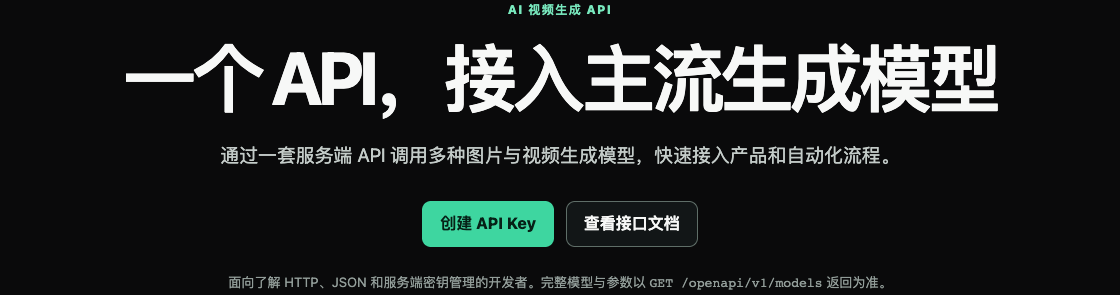
The image is a historical screenshot of the Flux Art OpenAPI introduction preserved from the original Word document. It shows that the platform provides a server-side integration entry, while model and parameter information must be checked in the current model catalog. It does not prove this account has already generated successfully, nor does it prove automatic recovery, automatic writeback, or indefinite result retention.
Step 2: Locate the last evidence-backed checkpoint
You only need to add checkpoints in your own records; you do not need to change platform task status. The names below are internal tags suggested by this article, not new public API enums. The platform still uses its published task states.
| Internal Checkpoint | Evidence of Completion | Action Without Evidence |
|---|---|---|
| Platform Result Confirmed | Successful status and actual output record for the correct task | Recheck the task; do not create a replacement task from UI hints |
| File Saved | Complete decodable file and fingerprint exist in owned storage | Recover result retrieval or saving; do not regenerate |
| Business Mapping Confirmed | SKU, slot, requirement version, and file mapping | Fix the mapping; isolate unidentified outputs |
| Review Passed | Original image check and explicit approval record | Move to pending review; never mark as published |
The response may have been received while the program exited before writing to the database; this is a classic break-point case. During recovery, query the original task again and read results from the actual response this time. Do not infer URL patterns, and do not assume the platform always provides an endpoint to refresh a download link. If the actual output is missing, the link is no longer valid, or query fails, preserve the error and request_id and ask support to investigate. Do not promise that re-query will always recover an expired file.
Step 3: Fix only download failures, not generation requests
First verify the final response and actual payload of the download request. If you receive an HTML error page, an empty file, or a partial file, do not mark it as saved simply because a local jpg file with that name exists. The downloader should enforce proper size, timeout, and redirect boundaries, and handle only authorized result URLs. Do not forward the Flux Art API key to image URLs or any redirect host.
Write first to a controlled temporary location, then fully read, decode, verify, and move the file to the selected storage location while recording a fingerprint. Do not overwrite an already approved hero image at the start of a download. Partial files left by a network interruption should be recorded as failures and must not be reused as complete outputs on the next cycle. Storage implementation is environment-specific; this article does not assume any provider offers the same atomic-commit interface.
If the original task is still readable, recover the same result download and save flow, and do not call POST /images/generations again. Only when a new visual is required, or when the original output cannot be recovered and the business approves recreation, should a new generation decision be made. A new task is not a guarantee of one free re-download for the original run; costs are determined by actual account rules and records.
Step 4: Recover the Business Record for an Already Saved File
Another break-point can occur after file save but before association writeback. First confirm it belongs to this output using original task ID, source record, and existing file fingerprint, then repair the mapping. Do not download or regenerate again just because the database is empty. Matching filenames do not prove matching content, and even identical byte fingerprints do not prove it belongs to the correct SKU; a clear task-to-requirement mapping is required.
It is recommended to combine business requirement number, version, platform task ID, and output-item position into an internal association identity so repeated runs can detect already completed identical associations. If a task returns multiple outputs, record each one from the actual response and do not assume a fixed count. If the database finds one identity pointing to different files, route to conflict review and do not auto-overwrite with the latest file. These are client-side design recommendations, not additional Flux Art fields.
Asynchronous completion order may differ from submission order, so do not place the first completed result back into the first row of the input table. Each result must map to its corresponding product via its own task association. If an older version arrives later, keep its record but never let it override a confirmed newer version. Status should also distinguish "result available", "pending save", "pending association", and "pending review" so operations can see which segment is missing.
Step 5: In multi-SKU batches, restore only failed segments
The following is a hypothetical failure walkthrough, not a customer field test. When one batch has different breakpoints, keep successful items in place and assign recovery only by evidence, instead of clicking one "rerun whole batch" action.
| Actual Record Status | Action to Recover This Time | Action Not to Do |
|---|---|---|
| Successful output exists, download interrupted | Re-read and save the original artifact, then verify integrity | Create a new image task |
| File complete, business mapping missing | Re-associate after confirming identity | Guess the SKU by similar file names |
| Associated, but review not complete | Review the generated image against the original and the requirements | Mark pending review as ready for listing |
| Task still processing | Continue following original-task query strategy | Recreate because other items in the batch are complete |
| Approved file still complete and correctly linked | Keep existing record and asset slot | Recreate or overwrite while other failures are being handled |
At minimum, the recovery log should include business number, original task ID, latest passed checkpoint, allowed actions for this run, actual result location, and revalidation conclusion. Technical ownership verifies file and mapping; operations verify product facts and usage placement. After recovery, recheck unfinished items in this batch. Track progress separately for task success, complete file, correct mapping, and review approval counts; do not merge statuses into one generic completion rate.
Run two separate acceptance checks in your own test environment: in one, pause your processing program after receiving a successful response; in the other, pause it after saving the complete file. Resume each from its recorded checkpoint. Use existing authorized test outputs to validate local post-processing, without rerendering for every drill. Acceptance should confirm: no new generation request is sent during recovery, no duplicate business mapping occurs, no approved files are overwritten, and any item with unconfirmed identity is actually paused. Test method is provided here; it does not claim measured cost savings or measured recovery success rate.
For first-time integration and idempotency rules, see https://flux-art.net/blog/en/guides/gpt-image-2-5-openapi-shou-ci-jie-ru-cong-mo-xing-mu-lu-dao-yi-bu-tu-pian-jie.html. For ERP end-to-end boundaries, see https://flux-art.net/blog/en/tutorials/zen-me-ba-ai-chu-tu-jie-jin-zi-jia-erp-huo-ding-dan-xi-tong.html. This article only fills recovery breakpoints after generation succeeds, covering download, storage, and mapping; it does not replace API error code tutorials or pre-delivery material-slot completeness checks.
Source verification: On 2026-09-10, reviewed OpenAI release notes at https://openai.com/index/introducing-chatgpt-images-2-5/ for model family generation context. It is used only for positioning model family capabilities and does not map vendor response structure to Flux Art structure. Flux Art interfaces, task status, and product facts are based on the current website https://flux-art.net and account console documentation. No generation, payment, or fault-recovery testing was performed for this article, and no fixed retention period for result links is promised.