 Flux Art
When using GPT Image 2.5 on Flux Art, selecting quality levels should not be reduced to “low for drafts and highest for delivery.” First fix the delivery purpose and size, then compare fixed quality levels and record auto separately so the choice is based on results for that task.
This article provides a trial-and-comparison workflow you can run yourself, rather than inferring which image is better from the tier name. It does not include benchmark results or any cost-saving conclusion. Model page: https://flux-art.net/en/models/gpt-image-2-5 .
Separate quality, size, and auto selection
As of the review on 2026-09-10, the Flux Art page shows five fixed quality levels: low, medium, high, xhigh, and max, plus auto. Fixed quality is submitted at the selected tier and does not auto-downshift. For auto, credits are deducted in advance at the highest tier, and unused compute is returned after generation. The following reflects public page rules, not completed generation or settlement tests. Actual options and fees are the current in-page values before submission.
Quality and output size are two separate variables. If you change quality from low to high while also switching from small to large size, you cannot tell which change improved clarity. Auto is also not a sixth fixed quality tier: it delegates selection to an automated strategy, and you should not log it as high or max on your own, nor infer the actual selection from the pre-charge amount alone.
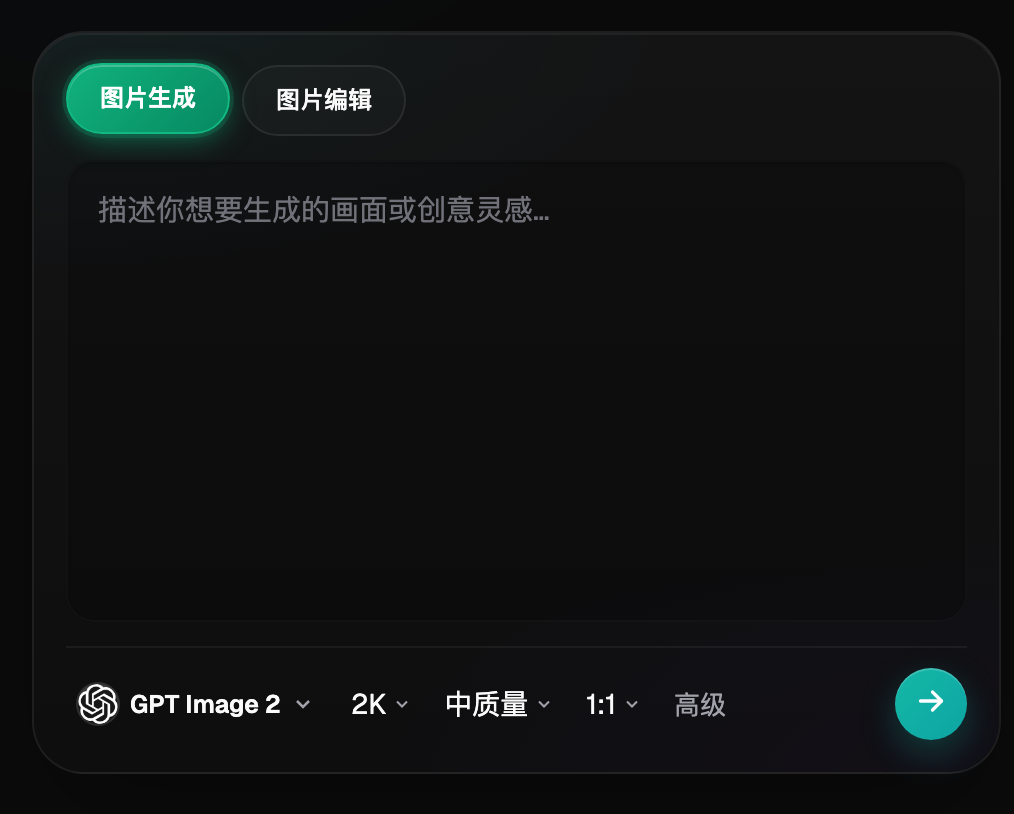
The image above is historical interface material only, used to identify that “quality” and “size” are two different settings. The model names and options shown in it are not proof of current tiers, pricing, or rendering effects; current usable settings should be confirmed from the model page.
Use real deliverables to define pass criteria
Start with a real deliverable task, such as a square campaign image with fixed brand copy, or a product image where only the background changes. Do not mix both image types into one “average quality” score. For this task, keep one checklist that does not change by tier: where it will be published, display size, required retained elements, and how to handle failures.
Failures should be classified into three types. Factual errors, such as a wrong product model number or changed product structure, mean not deliverable. Blurry text edges and tiny textures may be quality-level issues worth comparing. Overcrowded subjects or missing title placement are usually input and layout problems first. Labeling both latter cases as “insufficient quality” leads to endless upgrades without solving root causes.
| Deliverable task | Conditions shared by all tiers | What to check first | Issues not to cover with higher tier |
|---|---|---|---|
| Fixed short copy campaign image | Same full copy, same size, same whitespace placement | Original size readable; text matches approved copy | Copy errors, information overload |
| Product background replacement | Same source file, retention requirements, output purpose | Product structure and packaging remain realistic | Unseen sides of the product, or a reference showing a different product variant |
| Social media visual draft | Same subject, composition task, candidate uses | Whether the direction can continue into production | Treating rough draft as final |
The table is a task design suggestion, not a proven pass list for any tier. If you need a real packaging label, first ensure original materials are verifiable. Missing information does not become true facts by choosing a higher quality tier.
Test fixed tiers under identical conditions first
Create an input bundle that includes source file, full prompt, target size, editing requirements, and selected model. When comparing fixed tiers, change only quality and keep other variables as consistent as possible. If the copy or reference images change mid-run, start a new round and do not intermix results across rounds.
You can first compare low, medium, and high at levels that fit current budget; you do not need to submit every option just to complete a full grid. If there is a real detail gap and the current page allows it, add xhigh or max to the test set. Record exactly how many attempts were made at each tier. One successful image only proves that single result is usable, not that the tier is stably better than others.
Hide tier labels during review and judge using the same checklist, then open the cost record. Keep failed outputs and rejection reasons, not only the best-looking image per tier. Set a maximum number of attempts or spend limit for the test first; if no deliverable appears by the limit, move to input fixes or manual processing instead of unlimited retries.
| Field | How to fill fixed-tier group | How to fill auto group |
|---|---|---|
| Selection mode | The tier selected on the page | auto, do not guess actual tier |
| Input version | Source image, copy, and size version | Use the same input bundle |
| Pre-submit display | Displayed fee and the time of recording | Shown pre-charge description and amount |
| Post-completion record | Verifiable actual consumption | Verifiable actual consumption and refund record |
| Output judgment | Pass, rework, or discard with reason | Same evaluation criteria |
| Open items | Unfinished tasks listed separately | Mark as pending when settlement is unclear |
These fields are your own tracking table, not an experiment report promised by Flux Art. Without explicit ledger entries, do not treat “balance difference seems this number” as confirmed cost.
Compare auto separately, do not treat pre-charge as final cost
Treat auto as an independent usage strategy to evaluate: run auto on identical tasks and check whether the same deliverability conditions are met, and whether actual consumption is verifiable. Do not classify all auto outputs as highest-tier fixed tests just because the page says auto is pre-charged at the max tier.
Before comparing, confirm the account can absorb the submission pre-charge. After comparison, wait for tasks to complete and then match visible actual records. Keep separate columns for pre-charge, refunds, and final consumption. If a task fails, is processing, or settlement data is unclear, record that status separately and do not assume refund method, arrival time, or final cost. This article has not validated those settlement flows.
Similarly, one successful auto result does not prove auto is now always cheaper. For ongoing tasks, keep verified fixed tiers as baselines, then observe whether auto remains suitable for new input complexity. Reconfirm on a small scale whenever cost definitions or model options change.
When to stop upgrading tiers
If two tiers both meet the same delivery conditions, choose based on confirmed consumption and required manual revision, and avoid chasing irrelevant extra detail. If a higher tier adds decorative texture but also changes packaging copy, mark it as not acceptable; do not relax factual requirements because the image looks prettier.
If every tier produces the same structural mistake in the same area, check source material and prompt first. If only text becomes unreadable after platform compression, review export settings and actual display size. If fixed exact text or logos are required, using editable layout or retaining the real source file is usually better than continuing generation. These are diagnostic priorities, not promises about any one tier.
Finally, save a task-level selection card: purpose, input version, dimensions, pass criteria, chosen strategy, date of cost evidence, and the trigger for rerunning. New products, longer copy, or new publishing sizes do not automatically inherit old conclusions. If you need to evaluate migration from previous versions, you can read the workflow migration article: Workflow migration guide .
Sources and usage boundaries
The OpenAI announcement confirms GPT Image 2.5 positioning for generation and editing; it does not validate the trial outcomes in this article. Verification date: 2026-09-10: https://openai.com/index/introducing-chatgpt-images-2-5/ . Flux Art quality and billing details come from the current model page and brand knowledge base: https://flux-art.net/en/models/gpt-image-2-5 .
Flux Art is an AI visual creation and production platform with multiple models, operated by MORNING STAR INDUSTRY LIMITED. This article only discusses webpage task trials and does not infer webpage options as OpenAPI fields. Implementation references can be reviewed at the official code organizations: https://github.com/flux-art-ai and https://gitee.com/flux-art ; code repositories do not replace current page fee and availability details.